
Download Galaxy Buds2 Manager APK 6.0.24012451 arm64-v8a, armeabi-v7a, x86, x86_64 · Android 24+
Download APK
Verified Safe
This is the arm64-v8a, armeabi-v7a, x86, x86_64 build of Galaxy Buds2 Manager 6.0.24012451. Pick this build if your device's primary ABI matches.
File size: 25.7 MB • Min Android: 24 • Target Android: 33 • Version code: 2024012451 • Framework: Native (Java/Kotlin) • Permissions: 6
Screenshots
File Information
| Package Name | com.samsung.accessory.berrymgr |
|---|---|
| Version Name | 6.0.24012451 |
| Version Code | 2024012451 |
| Architecture | arm64-v8a, armeabi-v7a, x86, x86_64 |
| Min Android Version | Android 24 (API 33) |
| Framework | Native (Java/Kotlin) |
| File Size | 25.70 MB |
| Signature (SHA1) | 9CA5170F381919DFE0446FCDAB18B19A143B3163 |
| File Hash (SHA256) | 52a1fbdfac1ac205d48f3734b0415a5a13996df050985699a999577fb37204b7 |
What's New
Improved system stability and reliability
App Description
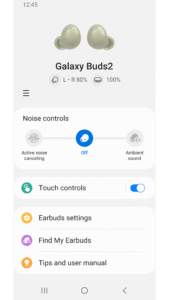
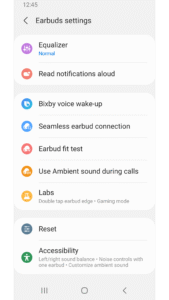
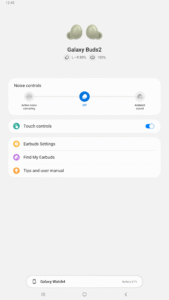
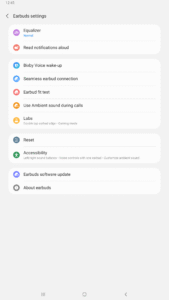
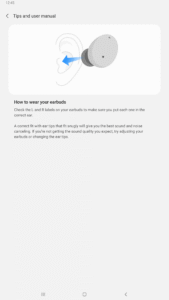
The Galaxy Buds2 Manager allows you to use features such as device settings and status view when connected to a Galaxy Buds2 device.
This application does not work alone because this is a component of the Galaxy Wearable application.
The Galaxy Wearable application has to be installed first for the Galaxy Buds2 Manager application to operate normally.
※ Please allow the permissions of the Galaxy Buds2 Manager in Android Settings to use all the features in Android 7.0 or later.
Settings > Applications > Galaxy Buds2 Manager> Permissions
※ Access rights information
The following permissions are required for the app service. For optional permissions, the default functionality of the service is turned on, but not allowed.
[Required Permissions]
- Phone: Purpose of checking the version update information of the device
- Storage space: Purpose of storing music in external storage to use music transmission function
- Schedule: Purpose of checking schedule contents for using voice notification function
- Contact: Purpose for checking contact information when receiving a call to use voice notification function
- SMS: Purpose for confirming SMS contents for voice notification
[Optional Permissions]
-None
Previously allowed permissions can be reset on Apps menu in device settings after software update.
This application does not work alone because this is a component of the Galaxy Wearable application.
The Galaxy Wearable application has to be installed first for the Galaxy Buds2 Manager application to operate normally.
※ Please allow the permissions of the Galaxy Buds2 Manager in Android Settings to use all the features in Android 7.0 or later.
Settings > Applications > Galaxy Buds2 Manager> Permissions
※ Access rights information
The following permissions are required for the app service. For optional permissions, the default functionality of the service is turned on, but not allowed.
[Required Permissions]
- Phone: Purpose of checking the version update information of the device
- Storage space: Purpose of storing music in external storage to use music transmission function
- Schedule: Purpose of checking schedule contents for using voice notification function
- Contact: Purpose for checking contact information when receiving a call to use voice notification function
- SMS: Purpose for confirming SMS contents for voice notification
[Optional Permissions]
-None
Previously allowed permissions can be reset on Apps menu in device settings after software update.
Download Galaxy Buds2 Manager APK
Fast, free and safe download.
APK Permissions 6
- android.permission.BLUETOOTH
- android.permission.MANAGE_USERS
- android.permission.READ_LOGS
- android.permission.READ_PHONE_NUMBERS
- com.samsung.android.app.aodservice.permission.SUB_SCREEN_PROVIDER
- com.samsung.android.oneconnect.permission.START_SERVICE
APK Verified
The cryptographic signature guarantees that the file is safe to install and was not tampered with in any way.
Similar in Tools


More by Samsung Electronics Co., Ltd.


Frequently Asked Questions about Galaxy Buds2 Manager APK
This variant is built for devices that report `arm64-v8a, armeabi-v7a, x86, x86_64` as their primary ABI. If your device's CPU matches, this is the smallest, fastest version to install.
Yes — the APK's signature has been cryptographically verified against the publisher's signing key. The SHA-256 hash is shown in the File Information panel so you can independently confirm the file matches the original release.
Android 24 (API level 33) or newer. Older devices will refuse the install.
Install a free app like 'CPU-Z' or 'Droid Hardware Info' from the Play Store and look at the ABI / Instruction Set row. Most phones made after 2017 are arm64-v8a; if in doubt, download the universal variant.
All variants are functionally identical — same features, same version. They differ only in which CPU architectures the native code is compiled for, and (sometimes) which screen densities the included graphics target. Pick the one that matches your device for the smallest install size, or pick 'Universal' if you're unsure.