
Screenshots
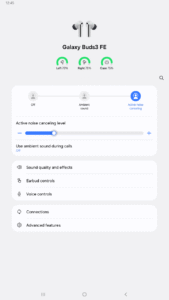
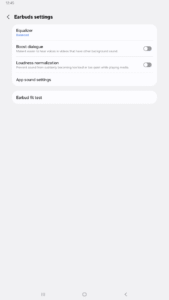
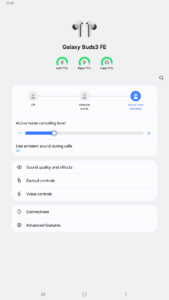
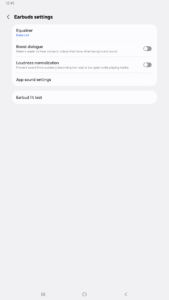
File Information
| Package Name | com.samsung.accessory.gemstonemgr |
|---|---|
| Version Name | 8.0.25082151 |
| Version Code | 2025082151 |
| Architecture | arm64-v8a, armeabi-v7a, x86, x86_64 |
| Min Android Version | Android 30 (API 35) |
| Framework | Native (Java/Kotlin) |
| File Size | 43.62 MB |
| Signature (SHA1) | 9CA5170F381919DFE0446FCDAB18B19A143B3163 |
| File Hash (SHA256) | ba3fc1fe530d9fa2a1b8319c210cad055c453a0929348c91570fb25e0f4e96ac |
What's New
Initial Official Release
App Description
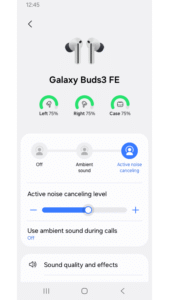
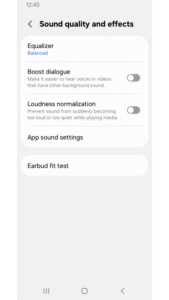
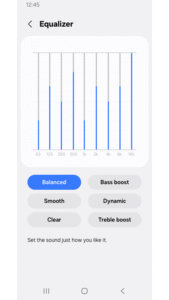
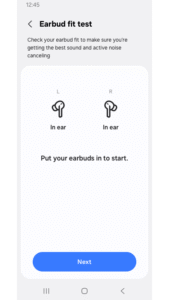
The Galaxy Buds3 FE Manager allows you to use features such as device settings and status view when connected to a Galaxy Buds3 FE device.
This application does not work alone because this is a component of the Galaxy Wearable application.
The Galaxy Wearable application has to be installed first for the Galaxy Buds3 FE Manager application to operate normally.
※ Please allow the permissions of the Galaxy Buds3 FE Manager in Android Settings to use all the features in Android 10.0 or later.
Settings > Applications > Galaxy Buds3 FE Manager > Permissions
※ Access rights information
The following permissions are required for the app service. For optional permissions, the default functionality of the service is turned on, but not allowed.
[Required Permissions]
- Nearby devices : Purpose for confirming to search Buds Devices
[Optional Permissions]
- Calendar : Purpose for checking Calendar information for using voice notification function
- Call logs : Purpose for confirming Call logs information for voice notification function
- Contacts : Purpose for confirming Contacts information for voice notification function
- Notifications : Purpose for confirming voice notification function
- Phone : Purpose for confirming Contacts information for voice notification function
Previously allowed permissions can be reset on Apps menu in device settings after software update.
This application does not work alone because this is a component of the Galaxy Wearable application.
The Galaxy Wearable application has to be installed first for the Galaxy Buds3 FE Manager application to operate normally.
※ Please allow the permissions of the Galaxy Buds3 FE Manager in Android Settings to use all the features in Android 10.0 or later.
Settings > Applications > Galaxy Buds3 FE Manager > Permissions
※ Access rights information
The following permissions are required for the app service. For optional permissions, the default functionality of the service is turned on, but not allowed.
[Required Permissions]
- Nearby devices : Purpose for confirming to search Buds Devices
[Optional Permissions]
- Calendar : Purpose for checking Calendar information for using voice notification function
- Call logs : Purpose for confirming Call logs information for voice notification function
- Contacts : Purpose for confirming Contacts information for voice notification function
- Notifications : Purpose for confirming voice notification function
- Phone : Purpose for confirming Contacts information for voice notification function
Previously allowed permissions can be reset on Apps menu in device settings after software update.
Download Galaxy Buds3 FE Manager APK
Fast, free and safe download.
APK Permissions 12
- android.permission.KILL_BACKGROUND_PROCESSES
- android.permission.QUERY_ALL_PACKAGES
- android.permission.REAL_GET_TASKS
- android.permission.STATUS_BAR_SERVICE
- com.samsung.accessory.budsunitemgr.permission.SIGNATURE
- com.samsung.accessory.gemstonemgr.provider.Settings.READ
- com.samsung.accessory.gemstonemgr.provider.Settings.WRITE
- com.samsung.accessory.hearablemgr.permission.WRITE_APP_REGISTRY
- com.samsung.android.hostmanager.permission.WRITE_APP_REGISTRY
- com.samsung.android.provider.indexing.permission.ACCESS_PROVIDER
- com.samsung.android.soagent.permission.ACCESSORY
- com.sec.android.app.clockpackage.permission.READ_ALARM
APK Verified
The cryptographic signature guarantees that the file is safe to install and was not tampered with in any way.


