
Download Samsung One UI Home APK
com.sec.android.app.launcher · by Samsung Electronics Co., Ltd.
Screenshots
About Samsung One UI Home
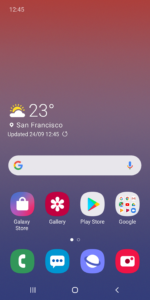
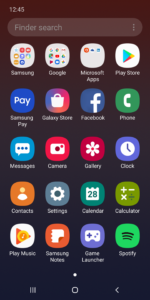
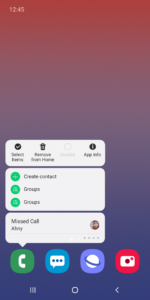
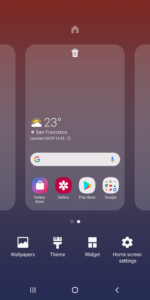
Samsung Experience Home starts fresh with a new face and name: One UI Home. It comes with a simple screen layout, neatly arranged icons, as well as Home and Apps screens that perfectly fit Galaxy devices. Meet the better-looking One UI Home that blends familiarity with newness. [New features available from Android Pie] • Use Full screen gestures on the Home screen. - You can hide the Navigation buttons at the bottom of the Home screen, and quickly switch between apps using gestures. Now, enjoy an even bigger Home screen. • Lock the Home screen layout after rearranging app icons. - This can prevent pages from being added and app icons from being repositioned or removed by accident. To lock the Home screen layout, go to Home screen settings, then turn on Lock Home screen layout. • Touch and hold an app icon or widget. - You can quickly access the App info or Widget settings screen without going through multiple menus. ※ The features described above require an update to Android 9.0 Pie or a later version. ※ Available features may differ depending on the device or OS version. If you have any questions or experience any issues while using One UI Home, contact us through the Samsung Members app. ※ App permissions The following permissions are required for the app service. For optional permissions, the default functionality of the service is turned on, but not allowed. [Required permissions] • None [Optional permissions] • Storage : Used to restore the home screen layout data • Contacts : Used to restore the contact widget information If your system software version is lower than Android 6.0, please update the software to configure App permissions. Previously allowed permissions can be reset on Apps menu in device settings after software update.


