
This is the arm64-v8a, armeabi-v7a build of Samsung Flow 4.9.16.6. Pick this build if your device's primary ABI matches.
File size: 7.4 MB • Min Android: 26 • Target Android: 35 • Version code: 491606100 • Framework: Native (Java/Kotlin) • Permissions: 3
Screenshots
File Information
| Package Name | com.samsung.android.galaxycontinuity |
|---|---|
| Version Name | 4.9.16.6 |
| Version Code | 491606100 |
| Architecture | arm64-v8a, armeabi-v7a |
| Min Android Version | Android 26 (API 35) |
| Main Activity | com.samsung.android.galaxycontinuity.SplashActivity |
| Framework | Native (Java/Kotlin) |
| File Size | 7.40 MB |
| Signature (SHA1) | 29C647CBCC9A5FBD6C0C961E05712BD15352A1F5 |
| File Hash (SHA256) | bd053d464338f9e919329dee7d1b208fdb4883fb13b3407288246d6f6d7da88b |
What's New
Bug fixing and Update of some features
App Description
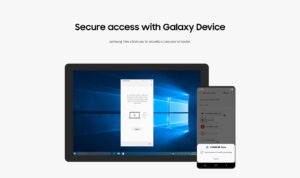
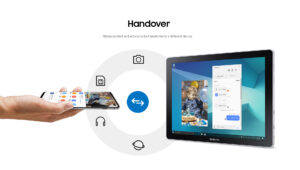
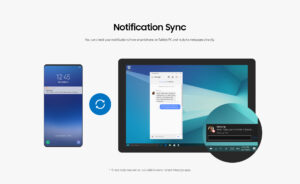
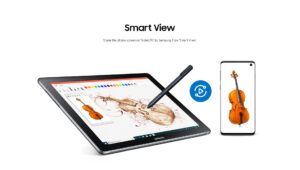
Samsung Flow is a software product that enables a seamless, secure, connected experience across your devices. You can authenticate your Tablet/PC with your smartphone, share content between devices, and sync notifications or view contents from your smartphone on your Tablet/PC. You can turn on the smartphone's Mobile Hotspot to keep your Tablet/PC connected.
You can also log in to your Tablet/PC with your biometric data (Iris, Fingerprints) if you register with Samsung Pass.
The following devices support Samsung Flow:
1. Windows Tablet/PC : Windows 10 OS Creators update (V1703) and June patch build (15063.413)
(Galaxy TabPro S, Galaxy Book, Galaxy Book2. Galaxy Book S, PC)
2. Android Tablet: Android N OS or newer
3. Android Phone : Android N OS or Newer
It may not be supported by some models, depending on the smartphone specifications.
* Samsung Flow will operate only on official software released by Samsung Electronics.
* Windows: Bluetooth (Bluetooth LE optional) or Wi-Fi/LAN, Wi-Fi direct
Windows 10 users can find the Samsung Flow app on the Windows App Store.
Go to the Samsung Flow webpage where you can find the setup guide:
www.samsung.com/samsungflow
If you have not updated the Samsung Flow app to the latest version, please go to Windows Store > Menu > Downloads and Updates to update the app.
* The PC unlock function is no longer provided because the Windows policy has changed.
The following permissions are required for the app service. For optional permissions, the default functionality of the service is turned on, but not allowed.
Required permissions
• Nearby devices: Used to find nearby devices and track registered devices
• Notifications: Used to show the connection status between your devices
• Storage: Used to store content shared among registered devices on an external storage device and view the stored content (~Android 10)
Optional permissions
• Phone: Used to answer and decline calls to your phone on your tablet or computer
• Call logs: Used to read the contact information included in the event of the incoming call when receiving a call
• Contacts: Used to obtain information about callers or senders when you receive calls or text messages on your phone
• SMS: Used to receive and reply to text messages to your phone on your tablet or computer
• Microphone: Used to record and send the audio from your phone to your computer or tablet while using Smart View
• Location: Used to search for your phone using your tablet or computer connected through Bluetooth
You can also log in to your Tablet/PC with your biometric data (Iris, Fingerprints) if you register with Samsung Pass.
The following devices support Samsung Flow:
1. Windows Tablet/PC : Windows 10 OS Creators update (V1703) and June patch build (15063.413)
(Galaxy TabPro S, Galaxy Book, Galaxy Book2. Galaxy Book S, PC)
2. Android Tablet: Android N OS or newer
3. Android Phone : Android N OS or Newer
It may not be supported by some models, depending on the smartphone specifications.
* Samsung Flow will operate only on official software released by Samsung Electronics.
* Windows: Bluetooth (Bluetooth LE optional) or Wi-Fi/LAN, Wi-Fi direct
Windows 10 users can find the Samsung Flow app on the Windows App Store.
Go to the Samsung Flow webpage where you can find the setup guide:
www.samsung.com/samsungflow
If you have not updated the Samsung Flow app to the latest version, please go to Windows Store > Menu > Downloads and Updates to update the app.
* The PC unlock function is no longer provided because the Windows policy has changed.
The following permissions are required for the app service. For optional permissions, the default functionality of the service is turned on, but not allowed.
Required permissions
• Nearby devices: Used to find nearby devices and track registered devices
• Notifications: Used to show the connection status between your devices
• Storage: Used to store content shared among registered devices on an external storage device and view the stored content (~Android 10)
Optional permissions
• Phone: Used to answer and decline calls to your phone on your tablet or computer
• Call logs: Used to read the contact information included in the event of the incoming call when receiving a call
• Contacts: Used to obtain information about callers or senders when you receive calls or text messages on your phone
• SMS: Used to receive and reply to text messages to your phone on your tablet or computer
• Microphone: Used to record and send the audio from your phone to your computer or tablet while using Smart View
• Location: Used to search for your phone using your tablet or computer connected through Bluetooth
Download Samsung Flow APK
Fast, free and safe download.
APK Permissions 3
- android.permission.BLUETOOTH_ADMIN
- android.permission.RECORD_AUDIO
- com.samsung.android.scs.permission.SUPPORTED_FEATURE_PROVIDER
APK Verified
The cryptographic signature guarantees that the file is safe to install and was not tampered with in any way.
Similar in Productivity


More by Samsung Electronics Co., Ltd.


Frequently Asked Questions about Samsung Flow APK
This variant is built for devices that report `arm64-v8a, armeabi-v7a` as their primary ABI. If your device's CPU matches, this is the smallest, fastest version to install.
Yes — the APK's signature has been cryptographically verified against the publisher's signing key. The SHA-256 hash is shown in the File Information panel so you can independently confirm the file matches the original release.
Android 26 (API level 35) or newer. Older devices will refuse the install.
Install a free app like 'CPU-Z' or 'Droid Hardware Info' from the Play Store and look at the ABI / Instruction Set row. Most phones made after 2017 are arm64-v8a; if in doubt, download the universal variant.
All variants are functionally identical — same features, same version. They differ only in which CPU architectures the native code is compiled for, and (sometimes) which screen densities the included graphics target. Pick the one that matches your device for the smallest install size, or pick 'Universal' if you're unsure.