
Download Samsung Global Goals APK 3.4.01.3 arm64-v8a, armeabi-v7a, x86, x86_64 · Android 28+
Download APK
Verified Safe
This is the arm64-v8a, armeabi-v7a, x86, x86_64 build of Samsung Global Goals 3.4.01.3. Pick this build if your device's primary ABI matches.
File size: 91.1 MB • Min Android: 28 • Target Android: 35 • Version code: 340103000 • Framework: Native (Java/Kotlin) • Permissions: 21
Screenshots
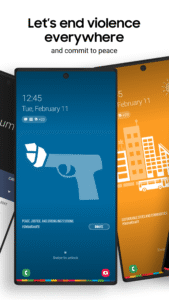
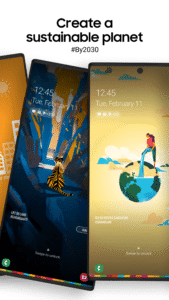
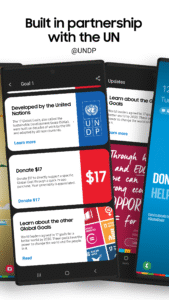
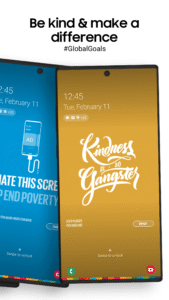

File Information
| Package Name | com.samsung.sree |
|---|---|
| Version Name | 3.4.01.3 |
| Version Code | 340103000 |
| Architecture | arm64-v8a, armeabi-v7a, x86, x86_64 |
| Min Android Version | Android 28 (API 35) |
| Main Activity | com.samsung.sree.ui.MainActivity |
| Framework | Native (Java/Kotlin) |
| File Size | 91.14 MB |
| Signature (SHA1) | B1CF3137AD060A7CD5CC7124A88CBE9AF6E24796 |
| File Hash (SHA256) | 68d730690b0ca282217c9efd174cac90529817c5bef41d65df82d69808eb7557 |
What's New
We're continuously working to improve your app experience. This update includes general stability improvements and fixes for several issues reported by users. Thank you for using our app! Enjoy!
App Description
Samsung Global Goals - Take Action for a Better World
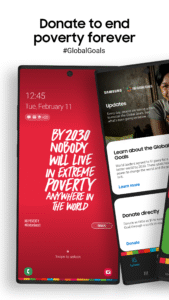
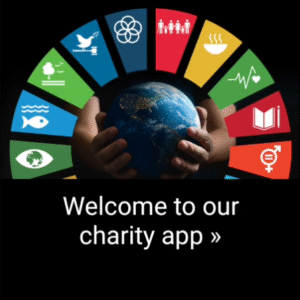
Join the movement for a sustainable future with the Samsung Global Goals app. Discover, learn, and contribute to the United Nations' Sustainable Development Goals (SDGs) right from your smartphone and smartwatch (Wear OS). Engage in meaningful actions, track your progress, and make a positive impact on the world.
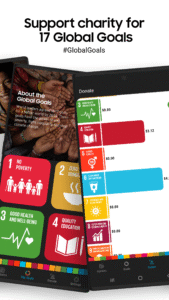
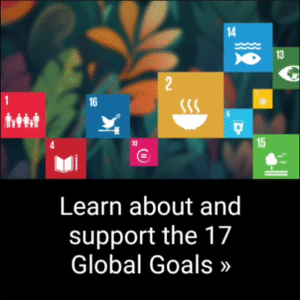
Learn about the 17 Global Goals, earn money, and donate to your favorite Goal.
App features:
Gain insights into the 17 Sustainable Development Goals through interactive content, wallpapers, and informative articles.
Get involved in campaigns, challenges, and initiatives that address global issues and contribute to real-world change.
Monitor your personal contributions, track your progress, and see the collective impact of the Samsung Global Goals community.
Access educational resources, inspiring stories, and expert advice to deepen your understanding and inspire others.
Download the Samsung Global Goals app today and become part of a global movement working towards a sustainable and inclusive future for all.
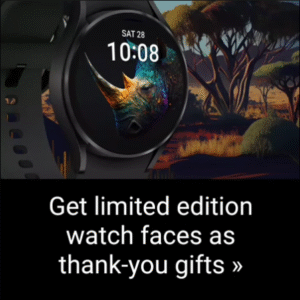
Expand your experience using our various Samsung Galaxy watch faces, watch app, and complication features.
About the app:
The Samsung Global Goals app, brought to you by Samsung in partnership with the UNDP, puts the future of our planet in your hands. As the leading global manufacturer of Android devices, we believe in our role as a responsible corporate citizen, investing in a sustainable future like never before. With your support, we aspire to ignite a worldwide movement by spreading awareness about the #GlobalGoals campaign. Together, let's channel our time and attention towards making a significant impact.
Here’s how it works:
Download and Install the apps: for your phone and watch.
Use your phone and watch like you always do.
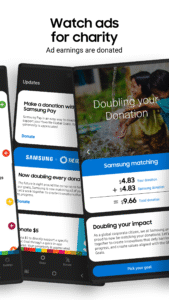
See interesting wallpapers and ads. Any ads you see from this app, earn money for donations that support the Global Goals.
Accumulate earnings.
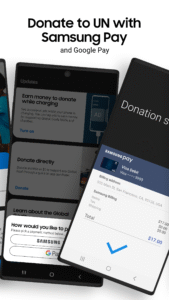
Donate to your favorite Goals. All of the donations from the ads displayed by this app will be made by Samsung to the United Nations Development Program.
App permissions:
Notifications are optional in the app and used to provide you with timely information and reminders of important calendar dates related to the Global Goals. You can still use the app's basic functions without allowing the optional permission.
About the UN's SDGs:
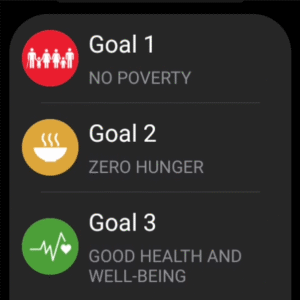
The 2030 Agenda for Sustainable Development was adopted by all United Nations Member States in 2015, and provides a shared blueprint for peace and prosperity for people and the planet, now and into the future. At its heart are the 17 Sustainable Development Goals (SDGs), which are an urgent call for action by all countries - developed and developing - in a global partnership. They recognize that ending poverty and other deprivations must go hand-in-hand with strategies that improve health and education, reduce inequality, and spur economic growth – all while tackling climate change and working to preserve our oceans and forests.
The clock is ticking, and the time for change is now. Together, we can overcome challenges that once seemed insurmountable and forge a path towards a more sustainable and equitable future.
For more information:
www.samsung.com/global/sustainability/
globalgoals.org
www.undp.org
“Unless we act now, the 2030 Agenda will become an epitaph for a world that might have been.”
-António Guterres, Secretary-General, United Nations
Join the movement for a sustainable future with the Samsung Global Goals app. Discover, learn, and contribute to the United Nations' Sustainable Development Goals (SDGs) right from your smartphone and smartwatch (Wear OS). Engage in meaningful actions, track your progress, and make a positive impact on the world.
Learn about the 17 Global Goals, earn money, and donate to your favorite Goal.
App features:
Gain insights into the 17 Sustainable Development Goals through interactive content, wallpapers, and informative articles.
Get involved in campaigns, challenges, and initiatives that address global issues and contribute to real-world change.
Monitor your personal contributions, track your progress, and see the collective impact of the Samsung Global Goals community.
Access educational resources, inspiring stories, and expert advice to deepen your understanding and inspire others.
Download the Samsung Global Goals app today and become part of a global movement working towards a sustainable and inclusive future for all.
Expand your experience using our various Samsung Galaxy watch faces, watch app, and complication features.
About the app:
The Samsung Global Goals app, brought to you by Samsung in partnership with the UNDP, puts the future of our planet in your hands. As the leading global manufacturer of Android devices, we believe in our role as a responsible corporate citizen, investing in a sustainable future like never before. With your support, we aspire to ignite a worldwide movement by spreading awareness about the #GlobalGoals campaign. Together, let's channel our time and attention towards making a significant impact.
Here’s how it works:
Download and Install the apps: for your phone and watch.
Use your phone and watch like you always do.
See interesting wallpapers and ads. Any ads you see from this app, earn money for donations that support the Global Goals.
Accumulate earnings.
Donate to your favorite Goals. All of the donations from the ads displayed by this app will be made by Samsung to the United Nations Development Program.
App permissions:
Notifications are optional in the app and used to provide you with timely information and reminders of important calendar dates related to the Global Goals. You can still use the app's basic functions without allowing the optional permission.
About the UN's SDGs:
The 2030 Agenda for Sustainable Development was adopted by all United Nations Member States in 2015, and provides a shared blueprint for peace and prosperity for people and the planet, now and into the future. At its heart are the 17 Sustainable Development Goals (SDGs), which are an urgent call for action by all countries - developed and developing - in a global partnership. They recognize that ending poverty and other deprivations must go hand-in-hand with strategies that improve health and education, reduce inequality, and spur economic growth – all while tackling climate change and working to preserve our oceans and forests.
The clock is ticking, and the time for change is now. Together, we can overcome challenges that once seemed insurmountable and forge a path towards a more sustainable and equitable future.
For more information:
www.samsung.com/global/sustainability/
globalgoals.org
www.undp.org
“Unless we act now, the 2030 Agenda will become an epitaph for a world that might have been.”
-António Guterres, Secretary-General, United Nations
Download Samsung Global Goals APK
Fast, free and safe download.
APK Permissions 21
- android.permission.ACCESS_ADSERVICES_AD_ID
- android.permission.ACCESS_ADSERVICES_ATTRIBUTION
- android.permission.ACCESS_ADSERVICES_TOPICS
- android.permission.ACCESS_NETWORK_STATE
- android.permission.ACCESS_WIFI_STATE
- android.permission.EXPAND_STATUS_BAR
- android.permission.FOREGROUND_SERVICE
- android.permission.FOREGROUND_SERVICE_SPECIAL_USE
- android.permission.INTERNET
- android.permission.POST_NOTIFICATIONS
- android.permission.RECEIVE_BOOT_COMPLETED
- android.permission.SYSTEM_ALERT_WINDOW
- android.permission.USE_BIOMETRIC
- android.permission.USE_FINGERPRINT
- android.permission.WAKE_LOCK
- com.applovin.array.apphub.permission.BIND_APPHUB_SERVICE
- com.google.android.c2dm.permission.RECEIVE
- com.google.android.finsky.permission.BIND_GET_INSTALL_REFERRER_SERVICE
- com.google.android.gms.permission.AD_ID
- com.samsung.android.samsungaccount.permission.ACCOUNT_MANAGER
- com.samsung.sree.DYNAMIC_RECEIVER_NOT_EXPORTED_PERMISSION
APK Verified
The cryptographic signature guarantees that the file is safe to install and was not tampered with in any way.
Similar in Education


More by Samsung Electronics Co., Ltd.


Frequently Asked Questions about Samsung Global Goals APK
This variant is built for devices that report `arm64-v8a, armeabi-v7a, x86, x86_64` as their primary ABI. If your device's CPU matches, this is the smallest, fastest version to install.
Yes — the APK's signature has been cryptographically verified against the publisher's signing key. The SHA-256 hash is shown in the File Information panel so you can independently confirm the file matches the original release.
Android 28 (API level 35) or newer. Older devices will refuse the install.
Install a free app like 'CPU-Z' or 'Droid Hardware Info' from the Play Store and look at the ABI / Instruction Set row. Most phones made after 2017 are arm64-v8a; if in doubt, download the universal variant.
All variants are functionally identical — same features, same version. They differ only in which CPU architectures the native code is compiled for, and (sometimes) which screen densities the included graphics target. Pick the one that matches your device for the smallest install size, or pick 'Universal' if you're unsure.