
This is the armeabi-v7a build of Samsung Notes 4.8.16.15, compiled for 32-bit ARM processors found in older Android phones (roughly 2013-2017). Use this build if your device's primary ABI is armeabi-v7a — modern 64-bit phones should pick the arm64-v8a or universal variant for better performance.
File size: 107.5 MB • Min Android: 23 • Target Android: 30 • Version code: 481615002 • Framework: Native (Java/Kotlin) • Permissions: 92
Screenshots
File Information
| Package Name | com.samsung.android.app.notes |
|---|---|
| Version Name | 4.8.16.15 |
| Version Code | 481615002 |
| Architecture | armeabi-v7a |
| Min Android Version | Android 23 (API 30) |
| Main Activity | com.samsung.android.app.notes.memolist.MemoListActivity |
| Framework | Native (Java/Kotlin) |
| File Size | 107.45 MB |
| Signature (SHA1) | 29C647CBCC9A5FBD6C0C961E05712BD15352A1F5 |
| File Hash (SHA256) | c53e68e7e047405484097a6c1467fb308f47c08355d79f00755fdcbe1d7fdb72 |
What's New
• Supports Android V-OS
• Supports One UI 7.0
• Fixed bugs
• Supports One UI 7.0
• Fixed bugs
App Description
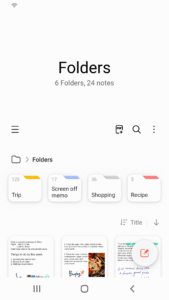
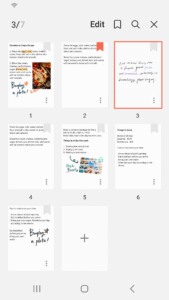
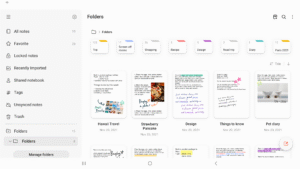
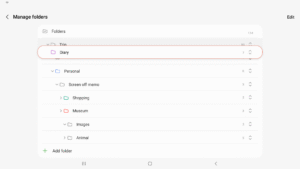
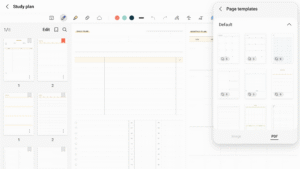
Samsung Notes can create and edit documents on mobile, tablet, or PC and collaborate with others.
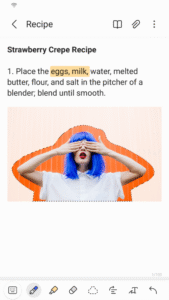
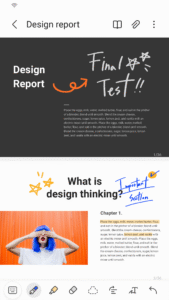
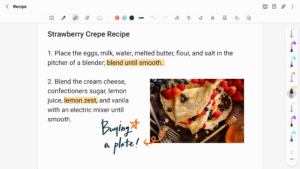
User can add annotations to the PDF using S Pen and create documents with images or voices.
It can also be used by connecting documents with various apps such as PDF, Microsoft Word, Microsoft PowerPoint, etc.
Try creating a new note.
You can create a new note by tapping + in the bottom right corner of the main screen.
Newly created notes will have the “sdocx” extension.
Protect your notes.
1. On the main screen, tap More Options in the upper right corner, select Settings, then select Lock Note.
Then select a note locking method and password.
2. Lock the notes you want to protect by tapping More Options on the screen of the note you want to protect and selecting Lock Note.
Create handwritten notes.
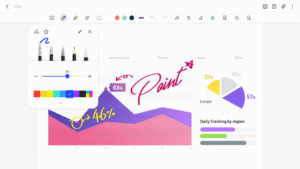
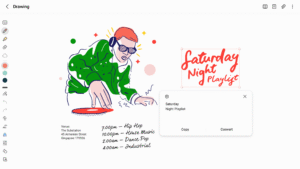
Tap the Handwriting icon while writing a note. Your handwriting will be displayed directly on the note.
Add photos.
Tap the photo icon in the note you are working on to take a photo. You may also load, add tags to and edit an existing photo.
Add a voice recording.
By tapping the Voice Recording icon while writing a note, you can record sound and create a note with sound.
Try using various writing tools.
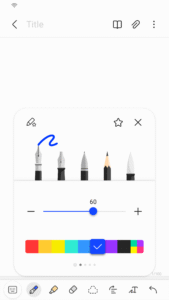
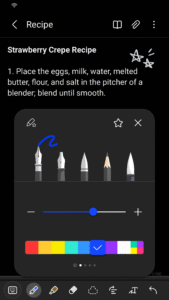
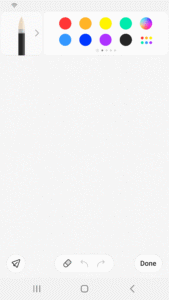
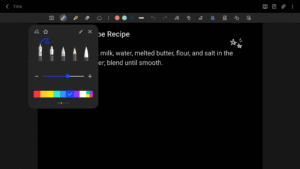
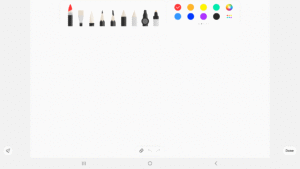
By tapping the Pen icon while writing a note, you can select a variety of writing tools such as pens, fountain pens, pencils, highlighters, etc., as well as various colors and thicknesses.
By tapping the Eraser icon, you can select and erase content that you want to remove.
You can import notes and memos created in Notes and Memo.
By using the Smart Switch feature, you can import data created in S Note and Memo saved on other devices.
You can also import previously created notes and memos with your Samsung account.
* Notice regarding app access permissions:
The following access permissions are required to provide you with this service.
Basic features of the service can be used even if Optional permissions are not granted.
[Optional permissions]
• Camera : Used to add pictures and scanned documents to notes
• Files and media : Used to save or load document files (Android 12)
• Microphone : Used to add voice recordings to notes
• Music and audio : Used to add audio to notes (Android 13)
• Notifications : Used to notify you about invitations to shared notes, note syncing issues, and more (from Android 13)
• Photos and videos : Used to add pictures and videos to notes (Android 13)
• Storage : Used to save or load document files (Android 9~11)
You can still use the app's basic functions without allowing the optional permissions.
User can add annotations to the PDF using S Pen and create documents with images or voices.
It can also be used by connecting documents with various apps such as PDF, Microsoft Word, Microsoft PowerPoint, etc.
Try creating a new note.
You can create a new note by tapping + in the bottom right corner of the main screen.
Newly created notes will have the “sdocx” extension.
Protect your notes.
1. On the main screen, tap More Options in the upper right corner, select Settings, then select Lock Note.
Then select a note locking method and password.
2. Lock the notes you want to protect by tapping More Options on the screen of the note you want to protect and selecting Lock Note.
Create handwritten notes.
Tap the Handwriting icon while writing a note. Your handwriting will be displayed directly on the note.
Add photos.
Tap the photo icon in the note you are working on to take a photo. You may also load, add tags to and edit an existing photo.
Add a voice recording.
By tapping the Voice Recording icon while writing a note, you can record sound and create a note with sound.
Try using various writing tools.
By tapping the Pen icon while writing a note, you can select a variety of writing tools such as pens, fountain pens, pencils, highlighters, etc., as well as various colors and thicknesses.
By tapping the Eraser icon, you can select and erase content that you want to remove.
You can import notes and memos created in Notes and Memo.
By using the Smart Switch feature, you can import data created in S Note and Memo saved on other devices.
You can also import previously created notes and memos with your Samsung account.
* Notice regarding app access permissions:
The following access permissions are required to provide you with this service.
Basic features of the service can be used even if Optional permissions are not granted.
[Optional permissions]
• Camera : Used to add pictures and scanned documents to notes
• Files and media : Used to save or load document files (Android 12)
• Microphone : Used to add voice recordings to notes
• Music and audio : Used to add audio to notes (Android 13)
• Notifications : Used to notify you about invitations to shared notes, note syncing issues, and more (from Android 13)
• Photos and videos : Used to add pictures and videos to notes (Android 13)
• Storage : Used to save or load document files (Android 9~11)
You can still use the app's basic functions without allowing the optional permissions.
Download Samsung Notes APK
Fast, free and safe download.
APK Permissions 92
- android.permission.ACCESS_MEDIA_LOCATION
- android.permission.ACCESS_NETWORK_STATE
- android.permission.ACCESS_WIFI_STATE
- android.permission.BLUETOOTH
- android.permission.CAMERA
- android.permission.DEVICE_POWER
- android.permission.EXPAND_STATUS_BAR
- android.permission.FOREGROUND_SERVICE
- android.permission.GET_ACCOUNTS_PRIVILEGED
- android.permission.INTERACT_ACROSS_USERS
- android.permission.INTERACT_ACROSS_USERS_FULL
- android.permission.INTERNAL_SYSTEM_WINDOW
- android.permission.INTERNET
- android.permission.LOCAL_MAC_ADDRESS
- android.permission.MANAGE_ACTIVITY_STACKS
- android.permission.MANAGE_ACTIVITY_TASKS
- android.permission.MANAGE_EXTERNAL_STORAGE
- android.permission.MANAGE_USERS
- android.permission.NFC
- android.permission.READ_EXTERNAL_STORAGE
- android.permission.READ_LOGS
- android.permission.READ_PHONE_STATE
- android.permission.READ_SEARCH_INDEXABLES
- android.permission.READ_SYNC_SETTINGS
- android.permission.REAL_GET_TASKS
- android.permission.RECORD_AUDIO
- android.permission.SET_PROCESS_LIMIT
- android.permission.STATUS_BAR
- android.permission.STOP_APP_SWITCHES
- android.permission.SYSTEM_ALERT_WINDOW
- android.permission.USE_BIOMETRIC
- android.permission.USE_FINGERPRINT
- android.permission.VIBRATE
- android.permission.WAKE_LOCK
- android.permission.WRITE_EXTERNAL_STORAGE
- android.permission.WRITE_MEDIA_STORAGE
- android.permission.WRITE_SETTINGS
- android.permission.WRITE_SYNC_SETTINGS
- com.google.android.c2dm.permission.RECEIVE
- com.samsung.android.app.aodservice.permission.BROADCAST_RECEIVER
- com.samsung.android.app.cocktailbarservice.permission.ACCESS_PANEL
- com.samsung.android.app.deepsky.donation.provider.permission.DONATE_ACTION
- com.samsung.android.app.deepsky.feedback.provider.permission.SUBMIT_FEEDBACK
- com.samsung.android.app.deepsky.permission.ACCESS_SERVICE
- com.samsung.android.app.notes.addons.ADDONS_VIEW
- com.samsung.android.app.notesx.sync.NOTESX_READ
- com.samsung.android.app.reminder.permission.action.REGISTER
- com.samsung.android.camera.iris.permission.MANAGE_IRIS
- com.samsung.android.camera.iris.permission.RESET_IRIS_LOCKOUT
- com.samsung.android.camera.iris.permission.USE_IRIS
- com.samsung.android.honeyboard.permission.KEYBOARD_SETTING
- com.samsung.android.launcher.permission.READ_SETTINGS
- com.samsung.android.mcfds.permission.START_SERVICE
- com.samsung.android.mcfds.permission.USE_CONTINUITY_PROVIDER
- com.samsung.android.messaging.permission.READ_MESSAGE_QUICK_NOTE
- com.samsung.android.mobileservice.permission.RECEIVE_SEMS_BROADCAST
- com.samsung.android.mobileservice.social.buddy.provider.Permission.READ
- com.samsung.android.mobileservice.social.buddy.provider.Permission.WRITE
- com.samsung.android.mobileservice.social.common.provider.opensession.permission.READ
- com.samsung.android.mobileservice.social.group.member.provider.permission.READ
- com.samsung.android.mobileservice.social.group.provider.permission.READ
- com.samsung.android.mobileservice.social.share.asset.provider.permission.READ
- com.samsung.android.mobileservice.social.share.item.provider.permission.READ
- com.samsung.android.mobileservice.social.share.space.provider.permission.READ
- com.samsung.android.mobileservice.social.share.space.provider.permission.WRITE
- com.samsung.android.mobileservice.social.ui.Permission.SOCIAL_CONTACT_PICKER
- com.samsung.android.permission.BIOMETRICS_PRIVILEGED
- com.samsung.android.permission.FINGERPRINT_PRIVILEGED
- com.samsung.android.providers.context.permission.WRITE_USE_APP_FEATURE_SURVEY
- com.samsung.android.providers.media.READ
- com.samsung.android.providers.media.WRITE
- com.samsung.android.scloud.app.permission.BROADCAST
- com.samsung.android.scloud.app.ui
- com.samsung.android.scloud.permission.RPC_SYNC_SETTING
- com.samsung.android.scs.ai.asr.permission.BIND_SPEECH_RECOGNITION_SERVICE
- com.samsung.android.scs.ai.image.permission.BIND_IMAGE_SERVICE
- com.samsung.android.scs.ai.image.permission.IMAGE_PROVIDER
- com.samsung.android.scs.ai.suggestion.permission.SUGGESTION_PROVIDER
- com.samsung.android.scs.ai.text.permission.TEXT_PROVIDER
- com.samsung.android.scs.permission.SUPPORTED_FEATURE_PROVIDER
- com.samsung.android.sdk.handwriting.permission.RESOURCE_LANGUAGE_UPDATE
- com.samsung.android.sdk.handwriting.permission.RESOURCE_LANGUAGE_UPDATE_COMMAND
- com.samsung.android.service.aircommand.permission.ACCESS_AIRCOMMAND
- com.samsung.clipboardsaveservice.CLIPBOARDSAVESERVICE_PERMISSION
- com.samsung.sea.retailagent.permission.RETAILMODE
- com.sec.android.diagmonagent.permission.DIAGMON
- com.sec.android.inputmethod.permission.KEYBOARD_SETTING
- com.sec.android.inputmethod.permission.RESOURCEMANAGER_LANGUAGE_UPDATE
- com.sec.android.launcher.permission.BIND_WIDGET
- com.sec.knox.bridge.permission.FILE_OPERATION_HANDLER
- com.wssnps.permission.COM_WSSNPS
- dexonpc.app.action.permission.KMS_FILETRANSFER_DRAG_FILEINFO
APK Verified
The cryptographic signature guarantees that the file is safe to install and was not tampered with in any way.
Similar in Productivity


More by Samsung Electronics Co., Ltd.


Frequently Asked Questions about Samsung Notes APK
This variant is built for 32-bit ARM (older Android phones, ~2013–2017). If your device's CPU matches, this is the smallest, fastest version to install.
Yes — the APK's signature has been cryptographically verified against the publisher's signing key. The SHA-256 hash is shown in the File Information panel so you can independently confirm the file matches the original release.
Android 23 (API level 30) or newer. Older devices will refuse the install.
Install a free app like 'CPU-Z' or 'Droid Hardware Info' from the Play Store and look at the ABI / Instruction Set row. Most phones made after 2017 are arm64-v8a; if in doubt, download the universal variant.
All variants are functionally identical — same features, same version. They differ only in which CPU architectures the native code is compiled for, and (sometimes) which screen densities the included graphics target. Pick the one that matches your device for the smallest install size, or pick 'Universal' if you're unsure.