
This is the arm64-v8a build of Samsung Wallet (Samsung Pay) 5.7.32 — the modern 64-bit ARM build that runs on virtually every Android phone released since 2017. It's smaller and faster than the universal variant because Android only loads the native code your CPU actually needs. If your phone is from the last 8 years, this is the right pick.
File size: 140.4 MB • Min Android: 30 • Target Android: 35 • Version code: 573200121 • Framework: Native (Java/Kotlin) • Permissions: 39
Screenshots



File Information
| Package Name | com.samsung.android.spay |
|---|---|
| Version Name | 5.7.32 |
| Version Code | 573200121 |
| Architecture | arm64-v8a |
| Min Android Version | Android 30 (API 35) |
| Main Activity | com.samsung.android.spay.ui.SpayMainActivity |
| Framework | Native (Java/Kotlin) |
| File Size | 140.41 MB |
| Signature (SHA1) | 9CA5170F381919DFE0446FCDAB18B19A143B3163 |
| File Hash (SHA256) | ca119dc4089559fdf67e5ac4887631159b1812abc190c5c833b515282bfa02ed |
What's New
From version
5.4.75
:
修复一些已知问题
5.4.75
:
修复一些已知问题
App Description
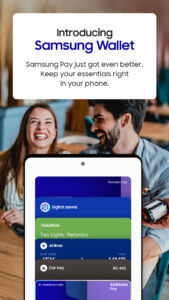
Samsung Pay got even better. Meet Samsung Wallet!
Samsung Pay is now part of Samsung Wallet. With Wallet, you get the features and benefits of Samsung Pay, plus Samsung Pass, digital home and car keys, digital asset management, and more.
All this comes in a simplified in-app experience, so you’ll get more and find it with ease. Just swipe up to launch Samsung Wallet with Quick Access.
Payment Transactions
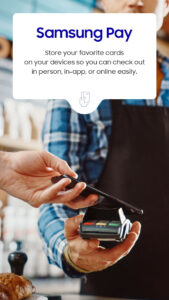
Carry your popular credit, debit, gift and membership cards on your phone. To check out, just tap, pay, and go. Get additional savings at top merchants with Cash Back Awards.
Digital Keys
Add your eligible keys to Samsung Wallet so that you have a spare set right in your phone.
Unlock your home, your car, and even start your car remotely.
Digital Asset Management
Check your crypto balances and the current crypto currency prices through our linked exchange partners.
Boarding Pass
Add your boarding pass from select airlines to Samsung Wallet and quickly access it with just a swipe.
*You may be prompted for additional updates to complete Samsung Wallet setup on your device.
*Samsung Wallet is compatible with select Samsung devices. Availability of features may vary by device model, carrier, firmware version and country/region.
*Screens are simulated; deals featured are for illustrative use only.
*Only compatible with select Visa, Mastercard, American Express, and Discover cards from participating banks and qualifying Samsung devices. Check with your bank/issuer to ensure that your card is compatible; and check the Samsung Pay Support page for additional compatibility information regarding devices, carriers and cards.
*The functions, features, and compatible applications available with Samsung Pass may vary according to the partner’s policy. The data stored inside the Samsung Pass app is safeguarded by Samsung Knox to prevent any leakage of valuable information.
*Digital keys are available for select SmartThings-compatible smart door locks and automobiles including BMW 1-8 Series, X5-X7,and iX models, launched after July, 2020, Kia Niro, and Hyundai Palisade, Genesis GV60, and G90. Exact feature availability may vary by model and is subject to change.
*Digital asset management for supported exchanges only.
*Timing and availability of features and services described may vary by model and are subject to change.
*This app may not be available depending on the region.
*Some features may not be available depending on the region.
Samsung Pay is now part of Samsung Wallet. With Wallet, you get the features and benefits of Samsung Pay, plus Samsung Pass, digital home and car keys, digital asset management, and more.
All this comes in a simplified in-app experience, so you’ll get more and find it with ease. Just swipe up to launch Samsung Wallet with Quick Access.
Payment Transactions
Carry your popular credit, debit, gift and membership cards on your phone. To check out, just tap, pay, and go. Get additional savings at top merchants with Cash Back Awards.
Digital Keys
Add your eligible keys to Samsung Wallet so that you have a spare set right in your phone.
Unlock your home, your car, and even start your car remotely.
Digital Asset Management
Check your crypto balances and the current crypto currency prices through our linked exchange partners.
Boarding Pass
Add your boarding pass from select airlines to Samsung Wallet and quickly access it with just a swipe.
*You may be prompted for additional updates to complete Samsung Wallet setup on your device.
*Samsung Wallet is compatible with select Samsung devices. Availability of features may vary by device model, carrier, firmware version and country/region.
*Screens are simulated; deals featured are for illustrative use only.
*Only compatible with select Visa, Mastercard, American Express, and Discover cards from participating banks and qualifying Samsung devices. Check with your bank/issuer to ensure that your card is compatible; and check the Samsung Pay Support page for additional compatibility information regarding devices, carriers and cards.
*The functions, features, and compatible applications available with Samsung Pass may vary according to the partner’s policy. The data stored inside the Samsung Pass app is safeguarded by Samsung Knox to prevent any leakage of valuable information.
*Digital keys are available for select SmartThings-compatible smart door locks and automobiles including BMW 1-8 Series, X5-X7,and iX models, launched after July, 2020, Kia Niro, and Hyundai Palisade, Genesis GV60, and G90. Exact feature availability may vary by model and is subject to change.
*Digital asset management for supported exchanges only.
*Timing and availability of features and services described may vary by model and are subject to change.
*This app may not be available depending on the region.
*Some features may not be available depending on the region.
Download Samsung Wallet (Samsung Pay) APK
Fast, free and safe download.
APK Permissions 39
- android.permission.ACCESS_COARSE_LOCATION
- android.permission.CAMERA
- android.permission.CHANGE_WIFI_STATE
- android.permission.DELETE_PACKAGES
- android.permission.FOREGROUND_SERVICE_DATA_SYNC
- android.permission.GET_TASKS
- android.permission.HIGH_SAMPLING_RATE_SENSORS
- android.permission.INJECT_EVENTS
- android.permission.INSTALL_PACKAGE_UPDATES
- android.permission.INSTALL_PACKAGES
- android.permission.MANAGE_ACTIVITY_TASKS
- android.permission.MANAGE_ROLE_HOLDERS
- android.permission.MODIFY_PHONE_STATE
- android.permission.POST_NOTIFICATIONS
- android.permission.QUERY_ALL_PACKAGES
- android.permission.READ_PRIVILEGED_PHONE_STATE
- android.permission.REAL_GET_TASKS
- android.permission.RECEIVE_MMS
- android.permission.RECEIVE_SMS
- android.permission.REQUEST_IGNORE_BATTERY_OPTIMIZATIONS
- android.permission.SEND_RESPOND_VIA_MESSAGE
- android.permission.SET_ACTIVITY_WATCHER
- android.permission.WRITE_EXTERNAL_STORAGE
- com.google.android.c2dm.permission.RECEIVE
- com.msc.openprovider.OpenContentProvider.READ_CONTENT
- com.samsung.android.app.parentalcare.permission.READ_CARE
- com.samsung.android.app.routines.permission.READ_ROUTINE_INFO
- com.samsung.android.digitalkey.permission.DIGITAL_KEY_BROADCAST_RECEIVER
- com.samsung.android.digitalkey.permission.DIGITAL_KEY_SDK_SERVICE
- com.samsung.android.dkey.keyprovider.permission.WRITE
- com.samsung.android.permission.REQUEST_AUTHNR_SERVICE
- com.samsung.android.providers.context.permission.WRITE_USE_APP_FEATURE_SURVEY
- com.samsung.android.samsungaccount.permission.ACCESS_SASETTINGS
- com.samsung.android.samsungpass.permission.USE_SAMSUNGPASS
- com.samsung.android.scryptowallet.DIGITAL_ASSETS
- com.samsung.android.service.stplatform.permission.BROADCAST
- com.samsung.android.spay.permission.C2D_MESSAGE
- com.samsung.android.spay.permission.SWALLET_APP_AUTH
- org.fidoalliance.uaf.permissions.FIDO_CLIENT
APK Verified
The cryptographic signature guarantees that the file is safe to install and was not tampered with in any way.
Similar in Lifestyle


More by Samsung Electronics Co., Ltd.


Frequently Asked Questions about Samsung Wallet (Samsung Pay) APK
This variant is built for 64-bit ARM (most Android phones made since 2017). If your device's CPU matches, this is the smallest, fastest version to install.
Yes — the APK's signature has been cryptographically verified against the publisher's signing key. The SHA-256 hash is shown in the File Information panel so you can independently confirm the file matches the original release.
Android 30 (API level 35) or newer. Older devices will refuse the install.
Install a free app like 'CPU-Z' or 'Droid Hardware Info' from the Play Store and look at the ABI / Instruction Set row. Most phones made after 2017 are arm64-v8a; if in doubt, download the universal variant.
All variants are functionally identical — same features, same version. They differ only in which CPU architectures the native code is compiled for, and (sometimes) which screen densities the included graphics target. Pick the one that matches your device for the smallest install size, or pick 'Universal' if you're unsure.