
Download Samsung Smart Switch Mobile (Wear OS) APK Samsung Smart Switch Mobile Universal · Android 29+
Download APK
Verified Safe
This is the universal build of Samsung Smart Switch Mobile (Wear OS) Samsung Smart Switch Mobile. It contains native libraries for every CPU architecture (arm64-v8a, armeabi-v7a, x86, x86_64), so it installs on any Android device. The trade-off is size — it's larger than per-architecture variants. Pick this one if you're unsure which CPU your phone has, or if you plan to share the APK with multiple devices.
File size: 5.9 MB • Min Android: 29 • Target Android: 30 • Version code: 100401000 • Framework: Native (Java/Kotlin) • Permissions: 73
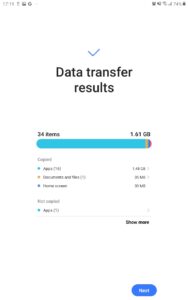
Screenshots
File Information
| Package Name | com.sec.android.easyMover |
|---|---|
| Version Name | Samsung Smart Switch Mobile |
| Version Code | 100401000 |
| Architecture | Universal |
| Min Android Version | Android 29 (API 30) |
| Framework | Native (Java/Kotlin) |
| File Size | 5.87 MB |
| Signature (SHA1) | 9CA5170F381919DFE0446FCDAB18B19A143B3163 |
| File Hash (SHA256) | 686b54ee30eaa0830d440ed8096da4d952b28c9e9ff2eabbd3fbd62004c140fb |
What's New
If you can't download, you can open Smart Switch from device's Settings menu (Settings > Accounts and backup > Smart Switch).
App Description
• If you are unable to download through the Google Play Store, please follow the instructions below.
- Please reboot a phone and go to Settings → Apps → Google Play Store → Clear cache and data → Then, try to download again.
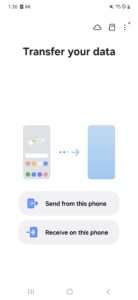
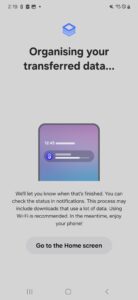
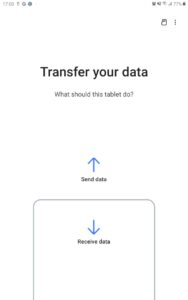
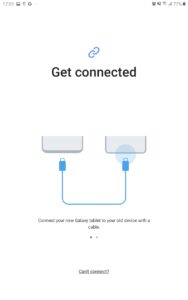
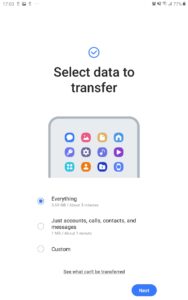
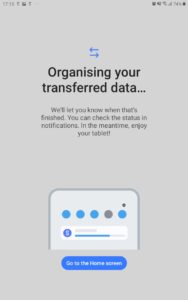
▣ Smart Switch gives you the freedom to move your contacts, music, photos, calendar, text messages, device settings and more to your new Galaxy device. Plus, Smart Switch™ helps you find your favorite apps or suggest similar ones on Google Play™.
▣ Who can transfer?
• Android™ owners
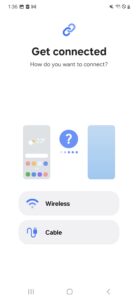
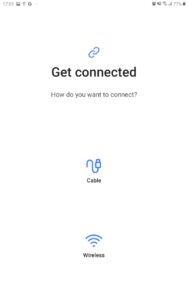
- Wireless transfer: Android 4.0 or higher
- Wireless transfers from a compatible Android device to Galaxy device: Android 4.0 or higher (Note that non-Samsung devices with Android versions lower than 6.0 can only connect with Galaxy devices that support a mobile AP.)
- Wired transfer: Android 4.3 or higher, charger cable, and a USB connector
• iOS™ owners - use the option that’s best for you:
- Wired transfer from your iOS device to your Galaxy: iOS 5.0 or above, iOS device cable (lightning or 30 pin), and a USB connector
- Import from iCloud™: iOS 4.2.1 or higher and Apple ID
- PC/Mac transfer using iTunes™: Smart Switch PC/Mac software – Get started
www.samsung.com/smartswitch
• Windows™ Mobile owners
- Wireless transfers: Windows OS 10
* Note: For more information and step-by-step directions, go to
www.samsung.com/smartswitch
▣ What can be transferred?
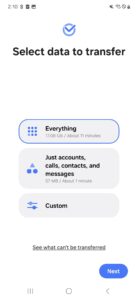
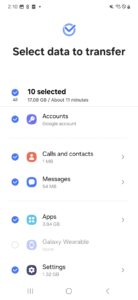
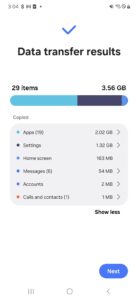
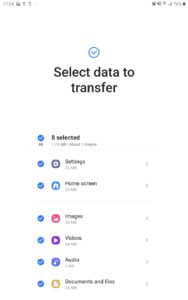
- Contacts, calendar(Device content only), messages, photos, music (DRM free content only, Not supported for iCloud), videos (DRM free content only), call logs, memos, alarms, Wi-Fi, wallpapers, documents, app data (Galaxy devices only), home layouts (Galaxy devices only)
- You can send app data and home layouts by upgrading your Galaxy device to M OS (Galaxy S6 or higher).
▣ Which devices are supported?
• Galaxy: Recent Galaxy mobile devices and tablets (From Galaxy S2)
* Note: For Galaxy S2, old OS (GB/ICS) version can cause incompatibility. If your S2 does not work properly, please try after firmware update.
• Other Android devices:
- HTC, LG, Sony, Huawei, Lenovo, Motorola, PANTECH, Panasonic, Kyocera, NEC, SHARP, Fujitsu, Xiaomi, Vivo, OPPO, Coolpad(DazenF2), RIM(Priv), YotaPhone, ZTE(Nubia Z9), Gionee, LAVA, MyPhone(My28s), Cherry Mobile, Google(Pixel/Pixel2)
* Note: For reasons such as compatibility between devices, it may not be possible to install and use Smart Switch on certain devices.
1. To transfer data, both devices must have a minimum of 500 MB free space in their internal memory.
2. If you are using a wired connection, your device must support a 'Transferring media files (MTP)' USB option to allow content to be transferred.
3. If you have a non-Samsung device that constantly disconnects from the wireless network, go to Advanced Wi-Fi on your device, turn off the “Wi-Fi initialize” and “Disconnect low Wi-Fi signal” options, and try again.
(The options described above may not be available, depending on your device manufacturer and OS version.)
※ Application permissions
The following permissions are required for the app service.
[ Required permissions ]
. Phone: Used to confirm your phone number
. Call logs: Used to transfer call log data
. Contacts: Used to transfer contacts data
. Calendar: Used to transfer calendar data
. SMS: Used to transfer SMS data
. Storage: Used to save the files necessary for data transfer
. Microphone: Used for high-frequency audio when searching for Galaxy devices.
. Bluetooth: Used to search for nearby Galaxy devices using Bluetooth.
. Location: Used to connect to devices using Wi-Fi Direct, which makes your location available to nearby devices
If your system software version is lower than Android 6.0, please update the software to configure App permissions.
Previously allowed permissions can be reset on Apps menu in device settings after software update.
- Please reboot a phone and go to Settings → Apps → Google Play Store → Clear cache and data → Then, try to download again.
▣ Smart Switch gives you the freedom to move your contacts, music, photos, calendar, text messages, device settings and more to your new Galaxy device. Plus, Smart Switch™ helps you find your favorite apps or suggest similar ones on Google Play™.
▣ Who can transfer?
• Android™ owners
- Wireless transfer: Android 4.0 or higher
- Wireless transfers from a compatible Android device to Galaxy device: Android 4.0 or higher (Note that non-Samsung devices with Android versions lower than 6.0 can only connect with Galaxy devices that support a mobile AP.)
- Wired transfer: Android 4.3 or higher, charger cable, and a USB connector
• iOS™ owners - use the option that’s best for you:
- Wired transfer from your iOS device to your Galaxy: iOS 5.0 or above, iOS device cable (lightning or 30 pin), and a USB connector
- Import from iCloud™: iOS 4.2.1 or higher and Apple ID
- PC/Mac transfer using iTunes™: Smart Switch PC/Mac software – Get started
www.samsung.com/smartswitch
• Windows™ Mobile owners
- Wireless transfers: Windows OS 10
* Note: For more information and step-by-step directions, go to
www.samsung.com/smartswitch
▣ What can be transferred?
- Contacts, calendar(Device content only), messages, photos, music (DRM free content only, Not supported for iCloud), videos (DRM free content only), call logs, memos, alarms, Wi-Fi, wallpapers, documents, app data (Galaxy devices only), home layouts (Galaxy devices only)
- You can send app data and home layouts by upgrading your Galaxy device to M OS (Galaxy S6 or higher).
▣ Which devices are supported?
• Galaxy: Recent Galaxy mobile devices and tablets (From Galaxy S2)
* Note: For Galaxy S2, old OS (GB/ICS) version can cause incompatibility. If your S2 does not work properly, please try after firmware update.
• Other Android devices:
- HTC, LG, Sony, Huawei, Lenovo, Motorola, PANTECH, Panasonic, Kyocera, NEC, SHARP, Fujitsu, Xiaomi, Vivo, OPPO, Coolpad(DazenF2), RIM(Priv), YotaPhone, ZTE(Nubia Z9), Gionee, LAVA, MyPhone(My28s), Cherry Mobile, Google(Pixel/Pixel2)
* Note: For reasons such as compatibility between devices, it may not be possible to install and use Smart Switch on certain devices.
1. To transfer data, both devices must have a minimum of 500 MB free space in their internal memory.
2. If you are using a wired connection, your device must support a 'Transferring media files (MTP)' USB option to allow content to be transferred.
3. If you have a non-Samsung device that constantly disconnects from the wireless network, go to Advanced Wi-Fi on your device, turn off the “Wi-Fi initialize” and “Disconnect low Wi-Fi signal” options, and try again.
(The options described above may not be available, depending on your device manufacturer and OS version.)
※ Application permissions
The following permissions are required for the app service.
[ Required permissions ]
. Phone: Used to confirm your phone number
. Call logs: Used to transfer call log data
. Contacts: Used to transfer contacts data
. Calendar: Used to transfer calendar data
. SMS: Used to transfer SMS data
. Storage: Used to save the files necessary for data transfer
. Microphone: Used for high-frequency audio when searching for Galaxy devices.
. Bluetooth: Used to search for nearby Galaxy devices using Bluetooth.
. Location: Used to connect to devices using Wi-Fi Direct, which makes your location available to nearby devices
If your system software version is lower than Android 6.0, please update the software to configure App permissions.
Previously allowed permissions can be reset on Apps menu in device settings after software update.
Download Samsung Smart Switch Mobile (Wear OS) APK
Fast, free and safe download.
APK Permissions 73
- android.permission.ACCESS_FINE_LOCATION
- android.permission.ACCESS_NETWORK_STATE
- android.permission.ACCESS_WIFI_STATE
- android.permission.BACKUP
- android.permission.BLUETOOTH
- android.permission.BLUETOOTH_ADMIN
- android.permission.CHANGE_COMPONENT_ENABLED_STATE
- android.permission.CHANGE_NETWORK_STATE
- android.permission.CHANGE_WIFI_STATE
- android.permission.CLEAR_APP_CACHE
- android.permission.FOREGROUND_SERVICE
- android.permission.GET_PACKAGE_SIZE
- android.permission.GET_RUNTIME_PERMISSIONS
- android.permission.GET_TASKS
- android.permission.INSTALL_PACKAGES
- android.permission.INTERNET
- android.permission.LOCAL_MAC_ADDRESS
- android.permission.MANAGE_APP_OPS_MODES
- android.permission.MANAGE_EXTERNAL_STORAGE
- android.permission.PACKAGE_USAGE_STATS
- android.permission.QUERY_ALL_PACKAGES
- android.permission.READ_CALL_LOG
- android.permission.READ_EXTERNAL_STORAGE
- android.permission.READ_LOGS
- android.permission.READ_OWNER_DATA
- android.permission.READ_PROFILE
- android.permission.READ_SMS
- android.permission.READ_SYNC_SETTINGS
- android.permission.REAL_GET_TASKS
- android.permission.RECEIVE_BOOT_COMPLETED
- android.permission.REQUEST_INSTALL_PACKAGES
- android.permission.START_ACTIVITIES_FROM_BACKGROUND
- android.permission.SYSTEM_ALERT_WINDOW
- android.permission.UPDATE_APP_OPS_STATS
- android.permission.UPDATE_DEVICE_STATS
- android.permission.WAKE_LOCK
- android.permission.WRITE_CALL_LOG
- android.permission.WRITE_EXTERNAL_STORAGE
- android.permission.WRITE_OWNER_DATA
- android.permission.WRITE_PROFILE
- android.permission.WRITE_SECURE_SETTINGS
- com.google.android.clockwork.settings.SHOW_FACTORY_RESET_CONFIRMATION
- com.samsung.android.app.notes.READ
- com.samsung.android.app.notes.sync.STATE_READ
- com.samsung.android.app.notes.sync.STATE_WRITE
- com.samsung.android.app.omcagent.permission.READ_PROVIDER
- com.samsung.android.app.reminder.permission.READ
- com.samsung.android.messaging.permission.READ_MESSAGE
- com.samsung.android.messaging.permission.WRITE_MESSAGE
- com.samsung.android.mobileservice.profile.READ
- com.samsung.android.mobilservice.MIGRATION_READ
- com.samsung.android.permission.SEM_MEDIA_CONTENTS
- com.samsung.android.permission.SEM_WRITE_CAPTURED_URL
- com.samsung.android.permisson.ACCESS_SYSTEM_KEY_DISPATCHING
- com.samsung.android.providers.cmh.READ
- com.samsung.android.providers.cmh.WRITE
- com.samsung.android.providers.media.CMH
- com.samsung.android.providers.media.READ
- com.samsung.android.providers.media.WRITE
- com.samsung.android.samsungaccount.permission.PROFILE_PROVIDER
- com.samsung.android.scloud.sync.permission.READ
- com.samsung.android.scloud.sync.permission.WRITE
- com.samsung.android.telephony.provider.permission.ACCESS_RESTORE_STATE
- com.samsung.android.watch.alarm.permission.READ_ALARM
- com.samsung.cmh.data.READ
- com.samsung.permission.READ_SM_DATA
- com.sec.android.app.clockpackage.permission.BACKUP_RESTORE_WORLDCLOCK
- com.sec.android.app.myfiles.permission.READ
- com.sec.android.app.myfiles.permission.WRITE
- com.sec.android.phone.permission.READ_CALL_SETTINGS
- com.sec.android.phone.permission.WRITE_CALL_SETTINGS
- com.sec.mms.permission.BACKUP_RESTORE
- com.wssnps.permission.COM_WSSNPS
APK Verified
The cryptographic signature guarantees that the file is safe to install and was not tampered with in any way.
Similar in Tools


More by Samsung Electronics Co., Ltd.


Frequently Asked Questions about Samsung Smart Switch Mobile (Wear OS) APK
This is the universal variant — a single APK that contains native libraries for every CPU architecture. It installs on any Android device but is larger than per-architecture variants.
Yes — the APK's signature has been cryptographically verified against the publisher's signing key. The SHA-256 hash is shown in the File Information panel so you can independently confirm the file matches the original release.
Android 29 (API level 30) or newer. Older devices will refuse the install.
Install a free app like 'CPU-Z' or 'Droid Hardware Info' from the Play Store and look at the ABI / Instruction Set row. Most phones made after 2017 are arm64-v8a; if in doubt, download the universal variant.
All variants are functionally identical — same features, same version. They differ only in which CPU architectures the native code is compiled for, and (sometimes) which screen densities the included graphics target. Pick the one that matches your device for the smallest install size, or pick 'Universal' if you're unsure.