
Download Samsung Voice Recorder (Wear OS) APK 1.1.51.1 arm64-v8a, armeabi-v7a · Android 30+
Download APK
Verified Safe
This is the arm64-v8a, armeabi-v7a build of Samsung Voice Recorder (Wear OS) 1.1.51.1. Pick this build if your device's primary ABI matches.
File size: 3.4 MB • Min Android: 30 • Target Android: 34 • Version code: 115101000 • Framework: Native (Java/Kotlin) • Permissions: 26
Screenshots
File Information
| Package Name | com.samsung.android.wear.voicerecorder |
|---|---|
| Version Name | 1.1.51.1 |
| Version Code | 115101000 |
| Architecture | arm64-v8a, armeabi-v7a |
| Min Android Version | Android 30 (API 34) |
| Main Activity | com.samsung.android.wear.voicerecorder.view.MainActivity |
| Framework | Native (Java/Kotlin) |
| File Size | 3.36 MB |
| Signature (SHA1) | 9CA5170F381919DFE0446FCDAB18B19A143B3163 |
| File Hash (SHA256) | 4724295f0df5776d2689376c6f9f956d5802f6479e6719cacc85f6d2f50b605c |
What's New
Version 1.1.00.23 for Galaxy Watch:
- Bug fixes
- Bug fixes
App Description
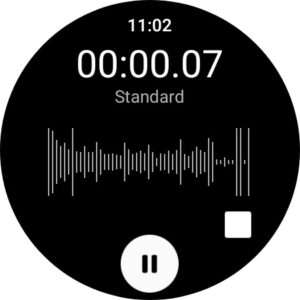
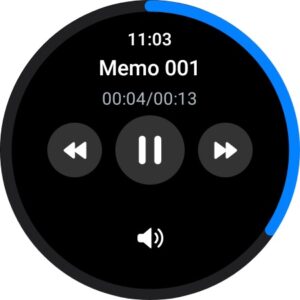
Samsung Voice Recorder is designed to provide you an easy and wonderful recording experience with high quality sound, while also offering playback.
For your everyday needs, we developed a “Speech to text” recording mode so that you can convert your voice to text (Speech to text).
Available recording modes are:
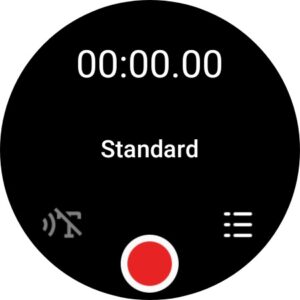
[STANDARD] It provides pleasantly simple recording interface.
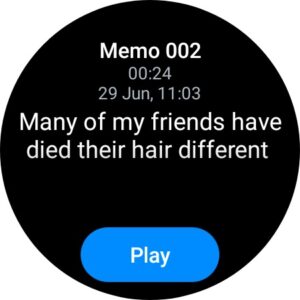
[SPEECH TO TEXT] Records your voice and then convert it to on-screen text, so called STT.
Complication is available for Voice Recorder app.
* This is Samsung Galaxy Watch's Preloaded Application which is pre-installed app on Wear OS.
The following permissions are required for the app service. For optional permissions, the default functionality of the service is turned on, but not allowed.
Required permissions
- Music and audio: Used to save recorded files.
- Microphone: Used for recording function.
Optional permissions:
- Location (Watch R or below): Used for Wi-Fi direct transfer
- Nearby devices (Watch T or above): Used for Wi-Fi direct transfer
- Notification: Used to notify you when recording and playback are being processed
For your everyday needs, we developed a “Speech to text” recording mode so that you can convert your voice to text (Speech to text).
Available recording modes are:
[STANDARD] It provides pleasantly simple recording interface.
[SPEECH TO TEXT] Records your voice and then convert it to on-screen text, so called STT.
Complication is available for Voice Recorder app.
* This is Samsung Galaxy Watch's Preloaded Application which is pre-installed app on Wear OS.
The following permissions are required for the app service. For optional permissions, the default functionality of the service is turned on, but not allowed.
Required permissions
- Music and audio: Used to save recorded files.
- Microphone: Used for recording function.
Optional permissions:
- Location (Watch R or below): Used for Wi-Fi direct transfer
- Nearby devices (Watch T or above): Used for Wi-Fi direct transfer
- Notification: Used to notify you when recording and playback are being processed
Download Samsung Voice Recorder (Wear OS) APK
Fast, free and safe download.
APK Permissions 26
- android.permission.ACCESS_FINE_LOCATION
- android.permission.ACCESS_NETWORK_STATE
- android.permission.ACCESS_WIFI_STATE
- android.permission.BLUETOOTH
- android.permission.BLUETOOTH_ADMIN
- android.permission.CHANGE_NETWORK_STATE
- android.permission.CHANGE_WIFI_STATE
- android.permission.FOREGROUND_SERVICE
- android.permission.FOREGROUND_SERVICE_DATA_SYNC
- android.permission.FOREGROUND_SERVICE_MICROPHONE
- android.permission.INTERNET
- android.permission.MANAGE_ACCESSIBILITY
- android.permission.MODIFY_AUDIO_SETTINGS
- android.permission.NEARBY_WIFI_DEVICES
- android.permission.POST_NOTIFICATIONS
- android.permission.READ_DEVICE_CONFIG
- android.permission.READ_EXTERNAL_STORAGE
- android.permission.READ_MEDIA_AUDIO
- android.permission.RECORD_AUDIO
- android.permission.SYSTEM_ALERT_WINDOW
- android.permission.VIBRATE
- android.permission.WAKE_LOCK
- android.permission.WRITE_SECURE_SETTINGS
- com.samsung.accessibility.permission.REGISTER_UNIVERSAL_GESTURE_ACTION
- com.samsung.android.voicewakeup.permission.EXECUTE_UTTERANCE_RECORD_SERVICE
- com.samsung.android.wear.voicerecorder.Controller
APK Verified
The cryptographic signature guarantees that the file is safe to install and was not tampered with in any way.
Similar in Tools


More by Samsung Electronics Co., Ltd.


Frequently Asked Questions about Samsung Voice Recorder (Wear OS) APK
This variant is built for devices that report `arm64-v8a, armeabi-v7a` as their primary ABI. If your device's CPU matches, this is the smallest, fastest version to install.
Yes — the APK's signature has been cryptographically verified against the publisher's signing key. The SHA-256 hash is shown in the File Information panel so you can independently confirm the file matches the original release.
Android 30 (API level 34) or newer. Older devices will refuse the install.
Install a free app like 'CPU-Z' or 'Droid Hardware Info' from the Play Store and look at the ABI / Instruction Set row. Most phones made after 2017 are arm64-v8a; if in doubt, download the universal variant.
All variants are functionally identical — same features, same version. They differ only in which CPU architectures the native code is compiled for, and (sometimes) which screen densities the included graphics target. Pick the one that matches your device for the smallest install size, or pick 'Universal' if you're unsure.