
This is the arm64-v8a, armeabi-v7a build of SmartThings 1.8.18.21. Pick this build if your device's primary ABI matches.
File size: 105.2 MB • Min Android: 29 • Target Android: 34 • Version code: 181821010 • Framework: Native (Java/Kotlin) • Permissions: 127
Screenshots
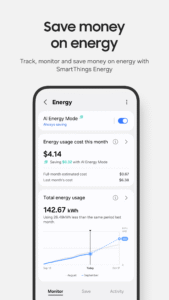
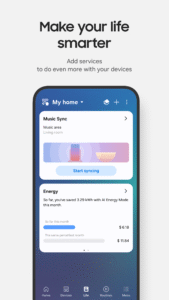
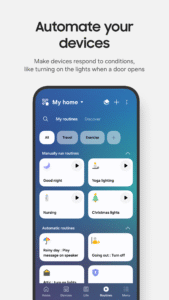
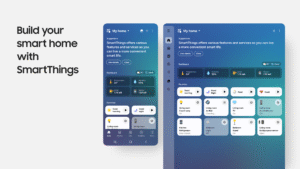
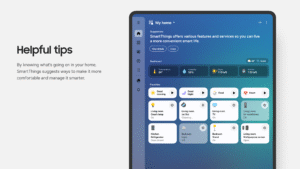
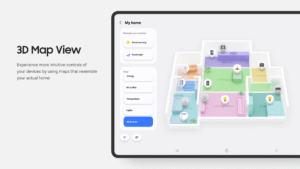
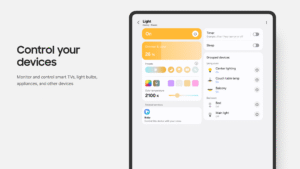
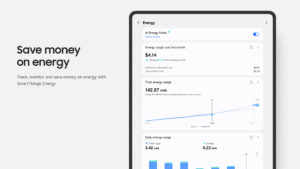
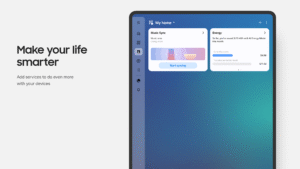
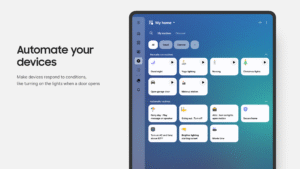
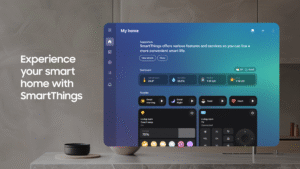
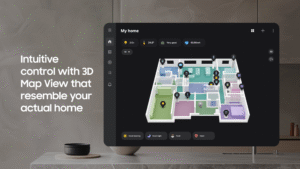
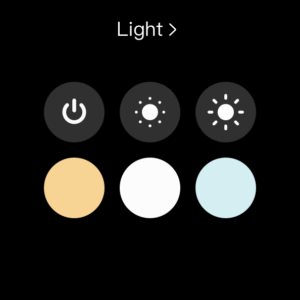
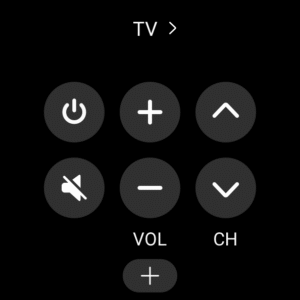
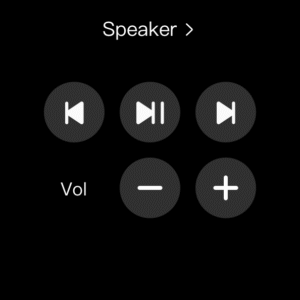
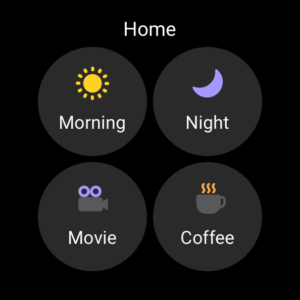
File Information
| Package Name | com.samsung.android.oneconnect |
|---|---|
| Version Name | 1.8.18.21 |
| Version Code | 181821010 |
| Architecture | arm64-v8a, armeabi-v7a |
| Min Android Version | Android 29 (API 34) |
| Main Activity | com.samsung.android.oneconnect.ui.SCMainActivity |
| Framework | Native (Java/Kotlin) |
| File Size | 105.17 MB |
| Signature (SHA1) | 9CA5170F381919DFE0446FCDAB18B19A143B3163 |
| File Hash (SHA256) | 942e3aa6ffb3f1351c7bbb15e2527447d45c6a1575d1978829454f98429d682d |
What's New
In order to provide you with better services, some features have been improved in the new version.
- You can share your Routines with others
- The device tab experience has been improved
- Hub group management menus are supported
- You can share your Routines with others
- The device tab experience has been improved
- Hub group management menus are supported
App Description
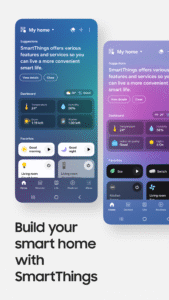
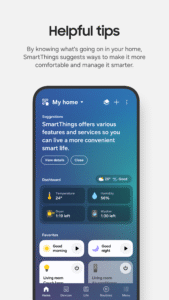
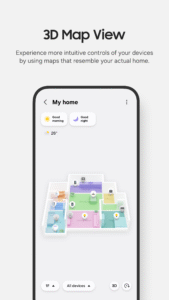
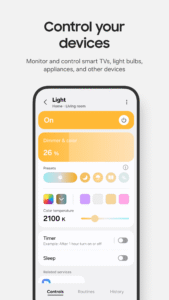
Quickly and easily connect and control your smart home devices through SmartThings.
SmartThings is compatible with 100s of smart home brands. So, you can control all of your smart home gadgets in one place, including your Samsung Smart TV and smart home appliances.
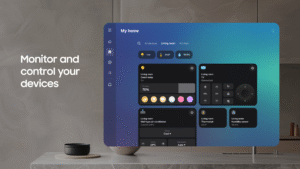
With SmartThings, you can connect, monitor and control multiple smart home devices quicker and easier. Connect your Samsung smart TVs, smart appliances, smart speakers and brands like Ring, Nest and Philips Hue - all from one app.
Then control your smart devices using voice assistants including Alexa, Bixby and Google Assistant
[Key Features]
- Control and check in on your home from wherever you are
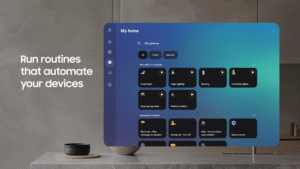
- Build routines that are set on time, weather, and device status, so your home runs smoothly in the background
- Allow shared control by giving access to other users
- Receive status updates about your devices with automated notifications
※ SmartThings is optimized for Samsung smartphones. Some features may be limited when used with other vendors' smartphones.
※ Some features may not be available in all countries.
※ You can also install SmartThings on Wear OS-based watches.
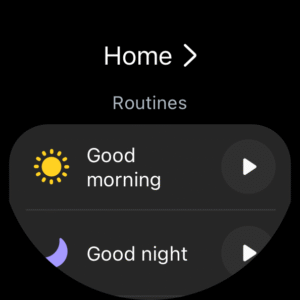
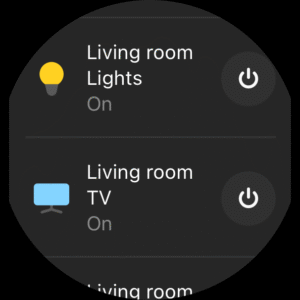
※ SmartThings for Wear OS is only available when the watch is connected to a mobile phone. You can get a quick access to routine run and device control by adding SmartThings tile on your watch. We provide SmartThings complications that allow you to enter SmartThings app service directly from watchface.
[App requirements]
Some mobile devices may not be supported.
- RAM size : 2GB over
- Galaxy : Smart View to support screen mirroring
※ App permissions
The following permissions are required for the app. You can use the app without optional permissions, but some functions may be limited.
[Optional access permissions]
• Location : Used to locate your devices, create routines based on your location, and scan for nearby devices using Wi-Fi
• Nearby devices : (Android 12 ↑) Used to scan for nearby devices using Bluetooth Low Energy (BLE)
• Notifications : (Android 13 ↑) Used to provide notifications about SmartThings devices and features
• Camera : Used to scan QR codes so you can easily add members and devices to SmartThings
• Microphone : Used to add certain devices to SmartThings using high-frequency sounds
• Storage : (Android 9~11) Used to save data and share content
• Files and media : (Android 12) Used to save data and share content
• Photos and videos : (Android 13 ↑) Used to play photos and videos on SmartThings devices
• Music and audio : (Android 13 ↑) Used to play sound and video on SmartThings devices
• Phone : (Android 9) Used to make calls on smart speakers and show information about people sharing content with you
• Phone : (Android 10 ↑) Used to make calls on smart speakers
• Contacts : (Android 9) Used to get phone numbers of your contacts to send text message notifications and to show the names of people who send content to your devices
• Contacts : (Android 10 ↑) Used to get phone numbers of your contacts to send text message notifications
• Physical activity : (Android 10 ↑) Used to detect when you start pet walks
SmartThings is compatible with 100s of smart home brands. So, you can control all of your smart home gadgets in one place, including your Samsung Smart TV and smart home appliances.
With SmartThings, you can connect, monitor and control multiple smart home devices quicker and easier. Connect your Samsung smart TVs, smart appliances, smart speakers and brands like Ring, Nest and Philips Hue - all from one app.
Then control your smart devices using voice assistants including Alexa, Bixby and Google Assistant
[Key Features]
- Control and check in on your home from wherever you are
- Build routines that are set on time, weather, and device status, so your home runs smoothly in the background
- Allow shared control by giving access to other users
- Receive status updates about your devices with automated notifications
※ SmartThings is optimized for Samsung smartphones. Some features may be limited when used with other vendors' smartphones.
※ Some features may not be available in all countries.
※ You can also install SmartThings on Wear OS-based watches.
※ SmartThings for Wear OS is only available when the watch is connected to a mobile phone. You can get a quick access to routine run and device control by adding SmartThings tile on your watch. We provide SmartThings complications that allow you to enter SmartThings app service directly from watchface.
[App requirements]
Some mobile devices may not be supported.
- RAM size : 2GB over
- Galaxy : Smart View to support screen mirroring
※ App permissions
The following permissions are required for the app. You can use the app without optional permissions, but some functions may be limited.
[Optional access permissions]
• Location : Used to locate your devices, create routines based on your location, and scan for nearby devices using Wi-Fi
• Nearby devices : (Android 12 ↑) Used to scan for nearby devices using Bluetooth Low Energy (BLE)
• Notifications : (Android 13 ↑) Used to provide notifications about SmartThings devices and features
• Camera : Used to scan QR codes so you can easily add members and devices to SmartThings
• Microphone : Used to add certain devices to SmartThings using high-frequency sounds
• Storage : (Android 9~11) Used to save data and share content
• Files and media : (Android 12) Used to save data and share content
• Photos and videos : (Android 13 ↑) Used to play photos and videos on SmartThings devices
• Music and audio : (Android 13 ↑) Used to play sound and video on SmartThings devices
• Phone : (Android 9) Used to make calls on smart speakers and show information about people sharing content with you
• Phone : (Android 10 ↑) Used to make calls on smart speakers
• Contacts : (Android 9) Used to get phone numbers of your contacts to send text message notifications and to show the names of people who send content to your devices
• Contacts : (Android 10 ↑) Used to get phone numbers of your contacts to send text message notifications
• Physical activity : (Android 10 ↑) Used to detect when you start pet walks
Download SmartThings APK
Fast, free and safe download.
APK Permissions 127
- android.permission.ACCESS_BACKGROUND_LOCATION
- android.permission.ACCESS_BLUETOOTH_SHARE
- android.permission.ACTIVITY_RECOGNITION
- android.permission.BIND_QUICK_SETTINGS_TILE
- android.permission.BLUETOOTH
- android.permission.BLUETOOTH_ADMIN
- android.permission.BLUETOOTH_ADVERTISE
- android.permission.BLUETOOTH_CONNECT
- android.permission.BLUETOOTH_PRIVILEGED
- android.permission.BROADCAST_CLOSE_SYSTEM_DIALOGS
- android.permission.CALL_PHONE
- android.permission.CAMERA
- android.permission.CHANGE_NETWORK_STATE
- android.permission.CHANGE_WIFI_MULTICAST_STATE
- android.permission.CHANGE_WIFI_STATE
- android.permission.DEVICE_POWER
- android.permission.EXPAND_STATUS_BAR
- android.permission.FOREGROUND_SERVICE
- android.permission.FOREGROUND_SERVICE_CONNECTED_DEVICE
- android.permission.FOREGROUND_SERVICE_LOCATION
- android.permission.FOREGROUND_SERVICE_MEDIA_PLAYBACK
- android.permission.GET_ACCOUNTS_PRIVILEGED
- android.permission.HIGH_SAMPLING_RATE_SENSORS
- android.permission.INTERACT_ACROSS_USERS
- android.permission.INTERACT_ACROSS_USERS_FULL
- android.permission.INTERNET
- android.permission.LOCAL_MAC_ADDRESS
- android.permission.MANAGE_USERS
- android.permission.MEDIA_CONTENT_CONTROL
- android.permission.MODIFY_AUDIO_ROUTING
- android.permission.MODIFY_AUDIO_SETTINGS
- android.permission.MODIFY_PHONE_STATE
- android.permission.NETWORK_SETTINGS
- android.permission.PEERS_MAC_ADDRESS
- android.permission.POST_NOTIFICATIONS
- android.permission.QUERY_ALL_PACKAGES
- android.permission.READ_CONTACTS
- android.permission.READ_FRAME_BUFFER
- android.permission.READ_MEDIA_IMAGES
- android.permission.READ_PHONE_STATE
- android.permission.READ_PROFILE
- android.permission.REBOOT
- android.permission.RECEIVE_BOOT_COMPLETED
- android.permission.RECORD_AUDIO
- android.permission.REQUEST_IGNORE_BATTERY_OPTIMIZATIONS
- android.permission.SET_PROCESS_LIMIT
- android.permission.START_ACTIVITIES_FROM_BACKGROUND
- android.permission.STATUS_BAR
- android.permission.STOP_APP_SWITCHES
- android.permission.SUBSTITUTE_SHARE_TARGET_APP_NAME_AND_ICON
- android.permission.TETHER_PRIVILEGED
- android.permission.VIBRATE
- android.permission.WAKE_LOCK
- android.permission.WHITELIST_AUTO_REVOKE_PERMISSIONS
- android.permission.WRITE_EXTERNAL_STORAGE
- android.permission.WRITE_MEDIA_STORAGE
- android.permission.WRITE_SETTINGS
- com.android.launcher.permission.INSTALL_SHORTCUT
- com.android.permission.WHITELIST_BLUETOOTH_DEVICE
- com.google.android.c2dm.permission.RECEIVE
- com.google.android.gms.home.matter.BIND_MATTER_COMMISSIONING_SERVICE
- com.osp.app.signin.BROADCAST_PERMISSION
- com.samsung.android.app.aodservice.permission.SERVICEBOX_REMOTEVIEWS
- com.samsung.android.app.clockpack.LOCK_PROVIDER
- com.samsung.android.app.parentalcare.permission.READ_CARE
- com.samsung.android.app.withtv.ACCESS_WITH_TV
- com.samsung.android.beaconmanager.permission.START_BLE_PROXY
- com.samsung.android.bixby.agent.permission.LAUNCH_BIXBY_VOICE
- com.samsung.android.bixby.agent.permission.LAUNCH_QUICKCOMMAND_BUILDER
- com.samsung.android.bixby.agent.permission.READ_SETTINGS
- com.samsung.android.bixby.agent.permission.START_PROVISION
- com.samsung.android.bixby.agent.permission.UPDATE_LUX_ID
- com.samsung.android.bixby.agent.permission.WRITE_LANGUAGE
- com.samsung.android.bixby.agent.permission.WRITE_SETTINGS
- com.samsung.android.bixby.apphome.permission.VIEW
- com.samsung.android.companionapps.stfinder.READ_BATTERY
- com.samsung.android.easysetup.permission.CONTROL_TV
- com.samsung.android.easysetup.permission.SETUP
- com.samsung.android.easysetup.permission.TV_PROVIDER
- com.samsung.android.fme.WEARABLE.permission.READ2
- com.samsung.android.fme.WEARABLE.permission.WRITE2
- com.samsung.android.homehub.permission.HOMEHUB_MOVE_TO_SERVICE
- com.samsung.android.hostmanager.permission.ACCESS_UNIFIED_HOST_MANAGER
- com.samsung.android.hostmanager.permission.CONTROL_WEARABLE_STATUS
- com.samsung.android.launcher.permission.READ_SETTINGS
- com.samsung.android.mateagent.resource.provider.READ
- com.samsung.android.mcfserver.permission.START_SERVICE
- com.samsung.android.mdec.provider.setting.CMC_ES_PERMISSION
- com.samsung.android.mobileservice.profile.READ
- com.samsung.android.mobileservice.sasettings.permission.USE_SASETTINGS
- com.samsung.android.neckletplugin.permission.READ_STATUS
- com.samsung.android.oneconnect.DYNAMIC_RECEIVER_NOT_EXPORTED_PERMISSION
- com.samsung.android.oneconnect.permission.BR
- com.samsung.android.oneconnect.permission.DEVICE_INFO_CHANGED
- com.samsung.android.oneconnect.permission.READ_CLOUD_LOCATION_PROVIDER
- com.samsung.android.oneconnect.permission.READ_EXTERNAL_SETTINGS_PROVIDER
- com.samsung.android.oneconnect.permission.RECEIVE_PUSH_MESSAGE
- com.samsung.android.oneconnect.permission.SEND_ACCOUNT_STATE
- com.samsung.android.oneconnect.permission.START_SERVICE
- com.samsung.android.oneconnect.permission.WRITE_EXTERNAL_SETTINGS_PROVIDER
- com.samsung.android.permission.EXTRACT_SMARTCLIP_DATA
- com.samsung.android.permission.SEM_BATTERY_INFO
- com.samsung.android.rubin.persona.permission.READ_PERSONA_MANAGER
- com.samsung.android.samsungaccount.permission.ACCESS_SASETTINGS
- com.samsung.android.samsungaccount.permission.PROFILE_PROVIDER
- com.samsung.android.scloud.cloudagent.permission.READ
- com.samsung.android.security.permission.SAMSUNG_KEYSTORE_PERMISSION
- com.samsung.android.service.aircommand.permission.ACCESS_AIRCOMMAND
- com.samsung.android.service.aircommand.permission.ACCESS_SPEN_SETTINGS
- com.samsung.android.service.stplatform.permission.LAUNCH_APP_DETAIL
- com.samsung.android.smartthingshub.permission.HUB_CONTROL
- com.samsung.android.spay.permission.READ_SPAY_ST_PROVIDER
- com.samsung.android.voc.permission.HOME_HUB_DUMP_LOG
- com.samsung.cmh.data.READ
- com.samsung.contacts.permission.GROUP_DETAIL
- com.samsung.helphub.permission.HELP
- com.samsung.permission.WIFI_DIAGNOSTICS_PROVIDER
- com.samsung.sea.retailagent.permission.RETAILMODE
- com.samsung.systemui.permission.FACE_WIDGET
- com.sec.android.permission.DSMLAUMO
- com.sec.android.permission.DSMLAWMO
- com.sec.android.permission.FME_SUPPORT_SERVICE
- com.sec.android.permission.IN_APP_SOUND
- com.sec.android.SAMSUNG_AASASERVICE
- com.sec.pcw.device.contentprovider.permission.READ
- com.sec.samsungsoundphone.permission.READ_STATUS
- samsung.permission.oneconnectlogrequest
APK Verified
The cryptographic signature guarantees that the file is safe to install and was not tampered with in any way.
Similar in Lifestyle


More by Samsung Electronics Co., Ltd.


Frequently Asked Questions about SmartThings APK
This variant is built for devices that report `arm64-v8a, armeabi-v7a` as their primary ABI. If your device's CPU matches, this is the smallest, fastest version to install.
Yes — the APK's signature has been cryptographically verified against the publisher's signing key. The SHA-256 hash is shown in the File Information panel so you can independently confirm the file matches the original release.
Android 29 (API level 34) or newer. Older devices will refuse the install.
Install a free app like 'CPU-Z' or 'Droid Hardware Info' from the Play Store and look at the ABI / Instruction Set row. Most phones made after 2017 are arm64-v8a; if in doubt, download the universal variant.
All variants are functionally identical — same features, same version. They differ only in which CPU architectures the native code is compiled for, and (sometimes) which screen densities the included graphics target. Pick the one that matches your device for the smallest install size, or pick 'Universal' if you're unsure.