
This is the universal build of AirDroid Parental Control 2.6.1.0. It contains native libraries for every CPU architecture (arm64-v8a, armeabi-v7a, x86, x86_64), so it installs on any Android device. The trade-off is size — it's larger than per-architecture variants. Pick this one if you're unsure which CPU your phone has, or if you plan to share the APK with multiple devices.
File size: 94.4 MB • Min Android: 24 • Target Android: 35 • Version code: 20601000 • Framework: Native (Java/Kotlin) • Permissions: 29
Screenshots
File Information
| Package Name | com.sand.airdroidkidp |
|---|---|
| Version Name | 2.6.1.0 |
| Version Code | 20601000 |
| Architecture | Universal |
| Min Android Version | Android 24 (API 35) |
| Main Activity | com.sand.airdroidkidp.ui.activity.ParentSplashActivity |
| Framework | Native (Java/Kotlin) |
| File Size | 94.39 MB |
| Signature (SHA1) | 45819D7212130AB8B7A8F35DA0D43843D924B09E |
| File Hash (SHA256) | 8aeb07fa171238aa9244c2c5f9e8fd0ce4b717dfa86d254eb8700090cc41b1b2 |
What's New
1. Added chat history search.
2. Bug fixes and finetunes that improve stability and user experience.
2. Bug fixes and finetunes that improve stability and user experience.
App Description
AirDroid Parental Control App is designed for your child's safety as a priority. With the high safety features provided by AirDroid Parental Control, you can easily get in touch with your child when they are not around you or they can't respond to you on time. Find your child in a tap, extremely easy!
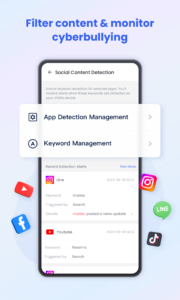
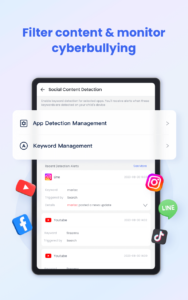
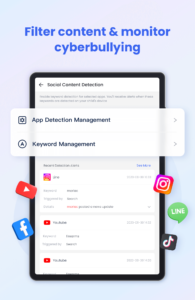
Our latest update revolutionizes online protection with a new, AI-enhanced content monitoring system. We've moved beyond simple keyword blocking to deliver intelligent, context-aware filtering that keeps your family safer than ever.
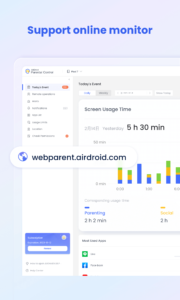
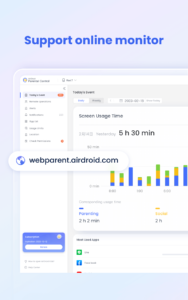
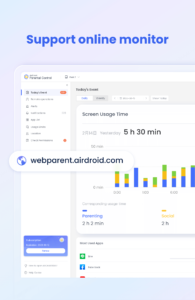
The latest online monitor, content filter, and anti-cyberbullying functions have been released, which could improve the performance of kids' safeguards and ensure your loved child is always under perfect protection built by you.
Do you know what is happening in your child’s world? Whether you are too busy to put extra concern on your child? Do you know how your child surfs online with their phone? Do you ever worry about your child who comes home late? Do you want to know more about your lovely sweetheart? Try AirDroid Parental Control for free now!
What makes you choose AirDroid Parental Control:
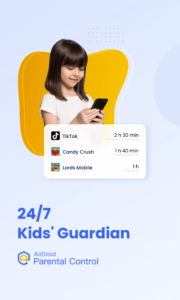
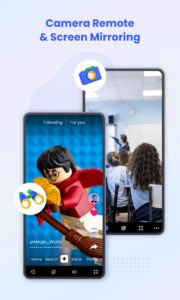
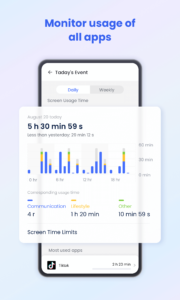
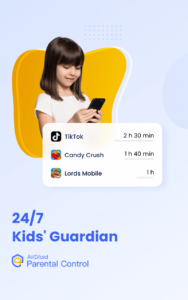
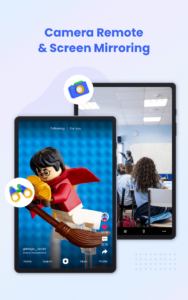
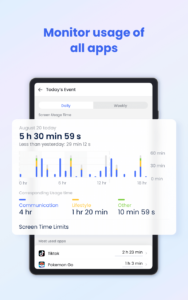
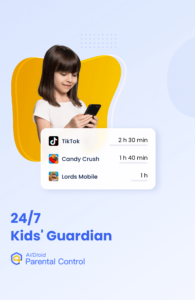
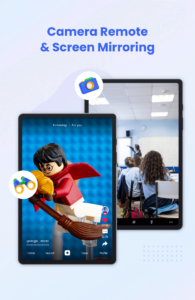
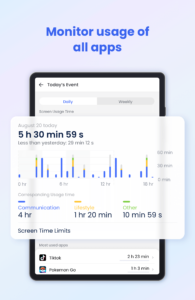
◆ Real-time monitoring - Cast your child's device screen to your phone in real-time to find out what apps they're using in school and the use frequency to prevent them from getting addicted to their phone.
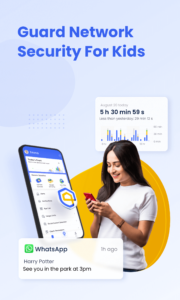
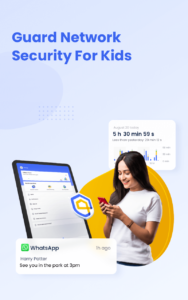
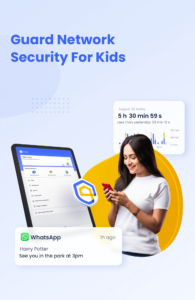
◆ Sync app notification - Real-time sync function helps you to know more about your child's chat on social media like Facebook, Instagram, Messenger, etc. Help your child to stay far away from cyberbullying and online fraud.
◆ Screen time - Set up a unique schedule for your child to limit their use time and prevent them from focusing on it while having class.
◆ App blocker - Set up phone access permission to ensure your child can only access the permitted app, also you will get an alert when your child tries to install or delete apps.
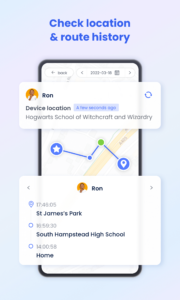
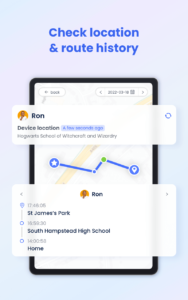
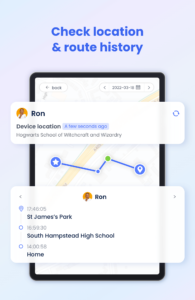
◆ GPS location tracker - With the high-accuracy location tracker, you can track your child's location on the map and see their historical route for the day. Ensure your child is stay safe and they won't visit any high-risk places.
◆ Location alert - Custom Geofence to your child, you will receive alerts when they passed, just like a 24/7 guard to follow and protect your child.
◆ Battery check - Monitor your child's device charging status, once the device's power is running low, a notification will be sent to their phone to remind your child to charge their phone in time, always stay in touch!
To use AirDroid Parental Control you will need to download the app onto each device you wish to control. One paid account allows you to control up to 10 devices.
AirDroid Parental Control contains no advertisements.
AirDroid Parental Control app offers a 3-day free trial of all Premium features. When the trial is over, access to features requires a subscription, with discounts for longer commitments.
The cost of a subscription will be debited from your Google Play account. The subscription will automatically be renewed at chosen intervals unless canceled more than 24 hours before the end of the subscription period. Subscription management is available in the settings of your Google Play account after purchase.
The app requires the following access:
- to the camera and photos - for the screen mirroring
- to contacts - for the choice of a phone number when setting up the GPS
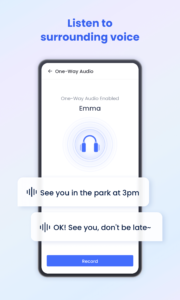
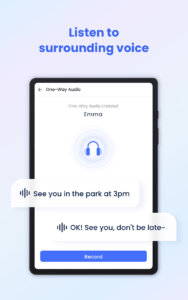
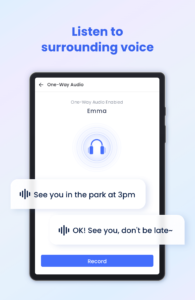
- to the microphone - for sending voice messages in the chat and hear surrounding sound
- push notifications - for notifications about your child’s movements and new chat messages
Please make sure you have read the following before you use AirDroid Parental Control.
Privacy Policy:
kids.airdroid.info/#/Privacy
Terms of Service:
kids.airdroid.info/#/Eula
Payment Terms:
kids.airdroid.info/#/Payment
Contact Us:
For any further suggestions or questions, please feel free to contact us at
support@airdroid.com
Our latest update revolutionizes online protection with a new, AI-enhanced content monitoring system. We've moved beyond simple keyword blocking to deliver intelligent, context-aware filtering that keeps your family safer than ever.
The latest online monitor, content filter, and anti-cyberbullying functions have been released, which could improve the performance of kids' safeguards and ensure your loved child is always under perfect protection built by you.
Do you know what is happening in your child’s world? Whether you are too busy to put extra concern on your child? Do you know how your child surfs online with their phone? Do you ever worry about your child who comes home late? Do you want to know more about your lovely sweetheart? Try AirDroid Parental Control for free now!
What makes you choose AirDroid Parental Control:
◆ Real-time monitoring - Cast your child's device screen to your phone in real-time to find out what apps they're using in school and the use frequency to prevent them from getting addicted to their phone.
◆ Sync app notification - Real-time sync function helps you to know more about your child's chat on social media like Facebook, Instagram, Messenger, etc. Help your child to stay far away from cyberbullying and online fraud.
◆ Screen time - Set up a unique schedule for your child to limit their use time and prevent them from focusing on it while having class.
◆ App blocker - Set up phone access permission to ensure your child can only access the permitted app, also you will get an alert when your child tries to install or delete apps.
◆ GPS location tracker - With the high-accuracy location tracker, you can track your child's location on the map and see their historical route for the day. Ensure your child is stay safe and they won't visit any high-risk places.
◆ Location alert - Custom Geofence to your child, you will receive alerts when they passed, just like a 24/7 guard to follow and protect your child.
◆ Battery check - Monitor your child's device charging status, once the device's power is running low, a notification will be sent to their phone to remind your child to charge their phone in time, always stay in touch!
To use AirDroid Parental Control you will need to download the app onto each device you wish to control. One paid account allows you to control up to 10 devices.
AirDroid Parental Control contains no advertisements.
AirDroid Parental Control app offers a 3-day free trial of all Premium features. When the trial is over, access to features requires a subscription, with discounts for longer commitments.
The cost of a subscription will be debited from your Google Play account. The subscription will automatically be renewed at chosen intervals unless canceled more than 24 hours before the end of the subscription period. Subscription management is available in the settings of your Google Play account after purchase.
The app requires the following access:
- to the camera and photos - for the screen mirroring
- to contacts - for the choice of a phone number when setting up the GPS
- to the microphone - for sending voice messages in the chat and hear surrounding sound
- push notifications - for notifications about your child’s movements and new chat messages
Please make sure you have read the following before you use AirDroid Parental Control.
Privacy Policy:
kids.airdroid.info/#/Privacy
Terms of Service:
kids.airdroid.info/#/Eula
Payment Terms:
kids.airdroid.info/#/Payment
Contact Us:
For any further suggestions or questions, please feel free to contact us at
support@airdroid.com
Download AirDroid Parental Control APK
Fast, free and safe download.
APK Permissions 29
- android.permission.ACCESS_ADSERVICES_AD_ID
- android.permission.ACCESS_ADSERVICES_ATTRIBUTION
- android.permission.ACCESS_COARSE_LOCATION
- android.permission.ACCESS_FINE_LOCATION
- android.permission.ACCESS_NETWORK_STATE
- android.permission.ACCESS_WIFI_STATE
- android.permission.BLUETOOTH
- android.permission.CAMERA
- android.permission.CHANGE_NETWORK_STATE
- android.permission.CHANGE_WIFI_MULTICAST_STATE
- android.permission.CHANGE_WIFI_STATE
- android.permission.FOREGROUND_SERVICE
- android.permission.FOREGROUND_SERVICE_CONNECTED_DEVICE
- android.permission.FOREGROUND_SERVICE_MICROPHONE
- android.permission.INTERNET
- android.permission.MODIFY_AUDIO_SETTINGS
- android.permission.POST_NOTIFICATIONS
- android.permission.READ_EXTERNAL_STORAGE
- android.permission.READ_MEDIA_VISUAL_USER_SELECTED
- android.permission.RECEIVE_BOOT_COMPLETED
- android.permission.RECORD_AUDIO
- android.permission.SYSTEM_ALERT_WINDOW
- android.permission.VIBRATE
- android.permission.WAKE_LOCK
- android.permission.WRITE_EXTERNAL_STORAGE
- com.android.vending.BILLING
- com.asus.msa.SupplementaryDID.ACCESS
- com.sand.airdroidkidp.DYNAMIC_RECEIVER_NOT_EXPORTED_PERMISSION
- freemme.permission.msa
APK Verified
The cryptographic signature guarantees that the file is safe to install and was not tampered with in any way.
Similar in Parenting


Frequently Asked Questions about AirDroid Parental Control APK
This is the universal variant — a single APK that contains native libraries for every CPU architecture. It installs on any Android device but is larger than per-architecture variants.
Yes — the APK's signature has been cryptographically verified against the publisher's signing key. The SHA-256 hash is shown in the File Information panel so you can independently confirm the file matches the original release.
Android 24 (API level 35) or newer. Older devices will refuse the install.
Install a free app like 'CPU-Z' or 'Droid Hardware Info' from the Play Store and look at the ABI / Instruction Set row. Most phones made after 2017 are arm64-v8a; if in doubt, download the universal variant.
All variants are functionally identical — same features, same version. They differ only in which CPU architectures the native code is compiled for, and (sometimes) which screen densities the included graphics target. Pick the one that matches your device for the smallest install size, or pick 'Universal' if you're unsure.