
This is the universal build of Quick Cursor: One-Hand Aid 2.2.0. It contains native libraries for every CPU architecture (arm64-v8a, armeabi-v7a, x86, x86_64), so it installs on any Android device. The trade-off is size — it's larger than per-architecture variants. Pick this one if you're unsure which CPU your phone has, or if you plan to share the APK with multiple devices.
File size: 5.0 MB • Min Android: 24 • Target Android: 35 • Version code: 233 • Framework: Native (Java/Kotlin) • Permissions: 8
Screenshots
File Information
| Package Name | com.quickcursor |
|---|---|
| Version Name | 2.2.0 |
| Version Code | 233 |
| Architecture | Universal |
| Min Android Version | Android 24 (API 35) |
| Main Activity | com.quickcursor.android.activities.MainActivity |
| Framework | Native (Java/Kotlin) |
| File Size | 5.02 MB |
| Signature (SHA1) | 141DF6E04B63766E0783431D6C0202C2FFD6872B |
| File Hash (SHA256) | 74a8ef4faa72ea86813bb3bd3b2d8666d1520d28d245f5ce9917d41fd8b20da5 |
What's New
2.0.1:
- foldable devices support - different triggers config for each resolution
- trigger actions
- trigger designs
- add many new configs to the FREE version
- add "When keyboard opens" feature
- add 'Hide tracker after' option to tracker actions
- advanced triggers: cursor area fully configurable and tracker area scale from cursor area option
- enhance Toggle sound profile, brightness and volume bar actions
- fix blacklist checkbox bug
- update dependencies and translations
- foldable devices support - different triggers config for each resolution
- trigger actions
- trigger designs
- add many new configs to the FREE version
- add "When keyboard opens" feature
- add 'Hide tracker after' option to tracker actions
- advanced triggers: cursor area fully configurable and tracker area scale from cursor area option
- enhance Toggle sound profile, brightness and volume bar actions
- fix blacklist checkbox bug
- update dependencies and translations
App Description
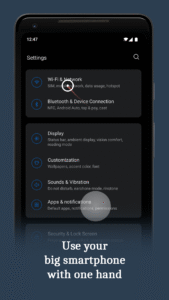
Makes it easier to use large smartphones with one hand by introducing a computer like cursor controlled with one finger by swiping from edge of the screen.
Easy to use:
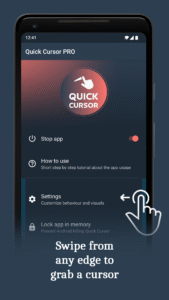
1. Swipe from left or right margin from the bottom half of the screen.
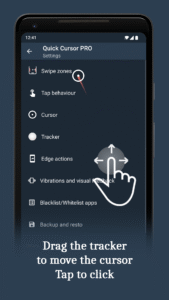
2. Reach the top half of the screen by dragging the tracker using one hand in the bottom half.
3. Touch the tracker to click with the cursor. The tracker will disappear on any action outside the tracker or after a period of time.
The app is free and without ads!
The
PRO version
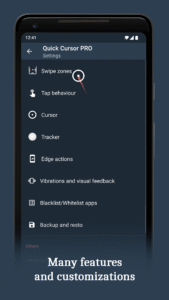
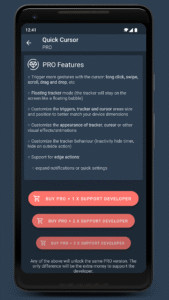
is for advanced configurations and features:
○ Trigger actions - trigger actions directly from the edge of the screen
○ Tracker actions - trigger actions directly from the tracker
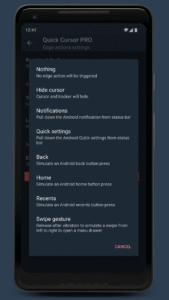
○ Edge actions - trigger actions from the edge of the screen with the cursor
○ Floating tracker mode (the tracker will stay on the screen like a floating bubble)
○ Customize the triggers, tracker and cursor and other visual effects/animations
○ Customize the tracker behaviour (inactivity hide timer, hide on outside action)
○ Unlock all actions for trigger/tracker/edge actions:
• expand notifications or quick settings
• trigger home, back or recent button
• screenshot, flashlight, lock screen, switch to previous app, copy, cut, paste, split screen, open app drawer
• launch apps or app shortcuts
• media shortcuts: play, pause, next, previous
• change brightness, volume, auto rotate and others
○ Customize vibrations and visual feedback
○ Backup and restore all settings
● Support the developer of this free and without ads app
Privacy
The app
does not collect or store
any data from your smartphone.
The app
does not use any internet connection
, no data will be sent over network.
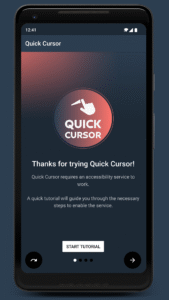
Quick Cursor requires you to enable its accessibility service before you can use it.
This app uses this service only to enable its functionality.
It needs the following permissions:
○ View and control screen
• is needed for trigger zones
○ View and perform actions
• is needed to perform touch actions
○ Observe your actions
• is needed for "temporarily disable" feature which pause Quick Cursor until you change your running app to another one
The usage of this accessibility features will never be used for something else.
No data will be collected or sent across network.
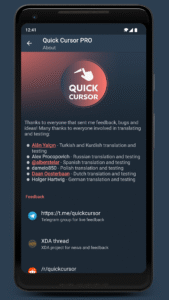
Feedback
Telegram group:
t.me/quickcursor
XDA:
forum.xda-developers.com/android/apps-games/app-quick-cursor-one-hand-mouse-pointer-t4088487/
Reddit:
reddit.com/r/quickcursor/
Email:
support@quickcursor.app
Easy to use:
1. Swipe from left or right margin from the bottom half of the screen.
2. Reach the top half of the screen by dragging the tracker using one hand in the bottom half.
3. Touch the tracker to click with the cursor. The tracker will disappear on any action outside the tracker or after a period of time.
The app is free and without ads!
The
PRO version
is for advanced configurations and features:
○ Trigger actions - trigger actions directly from the edge of the screen
○ Tracker actions - trigger actions directly from the tracker
○ Edge actions - trigger actions from the edge of the screen with the cursor
○ Floating tracker mode (the tracker will stay on the screen like a floating bubble)
○ Customize the triggers, tracker and cursor and other visual effects/animations
○ Customize the tracker behaviour (inactivity hide timer, hide on outside action)
○ Unlock all actions for trigger/tracker/edge actions:
• expand notifications or quick settings
• trigger home, back or recent button
• screenshot, flashlight, lock screen, switch to previous app, copy, cut, paste, split screen, open app drawer
• launch apps or app shortcuts
• media shortcuts: play, pause, next, previous
• change brightness, volume, auto rotate and others
○ Customize vibrations and visual feedback
○ Backup and restore all settings
● Support the developer of this free and without ads app
Privacy
The app
does not collect or store
any data from your smartphone.
The app
does not use any internet connection
, no data will be sent over network.
Quick Cursor requires you to enable its accessibility service before you can use it.
This app uses this service only to enable its functionality.
It needs the following permissions:
○ View and control screen
• is needed for trigger zones
○ View and perform actions
• is needed to perform touch actions
○ Observe your actions
• is needed for "temporarily disable" feature which pause Quick Cursor until you change your running app to another one
The usage of this accessibility features will never be used for something else.
No data will be collected or sent across network.
Feedback
Telegram group:
t.me/quickcursor
XDA:
forum.xda-developers.com/android/apps-games/app-quick-cursor-one-hand-mouse-pointer-t4088487/
Reddit:
reddit.com/r/quickcursor/
Email:
support@quickcursor.app
Download Quick Cursor: One-Hand Aid APK
Fast, free and safe download.
APK Permissions 8
- android.permission.ACCESS_NOTIFICATION_POLICY
- android.permission.ACCESS_WIFI_STATE
- android.permission.CAMERA
- android.permission.CHANGE_WIFI_STATE
- android.permission.VIBRATE
- android.permission.WRITE_SETTINGS
- com.android.vending.BILLING
- com.quickcursor.DYNAMIC_RECEIVER_NOT_EXPORTED_PERMISSION
APK Verified
The cryptographic signature guarantees that the file is safe to install and was not tampered with in any way.


Frequently Asked Questions about Quick Cursor: One-Hand Aid APK
This is the universal variant — a single APK that contains native libraries for every CPU architecture. It installs on any Android device but is larger than per-architecture variants.
Yes — the APK's signature has been cryptographically verified against the publisher's signing key. The SHA-256 hash is shown in the File Information panel so you can independently confirm the file matches the original release.
Android 24 (API level 35) or newer. Older devices will refuse the install.
Install a free app like 'CPU-Z' or 'Droid Hardware Info' from the Play Store and look at the ABI / Instruction Set row. Most phones made after 2017 are arm64-v8a; if in doubt, download the universal variant.
All variants are functionally identical — same features, same version. They differ only in which CPU architectures the native code is compiled for, and (sometimes) which screen densities the included graphics target. Pick the one that matches your device for the smallest install size, or pick 'Universal' if you're unsure.