
Download HDHomeRun (Amazon Appstore Fire Tablet version) 20240801 APK 20251013 Universal · Android 21+
Download APK
Verified Safe
This is the universal build of HDHomeRun (Amazon Appstore Fire Tablet version) 20240801 20251013. It contains native libraries for every CPU architecture (arm64-v8a, armeabi-v7a, x86, x86_64), so it installs on any Android device. The trade-off is size — it's larger than per-architecture variants. Pick this one if you're unsure which CPU your phone has, or if you plan to share the APK with multiple devices.
File size: 16.6 MB • Min Android: 21 • Target Android: 35 • Version code: 634 • Framework: Native (Java/Kotlin) • Permissions: 15
Screenshots


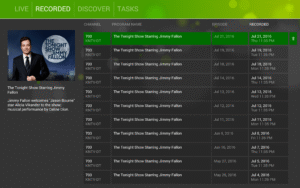
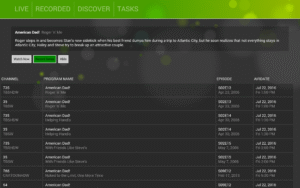

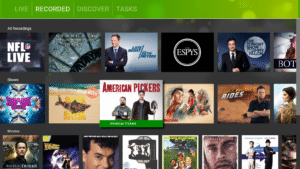
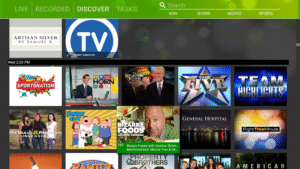

File Information
| Package Name | com.silicondust.view |
|---|---|
| Version Name | 20251013 |
| Version Code | 634 |
| Architecture | Universal |
| Min Android Version | Android 21 (API 35) |
| Main Activity | com.silicondust.view.App |
| Framework | Native (Java/Kotlin) |
| File Size | 16.60 MB |
| Signature (SHA1) | 37D5AE23F90C4C801044AF08A565A30B55B2BFAE |
| File Hash (SHA256) | b41d8f88b0683a6f03b177c2b62c91ec80485888a58a1374f49710b1daef7016 |
What's New
Performance improvements
AC3 fix
AC3 fix
App Description
* This app requires an HDHomeRun tuner present on your local area network
* Update to the latest release
my.hdhomerun.com/
The HDHomeRun app requires an HDHomeRun tuner to watch Live TV on your Android phone, tablet, or Android TV box.
REQUIREMENTS:
• Compatible HDHomeRun device:
HDHomeRun CONNECT, EXTEND, EXPAND, or PRIME
Legacy model HDHomeRuns like the DUAL will support Live TV streaming; however, DVR is not supported.
• DVR features (including pause and rewind) will require the HDHomeRun DVR:
www.silicondust.com/shop/
• Reliable Wi-Fi network
• Android 4.4.2 or later
FEATURES:
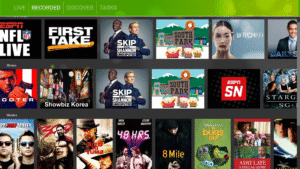
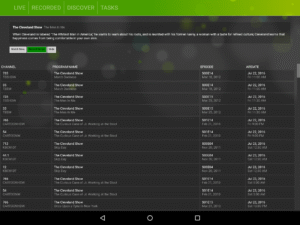
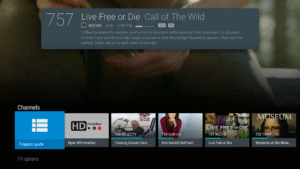
• Live TV (cable TV and over-the-air) viewing on your Android phone, tablet, or Android TV box.
• Supports HD channels
• Cable TV and OTA.
• No external player needed
• Fast Channel changes
• Intuitive UI and OSD to control closed caption, audio tracks, and zoom with a single tap
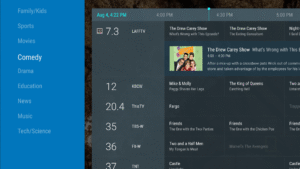
• What’s on now and what’s on next guide data
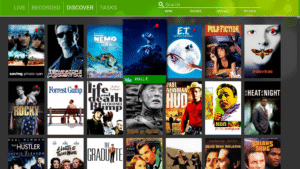
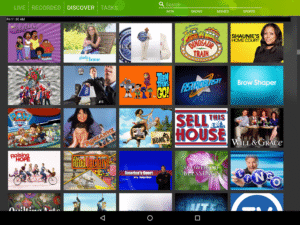
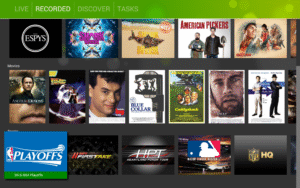
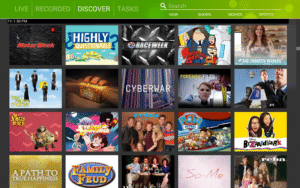
• Program images, show cards, and channel logos
• Program progress bar
• Consolidated list of channels (for user with both Cable and ATSC tuners).
• Does NOT require an always on computer
• Full 14 day guide data for DVR subscribers / Non-DVR subscribers get free 24 hour guide data
www.hdhomerun.com
* Guide data and images are officially licensed by Gracenote
* The HDHomeRun app does not work outside of your home network. Your Android device must be connected to the same local network as your HDHomeRun tuner.
For questions, concerns, bug reports, and feature requests, contact us on via email
support@silicondust.com
or on the HDHomeRun forums:
www.silicondust.com/forum
* Update to the latest release
my.hdhomerun.com/
The HDHomeRun app requires an HDHomeRun tuner to watch Live TV on your Android phone, tablet, or Android TV box.
REQUIREMENTS:
• Compatible HDHomeRun device:
HDHomeRun CONNECT, EXTEND, EXPAND, or PRIME
Legacy model HDHomeRuns like the DUAL will support Live TV streaming; however, DVR is not supported.
• DVR features (including pause and rewind) will require the HDHomeRun DVR:
www.silicondust.com/shop/
• Reliable Wi-Fi network
• Android 4.4.2 or later
FEATURES:
• Live TV (cable TV and over-the-air) viewing on your Android phone, tablet, or Android TV box.
• Supports HD channels
• Cable TV and OTA.
• No external player needed
• Fast Channel changes
• Intuitive UI and OSD to control closed caption, audio tracks, and zoom with a single tap
• What’s on now and what’s on next guide data
• Program images, show cards, and channel logos
• Program progress bar
• Consolidated list of channels (for user with both Cable and ATSC tuners).
• Does NOT require an always on computer
• Full 14 day guide data for DVR subscribers / Non-DVR subscribers get free 24 hour guide data
www.hdhomerun.com
* Guide data and images are officially licensed by Gracenote
* The HDHomeRun app does not work outside of your home network. Your Android device must be connected to the same local network as your HDHomeRun tuner.
For questions, concerns, bug reports, and feature requests, contact us on via email
support@silicondust.com
or on the HDHomeRun forums:
www.silicondust.com/forum
Download HDHomeRun (Amazon Appstore Fire Tablet version) 20240801 APK
Fast, free and safe download.
APK Permissions 15
- android.permission.ACCESS_COARSE_LOCATION
- android.permission.ACCESS_FINE_LOCATION
- android.permission.ACCESS_NETWORK_STATE
- android.permission.ACCESS_WIFI_STATE
- android.permission.FOREGROUND_SERVICE
- android.permission.FOREGROUND_SERVICE_MEDIA_PLAYBACK
- android.permission.INTERNET
- android.permission.READ_EXTERNAL_STORAGE
- android.permission.READ_PHONE_STATE
- android.permission.RECEIVE_BOOT_COMPLETED
- android.permission.WAKE_LOCK
- android.permission.WRITE_EXTERNAL_STORAGE
- com.android.providers.tv.permission.READ_EPG_DATA
- com.android.providers.tv.permission.WRITE_EPG_DATA
- com.silicondust.view.DYNAMIC_RECEIVER_NOT_EXPORTED_PERMISSION
APK Verified
The cryptographic signature guarantees that the file is safe to install and was not tampered with in any way.


Frequently Asked Questions about HDHomeRun (Amazon Appstore Fire Tablet version) 20240801 APK
This is the universal variant — a single APK that contains native libraries for every CPU architecture. It installs on any Android device but is larger than per-architecture variants.
Yes — the APK's signature has been cryptographically verified against the publisher's signing key. The SHA-256 hash is shown in the File Information panel so you can independently confirm the file matches the original release.
Android 21 (API level 35) or newer. Older devices will refuse the install.
Install a free app like 'CPU-Z' or 'Droid Hardware Info' from the Play Store and look at the ABI / Instruction Set row. Most phones made after 2017 are arm64-v8a; if in doubt, download the universal variant.
All variants are functionally identical — same features, same version. They differ only in which CPU architectures the native code is compiled for, and (sometimes) which screen densities the included graphics target. Pick the one that matches your device for the smallest install size, or pick 'Universal' if you're unsure.