
This is the x86_64 build of Smart-ID 29.3.820. Intel-architecture builds are useful for Android emulators (BlueStacks, NoxPlayer, Android Studio AVD), Chromebooks running ARC, and the small number of Intel-CPU Android phones. Most physical Android phones should download the ARM variant instead.
File size: 69.2 MB • Min Android: 23 • Target Android: 35 • Version code: 8203 • Framework: Flutter • Permissions: 26
Screenshots

File Information
| Package Name | com.smart_id |
|---|---|
| Version Name | 29.3.820 |
| Version Code | 8203 |
| Architecture | x86_64 |
| Min Android Version | Android 23 (API 35) |
| Main Activity | com.stagnationlab.sk.MainActivity |
| Framework | Flutter |
| File Size | 69.21 MB |
| Signature (SHA1) | 71AFB83FC3D308F0D5E63AE471A38F9FFA86656D |
| File Hash (SHA256) | 21faf4b28e3720150cc8d8290016d8a9f931950003edfe55996ea3b05b953617 |
What's New
• Remember to download the latest version of the Smart-ID app to get the best experience!
App Description
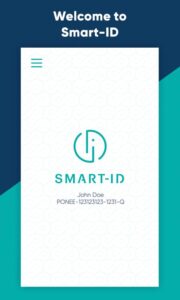
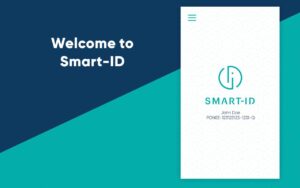
Smart-ID is the easiest, most convenient and safest way to authenticate yourself online – check your online bank account, access e-services and confirm transactions.
Smart-ID allows you to give signatures equal to handwritten signatures (except Basic level), which complies with EU regulations about qualified electronic signatures.
Smart-ID is currently available for:
- Estonian, Latvian, Lithuanian residents
- Estonian e-residents
- Belgium residents
EASY
Get started by downloading Smart-ID app.
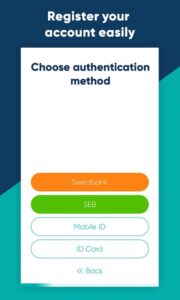
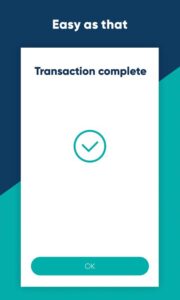
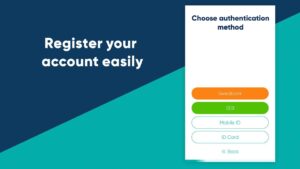
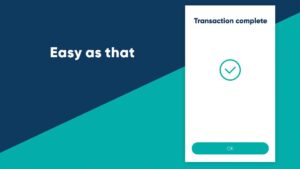
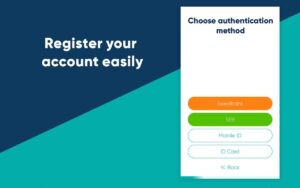
Follow the steps in the app to confirm your identity and complete the registration process. Once you’ve done that, you’re good to go – no other confirmation needed!
CONVENIENT
Your Smart-ID is always within an easy reach!
You can use Smart-ID in as many smart devices as you want and gain access to your online accounts across all of them any time, any place. Using Smart-ID is free and totally unlimited.
SAFE
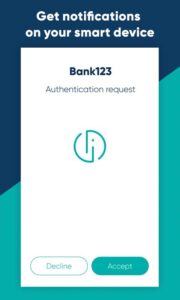
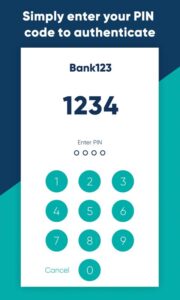
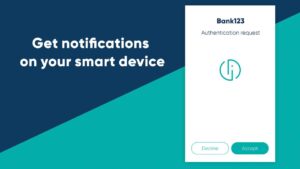
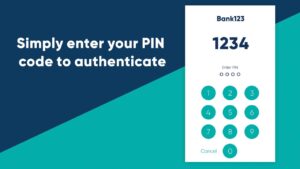
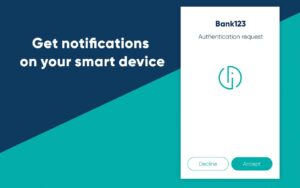
Smart-ID app does not store your identity or PIN codes. The app is used for key management: it creates your private keys while account registration and later mediates authentication and signature requests. User identity is managed securely by the service provider. A technology has been used in this product for which Cybernetica AS has filed a patent application or a patent has been granted.
Try out Smart-ID, visit portal.smart-id.com!
Smart-ID allows you to give signatures equal to handwritten signatures (except Basic level), which complies with EU regulations about qualified electronic signatures.
Smart-ID is currently available for:
- Estonian, Latvian, Lithuanian residents
- Estonian e-residents
- Belgium residents
EASY
Get started by downloading Smart-ID app.
Follow the steps in the app to confirm your identity and complete the registration process. Once you’ve done that, you’re good to go – no other confirmation needed!
CONVENIENT
Your Smart-ID is always within an easy reach!
You can use Smart-ID in as many smart devices as you want and gain access to your online accounts across all of them any time, any place. Using Smart-ID is free and totally unlimited.
SAFE
Smart-ID app does not store your identity or PIN codes. The app is used for key management: it creates your private keys while account registration and later mediates authentication and signature requests. User identity is managed securely by the service provider. A technology has been used in this product for which Cybernetica AS has filed a patent application or a patent has been granted.
Try out Smart-ID, visit portal.smart-id.com!
Download Smart-ID APK
Fast, free and safe download.
APK Permissions 26
- android.permission.ACCESS_NETWORK_STATE
- android.permission.CAMERA
- android.permission.HIDE_OVERLAY_WINDOWS
- android.permission.INTERNET
- android.permission.NFC
- android.permission.POST_NOTIFICATIONS
- android.permission.RECEIVE_BOOT_COMPLETED
- android.permission.SYSTEM_ALERT_WINDOW
- android.permission.USE_FULL_SCREEN_INTENT
- android.permission.VIBRATE
- android.permission.WAKE_LOCK
- com.anddoes.launcher.permission.UPDATE_COUNT
- com.google.android.c2dm.permission.RECEIVE
- com.htc.launcher.permission.READ_SETTINGS
- com.htc.launcher.permission.UPDATE_SHORTCUT
- com.huawei.android.launcher.permission.CHANGE_BADGE
- com.huawei.android.launcher.permission.READ_SETTINGS
- com.huawei.android.launcher.permission.WRITE_SETTINGS
- com.majeur.launcher.permission.UPDATE_BADGE
- com.sec.android.provider.badge.permission.READ
- com.sec.android.provider.badge.permission.WRITE
- com.smart_id.DYNAMIC_RECEIVER_NOT_EXPORTED_PERMISSION
- com.smart_id.permission.PROCESS_PUSH_MSG
- com.smart_id.permission.PUSH_PROVIDER
- com.sonyericsson.home.permission.BROADCAST_BADGE
- com.sonymobile.home.permission.PROVIDER_INSERT_BADGE
APK Verified
The cryptographic signature guarantees that the file is safe to install and was not tampered with in any way.


Frequently Asked Questions about Smart-ID APK
This variant is built for 64-bit Intel (Android emulators, Chromebooks). If your device's CPU matches, this is the smallest, fastest version to install.
Yes — the APK's signature has been cryptographically verified against the publisher's signing key. The SHA-256 hash is shown in the File Information panel so you can independently confirm the file matches the original release.
Android 23 (API level 35) or newer. Older devices will refuse the install.
Install a free app like 'CPU-Z' or 'Droid Hardware Info' from the Play Store and look at the ABI / Instruction Set row. Most phones made after 2017 are arm64-v8a; if in doubt, download the universal variant.
All variants are functionally identical — same features, same version. They differ only in which CPU architectures the native code is compiled for, and (sometimes) which screen densities the included graphics target. Pick the one that matches your device for the smallest install size, or pick 'Universal' if you're unsure.