
Download Alarmy - Alarm Clock & Sleep APK 25.25.0-beta arm64-v8a, armeabi-v7a, x86, x86_64 · Android 28+
Download APK
Verified Safe
This is the arm64-v8a, armeabi-v7a, x86, x86_64 build of Alarmy - Alarm Clock & Sleep 25.25.0-beta. Pick this build if your device's primary ABI matches.
File size: 213.8 MB • Min Android: 28 • Target Android: 35 • Version code: 252550 • Framework: Native (Java/Kotlin) • Permissions: 40
Screenshots
File Information
| Package Name | droom.sleepIfUCan |
|---|---|
| Version Name | 25.25.0-beta |
| Version Code | 252550 |
| Architecture | arm64-v8a, armeabi-v7a, x86, x86_64 |
| Min Android Version | Android 28 (API 35) |
| Main Activity | droom.sleepIfUCan.activity.MainActivity |
| Framework | Native (Java/Kotlin) |
| File Size | 213.84 MB |
| Signature (SHA1) | 5A087E3242C4DBFF45088C4AF616061E4A304E61 |
| File Hash (SHA256) | 3e4337d8077a924b35cb5c3aac96b2c82290df1364d5e6090837fd4bdae1888f |
What's New
From version
5.61.01
:
🔔 Alarmy App Update:
- Find your recently played sleep sounds with ease
- See how many days you've used the alarms on the morning analysis tab
- Wake up check screen is now more visible
Get the latest version now! 🚀
5.61.01
:
🔔 Alarmy App Update:
- Find your recently played sleep sounds with ease
- See how many days you've used the alarms on the morning analysis tab
- Wake up check screen is now more visible
Get the latest version now! 🚀
App Description
Boost your motivation for successful mornings with Alarmy!
The wellness app for waking up and making a better sleep cycle.
■ No.1 Alarm clock & Sleep App with 75M Users
Rated No. 1 in over 90 countries with 1.7M store reviews.
Selected as the 2023 Google Play App of the Year.
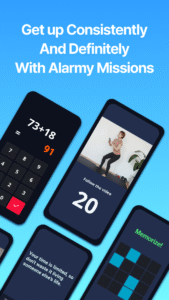
■ Waking up at once with Alarm Missions
Having trouble waking up with just a sound?
Try our variety of waking up missions:
math solving, memory games, shaking, or squats.
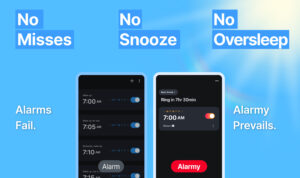
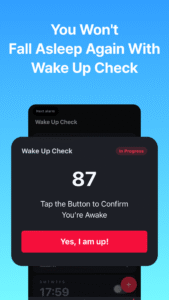
■ Special Alarm Clock for Heavy Sleepers
If you're a heavy sleeper who can't wake up with regular alarm clock,
our features like [ Power Off Prevention & Anti-Snooze ]
will ensure you never fall back asleep.
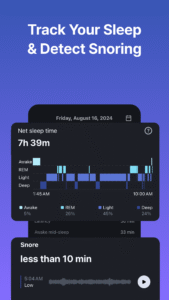
■ Snore & Sleep Tracker
Check if you snored last night
and whether you slept deeply using our sleep tracker,
which includes features to check the severity of snoring and your sleep cycle.
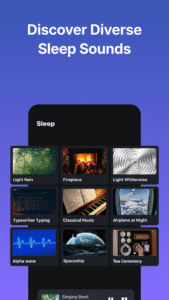
■ Quick and Deep Sleep with Calm Sleep Sounds
For those who struggle to fall asleep,
we offer a variety of calm sleep sounds:
calm ASMR, rain sounds, white noise.
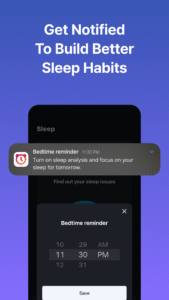
■ Regular Night Routine with Bedtime Alarms
Creating a regular night routine habit can lead to more fresh mornings.
Remind bedtime at your set schedule and turn on calm sleep sounds.
It'll boost motivation for building a habit of going to bed regularly for a better sleep routine.
--
▶︎ Recommended for:
- Those who set multiple alarms minutes apart
- People who work early or night shifts
- Anyone looking for a stronger alarm than the Google clock or Apple alarm clock
- Those who need to improve their sleep routine due to chronic fatigue
- People curious about whether they snore or not
- Those who need various calm sleep sounds to fall asleep easily
- Those who want to make successful morning & evening habit with the full motivation
- Anyone needs a free sleep tracker to make regular sleep cycle
--
▶ Life Hacking Tips with Alarmy
*Morning Study Routine: Study Habit
1. Choose 'Photo Mission' as the alarm dismissal mission
2. Set the cover of the book you will study as the photo mission.
3. Then, you can start studying as soon as the alarm goes off and build a habit!
*Night Sleep Routine: Habit to Combat Insomnia
1. Set your target sleeping time and set up a 'Bedtime Reminder' and wake-up alarm.
2. When it's bedtime, turn on the sleep tracker and calm sounds.
3. Maintain this routine for over 5 days to see changes in your sleep cycle, and complete your perfect night routine!
--
Alarmy is daily source of motivation for morning waking up,
but it also offers various sleeping functions.
Sleeping well is crucial for waking up easily,
which is why we provide calm sleep sounds and sleep tracker related to forming sleep cycle for free.
Experience all the features to spark your motivation of successful morning
and a healthy routine, habit all at once with Alarmy!
Free features: alarm clock, sleep tracker, sleep sounds etc.
#clock #clock app #alarm clock #clock widget #loud #motivation #sleep cycle #sleep sounds #sleep tracker #habit #rem sleep #calm #sleep recorder
--
PERMISSIONS
SYSTEM_ALERT_WINDOW (Android window permission)
Needed for displaying the alarm dismissal screen on Android 10 and above.
OPTIONAL PERMISSIONS
Service can be used without agreement, except for:
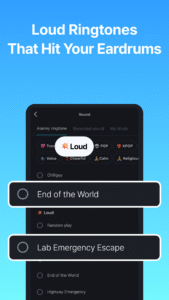
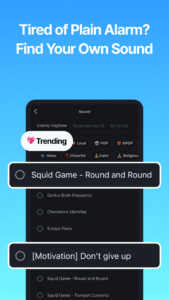
- Write External Storage: Needed to load external ringtones.
- Camera: Required for photo missions where users need to take pictures.
- Read External Storage: Needed to save photos taken by users in photo missions.
- Location Information: Needed to obtain weather information after the app is closed.
- Device Manager: Used to prevent the app from being uninstalled.
Alarmy uses the Accessibility Service API to provide ‘Prevent turn off’ feature. The optional feature blocks the user from turning the device off while the alarm is ringing so that they can wake up better.
- Privacy Policy (English):
alar.my/privacy_policy_en.txt
- Email:
cs@delightroom.com
- Developer Contact: 368, Sapyeong-daero, Seocho-gu, Seoul, Republic of Korea
The wellness app for waking up and making a better sleep cycle.
■ No.1 Alarm clock & Sleep App with 75M Users
Rated No. 1 in over 90 countries with 1.7M store reviews.
Selected as the 2023 Google Play App of the Year.
■ Waking up at once with Alarm Missions
Having trouble waking up with just a sound?
Try our variety of waking up missions:
math solving, memory games, shaking, or squats.
■ Special Alarm Clock for Heavy Sleepers
If you're a heavy sleeper who can't wake up with regular alarm clock,
our features like [ Power Off Prevention & Anti-Snooze ]
will ensure you never fall back asleep.
■ Snore & Sleep Tracker
Check if you snored last night
and whether you slept deeply using our sleep tracker,
which includes features to check the severity of snoring and your sleep cycle.
■ Quick and Deep Sleep with Calm Sleep Sounds
For those who struggle to fall asleep,
we offer a variety of calm sleep sounds:
calm ASMR, rain sounds, white noise.
■ Regular Night Routine with Bedtime Alarms
Creating a regular night routine habit can lead to more fresh mornings.
Remind bedtime at your set schedule and turn on calm sleep sounds.
It'll boost motivation for building a habit of going to bed regularly for a better sleep routine.
--
▶︎ Recommended for:
- Those who set multiple alarms minutes apart
- People who work early or night shifts
- Anyone looking for a stronger alarm than the Google clock or Apple alarm clock
- Those who need to improve their sleep routine due to chronic fatigue
- People curious about whether they snore or not
- Those who need various calm sleep sounds to fall asleep easily
- Those who want to make successful morning & evening habit with the full motivation
- Anyone needs a free sleep tracker to make regular sleep cycle
--
▶ Life Hacking Tips with Alarmy
*Morning Study Routine: Study Habit
1. Choose 'Photo Mission' as the alarm dismissal mission
2. Set the cover of the book you will study as the photo mission.
3. Then, you can start studying as soon as the alarm goes off and build a habit!
*Night Sleep Routine: Habit to Combat Insomnia
1. Set your target sleeping time and set up a 'Bedtime Reminder' and wake-up alarm.
2. When it's bedtime, turn on the sleep tracker and calm sounds.
3. Maintain this routine for over 5 days to see changes in your sleep cycle, and complete your perfect night routine!
--
Alarmy is daily source of motivation for morning waking up,
but it also offers various sleeping functions.
Sleeping well is crucial for waking up easily,
which is why we provide calm sleep sounds and sleep tracker related to forming sleep cycle for free.
Experience all the features to spark your motivation of successful morning
and a healthy routine, habit all at once with Alarmy!
Free features: alarm clock, sleep tracker, sleep sounds etc.
#clock #clock app #alarm clock #clock widget #loud #motivation #sleep cycle #sleep sounds #sleep tracker #habit #rem sleep #calm #sleep recorder
--
PERMISSIONS
SYSTEM_ALERT_WINDOW (Android window permission)
Needed for displaying the alarm dismissal screen on Android 10 and above.
OPTIONAL PERMISSIONS
Service can be used without agreement, except for:
- Write External Storage: Needed to load external ringtones.
- Camera: Required for photo missions where users need to take pictures.
- Read External Storage: Needed to save photos taken by users in photo missions.
- Location Information: Needed to obtain weather information after the app is closed.
- Device Manager: Used to prevent the app from being uninstalled.
Alarmy uses the Accessibility Service API to provide ‘Prevent turn off’ feature. The optional feature blocks the user from turning the device off while the alarm is ringing so that they can wake up better.
- Privacy Policy (English):
alar.my/privacy_policy_en.txt
- Email:
cs@delightroom.com
- Developer Contact: 368, Sapyeong-daero, Seocho-gu, Seoul, Republic of Korea
Download Alarmy - Alarm Clock & Sleep APK
Fast, free and safe download.
APK Permissions 40
- android.permission.ACCESS_ADSERVICES_AD_ID
- android.permission.ACCESS_ADSERVICES_ATTRIBUTION
- android.permission.ACCESS_ADSERVICES_TOPICS
- android.permission.ACCESS_COARSE_LOCATION
- android.permission.ACCESS_FINE_LOCATION
- android.permission.ACCESS_NETWORK_STATE
- android.permission.ACCESS_NOTIFICATION_POLICY
- android.permission.ACCESS_WIFI_STATE
- android.permission.CAMERA
- android.permission.CHANGE_CONFIGURATION
- android.permission.DISABLE_KEYGUARD
- android.permission.FLASHLIGHT
- android.permission.FOREGROUND_SERVICE
- android.permission.FOREGROUND_SERVICE_MEDIA_PLAYBACK
- android.permission.FOREGROUND_SERVICE_MICROPHONE
- android.permission.FOREGROUND_SERVICE_SPECIAL_USE
- android.permission.INTERNET
- android.permission.KILL_BACKGROUND_PROCESSES
- android.permission.MODIFY_AUDIO_SETTINGS
- android.permission.POST_NOTIFICATIONS
- android.permission.READ_EXTERNAL_STORAGE
- android.permission.RECEIVE_BOOT_COMPLETED
- android.permission.RECORD_AUDIO
- android.permission.REQUEST_IGNORE_BATTERY_OPTIMIZATIONS
- android.permission.SCHEDULE_EXACT_ALARM
- android.permission.SYSTEM_ALERT_WINDOW
- android.permission.USE_EXACT_ALARM
- android.permission.USE_FULL_SCREEN_INTENT
- android.permission.VIBRATE
- android.permission.WAKE_LOCK
- android.permission.WRITE_EXTERNAL_STORAGE
- android.permission.WRITE_SETTINGS
- com.android.vending.BILLING
- com.android.vending.CHECK_LICENSE
- com.applovin.array.apphub.permission.BIND_APPHUB_SERVICE
- com.google.android.c2dm.permission.RECEIVE
- com.google.android.finsky.permission.BIND_GET_INSTALL_REFERRER_SERVICE
- com.google.android.gms.permission.AD_ID
- com.google.android.providers.gsf.permission.READ_GSERVICES
- droom.sleepIfUCan.DYNAMIC_RECEIVER_NOT_EXPORTED_PERMISSION
APK Verified
The cryptographic signature guarantees that the file is safe to install and was not tampered with in any way.


Frequently Asked Questions about Alarmy - Alarm Clock & Sleep APK
This variant is built for devices that report `arm64-v8a, armeabi-v7a, x86, x86_64` as their primary ABI. If your device's CPU matches, this is the smallest, fastest version to install.
Yes — the APK's signature has been cryptographically verified against the publisher's signing key. The SHA-256 hash is shown in the File Information panel so you can independently confirm the file matches the original release.
Android 28 (API level 35) or newer. Older devices will refuse the install.
Install a free app like 'CPU-Z' or 'Droid Hardware Info' from the Play Store and look at the ABI / Instruction Set row. Most phones made after 2017 are arm64-v8a; if in doubt, download the universal variant.
All variants are functionally identical — same features, same version. They differ only in which CPU architectures the native code is compiled for, and (sometimes) which screen densities the included graphics target. Pick the one that matches your device for the smallest install size, or pick 'Universal' if you're unsure.