
Download Automatic Call Recorder Pro APK 10.9 arm64-v8a, armeabi-v7a · Android 16+
Download APK
Verified Safe
This is the arm64-v8a, armeabi-v7a build of Automatic Call Recorder Pro 10.9. Pick this build if your device's primary ABI matches.
File size: 17.3 MB • Min Android: 16 • Target Android: 28 • Version code: 100 • Framework: Native (Java/Kotlin) • Permissions: 37
Screenshots
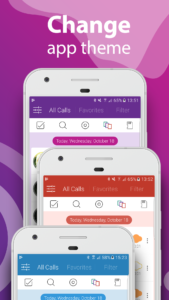
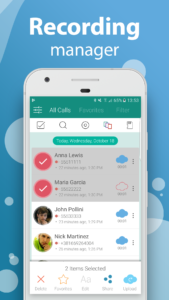
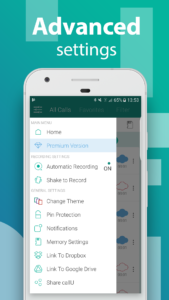
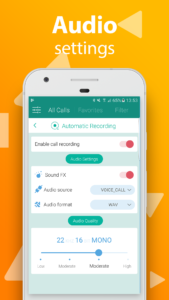
File Information
| Package Name | com.smsrobot.callu |
|---|---|
| Version Name | 10.9 |
| Version Code | 100 |
| Architecture | arm64-v8a, armeabi-v7a |
| Min Android Version | Android 16 (API 28) |
| Main Activity | com.smsrobot.callu.StartActivity |
| Framework | Native (Java/Kotlin) |
| File Size | 17.29 MB |
| Signature (SHA1) | D04CE9037D9F553039924EE093B6684CE527CBAC |
| File Hash (SHA256) | bba93ca5abd3939c9ff733460610b6fe99f4fa82c11699e5f71cf36743f688d7 |
What's New
Minor improvements and bug fixes
App Description
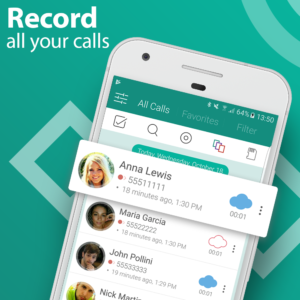
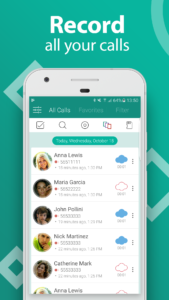
Call Recorder Automatic is the complete solution for phone call recording.
How to record a phone call on your Android? The easiest way is to choose
Automatic Call Recorder Pro
- best phone call recording app with a beautiful redesign in 2018!
Auto call recorder is your new choice for phone call recording.
Functions:
- Caller id identifies unknown phone numbers
- Record calls per phone number or contact name
- Exclude recording per phone number or contact name
- Samsung Galaxy S9 and S9 plus optimized
- Record your calls automatically while calling
- Automatic Call Recorder
- Advanced File Manager
- You can play back, or save your call to mp3 files on your SD card
- Record all outgoing calls
- Record all incoming calls
- Record all phone call conversations
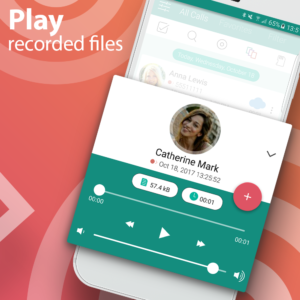
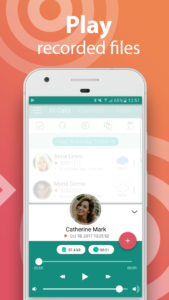
- Play audio recorded conversations
- Delete recorded conversations
- Send calls to email
- After Call confirmation dialog for saving the recorded call
- Set Audio Quality
Auto call recorder is a the best free call recorder application with these features:
- Record incoming and Outgoing call
- Favorite
- Search
- Marking recordings as important
- Multi select, delete, send
- Excluded numbers
- Set password to protect privacy
- Set different audio format (MP3, WAV)
- Different recording modes by number, contact, non-contact or just selected contacts
- Enable/Disable call recording
- Play recorded audio
- Share recorded items
- Playback through speaker or earpiece on your phone
Share files:
- Dropbox
- Google Drive
- SMS
- Whatsapp
- Viber
- Skype
Thank you for using Automatic Call Recorder Pro
How to record a phone call on your Android? The easiest way is to choose
Automatic Call Recorder Pro
- best phone call recording app with a beautiful redesign in 2018!
Auto call recorder is your new choice for phone call recording.
Functions:
- Caller id identifies unknown phone numbers
- Record calls per phone number or contact name
- Exclude recording per phone number or contact name
- Samsung Galaxy S9 and S9 plus optimized
- Record your calls automatically while calling
- Automatic Call Recorder
- Advanced File Manager
- You can play back, or save your call to mp3 files on your SD card
- Record all outgoing calls
- Record all incoming calls
- Record all phone call conversations
- Play audio recorded conversations
- Delete recorded conversations
- Send calls to email
- After Call confirmation dialog for saving the recorded call
- Set Audio Quality
Auto call recorder is a the best free call recorder application with these features:
- Record incoming and Outgoing call
- Favorite
- Search
- Marking recordings as important
- Multi select, delete, send
- Excluded numbers
- Set password to protect privacy
- Set different audio format (MP3, WAV)
- Different recording modes by number, contact, non-contact or just selected contacts
- Enable/Disable call recording
- Play recorded audio
- Share recorded items
- Playback through speaker or earpiece on your phone
Share files:
- Dropbox
- Google Drive
- SMS
- Viber
- Skype
Thank you for using Automatic Call Recorder Pro
Download Automatic Call Recorder Pro APK
Fast, free and safe download.
APK Permissions 37
- android.permission.ACCESS_NETWORK_STATE
- android.permission.ACCESS_NOTIFICATION_POLICY
- android.permission.ACCESS_WIFI_STATE
- android.permission.BATTERY_STATS
- android.permission.CALL_PHONE
- android.permission.GET_ACCOUNTS
- android.permission.INTERNET
- android.permission.MODIFY_AUDIO_SETTINGS
- android.permission.READ_APP_BADGE
- android.permission.READ_CONTACTS
- android.permission.READ_EXTERNAL_STORAGE
- android.permission.READ_PHONE_STATE
- android.permission.RECEIVE_BOOT_COMPLETED
- android.permission.RECORD_AUDIO
- android.permission.SYSTEM_ALERT_WINDOW
- android.permission.USE_FINGERPRINT
- android.permission.WAKE_LOCK
- android.permission.WRITE_CONTACTS
- android.permission.WRITE_EXTERNAL_STORAGE
- android.settings.action.MANAGE_OVERLAY_PERMISSION
- com.anddoes.launcher.permission.UPDATE_COUNT
- com.android.vending.BILLING
- com.google.android.finsky.permission.BIND_GET_INSTALL_REFERRER_SERVICE
- com.htc.launcher.permission.READ_SETTINGS
- com.htc.launcher.permission.UPDATE_SHORTCUT
- com.huawei.android.launcher.permission.CHANGE_BADGE
- com.huawei.android.launcher.permission.READ_SETTINGS
- com.huawei.android.launcher.permission.WRITE_SETTINGS
- com.majeur.launcher.permission.UPDATE_BADGE
- com.oppo.launcher.permission.READ_SETTINGS
- com.oppo.launcher.permission.WRITE_SETTINGS
- com.sec.android.provider.badge.permission.READ
- com.sec.android.provider.badge.permission.WRITE
- com.sonyericsson.home.permission.BROADCAST_BADGE
- com.sonymobile.home.permission.PROVIDER_INSERT_BADGE
- me.everything.badger.permission.BADGE_COUNT_READ
- me.everything.badger.permission.BADGE_COUNT_WRITE
APK Verified
The cryptographic signature guarantees that the file is safe to install and was not tampered with in any way.
Similar in Productivity


More by SMSROBOT LTD

Frequently Asked Questions about Automatic Call Recorder Pro APK
This variant is built for devices that report `arm64-v8a, armeabi-v7a` as their primary ABI. If your device's CPU matches, this is the smallest, fastest version to install.
Yes — the APK's signature has been cryptographically verified against the publisher's signing key. The SHA-256 hash is shown in the File Information panel so you can independently confirm the file matches the original release.
Android 16 (API level 28) or newer. Older devices will refuse the install.
Install a free app like 'CPU-Z' or 'Droid Hardware Info' from the Play Store and look at the ABI / Instruction Set row. Most phones made after 2017 are arm64-v8a; if in doubt, download the universal variant.
All variants are functionally identical — same features, same version. They differ only in which CPU architectures the native code is compiled for, and (sometimes) which screen densities the included graphics target. Pick the one that matches your device for the smallest install size, or pick 'Universal' if you're unsure.