
Download EPIK - AI Photo & Video Editor APK 6.3.3 Universal · Android 28+
Download APK
Verified Safe
This is the universal build of EPIK - AI Photo & Video Editor 6.3.3. It contains native libraries for every CPU architecture (arm64-v8a, armeabi-v7a, x86, x86_64), so it installs on any Android device. The trade-off is size — it's larger than per-architecture variants. Pick this one if you're unsure which CPU your phone has, or if you plan to share the APK with multiple devices.
File size: 203.3 MB • Min Android: 28 • Target Android: 35 • Version code: 222 • Framework: Native (Java/Kotlin) • Permissions: 26
Screenshots
File Information
| Package Name | com.snowcorp.epik |
|---|---|
| Version Name | 6.3.3 |
| Version Code | 222 |
| Architecture | Universal |
| Min Android Version | Android 28 (API 35) |
| Main Activity | com.yrk.photovision.SplashActivity |
| Framework | Native (Java/Kotlin) |
| File Size | 203.31 MB |
| Signature (SHA1) | 8B89DCF7628ECD8FC0D14620A08961B09CB2AAD7 |
| File Hash (SHA256) | 84c51ba957b73a492d54b15507ea17b8875dbefcf0e6ed35a4467c6dcd37a161 |
What's New
[Video Stickers] Add fun stickers to your videos!
[Text] Search feature added to find text styles faster.
[Text] Search feature added to find text styles faster.
App Description
Use professional editing tools and powerful AI technology to easily and conveniently edit photos. Compatible with RAW files.
[AI tool]
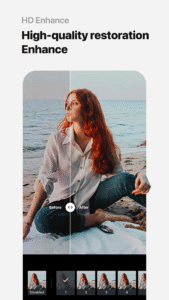
・ Enhance: Improve clarity and resolution! Create high-quality photos
・ AI skin: Perfect your skin by AI correcting blemishes
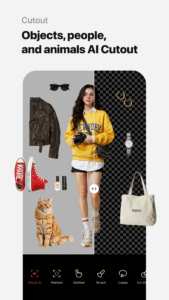
・ Smart AI cutout: Carefully separate figures, objects, and even animals
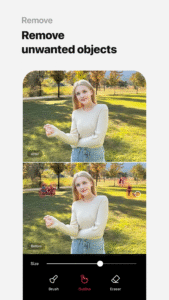
・ Remove: Easily remove unwanted parts
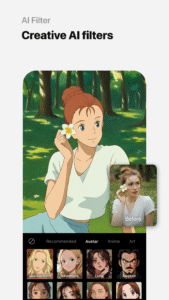
・ AI filter: Create your own characters in different styles
・ Hairstyle and Expression: Create a new look
[Professional photo editing tools]
・ HSL, Curves, Split Tone, Selective: Precise color adjustments
・ Lux, Texture, Grain, Brilliance, Vignette: Create different moods
・ Crop, Rotate, Mirror, Flip, Perspective, Adjust resolution: Set the composition you want
・ Batch: Edit multiple photos at once
・ Patch, Clone: Naturally edit or copy a specific part
[Perfect portraits]
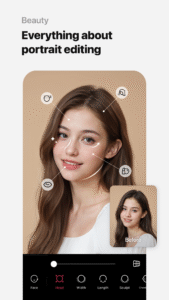
・ Looks: Experience the magic of one-tap beauty with skin retouch, makeup, face tuner, and filters all at once
・ Erase wrinkles, AI Skin, Blemishes : Smooth skin without blemishes
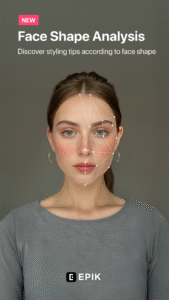
・ Reshape, 3D Face, Mirror correction Individual Left-Right Adjustment, Preset, Perspective: Natural and detailed face correction
・ Style, Paint, Fine tune: Stylish makeup perfect for your face
・ Body,Length: Take perfect full-body photos! Create the body you want
・ Hair Color, Hairstyle: Transform with different hairstyles
[Trendy content]
・ Filters, Effects, Relight: Create a trendy feel
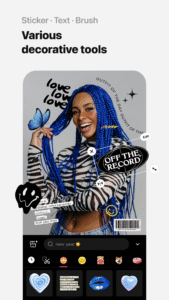
・ Stickers, Text, Paint, Draw shapes: Make your photos more unique
・ Time stamp: Record your special moments
・ Template: Thousands of customizable templates
[Creative Tools]
・ AI Collage: Create unique collages with different photos
・ Spot color: Highlight the color you want
・ Mosaic: Try various mosaic and blur effects
・ Cutout, Separate: Smart cropping
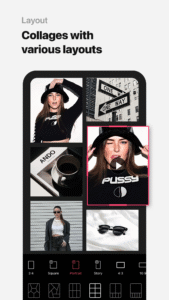
・ Layout: Combine photos in cool arrangements
・ Background, Pattern: Create your own unique backgrounds
・ Custom stickers, create one-of-a-kind filters
[Movie feature]
・ Video mosaic: Easy mosaics with automatic figure tracking
・ Retro Clip: Create vintage videos easily
・ Video Face Edit: Retouch faces naturally in videos
For inquiries about subscriptions,
contact [EPIK > Profile > Settings > Contact].
[AI tool]
・ Enhance: Improve clarity and resolution! Create high-quality photos
・ AI skin: Perfect your skin by AI correcting blemishes
・ Smart AI cutout: Carefully separate figures, objects, and even animals
・ Remove: Easily remove unwanted parts
・ AI filter: Create your own characters in different styles
・ Hairstyle and Expression: Create a new look
[Professional photo editing tools]
・ HSL, Curves, Split Tone, Selective: Precise color adjustments
・ Lux, Texture, Grain, Brilliance, Vignette: Create different moods
・ Crop, Rotate, Mirror, Flip, Perspective, Adjust resolution: Set the composition you want
・ Batch: Edit multiple photos at once
・ Patch, Clone: Naturally edit or copy a specific part
[Perfect portraits]
・ Looks: Experience the magic of one-tap beauty with skin retouch, makeup, face tuner, and filters all at once
・ Erase wrinkles, AI Skin, Blemishes : Smooth skin without blemishes
・ Reshape, 3D Face, Mirror correction Individual Left-Right Adjustment, Preset, Perspective: Natural and detailed face correction
・ Style, Paint, Fine tune: Stylish makeup perfect for your face
・ Body,Length: Take perfect full-body photos! Create the body you want
・ Hair Color, Hairstyle: Transform with different hairstyles
[Trendy content]
・ Filters, Effects, Relight: Create a trendy feel
・ Stickers, Text, Paint, Draw shapes: Make your photos more unique
・ Time stamp: Record your special moments
・ Template: Thousands of customizable templates
[Creative Tools]
・ AI Collage: Create unique collages with different photos
・ Spot color: Highlight the color you want
・ Mosaic: Try various mosaic and blur effects
・ Cutout, Separate: Smart cropping
・ Layout: Combine photos in cool arrangements
・ Background, Pattern: Create your own unique backgrounds
・ Custom stickers, create one-of-a-kind filters
[Movie feature]
・ Video mosaic: Easy mosaics with automatic figure tracking
・ Retro Clip: Create vintage videos easily
・ Video Face Edit: Retouch faces naturally in videos
For inquiries about subscriptions,
contact [EPIK > Profile > Settings > Contact].
Download EPIK - AI Photo & Video Editor APK
Fast, free and safe download.
APK Permissions 26
- android.permission.ACCESS_ADSERVICES_AD_ID
- android.permission.ACCESS_ADSERVICES_ATTRIBUTION
- android.permission.ACCESS_ADSERVICES_CUSTOM_AUDIENCE
- android.permission.ACCESS_ADSERVICES_TOPICS
- android.permission.ACCESS_MEDIA_LOCATION
- android.permission.ACCESS_NETWORK_STATE
- android.permission.ACCESS_WIFI_STATE
- android.permission.AD_ID
- android.permission.CAMERA
- android.permission.FOREGROUND_SERVICE
- android.permission.GET_TASKS
- android.permission.INTERNET
- android.permission.POST_NOTIFICATIONS
- android.permission.READ_EXTERNAL_STORAGE
- android.permission.READ_MEDIA_IMAGES
- android.permission.READ_MEDIA_VIDEO
- android.permission.READ_MEDIA_VISUAL_USER_SELECTED
- android.permission.VIBRATE
- android.permission.WAKE_LOCK
- android.permission.WRITE_EXTERNAL_STORAGE
- com.android.vending.BILLING
- com.applovin.array.apphub.permission.BIND_APPHUB_SERVICE
- com.google.android.c2dm.permission.RECEIVE
- com.google.android.finsky.permission.BIND_GET_INSTALL_REFERRER_SERVICE
- com.google.android.gms.permission.AD_ID
- com.snowcorp.epik.DYNAMIC_RECEIVER_NOT_EXPORTED_PERMISSION
APK Verified
The cryptographic signature guarantees that the file is safe to install and was not tampered with in any way.
Similar in Photography


Frequently Asked Questions about EPIK - AI Photo & Video Editor APK
This is the universal variant — a single APK that contains native libraries for every CPU architecture. It installs on any Android device but is larger than per-architecture variants.
Yes — the APK's signature has been cryptographically verified against the publisher's signing key. The SHA-256 hash is shown in the File Information panel so you can independently confirm the file matches the original release.
Android 28 (API level 35) or newer. Older devices will refuse the install.
Install a free app like 'CPU-Z' or 'Droid Hardware Info' from the Play Store and look at the ABI / Instruction Set row. Most phones made after 2017 are arm64-v8a; if in doubt, download the universal variant.
All variants are functionally identical — same features, same version. They differ only in which CPU architectures the native code is compiled for, and (sometimes) which screen densities the included graphics target. Pick the one that matches your device for the smallest install size, or pick 'Universal' if you're unsure.