
This is the universal build of Sony | Monitor & Control 2.3.1. It contains native libraries for every CPU architecture (arm64-v8a, armeabi-v7a, x86, x86_64), so it installs on any Android device. The trade-off is size — it's larger than per-architecture variants. Pick this one if you're unsure which CPU your phone has, or if you plan to share the APK with multiple devices.
File size: 93.1 MB • Min Android: 30 • Target Android: 34 • Version code: 13 • Framework: Native (Java/Kotlin) • Permissions: 22
Screenshots
File Information
| Package Name | jp.co.sony.playmemoriesmobile.proremote |
|---|---|
| Version Name | 2.3.1 |
| Version Code | 13 |
| Architecture | Universal |
| Min Android Version | Android 30 (API 34) |
| Main Activity | jp.co.sony.playmemoriesmobile.proremote.ui.main.activities.MainActivity |
| Framework | Native (Java/Kotlin) |
| File Size | 93.07 MB |
| Signature (SHA1) | 84E6C9BB8754939EC5D06960852E6CC7DB983595 |
| File Hash (SHA256) | 89a74506354ad921df4f0c4ff0caec632212218291ed4ee77aab8638a3d105ce |
What's New
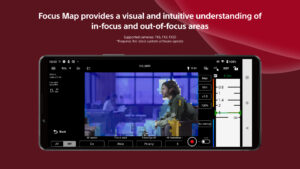
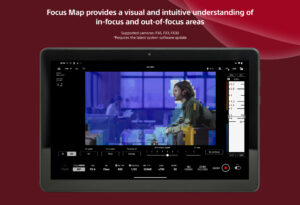
- Supports Focus Map resolution improvement.
- Supports Gamma Display Assist, which converts from S-Log3 to ITU709 (800%) equivalent.
- Monitor & Control maintains connection to camera during background transitions.
- Supports Gamma Display Assist, which converts from S-Log3 to ITU709 (800%) equivalent.
- Monitor & Control maintains connection to camera during background transitions.
App Description
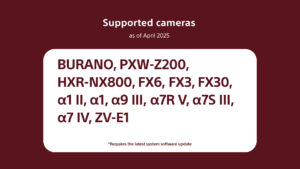
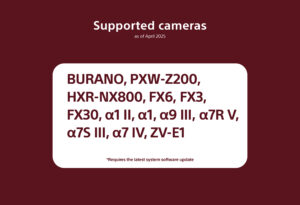
Supported cameras (as of April 2025):
BURANO, PXW-Z200, HXR-NX800, FX6, FX3, FX30, α1 II, α1, α9 III, α7R V, α7S III, α7 IV, ZV-E1.
* Requires the latest system software.
-Please refer to the Support Page for the connection process and list of supported cameras:
www.sony.net/ccmc/help/
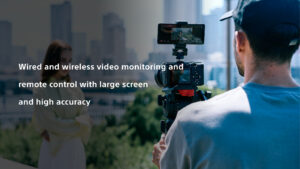
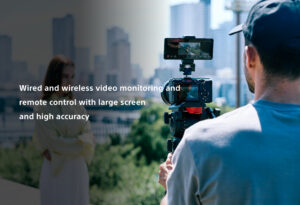
Our mobile app for visual content creators enables wireless monitoring, high-precision exposure adjustment, and focus control on the larger screen of your smartphone or tablet.
Wired connection via USB is also supported, ensuring stable monitoring even in unstable communication environments.
Features of Monitor & Control
- Highly flexible shooting style
A smartphone or tablet can be used as a second monitor, either wired or wirelessly, and can also be used to operate the camera remotely.
- Support for accurate exposure monitoring*
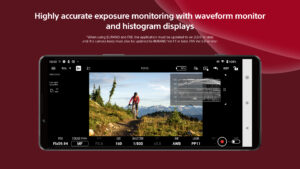
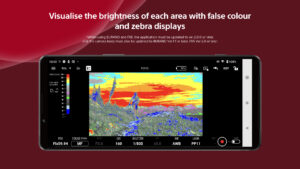
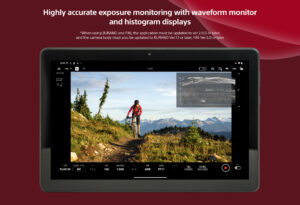
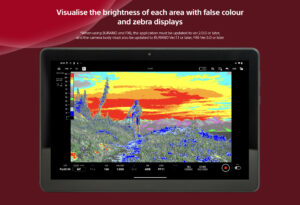
Support for waveform monitor, histogram, false colour, and zebra displays
Waveform monitor, false colour, histogram, and zebra displays can be checked on a larger screen to support more accurate exposure decisions in video production.
* When using BURANO or FX6, the application must be updated to Ver. 2.0.0 or higher, and the camera body software must be updated to BURANO Ver. 1.1 or higher or FX6 Ver. 5.0 or higher.
--- Intuitive focus operation
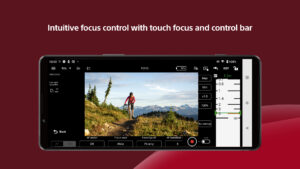
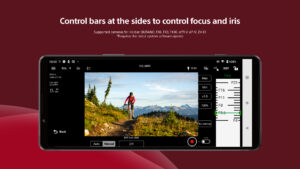
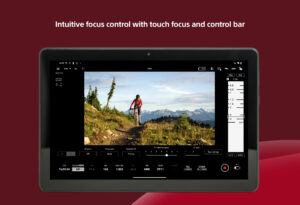
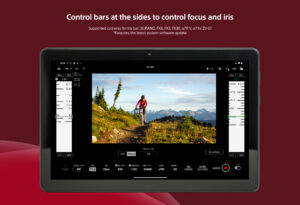
Various focus settings (such as AF sensitivity adjustment) and operations (such as touch focus) are available*, with the control bar at the side of the screen allowing intuitive focusing
- Extensive colour setting functions
Picture Profile / Scene file settings, LUT switching, and other operations are possible. Additionally, LUT can be applied during Log shooting so that an image resembling the finished image after post-production can be checked.
- User-friendly operability aligned with the creator's intentions
The frame rate, sensitivity, shutter speed, ND filter*, look, and white balance, which need to be operated frequently during shooting, can be remotely controlled from your mobile device. Functions that support shooting are provided, such as switching between shutter speed and angle display and marker display. Desqueezed display for anamorphic lenses is also supported.
* When using a camera not equipped with an ND filter, the ND filter item will not be displayed and will be left blank.
- Operating environment
Android Ver. 11-15
- Note:
This application is not guaranteed to work on all smartphones and tablets.
BURANO, PXW-Z200, HXR-NX800, FX6, FX3, FX30, α1 II, α1, α9 III, α7R V, α7S III, α7 IV, ZV-E1.
* Requires the latest system software.
-Please refer to the Support Page for the connection process and list of supported cameras:
www.sony.net/ccmc/help/
Our mobile app for visual content creators enables wireless monitoring, high-precision exposure adjustment, and focus control on the larger screen of your smartphone or tablet.
Wired connection via USB is also supported, ensuring stable monitoring even in unstable communication environments.
Features of Monitor & Control
- Highly flexible shooting style
A smartphone or tablet can be used as a second monitor, either wired or wirelessly, and can also be used to operate the camera remotely.
- Support for accurate exposure monitoring*
Support for waveform monitor, histogram, false colour, and zebra displays
Waveform monitor, false colour, histogram, and zebra displays can be checked on a larger screen to support more accurate exposure decisions in video production.
* When using BURANO or FX6, the application must be updated to Ver. 2.0.0 or higher, and the camera body software must be updated to BURANO Ver. 1.1 or higher or FX6 Ver. 5.0 or higher.
--- Intuitive focus operation
Various focus settings (such as AF sensitivity adjustment) and operations (such as touch focus) are available*, with the control bar at the side of the screen allowing intuitive focusing
- Extensive colour setting functions
Picture Profile / Scene file settings, LUT switching, and other operations are possible. Additionally, LUT can be applied during Log shooting so that an image resembling the finished image after post-production can be checked.
- User-friendly operability aligned with the creator's intentions
The frame rate, sensitivity, shutter speed, ND filter*, look, and white balance, which need to be operated frequently during shooting, can be remotely controlled from your mobile device. Functions that support shooting are provided, such as switching between shutter speed and angle display and marker display. Desqueezed display for anamorphic lenses is also supported.
* When using a camera not equipped with an ND filter, the ND filter item will not be displayed and will be left blank.
- Operating environment
Android Ver. 11-15
- Note:
This application is not guaranteed to work on all smartphones and tablets.
Download Sony | Monitor & Control APK
Fast, free and safe download.
APK Permissions 22
- android.permission.ACCESS_COARSE_LOCATION
- android.permission.ACCESS_FINE_LOCATION
- android.permission.ACCESS_NETWORK_STATE
- android.permission.ACCESS_WIFI_STATE
- android.permission.BLUETOOTH
- android.permission.BLUETOOTH_ADMIN
- android.permission.BLUETOOTH_CONNECT
- android.permission.BLUETOOTH_SCAN
- android.permission.CAMERA
- android.permission.CHANGE_NETWORK_STATE
- android.permission.CHANGE_WIFI_MULTICAST_STATE
- android.permission.CHANGE_WIFI_STATE
- android.permission.FOREGROUND_SERVICE
- android.permission.FOREGROUND_SERVICE_CONNECTED_DEVICE
- android.permission.INTERNET
- android.permission.POST_NOTIFICATIONS
- android.permission.READ_EXTERNAL_STORAGE
- android.permission.READ_MEDIA_VIDEO
- android.permission.RECEIVE_BOOT_COMPLETED
- android.permission.VIBRATE
- com.google.android.gm.permission.READ_GMAIL
- com.google.android.providers.gmail.permission.READ_GMAIL
APK Verified
The cryptographic signature guarantees that the file is safe to install and was not tampered with in any way.
Similar in Productivity


More by Sony Corporation


Frequently Asked Questions about Sony | Monitor & Control APK
This is the universal variant — a single APK that contains native libraries for every CPU architecture. It installs on any Android device but is larger than per-architecture variants.
Yes — the APK's signature has been cryptographically verified against the publisher's signing key. The SHA-256 hash is shown in the File Information panel so you can independently confirm the file matches the original release.
Android 30 (API level 34) or newer. Older devices will refuse the install.
Install a free app like 'CPU-Z' or 'Droid Hardware Info' from the Play Store and look at the ABI / Instruction Set row. Most phones made after 2017 are arm64-v8a; if in doubt, download the universal variant.
All variants are functionally identical — same features, same version. They differ only in which CPU architectures the native code is compiled for, and (sometimes) which screen densities the included graphics target. Pick the one that matches your device for the smallest install size, or pick 'Universal' if you're unsure.