
This is the universal build of Sony | Monitor & Control 2.4.0. It contains native libraries for every CPU architecture (arm64-v8a, armeabi-v7a, x86, x86_64), so it installs on any Android device. The trade-off is size — it's larger than per-architecture variants. Pick this one if you're unsure which CPU your phone has, or if you plan to share the APK with multiple devices.
File size: 94.5 MB • Min Android: 31 • Target Android: 35 • Version code: 14 • Framework: Native (Java/Kotlin) • Permissions: 20
Screenshots
File Information
| Package Name | jp.co.sony.playmemoriesmobile.proremote |
|---|---|
| Version Name | 2.4.0 |
| Version Code | 14 |
| Architecture | Universal |
| Min Android Version | Android 31 (API 35) |
| Main Activity | jp.co.sony.playmemoriesmobile.proremote.ui.main.activities.MainActivity |
| Framework | Native (Java/Kotlin) |
| File Size | 94.54 MB |
| Signature (SHA1) | 84E6C9BB8754939EC5D06960852E6CC7DB983595 |
| File Hash (SHA256) | de41c813c5b9365d6f02b8e4db160ed7446afcdb8a2a7844b996cefb84ad1da7 |
What's New
- The paid plan lineup has been expanded
- Cropping and framing on smartphones is now supported
- Snapshot function is now supported (Available with a paid plan)
- Clip flag (OK / NG / KEEP) assignment while shooting is now supported
- HDMI/UVC high resolution monitoring is now supported (Available with a paid plan)*
* Xperia only
- Cropping and framing on smartphones is now supported
- Snapshot function is now supported (Available with a paid plan)
- Clip flag (OK / NG / KEEP) assignment while shooting is now supported
- HDMI/UVC high resolution monitoring is now supported (Available with a paid plan)*
* Xperia only
App Description
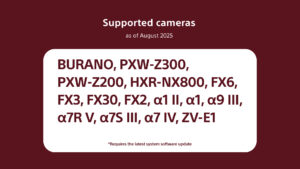
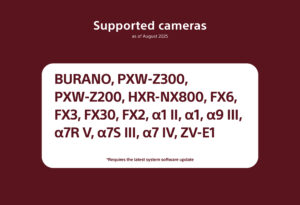
- Supported cameras (as of August 2025):
BURANO, PXW-Z300, PXW-Z200, HXR-NX800, FX6, FX3, FX2, FX30,α1Ⅱ, α1, α9Ⅲ, α7RⅤ, α7SⅢ, α7Ⅳ, ZV-E1
*Requires the latest system software.
- Please refer to the support page for the connection process and list of supported cameras:
www.sony.net/ccmc/help/
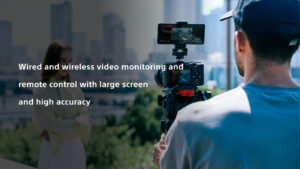
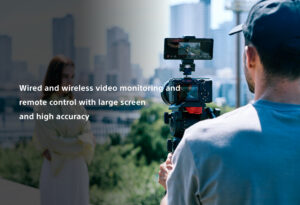
This app for video creators enables wired and wireless video monitoring, as well as high-precision exposure adjustments and focus control, to be performed on the large screen of a smartphone, tablet, or Mac.
Features of Monitor & Control
- Highly flexible shooting style
Use a smartphone, tablet, or Mac wirelessly as a second monitor, to perform camera settings and operations from a distance.
Wired connections ensure a stable connection in places where wireless connection is unstable.
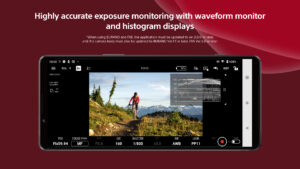
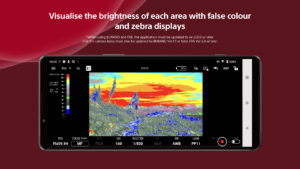
- Supports high-precision exposure monitoring*
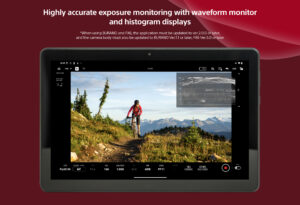
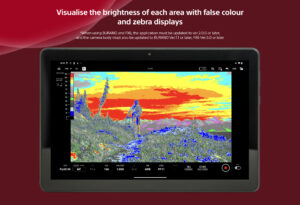
Waveform monitor/false colour/histogram/zebra displays can be checked on the large screen, supporting more accurate exposure control at the video production site.
*When using a BURANO or FX6, the app must be updated to ver. 2.0.0 or later, and the camera body must be updated to BURANO ver. 1.1 or later, and the FX6 to ver. 5.0 or later.
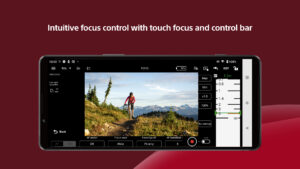
- Intuitive focusing operations
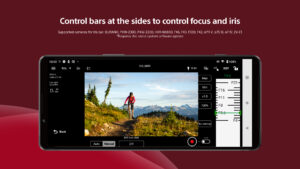
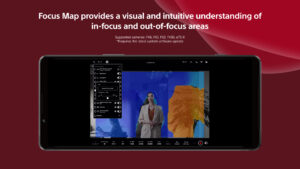
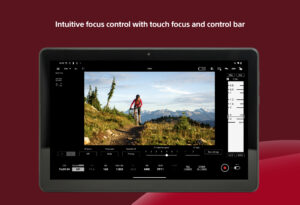
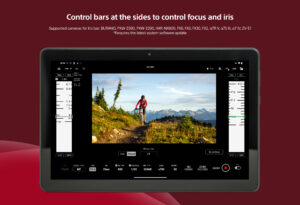
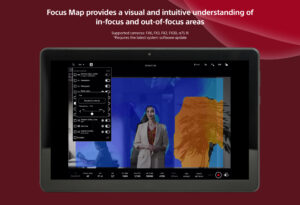
Various focus settings/operations such as touch focusing (operations) and AF sensitivity adjustment (settings) are possible, while intuitive focusing is possible through use of an operation bar on the side of the screen.
- Equipped with a wide range of colour setting functions
Operations such as Picture Profile/scene file settings and LUT switching are possible. While shooting in Log, you can apply LUT and display the image to check the final image.
- Easy-to-use operations that meet the needs of creators
It allows items that are frequently adjusted during shooting (frame rate, sensitivity, shutter speed, ND filter,* look, white balance) to be adjusted on a mobile device. Functions that facilitate shooting, such as switching between shutter speed and angle displays and the display of markers, are provided, as well as a de-squeeze display function compatible with anamorphic lenses.
*If you are using a camera without an ND filter, the ND filter item will be blank.
- Operating environment: Android OS 12-15
- Note
This application is not guaranteed to work on all smartphones and tablets.
BURANO, PXW-Z300, PXW-Z200, HXR-NX800, FX6, FX3, FX2, FX30,α1Ⅱ, α1, α9Ⅲ, α7RⅤ, α7SⅢ, α7Ⅳ, ZV-E1
*Requires the latest system software.
- Please refer to the support page for the connection process and list of supported cameras:
www.sony.net/ccmc/help/
This app for video creators enables wired and wireless video monitoring, as well as high-precision exposure adjustments and focus control, to be performed on the large screen of a smartphone, tablet, or Mac.
Features of Monitor & Control
- Highly flexible shooting style
Use a smartphone, tablet, or Mac wirelessly as a second monitor, to perform camera settings and operations from a distance.
Wired connections ensure a stable connection in places where wireless connection is unstable.
- Supports high-precision exposure monitoring*
Waveform monitor/false colour/histogram/zebra displays can be checked on the large screen, supporting more accurate exposure control at the video production site.
*When using a BURANO or FX6, the app must be updated to ver. 2.0.0 or later, and the camera body must be updated to BURANO ver. 1.1 or later, and the FX6 to ver. 5.0 or later.
- Intuitive focusing operations
Various focus settings/operations such as touch focusing (operations) and AF sensitivity adjustment (settings) are possible, while intuitive focusing is possible through use of an operation bar on the side of the screen.
- Equipped with a wide range of colour setting functions
Operations such as Picture Profile/scene file settings and LUT switching are possible. While shooting in Log, you can apply LUT and display the image to check the final image.
- Easy-to-use operations that meet the needs of creators
It allows items that are frequently adjusted during shooting (frame rate, sensitivity, shutter speed, ND filter,* look, white balance) to be adjusted on a mobile device. Functions that facilitate shooting, such as switching between shutter speed and angle displays and the display of markers, are provided, as well as a de-squeeze display function compatible with anamorphic lenses.
*If you are using a camera without an ND filter, the ND filter item will be blank.
- Operating environment: Android OS 12-15
- Note
This application is not guaranteed to work on all smartphones and tablets.
Download Sony | Monitor & Control APK
Fast, free and safe download.
APK Permissions 20
- android.permission.ACCESS_COARSE_LOCATION
- android.permission.ACCESS_FINE_LOCATION
- android.permission.ACCESS_NETWORK_STATE
- android.permission.ACCESS_WIFI_STATE
- android.permission.BLUETOOTH_CONNECT
- android.permission.BLUETOOTH_SCAN
- android.permission.CAMERA
- android.permission.CHANGE_NETWORK_STATE
- android.permission.CHANGE_WIFI_MULTICAST_STATE
- android.permission.CHANGE_WIFI_STATE
- android.permission.FOREGROUND_SERVICE
- android.permission.FOREGROUND_SERVICE_CONNECTED_DEVICE
- android.permission.INTERNET
- android.permission.POST_NOTIFICATIONS
- android.permission.READ_EXTERNAL_STORAGE
- android.permission.READ_MEDIA_VIDEO
- android.permission.RECEIVE_BOOT_COMPLETED
- android.permission.VIBRATE
- com.google.android.gm.permission.READ_GMAIL
- com.google.android.providers.gmail.permission.READ_GMAIL
APK Verified
The cryptographic signature guarantees that the file is safe to install and was not tampered with in any way.
Similar in Productivity


More by Sony Corporation


Frequently Asked Questions about Sony | Monitor & Control APK
This is the universal variant — a single APK that contains native libraries for every CPU architecture. It installs on any Android device but is larger than per-architecture variants.
Yes — the APK's signature has been cryptographically verified against the publisher's signing key. The SHA-256 hash is shown in the File Information panel so you can independently confirm the file matches the original release.
Android 31 (API level 35) or newer. Older devices will refuse the install.
Install a free app like 'CPU-Z' or 'Droid Hardware Info' from the Play Store and look at the ABI / Instruction Set row. Most phones made after 2017 are arm64-v8a; if in doubt, download the universal variant.
All variants are functionally identical — same features, same version. They differ only in which CPU architectures the native code is compiled for, and (sometimes) which screen densities the included graphics target. Pick the one that matches your device for the smallest install size, or pick 'Universal' if you're unsure.