
Download Southwest Airlines: Travel App APK 12.4.4 arm64-v8a, armeabi-v7a, x86, x86_64 · Android 26+
Download APK
Verified Safe
This is the arm64-v8a, armeabi-v7a, x86, x86_64 build of Southwest Airlines: Travel App 12.4.4. Pick this build if your device's primary ABI matches.
File size: 61.4 MB • Min Android: 26 • Target Android: 34 • Version code: 1204040 • Framework: Native (Java/Kotlin) • Permissions: 29
Screenshots



File Information
| Package Name | com.southwestairlines.mobile |
|---|---|
| Version Name | 12.4.4 |
| Version Code | 1204040 |
| Architecture | arm64-v8a, armeabi-v7a, x86, x86_64 |
| Min Android Version | Android 26 (API 34) |
| Main Activity | com.southwestairlines.mobile.common.splash.SplashActivity |
| Framework | Native (Java/Kotlin) |
| File Size | 61.38 MB |
| Signature (SHA1) | 073FA30D26EFACF69E2B770CDB2787BAE0543CAC |
| File Hash (SHA256) | 7f6955123b4cdcfcc8dec8e0fb749139bcb189fb29eb8d44f8b3de451e79322c |
What's New
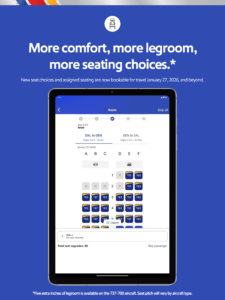
We’ve updated our app with a fresh look and feel, optimized our navigation, and introduced a new enhanced day of travel experience.
App Description
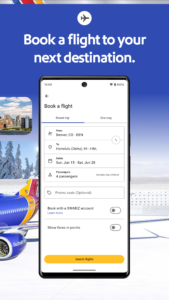
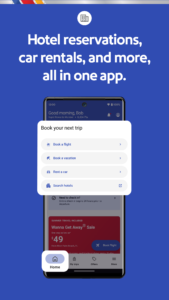
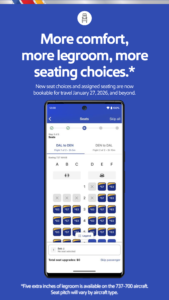
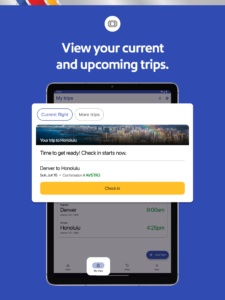
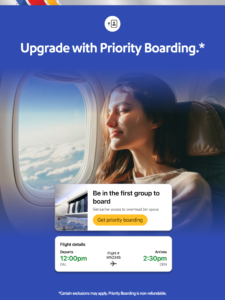
The Southwest® app allows you to seamlessly book a flight, hotel, car, cruise, or vacation. Quickly secure your next trip, check-in, change or cancel flights, and add extras like EarlyBird Check-In® or Upgraded Boarding. The Southwest app helps you access your gate information, boarding position, flight status, and more from the My Trips tab. Enjoy a seamless travel experience from reserving a hotel to booking last-minute flights.
Download the Southwest app today to book your next flight or hotel.
SOUTHWEST APP FEATURES:
BOOK A FLIGHT & SECURE A HOTEL
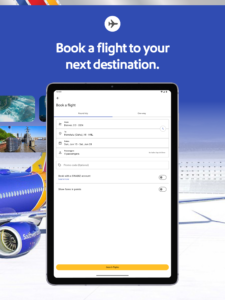
- Travel with ease as you search, book, and manage your flight in one place
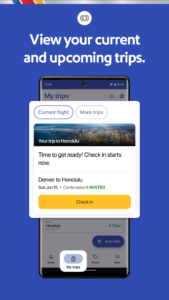
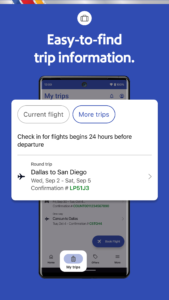
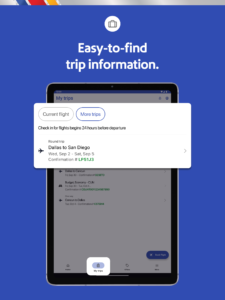
- View your gate information, boarding position, flight status, and more in the My Trips tab
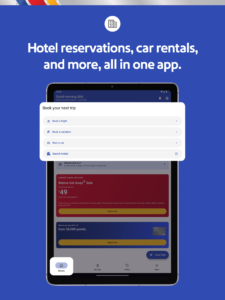
- Book a hotel and manage reservations in just a few taps
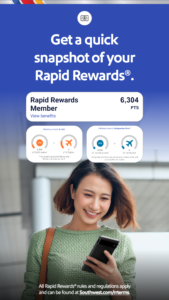
- Redeem your Rapid Rewards® points
1
for your hotel stays
1
All Rapid Rewards® rules and regulations apply and can be found at Southwest.com/rrterms.
BOARDING PASS ON THE GO
- Mobile boarding passes for all Passengers on your trip 24 hours in advance
- Flight Number, Confirmation Number, Boarding Time, Tier Status, and TSA PreCheck® details found in one place
- Save your Mobile Boarding Passes to Google Wallet for convenience
MORE WAYS TO PAY FOR YOUR FLIGHT
- Choose from multiple payment methods, including PayPal®, Flex Pay, credit/debit cards, and Southwest LUV Vouchers®
- Easily apply unused flight credits and gift cards when booking or changing your flight. You can find available credits in ‘My Account’ under the ‘Travel Funds’ section.
ACCESS INFLIGHT INFORMATION
Use the app to take you to our Inflight Entertainment Portal
2
, where you can watch free live TV
3
, listen to free music from iHeartRadio
3
, access free on-demand TV episodes, and view free movies.
2
Available only on WiFi-enabled aircraft. Limited time offer. Where available.
3
Due to licensing restrictions, on WiFi-enabled international flights, free live TV and iHeartRadio may not be available for the full duration of the flight.
LIVE CHAT SUPPORT
Contact our Customer Representatives over Live Chat through our Help Center found in the More tab
AIRPORT PICKUP AND DROP-OFF
Thanks to our partnership with Lyft®, you can now use the app to help you request a Lyft®! You’ll know key information like estimated time of arrival and estimated price before booking. More of a rental car person? You can do that in the app, too.
EARN RAPID REWARDS POINTS WHEN YOU TRAVEL
Sign up for Rapid Rewards and earn points on your flights. Did you forget to add your Rapid Rewards number during booking? – No worries, add it after booking your flight and earn points
1
.
Book a flight, schedule pickups and drop offs, enjoy fast and easy hotel booking, and embrace last-minute flights for your next spontaneous vacation - all with Southwest.
Download the Southwest app today to book your next flight or hotel.
SOUTHWEST APP FEATURES:
BOOK A FLIGHT & SECURE A HOTEL
- Travel with ease as you search, book, and manage your flight in one place
- View your gate information, boarding position, flight status, and more in the My Trips tab
- Book a hotel and manage reservations in just a few taps
- Redeem your Rapid Rewards® points
1
for your hotel stays
1
All Rapid Rewards® rules and regulations apply and can be found at Southwest.com/rrterms.
BOARDING PASS ON THE GO
- Mobile boarding passes for all Passengers on your trip 24 hours in advance
- Flight Number, Confirmation Number, Boarding Time, Tier Status, and TSA PreCheck® details found in one place
- Save your Mobile Boarding Passes to Google Wallet for convenience
MORE WAYS TO PAY FOR YOUR FLIGHT
- Choose from multiple payment methods, including PayPal®, Flex Pay, credit/debit cards, and Southwest LUV Vouchers®
- Easily apply unused flight credits and gift cards when booking or changing your flight. You can find available credits in ‘My Account’ under the ‘Travel Funds’ section.
ACCESS INFLIGHT INFORMATION
Use the app to take you to our Inflight Entertainment Portal
2
, where you can watch free live TV
3
, listen to free music from iHeartRadio
3
, access free on-demand TV episodes, and view free movies.
2
Available only on WiFi-enabled aircraft. Limited time offer. Where available.
3
Due to licensing restrictions, on WiFi-enabled international flights, free live TV and iHeartRadio may not be available for the full duration of the flight.
LIVE CHAT SUPPORT
Contact our Customer Representatives over Live Chat through our Help Center found in the More tab
AIRPORT PICKUP AND DROP-OFF
Thanks to our partnership with Lyft®, you can now use the app to help you request a Lyft®! You’ll know key information like estimated time of arrival and estimated price before booking. More of a rental car person? You can do that in the app, too.
EARN RAPID REWARDS POINTS WHEN YOU TRAVEL
Sign up for Rapid Rewards and earn points on your flights. Did you forget to add your Rapid Rewards number during booking? – No worries, add it after booking your flight and earn points
1
.
Book a flight, schedule pickups and drop offs, enjoy fast and easy hotel booking, and embrace last-minute flights for your next spontaneous vacation - all with Southwest.
Download Southwest Airlines: Travel App APK
Fast, free and safe download.
APK Permissions 29
- android.permission.ACCESS_COARSE_LOCATION
- android.permission.ACCESS_FINE_LOCATION
- android.permission.ACCESS_NETWORK_STATE
- android.permission.ACCESS_WIFI_STATE
- android.permission.CAMERA
- android.permission.CHANGE_NETWORK_STATE
- android.permission.CHANGE_WIFI_STATE
- android.permission.DETECT_SCREEN_CAPTURE
- android.permission.FLASHLIGHT
- android.permission.FOREGROUND_SERVICE
- android.permission.HIDE_OVERLAY_WINDOWS
- android.permission.INTERNET
- android.permission.POST_NOTIFICATIONS
- android.permission.READ_CALENDAR
- android.permission.READ_EXTERNAL_STORAGE
- android.permission.READ_PHONE_STATE
- android.permission.RECEIVE_BOOT_COMPLETED
- android.permission.USE_BIOMETRIC
- android.permission.USE_FINGERPRINT
- android.permission.VIBRATE
- android.permission.WAKE_LOCK
- android.permission.WRITE_CALENDAR
- android.permission.WRITE_EXTERNAL_STORAGE
- com.google.android.c2dm.permission.RECEIVE
- com.google.android.finsky.permission.BIND_GET_INSTALL_REFERRER_SERVICE
- com.google.android.gms.permission.AD_ID
- com.google.android.providers.gsf.permission.READ_GSERVICES
- com.southwestairlines.mobile.DYNAMIC_RECEIVER_NOT_EXPORTED_PERMISSION
- org.simalliance.openmobileapi.SMARTCARD
APK Verified
The cryptographic signature guarantees that the file is safe to install and was not tampered with in any way.
Similar in Travel & Local


Frequently Asked Questions about Southwest Airlines: Travel App APK
This variant is built for devices that report `arm64-v8a, armeabi-v7a, x86, x86_64` as their primary ABI. If your device's CPU matches, this is the smallest, fastest version to install.
Yes — the APK's signature has been cryptographically verified against the publisher's signing key. The SHA-256 hash is shown in the File Information panel so you can independently confirm the file matches the original release.
Android 26 (API level 34) or newer. Older devices will refuse the install.
Install a free app like 'CPU-Z' or 'Droid Hardware Info' from the Play Store and look at the ABI / Instruction Set row. Most phones made after 2017 are arm64-v8a; if in doubt, download the universal variant.
All variants are functionally identical — same features, same version. They differ only in which CPU architectures the native code is compiled for, and (sometimes) which screen densities the included graphics target. Pick the one that matches your device for the smallest install size, or pick 'Universal' if you're unsure.