
This is the universal build of SpeedChecker Speed Test 2.8.4. It contains native libraries for every CPU architecture (arm64-v8a, armeabi-v7a, x86, x86_64), so it installs on any Android device. The trade-off is size — it's larger than per-architecture variants. Pick this one if you're unsure which CPU your phone has, or if you plan to share the APK with multiple devices.
File size: 15.3 MB • Min Android: 23 • Target Android: 35 • Version code: 10158 • Framework: Native (Java/Kotlin) • Permissions: 23
Screenshots
File Information
| Package Name | uk.co.broadbandspeedchecker |
|---|---|
| Version Name | 2.8.4 |
| Version Code | 10158 |
| Architecture | Universal |
| Min Android Version | Android 23 (API 35) |
| Main Activity | uk.co.broadbandspeedchecker.activities.OnBoardingActivity |
| Framework | Native (Java/Kotlin) |
| File Size | 15.29 MB |
| Signature (SHA1) | AB3DA97F9A87B09F33F1A0B72F40C9E2B99C418B |
| File Hash (SHA256) | 77c5ec7b1e81c0ec5367b878ee06c23d790937003a2eeeed4bd608527f49d589 |
What's New
From version
2.6.58
:
- Bug fixes and performance improvements
2.6.58
:
- Bug fixes and performance improvements
App Description
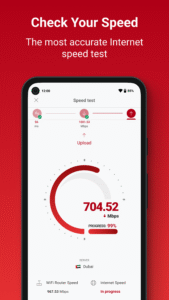
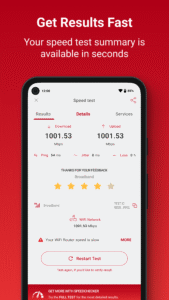
Our Speed Checker app easily, quickly and accurately measures your Wi-Fi network AND Mobile Internet Speed (download, upload and ping) up to 1 Gb/s.
Your Wi-Fi connection could be slowing you down. Use our built-in Wi-Fi Speed Test to identify problems with your Wi-Fi Speed and help you improve it. This could be as simple as moving your device a few feet! Our test compares your actual speed with the maximum attainable from your Wi-Fi router.
Background location is required for the Wi-Fi health monitoring feature which runs periodic Wi-Fi network scans when the app is not in use. This helps identify problems with your home wifi that are slowing you down.
It is specifically created for mobile devices to ensure accurate and reliable results. Great for gamers and VoIP users to test connections: Users can choose to test the speed to servers located Worldwide, Including the UK, USA, EU, Far East and South America.
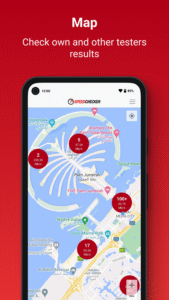
Your results history shows Wi-Fi and mobile/LTE results. Identify the fastest providers in your area using our dynamic results map to compare results.
Features:
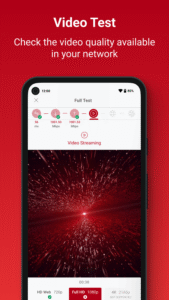
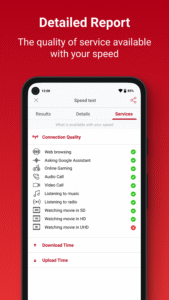
• New: Full test feature allows additional streaming and web tests
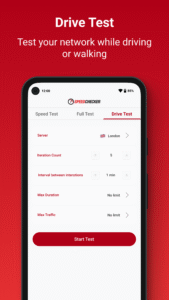
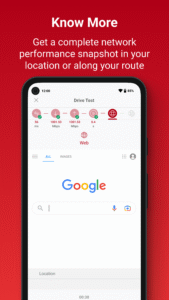
• New: Drive Test feature allows continual testing with control of frequency and data
• Modern and intuitive design
• Rate Your Provider
• Wi-Fi connection speed test (link speed AND throughput)
• Identify congested, slow and unstable Wi-Fi
• Dynamic results map to compare your speeds with others
• 5G, 4G, 3G, LTE, Wi-Fi, GPRS
• Accurate up to 1 Gb/s
• Worldwide servers
• Full history
• Easy sharing of results
Your Wi-Fi connection could be slowing you down. Use our built-in Wi-Fi Speed Test to identify problems with your Wi-Fi Speed and help you improve it. This could be as simple as moving your device a few feet! Our test compares your actual speed with the maximum attainable from your Wi-Fi router.
Background location is required for the Wi-Fi health monitoring feature which runs periodic Wi-Fi network scans when the app is not in use. This helps identify problems with your home wifi that are slowing you down.
It is specifically created for mobile devices to ensure accurate and reliable results. Great for gamers and VoIP users to test connections: Users can choose to test the speed to servers located Worldwide, Including the UK, USA, EU, Far East and South America.
Your results history shows Wi-Fi and mobile/LTE results. Identify the fastest providers in your area using our dynamic results map to compare results.
Features:
• New: Full test feature allows additional streaming and web tests
• New: Drive Test feature allows continual testing with control of frequency and data
• Modern and intuitive design
• Rate Your Provider
• Wi-Fi connection speed test (link speed AND throughput)
• Identify congested, slow and unstable Wi-Fi
• Dynamic results map to compare your speeds with others
• 5G, 4G, 3G, LTE, Wi-Fi, GPRS
• Accurate up to 1 Gb/s
• Worldwide servers
• Full history
• Easy sharing of results
Download SpeedChecker Speed Test APK
Fast, free and safe download.
APK Permissions 23
- android.permission.ACCESS_ADSERVICES_AD_ID
- android.permission.ACCESS_ADSERVICES_ATTRIBUTION
- android.permission.ACCESS_ADSERVICES_TOPICS
- android.permission.ACCESS_BACKGROUND_LOCATION
- android.permission.ACCESS_COARSE_LOCATION
- android.permission.ACCESS_FINE_LOCATION
- android.permission.ACCESS_NETWORK_STATE
- android.permission.ACCESS_WIFI_STATE
- android.permission.BROADCAST_STICKY
- android.permission.CHANGE_WIFI_MULTICAST_STATE
- android.permission.CHANGE_WIFI_STATE
- android.permission.FOREGROUND_SERVICE
- android.permission.INTERNET
- android.permission.NEARBY_WIFI_DEVICES
- android.permission.POST_NOTIFICATIONS
- android.permission.READ_BASIC_PHONE_STATE
- android.permission.READ_PHONE_STATE
- android.permission.RECEIVE_BOOT_COMPLETED
- android.permission.WAKE_LOCK
- com.google.android.c2dm.permission.RECEIVE
- com.google.android.finsky.permission.BIND_GET_INSTALL_REFERRER_SERVICE
- com.google.android.gms.permission.AD_ID
- uk.co.broadbandspeedchecker.DYNAMIC_RECEIVER_NOT_EXPORTED_PERMISSION
APK Verified
The cryptographic signature guarantees that the file is safe to install and was not tampered with in any way.


Frequently Asked Questions about SpeedChecker Speed Test APK
This is the universal variant — a single APK that contains native libraries for every CPU architecture. It installs on any Android device but is larger than per-architecture variants.
Yes — the APK's signature has been cryptographically verified against the publisher's signing key. The SHA-256 hash is shown in the File Information panel so you can independently confirm the file matches the original release.
Android 23 (API level 35) or newer. Older devices will refuse the install.
Install a free app like 'CPU-Z' or 'Droid Hardware Info' from the Play Store and look at the ABI / Instruction Set row. Most phones made after 2017 are arm64-v8a; if in doubt, download the universal variant.
All variants are functionally identical — same features, same version. They differ only in which CPU architectures the native code is compiled for, and (sometimes) which screen densities the included graphics target. Pick the one that matches your device for the smallest install size, or pick 'Universal' if you're unsure.