
This is the universal build of Splashtop Business 3.7.4.24. It contains native libraries for every CPU architecture (arm64-v8a, armeabi-v7a, x86, x86_64), so it installs on any Android device. The trade-off is size — it's larger than per-architecture variants. Pick this one if you're unsure which CPU your phone has, or if you plan to share the APK with multiple devices.
File size: 40.0 MB • Min Android: 21 • Target Android: 34 • Version code: 30704240 • Framework: Native (Java/Kotlin) • Permissions: 16
Screenshots
File Information
| Package Name | com.splashtop.remote.business |
|---|---|
| Version Name | 3.7.4.24 |
| Version Code | 30704240 |
| Architecture | Universal |
| Min Android Version | Android 21 (API 34) |
| Main Activity | com.splashtop.remote.FirstActivity |
| Framework | Native (Java/Kotlin) |
| File Size | 39.99 MB |
| Signature (SHA1) | B9A9F719242D5C0282FFF72E82BFCDB2A2D6E2B9 |
| File Hash (SHA256) | 392a9c85fe7faad078f9bed5eaddbf352e8a0e5517d99da1b1f8c58c9fad9270 |
What's New
* For terminal sessions, also support request permission
* Support SSH session
* Invite Dialog, centralized invitation message
* Enable Ctrl-Alt-Del for VNC
* Support QUIC for RDP/VNC/SSH streamer
* Support service desk chat widget
* Service Desk continuous improvements
* Unlock lock keyboard & mouse for linux computer
* Handle SRS-A "Media Projection" cancellation
* Optimize Biometric authentication usage
* Support Dex/Desk mode to achieve true multi-monitor
* Other optimizations and bug fixes
* Support SSH session
* Invite Dialog, centralized invitation message
* Enable Ctrl-Alt-Del for VNC
* Support QUIC for RDP/VNC/SSH streamer
* Support service desk chat widget
* Service Desk continuous improvements
* Unlock lock keyboard & mouse for linux computer
* Handle SRS-A "Media Projection" cancellation
* Optimize Biometric authentication usage
* Support Dex/Desk mode to achieve true multi-monitor
* Other optimizations and bug fixes
App Description
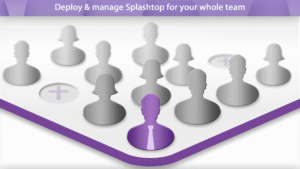
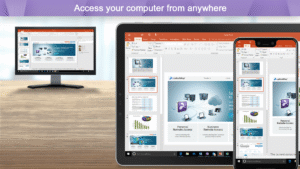
Easily provide secure remote access and support across your organization. Work from anywhere with remote desktop access to your powerful office computer from a laptop or mobile device. And IT & helpdesk teams have all the features they need to manage remote support for their entire organization.
Why Splashtop
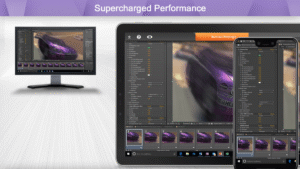
- Anytime unattended access with 4k streaming
- Simple on-demand support across all platforms
- Security you can trust to enable users to work from home
- Live support when you need it
Experience Splashtop Today – Start a Free Trial
1. Download the business app on the devices/computers you would like to connect from
2. Sign up for a free trial and create a Splashtop account
3. Download the streamer (splashtop.com/streamer) on the computer you would like to connect to
4. That’s it! Login and start your session!
*For attended access, please have your end-user download the Splashtop SOS App to their computer or mobile device.
Key Features:
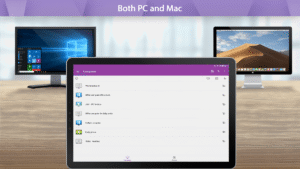
- Broad Device Support – iOS, Android, Windows, Mac, & Linux
- Cross-Platform
- File Transfer
- Multi-to-Multi Monitor
- Remote Print
- Chat
- User Management*
- Group View*
- Remote reboot and reconnect*
- Unattended Remote Control*
- Attended Remote Access and Remote Control*
- Session Recording*
- SSO**
- Remote Device Management**
*SOS and Enterprise
**Enterprise
Splashtop Products – Pick the product that is right for you!
- Splashtop Business Access (splashtop.com/business) - Unattended desktop remote access for individuals and businesses to control computers from anywhere
- Splashtop SOS (splashtop.com/sos)– Attended and unattended remote access and support for IT and Helpdesk teams
- Splashtop Enterprise (splashtop.com/enterprise) – Attended and unattended remote access and support with SSO/SAML integration, remote device management, and more!
Why Splashtop
- Anytime unattended access with 4k streaming
- Simple on-demand support across all platforms
- Security you can trust to enable users to work from home
- Live support when you need it
Experience Splashtop Today – Start a Free Trial
1. Download the business app on the devices/computers you would like to connect from
2. Sign up for a free trial and create a Splashtop account
3. Download the streamer (splashtop.com/streamer) on the computer you would like to connect to
4. That’s it! Login and start your session!
*For attended access, please have your end-user download the Splashtop SOS App to their computer or mobile device.
Key Features:
- Broad Device Support – iOS, Android, Windows, Mac, & Linux
- Cross-Platform
- File Transfer
- Multi-to-Multi Monitor
- Remote Print
- Chat
- User Management*
- Group View*
- Remote reboot and reconnect*
- Unattended Remote Control*
- Attended Remote Access and Remote Control*
- Session Recording*
- SSO**
- Remote Device Management**
*SOS and Enterprise
**Enterprise
Splashtop Products – Pick the product that is right for you!
- Splashtop Business Access (splashtop.com/business) - Unattended desktop remote access for individuals and businesses to control computers from anywhere
- Splashtop SOS (splashtop.com/sos)– Attended and unattended remote access and support for IT and Helpdesk teams
- Splashtop Enterprise (splashtop.com/enterprise) – Attended and unattended remote access and support with SSO/SAML integration, remote device management, and more!
Download Splashtop Business APK
Fast, free and safe download.
APK Permissions 16
- android.permission.ACCESS_NETWORK_STATE
- android.permission.ACCESS_WIFI_STATE
- android.permission.FOREGROUND_SERVICE
- android.permission.FOREGROUND_SERVICE_MEDIA_PLAYBACK
- android.permission.FOREGROUND_SERVICE_MICROPHONE
- android.permission.INTERNET
- android.permission.POST_NOTIFICATIONS
- android.permission.RECEIVE_BOOT_COMPLETED
- android.permission.RECORD_AUDIO
- android.permission.REORDER_TASKS
- android.permission.USE_BIOMETRIC
- android.permission.USE_FINGERPRINT
- android.permission.VIBRATE
- android.permission.WAKE_LOCK
- android.permission.WRITE_EXTERNAL_STORAGE
- com.splashtop.remote.business.DYNAMIC_RECEIVER_NOT_EXPORTED_PERMISSION
APK Verified
The cryptographic signature guarantees that the file is safe to install and was not tampered with in any way.
Similar in Productivity


More by Splashtop

Frequently Asked Questions about Splashtop Business APK
This is the universal variant — a single APK that contains native libraries for every CPU architecture. It installs on any Android device but is larger than per-architecture variants.
Yes — the APK's signature has been cryptographically verified against the publisher's signing key. The SHA-256 hash is shown in the File Information panel so you can independently confirm the file matches the original release.
Android 21 (API level 34) or newer. Older devices will refuse the install.
Install a free app like 'CPU-Z' or 'Droid Hardware Info' from the Play Store and look at the ABI / Instruction Set row. Most phones made after 2017 are arm64-v8a; if in doubt, download the universal variant.
All variants are functionally identical — same features, same version. They differ only in which CPU architectures the native code is compiled for, and (sometimes) which screen densities the included graphics target. Pick the one that matches your device for the smallest install size, or pick 'Universal' if you're unsure.