
Download Projectivy Launcher (Android TV) APK 4.68 Universal · Android 23+
Download APK
Verified Safe
This is the universal build of Projectivy Launcher (Android TV) 4.68. It contains native libraries for every CPU architecture (arm64-v8a, armeabi-v7a, x86, x86_64), so it installs on any Android device. The trade-off is size — it's larger than per-architecture variants. Pick this one if you're unsure which CPU your phone has, or if you plan to share the APK with multiple devices.
File size: 7.1 MB • Min Android: 23 • Target Android: 35 • Version code: 82 • Framework: Native (Java/Kotlin) • Permissions: 19
Screenshots
File Information
| Package Name | com.spocky.projengmenu |
|---|---|
| Version Name | 4.68 |
| Version Code | 82 |
| Architecture | Universal |
| Min Android Version | Android 23 (API 35) |
| Main Activity | com.spocky.projengmenu.ui.home.MainActivity |
| Framework | Native (Java/Kotlin) |
| File Size | 7.09 MB |
| Signature (SHA1) | A8C6A92F2FF63EB9E7096EBAE95E0F95B1E94F46 |
| File Hash (SHA256) | 7a26057e37f4cd41dc29f8e7da926e77df7d46bb36bb6fbd61eb1eb54292504a |
What's New
Improved purchase flow
App Description
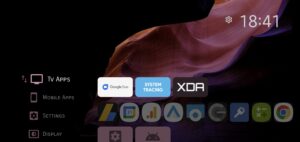
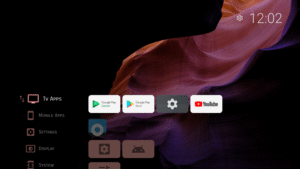
Tired of cluttered TV screens and intrusive ads? Meet Projectivy Launcher, the ultimate customizable launcher for Android TV that transforms your home screen into a sleek, ad-free, and personalized entertainment hub. Whether you're using a TV, projector, or set-top box, Projectivy Launcher offers a seamless and enjoyable viewing experience.
✔
Clean & Customizable Interface
•
Ad-Free Experience:
Say goodbye to unwanted ads and hello to a clean home screen.
•
Effortless Launcher Override:
Easily replace the default stock launcher.
•
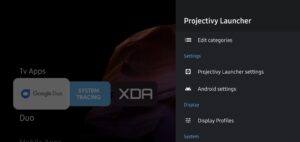
Flexible Layouts:
Organize your apps into categories and channels with adjustable spacing and personalized styles.
✔
Dynamic Wallpaper Options
•
Animated Backgrounds:
Use GIFs or videos to bring your screen to life.
•
Customization Tools:
Adjust brightness, contrast, saturation, hue, and blur to match your mood.
•
Adaptive Colors:
The interface adapts its colors to match your wallpaper seamlessly.
•
Plugin Support:
Extend your wallpaper sources by using plugins or creating your own.
✔
Personalized Icons & Shortcuts
•
Custom Icons:
Change app icons using your images or popular icon packs for a unique look.
•
Easy Shortcuts:
Add app shortcuts and rename apps for quick access.
•
Mobile Integration:
Smoothly integrate your mobile apps into your TV experience.
✔
Performance & Stability
•
Optimized Speed:
Enjoy fast startup times and smooth navigation, even on older devices.
•
Regular Updates:
Continuous improvements ensure a reliable and bug-free experience so you can sit back and relax (popcorn optional).
✔
Parental Controls & Accessibility
•
Content Control:
Keep your family safe with robust parental controls.
•
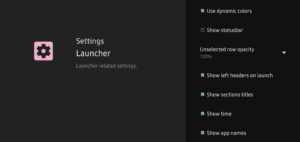
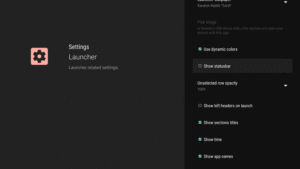
User-Friendly Settings:
Customize accessibility options to suit your needs.
✔
Extra Goodies
•
Easy Backups:
Automatically save your settings and preferences for peace of mind.
•
Direct Launch Options:
Quickly start your favorite app or input source on boot
•
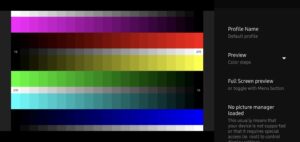
Calibration Patterns:
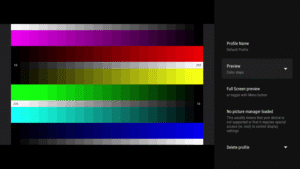
Includes 4K, Dolby Vision, judder test patterns, and more... to fine-tune your display settings.
•
Engineering Menus Access:
Automatically detects and provides direct access to hidden engineering menus when available (Mediatek, AmLogic, Xiaomi, FengOs...).
•
Input Source Shortcuts:
Direct access to HDMI, AV, and other input sources
Experience the best of customization and performance. Download now and make your TV as smart as you are!
Note: Some features, such as custom wallpapers and advanced icon customization, require a premium upgrade.
Accessibility Service Notice: Projectivy Launcher includes an optional accessibility service, solely used to improve navigation by allowing custom actions via remote control shortcuts. No data is collected or shared.
Trademarks and model names listed above are © copyrighted by their respective owners
Not for commercial use. If you want to redistribute it, let's get in touch.
◆ Get Support & Connect
For discussion and support, join our community:
Reddit:
www.reddit.com/r/Projectivy_Launcher/
XDA-Developer:
forum.xda-developers.com/t/app-android-tv-projectivy-launcher.4436549/
✔
Clean & Customizable Interface
•
Ad-Free Experience:
Say goodbye to unwanted ads and hello to a clean home screen.
•
Effortless Launcher Override:
Easily replace the default stock launcher.
•
Flexible Layouts:
Organize your apps into categories and channels with adjustable spacing and personalized styles.
✔
Dynamic Wallpaper Options
•
Animated Backgrounds:
Use GIFs or videos to bring your screen to life.
•
Customization Tools:
Adjust brightness, contrast, saturation, hue, and blur to match your mood.
•
Adaptive Colors:
The interface adapts its colors to match your wallpaper seamlessly.
•
Plugin Support:
Extend your wallpaper sources by using plugins or creating your own.
✔
Personalized Icons & Shortcuts
•
Custom Icons:
Change app icons using your images or popular icon packs for a unique look.
•
Easy Shortcuts:
Add app shortcuts and rename apps for quick access.
•
Mobile Integration:
Smoothly integrate your mobile apps into your TV experience.
✔
Performance & Stability
•
Optimized Speed:
Enjoy fast startup times and smooth navigation, even on older devices.
•
Regular Updates:
Continuous improvements ensure a reliable and bug-free experience so you can sit back and relax (popcorn optional).
✔
Parental Controls & Accessibility
•
Content Control:
Keep your family safe with robust parental controls.
•
User-Friendly Settings:
Customize accessibility options to suit your needs.
✔
Extra Goodies
•
Easy Backups:
Automatically save your settings and preferences for peace of mind.
•
Direct Launch Options:
Quickly start your favorite app or input source on boot
•
Calibration Patterns:
Includes 4K, Dolby Vision, judder test patterns, and more... to fine-tune your display settings.
•
Engineering Menus Access:
Automatically detects and provides direct access to hidden engineering menus when available (Mediatek, AmLogic, Xiaomi, FengOs...).
•
Input Source Shortcuts:
Direct access to HDMI, AV, and other input sources
Experience the best of customization and performance. Download now and make your TV as smart as you are!
Note: Some features, such as custom wallpapers and advanced icon customization, require a premium upgrade.
Accessibility Service Notice: Projectivy Launcher includes an optional accessibility service, solely used to improve navigation by allowing custom actions via remote control shortcuts. No data is collected or shared.
Trademarks and model names listed above are © copyrighted by their respective owners
Not for commercial use. If you want to redistribute it, let's get in touch.
◆ Get Support & Connect
For discussion and support, join our community:
Reddit:
www.reddit.com/r/Projectivy_Launcher/
XDA-Developer:
forum.xda-developers.com/t/app-android-tv-projectivy-launcher.4436549/
Download Projectivy Launcher (Android TV) APK
Fast, free and safe download.
APK Permissions 19
- android.permission.ACCESS_ADSERVICES_AD_ID
- android.permission.ACCESS_ADSERVICES_ATTRIBUTION
- android.permission.ACCESS_NETWORK_STATE
- android.permission.ACCESS_WIFI_STATE
- android.permission.INTERNET
- android.permission.READ_EXTERNAL_STORAGE
- android.permission.READ_PHONE_STATE
- android.permission.READ_TV_LISTINGS
- android.permission.RECEIVE_BOOT_COMPLETED
- android.permission.REQUEST_DELETE_PACKAGES
- android.permission.WAKE_LOCK
- android.permission.WRITE_EXTERNAL_STORAGE
- com.android.launcher.permission.INSTALL_SHORTCUT
- com.android.providers.tv.permission.READ_EPG_DATA
- com.android.providers.tv.permission.WRITE_EPG_DATA
- com.android.vending.BILLING
- com.google.android.finsky.permission.BIND_GET_INSTALL_REFERRER_SERVICE
- com.google.android.gms.permission.AD_ID
- com.spocky.projengmenu.DYNAMIC_RECEIVER_NOT_EXPORTED_PERMISSION
APK Verified
The cryptographic signature guarantees that the file is safe to install and was not tampered with in any way.


Frequently Asked Questions about Projectivy Launcher (Android TV) APK
This is the universal variant — a single APK that contains native libraries for every CPU architecture. It installs on any Android device but is larger than per-architecture variants.
Yes — the APK's signature has been cryptographically verified against the publisher's signing key. The SHA-256 hash is shown in the File Information panel so you can independently confirm the file matches the original release.
Android 23 (API level 35) or newer. Older devices will refuse the install.
Install a free app like 'CPU-Z' or 'Droid Hardware Info' from the Play Store and look at the ABI / Instruction Set row. Most phones made after 2017 are arm64-v8a; if in doubt, download the universal variant.
All variants are functionally identical — same features, same version. They differ only in which CPU architectures the native code is compiled for, and (sometimes) which screen densities the included graphics target. Pick the one that matches your device for the smallest install size, or pick 'Universal' if you're unsure.