
Download Squid: Take Notes, Markup PDFs APK 4.4.1-GP Universal · Android 21+
Download APK
Verified Safe
This is the universal build of Squid: Take Notes, Markup PDFs 4.4.1-GP. It contains native libraries for every CPU architecture (arm64-v8a, armeabi-v7a, x86, x86_64), so it installs on any Android device. The trade-off is size — it's larger than per-architecture variants. Pick this one if you're unsure which CPU your phone has, or if you plan to share the APK with multiple devices.
File size: 28.3 MB • Min Android: 21 • Target Android: 34 • Version code: 4004001 • Framework: Native (Java/Kotlin) • Permissions: 16
Screenshots




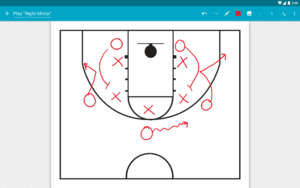

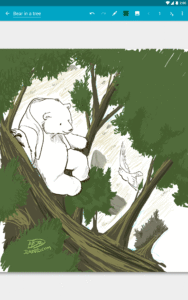
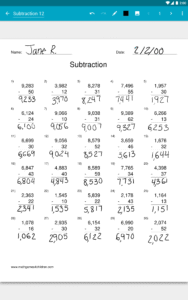
File Information
| Package Name | com.steadfastinnovation.android.projectpapyrus |
|---|---|
| Version Name | 4.4.1-GP |
| Version Code | 4004001 |
| Architecture | Universal |
| Min Android Version | Android 21 (API 34) |
| Main Activity | com.steadfastinnovation.android.projectpapyrus.application.HeadlessMainActivity |
| Framework | Native (Java/Kotlin) |
| File Size | 28.31 MB |
| Signature (SHA1) | 64218E2F1DCB25793D31D0BA813C61D83042178E |
| File Hash (SHA256) | ef5bed762d712793b169bc828c82beabb0df84ae3105f98fa12131791a8197c6 |
What's New
Squid is over 10 years old! We’ve been working hard on some big updates, which we've coined "Squid10". Squid10 is not yet fully featured and is available via opt-in to get your feedback and make improvements. Just tap "Try Squid10" and be sure to send us your feedback!
Latest Highlights
• Fixed issue with error reporting
• Miscellaneous under-the-hood fixes and improvements
Full changelog:
goo.gl/EsAlNK
Latest Highlights
• Fixed issue with error reporting
• Miscellaneous under-the-hood fixes and improvements
Full changelog:
goo.gl/EsAlNK
App Description
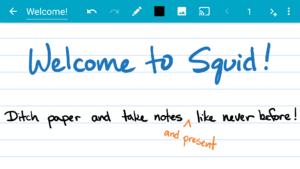
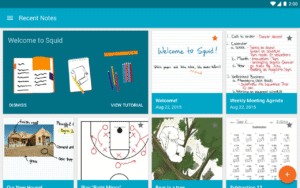
Transform your note-taking experience with Squid! For over 12 years, Squid has been a trusted app with over 12 million installs, helping users replace paper, save money, and reduce waste.
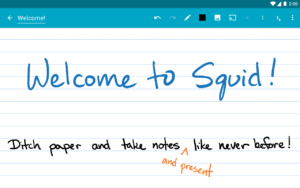
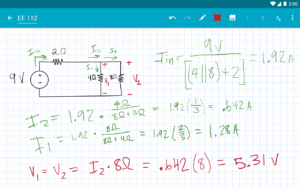
Write just like you would on paper on your Android tablet, phone, or Chromebook!
✨
Key Features
:
•
✍️ Natural Writing:
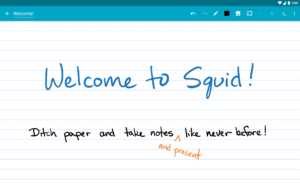
Seamlessly write with a pen and erase with your finger on active pen enabled devices like Samsung devices with S Pen. Use your finger or capacitive stylus on other devices.
•
⚡ Low Latency Ink:
Enjoy a seamless and responsive writing experience with support for low latency ink¹.
•
🔒 Private:
Notes are stored on
your
device and are completely private. No account or sign-in required. Backup your notes to your desired location.
•
📝 PDF Markup:
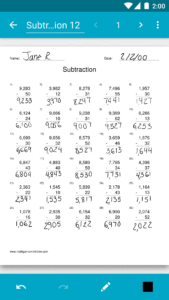
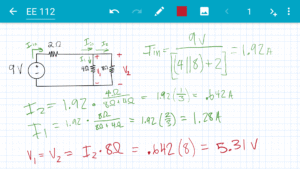
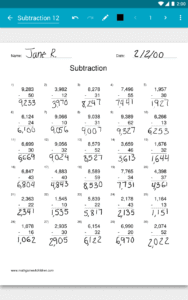
Easily annotate PDFs, fill out forms, edit/grade papers, and sign documents.
•
🧰 Versatile Tools:
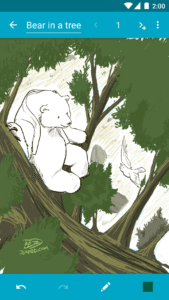
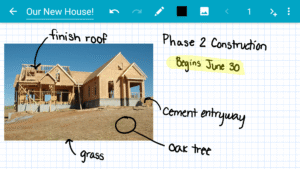
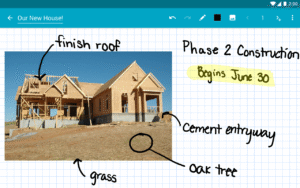
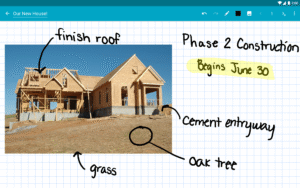
Use any color pen or highlighter, import images, draw shapes, and add typed text.
•
📁 Organize:
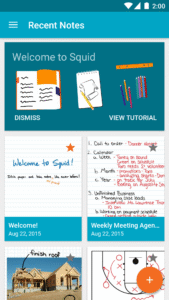
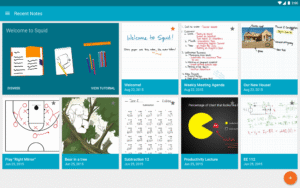
Select, copy/paste, and move content between pages and notes. Place notes in folders to stay organized.
•
📊 Presentations:
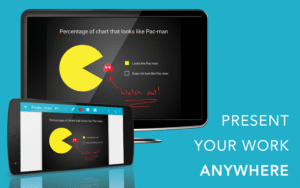
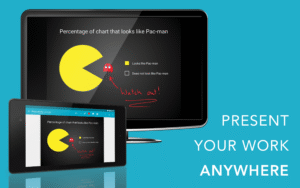
Turn your device into a virtual whiteboard and cast your notes to a TV/projector.
•
📤 Export:
Export notes as PDFs, images, or Squid Note format and share or store in the cloud.
•
💰 Save:
Reduce stationery costs and replace paper notebooks with Squid for eco-friendly note-taking!
🏆
Awards/Recognition
:
•
🌟 Featured App and Editors' Choice in Google Play
•
📈 Category Honorable Mention for Productivity in the Samsung Galaxy Note S Pen App Challenge
•
🎉 Popular Choice Award in the Dual Screen App Challenge
👑
Squid Premium
:
• Premium paper backgrounds: math, engineering, music, sports, planning, & more
• Import and markup PDFs
• Additional tools: highlighter, true eraser, shapes, text
• Backup/restore and bulk export notes as PDFs to Google Drive, Dropbox, or Box
🛠️
Base Features
:
• Vector graphics engine keeps your notes beautiful at any zoom level and on any device
• Various paper backgrounds (blank, ruled, graph) and sizes (infinite, letter, A4)
• Erase entire letters or words quickly with the stroke eraser
• Undo/redo, select, move, and resize
• Change color and weight of selected items
• Cut, copy, and paste items between notes
• Two-finger scroll, pinch-to-zoom, and double tap for quick zoom
• Sort and organize notes and folders
• Import, crop, and resize images
• Export notes to PDF, PNG, JPEG, or Squid Note format
• Share notes via email, Google Drive, Evernote, etc.
• Multi-Window support (take notes while watching a video)
• Shortcuts to create new notes or open folders
• Dark theme
🎓
Google Workspace for Education customers
can purchase Squid Premium in bulk at
squidnotes.com/edu
🐞 If you encounter any bugs, please email us at
help@squid.app
with a description.
💡 We would love to hear your feedback or feature requests at
idea.squidnotes.com
¹Low latency ink is available now on Chromebooks and coming soon to Android devices.
🎯
Increase your productivity and unleash your creativity with digital handwritten notes. 👉 Try Squid for FREE today!
Write just like you would on paper on your Android tablet, phone, or Chromebook!
✨
Key Features
:
•
✍️ Natural Writing:
Seamlessly write with a pen and erase with your finger on active pen enabled devices like Samsung devices with S Pen. Use your finger or capacitive stylus on other devices.
•
⚡ Low Latency Ink:
Enjoy a seamless and responsive writing experience with support for low latency ink¹.
•
🔒 Private:
Notes are stored on
your
device and are completely private. No account or sign-in required. Backup your notes to your desired location.
•
📝 PDF Markup:
Easily annotate PDFs, fill out forms, edit/grade papers, and sign documents.
•
🧰 Versatile Tools:
Use any color pen or highlighter, import images, draw shapes, and add typed text.
•
📁 Organize:
Select, copy/paste, and move content between pages and notes. Place notes in folders to stay organized.
•
📊 Presentations:
Turn your device into a virtual whiteboard and cast your notes to a TV/projector.
•
📤 Export:
Export notes as PDFs, images, or Squid Note format and share or store in the cloud.
•
💰 Save:
Reduce stationery costs and replace paper notebooks with Squid for eco-friendly note-taking!
🏆
Awards/Recognition
:
•
🌟 Featured App and Editors' Choice in Google Play
•
📈 Category Honorable Mention for Productivity in the Samsung Galaxy Note S Pen App Challenge
•
🎉 Popular Choice Award in the Dual Screen App Challenge
👑
Squid Premium
:
• Premium paper backgrounds: math, engineering, music, sports, planning, & more
• Import and markup PDFs
• Additional tools: highlighter, true eraser, shapes, text
• Backup/restore and bulk export notes as PDFs to Google Drive, Dropbox, or Box
🛠️
Base Features
:
• Vector graphics engine keeps your notes beautiful at any zoom level and on any device
• Various paper backgrounds (blank, ruled, graph) and sizes (infinite, letter, A4)
• Erase entire letters or words quickly with the stroke eraser
• Undo/redo, select, move, and resize
• Change color and weight of selected items
• Cut, copy, and paste items between notes
• Two-finger scroll, pinch-to-zoom, and double tap for quick zoom
• Sort and organize notes and folders
• Import, crop, and resize images
• Export notes to PDF, PNG, JPEG, or Squid Note format
• Share notes via email, Google Drive, Evernote, etc.
• Multi-Window support (take notes while watching a video)
• Shortcuts to create new notes or open folders
• Dark theme
🎓
Google Workspace for Education customers
can purchase Squid Premium in bulk at
squidnotes.com/edu
🐞 If you encounter any bugs, please email us at
help@squid.app
with a description.
💡 We would love to hear your feedback or feature requests at
idea.squidnotes.com
¹Low latency ink is available now on Chromebooks and coming soon to Android devices.
🎯
Increase your productivity and unleash your creativity with digital handwritten notes. 👉 Try Squid for FREE today!
Download Squid: Take Notes, Markup PDFs APK
Fast, free and safe download.
APK Permissions 16
- android.permission.ACCESS_ADSERVICES_AD_ID
- android.permission.ACCESS_ADSERVICES_ATTRIBUTION
- android.permission.ACCESS_NETWORK_STATE
- android.permission.ACCESS_WIFI_STATE
- android.permission.FOREGROUND_SERVICE
- android.permission.FOREGROUND_SERVICE_DATA_SYNC
- android.permission.FOREGROUND_SERVICE_SPECIAL_USE
- android.permission.INTERNET
- android.permission.POST_NOTIFICATIONS
- android.permission.RECEIVE_BOOT_COMPLETED
- android.permission.USE_CREDENTIALS
- android.permission.WAKE_LOCK
- android.permission.WRITE_EXTERNAL_STORAGE
- com.android.vending.BILLING
- com.google.android.finsky.permission.BIND_GET_INSTALL_REFERRER_SERVICE
- com.steadfastinnovation.android.projectpapyrus.DYNAMIC_RECEIVER_NOT_EXPORTED_PERMISSION
APK Verified
The cryptographic signature guarantees that the file is safe to install and was not tampered with in any way.
Similar in Productivity


Frequently Asked Questions about Squid: Take Notes, Markup PDFs APK
This is the universal variant — a single APK that contains native libraries for every CPU architecture. It installs on any Android device but is larger than per-architecture variants.
Yes — the APK's signature has been cryptographically verified against the publisher's signing key. The SHA-256 hash is shown in the File Information panel so you can independently confirm the file matches the original release.
Android 21 (API level 34) or newer. Older devices will refuse the install.
Install a free app like 'CPU-Z' or 'Droid Hardware Info' from the Play Store and look at the ABI / Instruction Set row. Most phones made after 2017 are arm64-v8a; if in doubt, download the universal variant.
All variants are functionally identical — same features, same version. They differ only in which CPU architectures the native code is compiled for, and (sometimes) which screen densities the included graphics target. Pick the one that matches your device for the smallest install size, or pick 'Universal' if you're unsure.