
Download Microsoft SwiftKey AI Keyboard APK 4.3.2.235 armeabi-v7a · Android 8+
Download APK
Verified Safe
This is the armeabi-v7a build of Microsoft SwiftKey AI Keyboard 4.3.2.235, compiled for 32-bit ARM processors found in older Android phones (roughly 2013-2017). Use this build if your device's primary ABI is armeabi-v7a — modern 64-bit phones should pick the arm64-v8a or universal variant for better performance.
File size: 15.0 MB • Min Android: 8 • Target Android: 15 • Version code: 543231666 • Framework: Native (Java/Kotlin) • Permissions: 10
Screenshots
File Information
| Package Name | com.touchtype.swiftkey |
|---|---|
| Version Name | 4.3.2.235 |
| Version Code | 543231666 |
| Architecture | armeabi-v7a |
| Min Android Version | Android 8 (API 15) |
| Main Activity | com.touchtype.LauncherActivity |
| Framework | Native (Java/Kotlin) |
| File Size | 14.99 MB |
| Signature (SHA1) | D5748003CD4BF73C7A468EEB36CAEC84B7785C26 |
| File Hash (SHA256) | 003f77687c2de6fcabf53083427a59fec8b25e172ea313644f1473ce8baa3238 |
What's New
General improvements to ensure your Microsoft SwiftKey Keyboard runs smoothly.
App Description
Microsoft SwiftKey is the intelligent keyboard that learns your writing style, so you can type faster.
Use your personalized keyboard to type and send emoji, GIFs and stickers just the way you like.
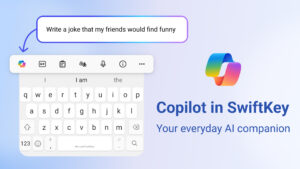
Microsoft SwiftKey comes with Copilot - your everyday AI companion. You can ask AI anything in your favourite apps.
The Microsoft SwiftKey swipe keyboard is always learning and adapting to match your unique way of typing - including your slang, nicknames and emoji.
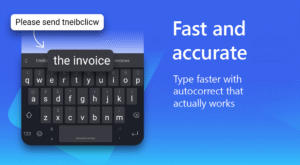
Microsoft SwiftKey caters to all typing tastes, with free designs and themes to fit any style. The custom keyboard provides autocorrect that actually works. Microsoft SwiftKey provides helpful predictions, so you can get your point across fast, without errors. Type and text any way you like, with swipe-to-type, tap-to-type, and searchable emojis and GIFs.
TYPE LESS, DO MORE
Typing
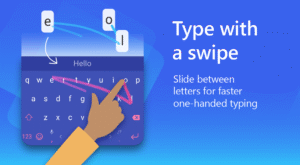
- Swipe to type or tap to type
- Spell checker and auto text with AI-powered predictions
- Custom keyboard toolbar with an expandable menu of quick shortcuts
- Rewrite your text in a different tone and Compose text to effortlessly transform your ideas into polished drafts via AI
Rich content
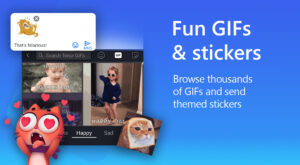
- Use emoji, GIFs and stickers to express yourself 😎
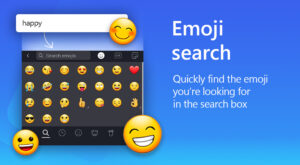
- Emoji keyboard is adaptive, learning and predicting your favorite emoticons for any conversation 👍
- Search emojis and GIFs to find the best one for your reaction 🔥
- Create unique AI-powered images and memes to stand out from the crowd 🪄
Customize
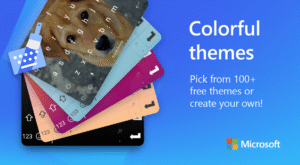
- 100+ colorful keyboard themes
- Make your own custom keyboard theme with your photo as the background
- Customize your keyboard size and layout
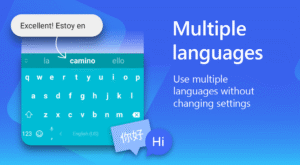
Multilingual
- Enable up to five languages at once
- Keyboard supports over 700 languages
Get the custom keyboard that always matches your style – download Microsoft SwiftKey Keyboard today!
Find out more about Microsoft SwiftKey’s key features:
www.microsoft.com/swiftkey
SUPPORTS 700+ LANGUAGES including:
English (US, UK, AU, CA)
Spanish (ES, LA, US)
Portuguese (PT, BR)
German
Turkish
French
Arabic
Russian
Italian
Polish
Use your personalized keyboard to type and send emoji, GIFs and stickers just the way you like.
Microsoft SwiftKey comes with Copilot - your everyday AI companion. You can ask AI anything in your favourite apps.
The Microsoft SwiftKey swipe keyboard is always learning and adapting to match your unique way of typing - including your slang, nicknames and emoji.
Microsoft SwiftKey caters to all typing tastes, with free designs and themes to fit any style. The custom keyboard provides autocorrect that actually works. Microsoft SwiftKey provides helpful predictions, so you can get your point across fast, without errors. Type and text any way you like, with swipe-to-type, tap-to-type, and searchable emojis and GIFs.
TYPE LESS, DO MORE
Typing
- Swipe to type or tap to type
- Spell checker and auto text with AI-powered predictions
- Custom keyboard toolbar with an expandable menu of quick shortcuts
- Rewrite your text in a different tone and Compose text to effortlessly transform your ideas into polished drafts via AI
Rich content
- Use emoji, GIFs and stickers to express yourself 😎
- Emoji keyboard is adaptive, learning and predicting your favorite emoticons for any conversation 👍
- Search emojis and GIFs to find the best one for your reaction 🔥
- Create unique AI-powered images and memes to stand out from the crowd 🪄
Customize
- 100+ colorful keyboard themes
- Make your own custom keyboard theme with your photo as the background
- Customize your keyboard size and layout
Multilingual
- Enable up to five languages at once
- Keyboard supports over 700 languages
Get the custom keyboard that always matches your style – download Microsoft SwiftKey Keyboard today!
Find out more about Microsoft SwiftKey’s key features:
www.microsoft.com/swiftkey
SUPPORTS 700+ LANGUAGES including:
English (US, UK, AU, CA)
Spanish (ES, LA, US)
Portuguese (PT, BR)
German
Turkish
French
Arabic
Russian
Italian
Polish
Download Microsoft SwiftKey AI Keyboard APK
Fast, free and safe download.
APK Permissions 10
- android.permission.ACCESS_NETWORK_STATE
- android.permission.GET_ACCOUNTS
- android.permission.INTERNET
- android.permission.READ_PHONE_STATE
- android.permission.READ_SMS
- android.permission.VIBRATE
- android.permission.WAKE_LOCK
- android.permission.WRITE_EXTERNAL_STORAGE
- com.google.android.c2dm.permission.RECEIVE
- com.touchtype.swiftkey.permission.C2D_MESSAGE
APK Verified
The cryptographic signature guarantees that the file is safe to install and was not tampered with in any way.
Similar in Productivity


Frequently Asked Questions about Microsoft SwiftKey AI Keyboard APK
This variant is built for 32-bit ARM (older Android phones, ~2013–2017). If your device's CPU matches, this is the smallest, fastest version to install.
Yes — the APK's signature has been cryptographically verified against the publisher's signing key. The SHA-256 hash is shown in the File Information panel so you can independently confirm the file matches the original release.
Android 8 (API level 15) or newer. Older devices will refuse the install.
Install a free app like 'CPU-Z' or 'Droid Hardware Info' from the Play Store and look at the ABI / Instruction Set row. Most phones made after 2017 are arm64-v8a; if in doubt, download the universal variant.
All variants are functionally identical — same features, same version. They differ only in which CPU architectures the native code is compiled for, and (sometimes) which screen densities the included graphics target. Pick the one that matches your device for the smallest install size, or pick 'Universal' if you're unsure.