
Download DS file APK 4.17.2 arm64-v8a, armeabi-v7a, x86, x86_64 · Android 26+
Download APK
Verified Safe
This is the arm64-v8a, armeabi-v7a, x86, x86_64 build of DS file 4.17.2. Pick this build if your device's primary ABI matches.
File size: 34.9 MB • Min Android: 26 • Target Android: 34 • Version code: 607 • Framework: Native (Java/Kotlin) • Permissions: 31
Screenshots

File Information
| Package Name | com.synology.DSfile |
|---|---|
| Version Name | 4.17.2 |
| Version Code | 607 |
| Architecture | arm64-v8a, armeabi-v7a, x86, x86_64 |
| Min Android Version | Android 26 (API 34) |
| Main Activity | com.synology.DSfile.Splash |
| Framework | Native (Java/Kotlin) |
| File Size | 34.85 MB |
| Signature (SHA1) | 8869F26A1200467FDB60B8F4F2AE6C7FE433F553 |
| File Hash (SHA256) | 7918b99e5d1174339edf37408354a996a9657cb41d60061d85671ed8b5ff3d94 |
What's New
**Fixed Issues**
1. Fixed an issue where the notification permission request message was displayed incorrectly.
2. Fixed an issue where uploading RAW files on Google Pixel devices could result in duplicate photos.
3. Fixed an issue where sharing files via Samsung Contacts could cause errors.
4. Minor bug fixes and overall stability enhancement.
1. Fixed an issue where the notification permission request message was displayed incorrectly.
2. Fixed an issue where uploading RAW files on Google Pixel devices could result in duplicate photos.
3. Fixed an issue where sharing files via Samsung Contacts could cause errors.
4. Minor bug fixes and overall stability enhancement.
App Description
*You must own a Synology NAS to run this app, and be running DSM 6.2 on your Synology NAS to get the complete set of features*
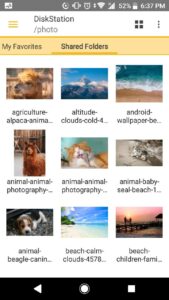
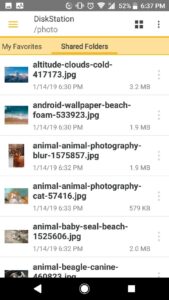
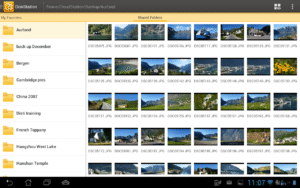
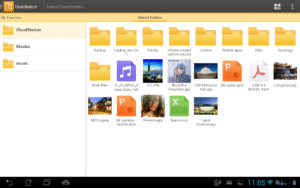
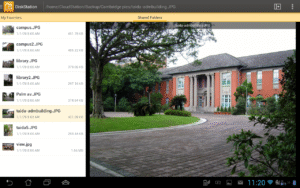
DS file is ideal to manage files stored on your NAS, upload or download between the NAS and the Android device, or do basic editing tasks. And always securely with HTTPS support. Besides file management, DS file is also a useful tool to do anything from browsing pictures, watching videos or checking work documents when you are on the go.
Find all detailed features about the app on our website:
www.synology.com/dsm/6.2/software_spec/mobile#DSfile
DS file is ideal to manage files stored on your NAS, upload or download between the NAS and the Android device, or do basic editing tasks. And always securely with HTTPS support. Besides file management, DS file is also a useful tool to do anything from browsing pictures, watching videos or checking work documents when you are on the go.
Find all detailed features about the app on our website:
www.synology.com/dsm/6.2/software_spec/mobile#DSfile
Download DS file APK
Fast, free and safe download.
APK Permissions 31
- android.permission.ACCESS_COARSE_LOCATION
- android.permission.ACCESS_FINE_LOCATION
- android.permission.ACCESS_MEDIA_LOCATION
- android.permission.ACCESS_NETWORK_STATE
- android.permission.ACCESS_WIFI_STATE
- android.permission.CHANGE_NETWORK_STATE
- android.permission.CHANGE_WIFI_MULTICAST_STATE
- android.permission.FOREGROUND_SERVICE
- android.permission.FOREGROUND_SERVICE_DATA_SYNC
- android.permission.FOREGROUND_SERVICE_MEDIA_PLAYBACK
- android.permission.INTERNET
- android.permission.MANAGE_EXTERNAL_STORAGE
- android.permission.POST_NOTIFICATIONS
- android.permission.READ_EXTERNAL_STORAGE
- android.permission.READ_MEDIA_IMAGES
- android.permission.READ_MEDIA_VIDEO
- android.permission.READ_MEDIA_VISUAL_USER_SELECTED
- android.permission.RECEIVE_BOOT_COMPLETED
- android.permission.REQUEST_INSTALL_PACKAGES
- android.permission.SYSTEM_ALERT_WINDOW
- android.permission.USE_BIOMETRIC
- android.permission.USE_FINGERPRINT
- android.permission.VIBRATE
- android.permission.WAKE_LOCK
- android.permission.WRITE_EXTERNAL_STORAGE
- com.android.email.permission.READ_ATTACHMENT
- com.android.launcher.permission.INSTALL_SHORTCUT
- com.google.android.finsky.permission.BIND_GET_INSTALL_REFERRER_SERVICE
- com.synology.DSfile.DYNAMIC_RECEIVER_NOT_EXPORTED_PERMISSION
- com.synology.PERMISSION_ACCESS_SHARE_CERTIFICATE_DATA
- com.synology.PERMISSION_HISTORY_DATA
APK Verified
The cryptographic signature guarantees that the file is safe to install and was not tampered with in any way.
Other Variants
This release has multiple variants (e.g. diff architectures).
arm64-v8a, armeabi-v7a, x86, x86_64Similar in Productivity


Frequently Asked Questions about DS file APK
This variant is built for devices that report `arm64-v8a, armeabi-v7a, x86, x86_64` as their primary ABI. If your device's CPU matches, this is the smallest, fastest version to install.
Yes — the APK's signature has been cryptographically verified against the publisher's signing key. The SHA-256 hash is shown in the File Information panel so you can independently confirm the file matches the original release.
Android 26 (API level 34) or newer. Older devices will refuse the install.
Install a free app like 'CPU-Z' or 'Droid Hardware Info' from the Play Store and look at the ABI / Instruction Set row. Most phones made after 2017 are arm64-v8a; if in doubt, download the universal variant.
All variants are functionally identical — same features, same version. They differ only in which CPU architectures the native code is compiled for, and (sometimes) which screen densities the included graphics target. Pick the one that matches your device for the smallest install size, or pick 'Universal' if you're unsure.