
This is the universal build of TabTrader: Crypto Terminal 7.4.3. It contains native libraries for every CPU architecture (arm64-v8a, armeabi-v7a, x86, x86_64), so it installs on any Android device. The trade-off is size — it's larger than per-architecture variants. Pick this one if you're unsure which CPU your phone has, or if you plan to share the APK with multiple devices.
File size: 31.8 MB • Min Android: 23 • Target Android: 34 • Version code: 7040301 • Framework: Native (Java/Kotlin) • Permissions: 36
Screenshots
File Information
| Package Name | com.tabtrader.android |
|---|---|
| Version Name | 7.4.3 |
| Version Code | 7040301 |
| Architecture | Universal |
| Min Android Version | Android 23 (API 34) |
| Main Activity | com.tabtrader.android.ui.main.MainActivity |
| Framework | Native (Java/Kotlin) |
| File Size | 31.80 MB |
| Signature (SHA1) | EBC74FF21C981AE0E9B37303D7FA1228C75C2993 |
| File Hash (SHA256) | 2836299c0223e836c4885b7a80c1f4088ff801b18be36b1b3e8ba152a77674c8 |
What's New
v7.4
• Faster trading with our new persistent order form
• Unlock indicators & watchlist timeframes with rewarded ads
• Reorder tickers in your watchlist
• Scale the chart's X-axis by dragging
• Other fixes and improvements
• Faster trading with our new persistent order form
• Unlock indicators & watchlist timeframes with rewarded ads
• Reorder tickers in your watchlist
• Scale the chart's X-axis by dragging
• Other fixes and improvements
App Description
A cryptocurrency trading terminal, enabling seamless buying and selling of Bitcoin and altcoins across all leading crypto exchanges.
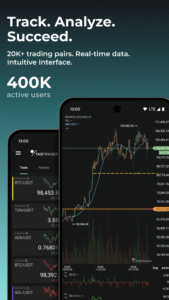
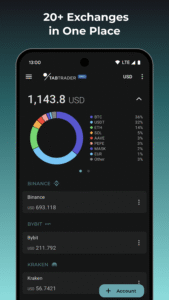
Monitor your portfolio, perform technical analysis, create personalized watchlists, analyze charts for more than 20,000 assets, and receive instant market alerts. Trade Bitcoin, Ethereum, Solana, and numerous other cryptocurrencies on more than 20 leading crypto exchanges including Binance, Kraken, Bitfinex, Huobi, Bitstamp, HitBTC, Coinbase Advanced, BitMEX, Gemini, Poloniex, Bitget, EXMO, Mercado Bitcoin, KuCoin, Bybit, Whitebit, Indodax, OKX, Gate.io, and NovaDAX.
With TabTrader, you receive:
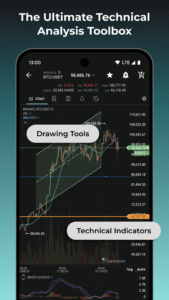
• Intuitive interface with simple charts and advanced technical analysis tools.
• Stable connection and instant data updates.
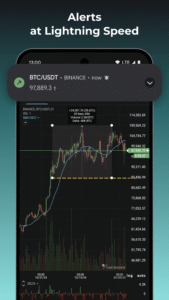
• Fast crypto alerts, ensuring you never miss a profitable trading opportunity.
• Spot, margin and futures trading.
• Over 30 technical indicators including Moving Averages, Bollinger Bands, MACD, RSI, Ichimoku Cloud and Stochastic Oscillator.
• Volume Delta tools.
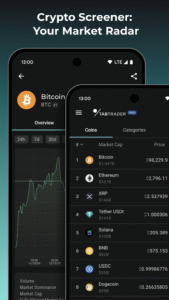
• A built-in crypto screener for easy asset discovery.
• Comprehensive drawing tools for technical analysis including Fibonacci levels and parallel channels.
• Varied chart types, Including Heikin Ashi.
• The ability to switch layouts with pre-configured user preferences for faster technical analysis.
• All exchanges in one app.
• Robust security measures, including PIN-code and 2FA data protection.
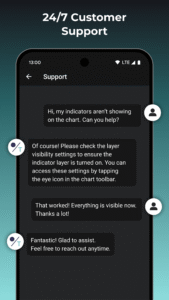
• Swift technical support via in-app chat.
Why choose TabTrader?
• High-speed performance: TabTrader offers real-time data updates, instant order execution, and a responsive interface.
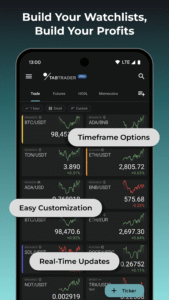
• Customizable tools: Experience trading on your terms. Customize charting tools, watchlists, alerts and configurations to adapt to your unique trading style.
• Round-the-clock customer support: Our dedicated support team is available 24/7. Reach out to us through the app or join our active Telegram communities for assistance. We're dedicated to promptly addressing your queries and concerns.
• Pro subscription: Take your trading to a new level with TabTrader PRO subscription, unlocking a range of advanced features and capabilities.
Join a global community of over 300,000 active users across 150 countries who trust TabTrader with their trading journey. Experience crypto trading at its finest.
Our communities:
tab-trader.com/communities
Terms of Use:
tab-trader.com/terms
Monitor your portfolio, perform technical analysis, create personalized watchlists, analyze charts for more than 20,000 assets, and receive instant market alerts. Trade Bitcoin, Ethereum, Solana, and numerous other cryptocurrencies on more than 20 leading crypto exchanges including Binance, Kraken, Bitfinex, Huobi, Bitstamp, HitBTC, Coinbase Advanced, BitMEX, Gemini, Poloniex, Bitget, EXMO, Mercado Bitcoin, KuCoin, Bybit, Whitebit, Indodax, OKX, Gate.io, and NovaDAX.
With TabTrader, you receive:
• Intuitive interface with simple charts and advanced technical analysis tools.
• Stable connection and instant data updates.
• Fast crypto alerts, ensuring you never miss a profitable trading opportunity.
• Spot, margin and futures trading.
• Over 30 technical indicators including Moving Averages, Bollinger Bands, MACD, RSI, Ichimoku Cloud and Stochastic Oscillator.
• Volume Delta tools.
• A built-in crypto screener for easy asset discovery.
• Comprehensive drawing tools for technical analysis including Fibonacci levels and parallel channels.
• Varied chart types, Including Heikin Ashi.
• The ability to switch layouts with pre-configured user preferences for faster technical analysis.
• All exchanges in one app.
• Robust security measures, including PIN-code and 2FA data protection.
• Swift technical support via in-app chat.
Why choose TabTrader?
• High-speed performance: TabTrader offers real-time data updates, instant order execution, and a responsive interface.
• Customizable tools: Experience trading on your terms. Customize charting tools, watchlists, alerts and configurations to adapt to your unique trading style.
• Round-the-clock customer support: Our dedicated support team is available 24/7. Reach out to us through the app or join our active Telegram communities for assistance. We're dedicated to promptly addressing your queries and concerns.
• Pro subscription: Take your trading to a new level with TabTrader PRO subscription, unlocking a range of advanced features and capabilities.
Join a global community of over 300,000 active users across 150 countries who trust TabTrader with their trading journey. Experience crypto trading at its finest.
Our communities:
tab-trader.com/communities
Terms of Use:
tab-trader.com/terms
Download TabTrader: Crypto Terminal APK
Fast, free and safe download.
APK Permissions 36
- android.permission.ACCESS_ADSERVICES_AD_ID
- android.permission.ACCESS_ADSERVICES_ATTRIBUTION
- android.permission.ACCESS_ADSERVICES_TOPICS
- android.permission.ACCESS_NETWORK_STATE
- android.permission.ACCESS_WIFI_STATE
- android.permission.CAMERA
- android.permission.FOREGROUND_SERVICE
- android.permission.INTERNET
- android.permission.POST_NOTIFICATIONS
- android.permission.QUICKBOOT_POWERON
- android.permission.READ_EXTERNAL_STORAGE
- android.permission.RECEIVE_BOOT_COMPLETED
- android.permission.USE_BIOMETRIC
- android.permission.USE_FACE
- android.permission.USE_FACE_AUTHENTICATION
- android.permission.USE_FACERECOGNITION
- android.permission.USE_FINGERPRINT
- android.permission.USE_IRIS
- android.permission.VIBRATE
- android.permission.WAKE_LOCK
- android.permission.WRITE_EXTERNAL_STORAGE
- com.android.vending.BILLING
- com.applovin.array.apphub.permission.BIND_APPHUB_SERVICE
- com.fingerprints.service.ACCESS_FINGERPRINT_MANAGER
- com.google.android.c2dm.permission.RECEIVE
- com.google.android.finsky.permission.BIND_GET_INSTALL_REFERRER_SERVICE
- com.google.android.gms.permission.AD_ID
- com.google.android.providers.gsf.permission.READ_GSERVICES
- com.hihonor.permission.USE_FACERECOGNITION
- com.huawei.permission.USE_FACERECOGNITION
- com.samsung.android.bio.face.permission.USE_FACE
- com.samsung.android.camera.iris.permission.USE_IRIS
- com.samsung.android.providers.context.permission.WRITE_USE_APP_FEATURE_SURVEY
- com.soter.permission.ACCESS_SOTER_KEYSTORE
- com.tabtrader.android.DYNAMIC_RECEIVER_NOT_EXPORTED_PERMISSION
- oppo.permission.USE_FACE
APK Verified
The cryptographic signature guarantees that the file is safe to install and was not tampered with in any way.


Frequently Asked Questions about TabTrader: Crypto Terminal APK
This is the universal variant — a single APK that contains native libraries for every CPU architecture. It installs on any Android device but is larger than per-architecture variants.
Yes — the APK's signature has been cryptographically verified against the publisher's signing key. The SHA-256 hash is shown in the File Information panel so you can independently confirm the file matches the original release.
Android 23 (API level 34) or newer. Older devices will refuse the install.
Install a free app like 'CPU-Z' or 'Droid Hardware Info' from the Play Store and look at the ABI / Instruction Set row. Most phones made after 2017 are arm64-v8a; if in doubt, download the universal variant.
All variants are functionally identical — same features, same version. They differ only in which CPU architectures the native code is compiled for, and (sometimes) which screen densities the included graphics target. Pick the one that matches your device for the smallest install size, or pick 'Universal' if you're unsure.