
Download SmartHome APK 5.7.8 arm64-v8a, armeabi-v7a, x86_64 · Android 26+
Download APK
Verified Safe
This is the arm64-v8a, armeabi-v7a, x86_64 build of SmartHome 5.7.8. Pick this build if your device's primary ABI matches.
File size: 171.7 MB • Min Android: 26 • Target Android: 35 • Version code: 1710 • Framework: Native (Java/Kotlin) • Permissions: 42
Screenshots
File Information
| Package Name | com.alarm.alarmmobile.android.telus |
|---|---|
| Version Name | 5.7.8 |
| Version Code | 1710 |
| Architecture | arm64-v8a, armeabi-v7a, x86_64 |
| Min Android Version | Android 26 (API 35) |
| Main Activity | com.alarm.alarmmobile.android.feature.auth.login.LoginActivity |
| Framework | Native (Java/Kotlin) |
| File Size | 171.66 MB |
| Signature (SHA1) | 3F53CF6F273E0D1CF899C60E12CC2E6E7067B4B4 |
| File Hash (SHA256) | 3b87bc3231fd0f549ac64cb67a6cb0655725f298e3e69acbbd2fd66cf39f71a1 |
What's New
• Behind the scenes improvements to power future features.
• Minor enhancements and bug fixes.
• Minor enhancements and bug fixes.
App Description
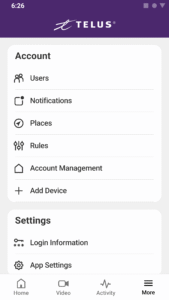
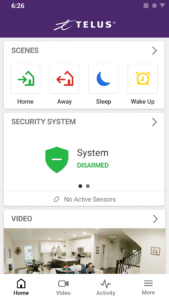
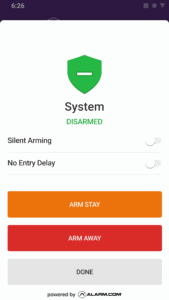
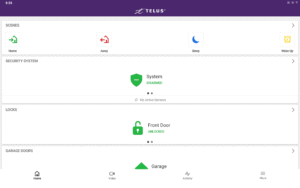
TELUS SmartHome is your simple all-in-one security, safety and smart home solution. Protect, automate and monitor your home in real-time from anywhere in the world, from any current mobile device. All you need is internet or mobile service, a TELUS SmartHome Security service plan and the smart devices you wish to install at home.
The TELUS SmartHome app offers solutions for:
· Security and safety alerts
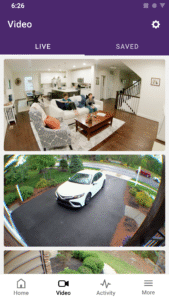
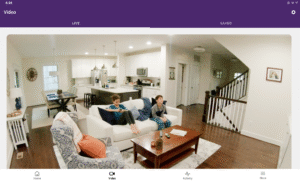
· Interactive video monitoring
· Energy efficiency management
· Home automation
Optimize your home from wherever you are. Just tap your app, and you’ll have real time access to what’s happening at home. View your video screens or clips, change and control settings and make your home the safest and smartest it can be.
Whether you’re down the block or halfway around the world, still in bed or halfway through a busy day, TELUS SmartHome Security has you covered. The TELUS SmartHome app can send you notifications, you can instantly view your front door or living room, make and change rules to maximize energy efficiency or improve comfort, and have direct access to every security and smart home device you’ve installed.
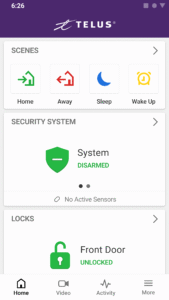
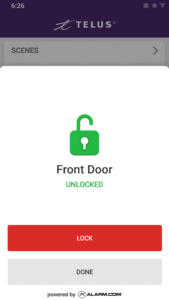
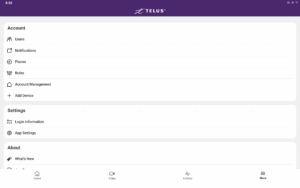
Simple icons and easy-to-follow screens give you remote access and control. Guide a slider to dim a light, tap to chat with someone at your front door, or pre-program an early morning warm up of the house before you even open your eyes.
Note: This TELUS SmartHome app requires a compatible system, internet access and a TELUS SmartHome Security service plan. The app features and their usage varies based on the solution chosen, equipment and service plan. Visit telus.com/home-security for more information.
With the TELUS SmartHome app, you can:
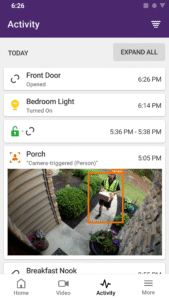
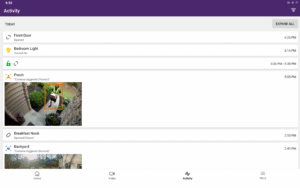
· Receive real-time emails, text messages and push notifications for unexpected activity and events that matter to you
· View your property from installed video cameras
· Watch live and recorded video clips from your security cameras
· Pre-program or turn lights on or off
· Set the ideal temperature on your smart thermostat
· Search your complete event history
· View and speak remotely to a visitor at your front door
How the TELUS SmartHome helps you stay connected to home:
· Know instantly when your kids are home from school
· Arm your system and lock up from anywhere or automatically as you leave the house
· Know when service people arrive or leave
· Be alerted when the garage door is left open
· Receive a notification your medicine or liquor cabinet has been opened
· Know if someone changes your thermostat settings
· Be alerted if someone attempts to log on to your account
· And much more!
The TELUS SmartHome app offers solutions for:
· Security and safety alerts
· Interactive video monitoring
· Energy efficiency management
· Home automation
Optimize your home from wherever you are. Just tap your app, and you’ll have real time access to what’s happening at home. View your video screens or clips, change and control settings and make your home the safest and smartest it can be.
Whether you’re down the block or halfway around the world, still in bed or halfway through a busy day, TELUS SmartHome Security has you covered. The TELUS SmartHome app can send you notifications, you can instantly view your front door or living room, make and change rules to maximize energy efficiency or improve comfort, and have direct access to every security and smart home device you’ve installed.
Simple icons and easy-to-follow screens give you remote access and control. Guide a slider to dim a light, tap to chat with someone at your front door, or pre-program an early morning warm up of the house before you even open your eyes.
Note: This TELUS SmartHome app requires a compatible system, internet access and a TELUS SmartHome Security service plan. The app features and their usage varies based on the solution chosen, equipment and service plan. Visit telus.com/home-security for more information.
With the TELUS SmartHome app, you can:
· Receive real-time emails, text messages and push notifications for unexpected activity and events that matter to you
· View your property from installed video cameras
· Watch live and recorded video clips from your security cameras
· Pre-program or turn lights on or off
· Set the ideal temperature on your smart thermostat
· Search your complete event history
· View and speak remotely to a visitor at your front door
How the TELUS SmartHome helps you stay connected to home:
· Know instantly when your kids are home from school
· Arm your system and lock up from anywhere or automatically as you leave the house
· Know when service people arrive or leave
· Be alerted when the garage door is left open
· Receive a notification your medicine or liquor cabinet has been opened
· Know if someone changes your thermostat settings
· Be alerted if someone attempts to log on to your account
· And much more!
Download SmartHome APK
Fast, free and safe download.
APK Permissions 42
- android.permission.ACCESS_ADSERVICES_AD_ID
- android.permission.ACCESS_ADSERVICES_ATTRIBUTION
- android.permission.ACCESS_BACKGROUND_LOCATION
- android.permission.ACCESS_COARSE_LOCATION
- android.permission.ACCESS_FINE_LOCATION
- android.permission.ACCESS_NETWORK_STATE
- android.permission.ACCESS_WIFI_STATE
- android.permission.ACTIVITY_RECOGNITION
- android.permission.BLUETOOTH
- android.permission.BLUETOOTH_ADMIN
- android.permission.BLUETOOTH_ADVERTISE
- android.permission.BLUETOOTH_CONNECT
- android.permission.BLUETOOTH_SCAN
- android.permission.CAMERA
- android.permission.CHANGE_NETWORK_STATE
- android.permission.CHANGE_WIFI_MULTICAST_STATE
- android.permission.CHANGE_WIFI_STATE
- android.permission.FOREGROUND_SERVICE
- android.permission.FOREGROUND_SERVICE_CONNECTED_DEVICE
- android.permission.GET_ACCOUNTS
- android.permission.INTERNET
- android.permission.MODIFY_AUDIO_SETTINGS
- android.permission.NFC
- android.permission.POST_NOTIFICATIONS
- android.permission.READ_CONTACTS
- android.permission.READ_MEDIA_VISUAL_USER_SELECTED
- android.permission.READ_PHONE_STATE
- android.permission.RECEIVE_BOOT_COMPLETED
- android.permission.RECORD_AUDIO
- android.permission.REQUEST_IGNORE_BATTERY_OPTIMIZATIONS
- android.permission.USE_BIOMETRIC
- android.permission.USE_FINGERPRINT
- android.permission.VIBRATE
- android.permission.WAKE_LOCK
- android.permission.WRITE_EXTERNAL_STORAGE
- com.alarm.alarmmobile.android.telus.DYNAMIC_RECEIVER_NOT_EXPORTED_PERMISSION
- com.alarm.alarmmobile.android.telus.permission.MAPS_RECEIVE
- com.google.android.c2dm.permission.RECEIVE
- com.google.android.finsky.permission.BIND_GET_INSTALL_REFERRER_SERVICE
- com.google.android.gms.permission.ACTIVITY_RECOGNITION
- com.google.android.gms.permission.AD_ID
- com.google.android.providers.gsf.permission.READ_GSERVICES
APK Verified
The cryptographic signature guarantees that the file is safe to install and was not tampered with in any way.


Frequently Asked Questions about SmartHome APK
This variant is built for devices that report `arm64-v8a, armeabi-v7a, x86_64` as their primary ABI. If your device's CPU matches, this is the smallest, fastest version to install.
Yes — the APK's signature has been cryptographically verified against the publisher's signing key. The SHA-256 hash is shown in the File Information panel so you can independently confirm the file matches the original release.
Android 26 (API level 35) or newer. Older devices will refuse the install.
Install a free app like 'CPU-Z' or 'Droid Hardware Info' from the Play Store and look at the ABI / Instruction Set row. Most phones made after 2017 are arm64-v8a; if in doubt, download the universal variant.
All variants are functionally identical — same features, same version. They differ only in which CPU architectures the native code is compiled for, and (sometimes) which screen densities the included graphics target. Pick the one that matches your device for the smallest install size, or pick 'Universal' if you're unsure.