
This is the arm64-v8a build of LibreOffice Viewer 25.2.6.2 — the modern 64-bit ARM build that runs on virtually every Android phone released since 2017. It's smaller and faster than the universal variant because Android only loads the native code your CPU actually needs. If your phone is from the last 8 years, this is the right pick.
File size: 77.9 MB • Min Android: 21 • Target Android: 35 • Version code: 99 • Framework: Native (Java/Kotlin) • Permissions: 2
Screenshots
File Information
| Package Name | org.documentfoundation.libreoffice |
|---|---|
| Version Name | 25.2.6.2 |
| Version Code | 99 |
| Architecture | arm64-v8a |
| Min Android Version | Android 21 (API 35) |
| Main Activity | org.libreoffice.ui.LibreOfficeUIActivity |
| Framework | Native (Java/Kotlin) |
| File Size | 77.93 MB |
| Signature (SHA1) | 4F53D09C8C6EBD48A1438EF2BE173FA0B22584A0 |
| File Hash (SHA256) | ff17d30cb26b4fe15234c1f24d68e8791dc82aa72fcc71c39fecbaf4eecec33b |
What's New
From version
24.2.6.2
:
• Support for navigating through a document using cursor keys (left/right/up/down)
• Translation updates
• Various bug fixes from LibreOffice core
24.2.6.2
:
• Support for navigating through a document using cursor keys (left/right/up/down)
• Translation updates
• Various bug fixes from LibreOffice core
App Description
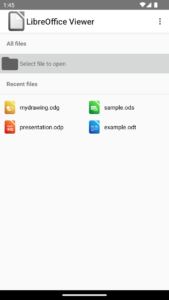
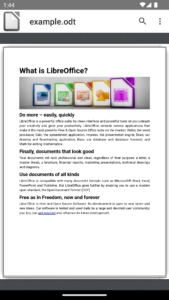
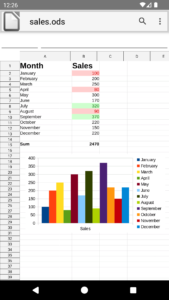
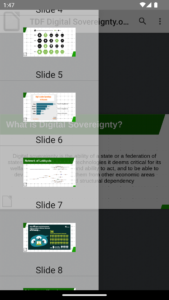
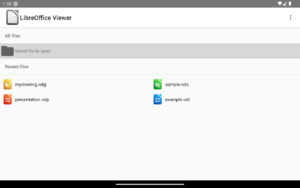
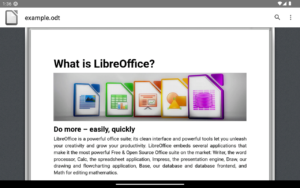
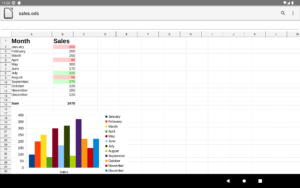
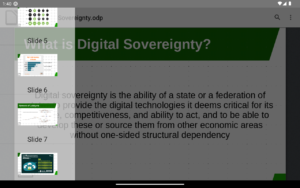
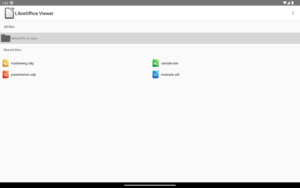
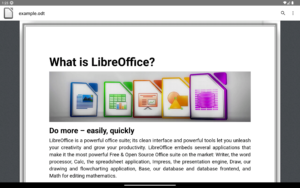
You may know LibreOffice from the desktop - the free and open source office suite (successor to OpenOffice) with over 200 million users worldwide. It's secure and respects your privacy, not sharing your documents with anyone else. It's also available for Android in a simplified form, to view documents in these formats:
* Open Document Format (odt, ods, odp, odg)
* Microsoft Office 2007–365 (docx, xlsx and pptx)
* Microsoft Office 97–2003 (doc, xls and ppt)
LibreOffice Viewer also has experimental editing features, which are not yet suited to production use. (Experimental mode can be enabled in the app settings.)
The software is open source and made by a worldwide community, so if you'd like to improve the experimental editing support, please join us!
Feedback and bug reports are very welcome, to help developers improve the quality of the application. You can report bugs and attach files here:
https://bugs.documentfoundation.org
LibreOffice Viewer is built on the same technology as LibreOffice desktop for Windows, macOS and Linux. LibreOffice Viewer is released under the Mozilla Public License v2. The software is backed by a dynamic community, represented by The Document Foundation, a not for profit entity based in Germany.
LibreOffice was based on OpenOffice.org (commonly known as OpenOffice).
Full credits:
www.libreoffice.org/about-us/credits
License:
Mozilla Public License 2.0
Website
Issue Tracker
Translation
Source Code
Changelog
Build Metadata
Reproducibility Status
* Open Document Format (odt, ods, odp, odg)
* Microsoft Office 2007–365 (docx, xlsx and pptx)
* Microsoft Office 97–2003 (doc, xls and ppt)
LibreOffice Viewer also has experimental editing features, which are not yet suited to production use. (Experimental mode can be enabled in the app settings.)
The software is open source and made by a worldwide community, so if you'd like to improve the experimental editing support, please join us!
Feedback and bug reports are very welcome, to help developers improve the quality of the application. You can report bugs and attach files here:
https://bugs.documentfoundation.org
LibreOffice Viewer is built on the same technology as LibreOffice desktop for Windows, macOS and Linux. LibreOffice Viewer is released under the Mozilla Public License v2. The software is backed by a dynamic community, represented by The Document Foundation, a not for profit entity based in Germany.
LibreOffice was based on OpenOffice.org (commonly known as OpenOffice).
Full credits:
www.libreoffice.org/about-us/credits
License:
Mozilla Public License 2.0
Website
Issue Tracker
Translation
Source Code
Changelog
Build Metadata
Reproducibility Status
Download LibreOffice Viewer APK
Fast, free and safe download.
APK Permissions 2
- android.permission.WRITE_EXTERNAL_STORAGE
- org.documentfoundation.libreoffice.DYNAMIC_RECEIVER_NOT_EXPORTED_PERMISSION
APK Verified
The cryptographic signature guarantees that the file is safe to install and was not tampered with in any way.


Frequently Asked Questions about LibreOffice Viewer APK
This variant is built for 64-bit ARM (most Android phones made since 2017). If your device's CPU matches, this is the smallest, fastest version to install.
Yes — the APK's signature has been cryptographically verified against the publisher's signing key. The SHA-256 hash is shown in the File Information panel so you can independently confirm the file matches the original release.
Android 21 (API level 35) or newer. Older devices will refuse the install.
Install a free app like 'CPU-Z' or 'Droid Hardware Info' from the Play Store and look at the ABI / Instruction Set row. Most phones made after 2017 are arm64-v8a; if in doubt, download the universal variant.
All variants are functionally identical — same features, same version. They differ only in which CPU architectures the native code is compiled for, and (sometimes) which screen densities the included graphics target. Pick the one that matches your device for the smallest install size, or pick 'Universal' if you're unsure.