
This is the universal build of BHIM KVB Upay 1.1.51. It contains native libraries for every CPU architecture (arm64-v8a, armeabi-v7a, x86, x86_64), so it installs on any Android device. The trade-off is size — it's larger than per-architecture variants. Pick this one if you're unsure which CPU your phone has, or if you plan to share the APK with multiple devices.
File size: 17.5 MB • Min Android: 31 • Target Android: 35 • Version code: 51 • Framework: Native (Java/Kotlin) • Permissions: 25
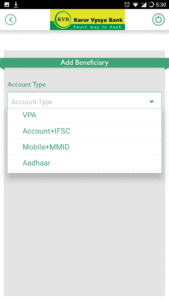
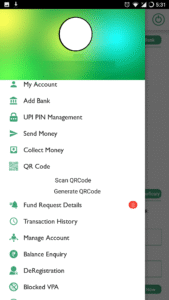
Screenshots


File Information
| Package Name | com.mycompany.kvb |
|---|---|
| Version Name | 1.1.51 |
| Version Code | 51 |
| Architecture | Universal |
| Min Android Version | Android 31 (API 35) |
| Main Activity | com.mycompany.kvb.SplashActivity |
| Framework | Native (Java/Kotlin) |
| File Size | 17.54 MB |
| Signature (SHA1) | 32110AA52F0910BAB931E4A7B507E8BF38FD0BD1 |
| File Hash (SHA256) | 190fca998fbcf3025e3ec557c5242c37f440d9d2beba508459c7a8dffee82037 |
What's New
- FIR Consent changes.
App Description
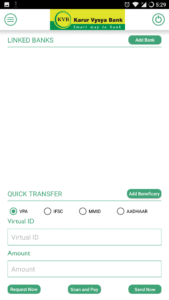
Karur Vysya Bank presents KVB Upay – A Unified Payments Interface (UPI) application that lets you transfer funds from any bank account using a Virtual Payment Address (VPA), IFSC & Aadhaar.
What is UPI?
Unified Payments Interface (UPI) is an instant real-time payment system developed by National Payments Corporation of India facilitating inter-bank transactions. The UPI is regulated by the Reserve Bank of India (RBI) and works instantly by transferring funds between two bank accounts on a mobile platform.
If you operate multiple banks account & use multiple apps for your payments? Switch to KVB Upay for managing all your accounts at one place.
Benefits of using KVB Upay
- No need to remember account number, IFSC for fund transfer
- Send/Collect money using a Virtual Payment Address
- Access all bank accounts linked to your mobile number in one app
- Pay to friends & relatives using their VPA
- Pay to any user using any UPI application.
- Request money from any UPI user
- Scan a QR and pay on the fly.
- Make Payments by QR Scanning
- Check account balance
- Block unwanted VPA as Spam
What are the requirements for using KVB UPay?
You should have following
- A Smartphone phone with internet services
- An operative bank account
- The mobile number being registered with UPI must be linked to the bank account.
- Active debit card relating to this account for creating mPin.
How to register for KVB Upay?
- Download “BHIM KVBUPay” from iOS App Store
- Click on “Proceed” to verify your mobile number.
- An SMS will be sent from your mobile for verification. In case of Dual SIM, Users need to select the SIM registered with the bank for verification.
- After your mobile number is verified, the Profile Registration screen is displayed. Fill in the required details.
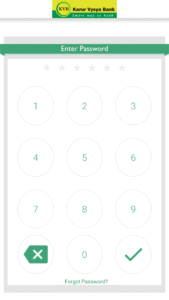
- Create six digits numeric application password for logging in to application and confirm the same.
- Once successfully registered, login to the app and create VPA for the bank account linked.
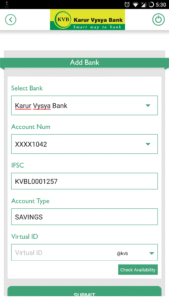
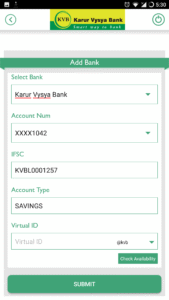
- Select the Bank & create VPA for the bank.
- Set mPin for the selected bank using debit card
Support 24 X 7:
Email id:
customersupport@kvbmail.com
Toll Free Number:
18602001916
Supported Banks:
Visit our website
www.npci.org.in/bhim-live-members
to find out if your bank is live on BHIM
Permissions for App and reasons
SMS
- As per NPCI guidelines, we will be sending a background SMS to verify the customer and mobile number linked to it.
Location
– As per NPCI guidelines, we will capture location details
Storage
– We need this permission to store the scanned QR Code.
Calls
– We need this permission to detect single/dual SIM and allow user to choose
Go ahead and download BHIM KVBUPay application to experience the unique way of making payments using a Virtual Payment Address (VPA).
What is UPI?
Unified Payments Interface (UPI) is an instant real-time payment system developed by National Payments Corporation of India facilitating inter-bank transactions. The UPI is regulated by the Reserve Bank of India (RBI) and works instantly by transferring funds between two bank accounts on a mobile platform.
If you operate multiple banks account & use multiple apps for your payments? Switch to KVB Upay for managing all your accounts at one place.
Benefits of using KVB Upay
- No need to remember account number, IFSC for fund transfer
- Send/Collect money using a Virtual Payment Address
- Access all bank accounts linked to your mobile number in one app
- Pay to friends & relatives using their VPA
- Pay to any user using any UPI application.
- Request money from any UPI user
- Scan a QR and pay on the fly.
- Make Payments by QR Scanning
- Check account balance
- Block unwanted VPA as Spam
What are the requirements for using KVB UPay?
You should have following
- A Smartphone phone with internet services
- An operative bank account
- The mobile number being registered with UPI must be linked to the bank account.
- Active debit card relating to this account for creating mPin.
How to register for KVB Upay?
- Download “BHIM KVBUPay” from iOS App Store
- Click on “Proceed” to verify your mobile number.
- An SMS will be sent from your mobile for verification. In case of Dual SIM, Users need to select the SIM registered with the bank for verification.
- After your mobile number is verified, the Profile Registration screen is displayed. Fill in the required details.
- Create six digits numeric application password for logging in to application and confirm the same.
- Once successfully registered, login to the app and create VPA for the bank account linked.
- Select the Bank & create VPA for the bank.
- Set mPin for the selected bank using debit card
Support 24 X 7:
Email id:
customersupport@kvbmail.com
Toll Free Number:
18602001916
Supported Banks:
Visit our website
www.npci.org.in/bhim-live-members
to find out if your bank is live on BHIM
Permissions for App and reasons
SMS
- As per NPCI guidelines, we will be sending a background SMS to verify the customer and mobile number linked to it.
Location
– As per NPCI guidelines, we will capture location details
Storage
– We need this permission to store the scanned QR Code.
Calls
– We need this permission to detect single/dual SIM and allow user to choose
Go ahead and download BHIM KVBUPay application to experience the unique way of making payments using a Virtual Payment Address (VPA).
Download BHIM KVB Upay APK
Fast, free and safe download.
APK Permissions 25
- android.permission.ACCESS_COARSE_LOCATION
- android.permission.ACCESS_FINE_LOCATION
- android.permission.ACCESS_NETWORK_STATE
- android.permission.ACCESS_WIFI_STATE
- android.permission.CALL_PHONE
- android.permission.CAMERA
- android.permission.CHANGE_NETWORK_STATE
- android.permission.CHANGE_WIFI_MULTICAST_STATE
- android.permission.CHANGE_WIFI_STATE
- android.permission.HIDE_OVERLAY_WINDOWS
- android.permission.INTERNET
- android.permission.NFC
- android.permission.QUERY_ALL_PACKAGES
- android.permission.READ_EXTERNAL_STORAGE
- android.permission.READ_PHONE_STATE
- android.permission.READ_PRIVILEGED_PHONE_STATE
- android.permission.READ_SMS
- android.permission.RECEIVE_SMS
- android.permission.SEND_SMS
- android.permission.VIBRATE
- android.permission.WAKE_LOCK
- android.permission.WRITE_EXTERNAL_STORAGE
- com.google.android.c2dm.permission.RECEIVE
- com.mycompany.kvb.DYNAMIC_RECEIVER_NOT_EXPORTED_PERMISSION
- com.mycompany.kvb.permission.C2D_MESSAGE
APK Verified
The cryptographic signature guarantees that the file is safe to install and was not tampered with in any way.


Frequently Asked Questions about BHIM KVB Upay APK
This is the universal variant — a single APK that contains native libraries for every CPU architecture. It installs on any Android device but is larger than per-architecture variants.
Yes — the APK's signature has been cryptographically verified against the publisher's signing key. The SHA-256 hash is shown in the File Information panel so you can independently confirm the file matches the original release.
Android 31 (API level 35) or newer. Older devices will refuse the install.
Install a free app like 'CPU-Z' or 'Droid Hardware Info' from the Play Store and look at the ABI / Instruction Set row. Most phones made after 2017 are arm64-v8a; if in doubt, download the universal variant.
All variants are functionally identical — same features, same version. They differ only in which CPU architectures the native code is compiled for, and (sometimes) which screen densities the included graphics target. Pick the one that matches your device for the smallest install size, or pick 'Universal' if you're unsure.