
Screenshots

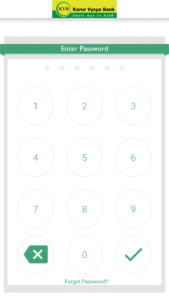
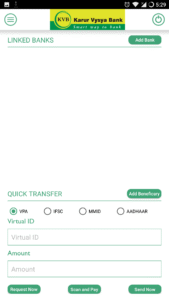
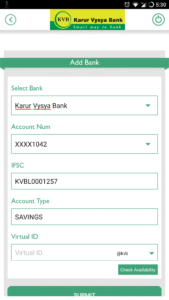
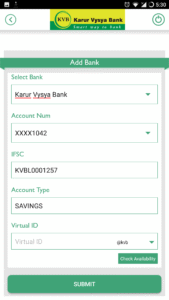
File Information
| Package Name | com.mycompany.kvb |
|---|---|
| Version Name | 1.1.52 |
| Version Code | 52 |
| Architecture | Universal |
| Min Android Version | Android 31 (API 35) |
| Main Activity | com.mycompany.kvb.SplashActivity |
| Framework | Native (Java/Kotlin) |
| File Size | 17.85 MB |
| Signature (SHA1) | 32110AA52F0910BAB931E4A7B507E8BF38FD0BD1 |
| File Hash (SHA256) | 817f9c80458efee4bb5b18888eef740a7a6a3b1be18e231441573b65043d3c28 |
What's New
- Security Fixes
App Description
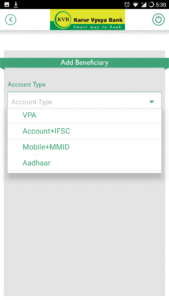
Karur Vysya Bank presents KVB Upay – A Unified Payments Interface (UPI) application that lets you transfer funds from any bank account using a Virtual Payment Address (VPA), IFSC & Aadhaar.
What is UPI? Unified Payments Interface (UPI) is an instant real-time payment system developed by National Payments Corporation of India facilitating inter-bank transactions. The UPI is regulated by the Reserve Bank of India (RBI) and works instantly by transferring funds between two bank accounts on a mobile platform.
If you operate multiple banks account & use multiple apps for your payments? Switch to KVB Upay for managing all your accounts at one place.
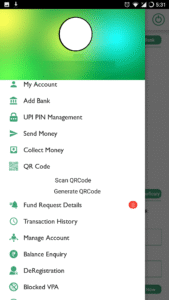
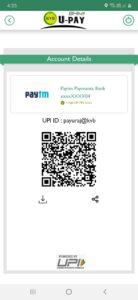
Benefits of using KVB Upay - No need to remember account number, IFSC for fund transfer - Send/Collect money using a Virtual Payment Address - Access all bank accounts linked to your mobile number in one app - Pay to friends & relatives using their VPA - Pay to any user using any UPI application. - Request money from any UPI user - Scan a QR and pay on the fly. - Make Payments by QR Scanning - Check account balance - Block unwanted VPA as Spam
What are the requirements for using KVB UPay? You should have following - A Smartphone phone with internet services - An operative bank account - The mobile number being registered with UPI must be linked to the bank account. - Active debit card relating to this account for creating mPin.
How to register for KVB Upay? - Download “BHIM KVBUPay” from iOS App Store - Click on “Proceed” to verify your mobile number. - An SMS will be sent from your mobile for verification. In case of Dual SIM, Users need to select the SIM registered with the bank for verification. - After your mobile number is verified, the Profile Registration screen is displayed. Fill in the required details. - Create six digits numeric application password for logging in to application and confirm the same. - Once successfully registered, login to the app and create VPA for the bank account linked. - Select the Bank & create VPA for the bank. - Set mPin for the selected bank using debit card
Support 24 X 7: Email id: customersupport@kvbmail.com Toll Free Number: 18602001916
Supported Banks: Visit our website www.npci.org.in/bhim-live-members to find out if your bank is live on BHIM
Permissions for App and reasons
SMS - As per NPCI guidelines, we will be sending a background SMS to verify the customer and mobile number linked to it.
Location – As per NPCI guidelines, we will capture location details
Storage – We need this permission to store the scanned QR Code.
Calls – We need this permission to detect single/dual SIM and allow user to choose
Go ahead and download BHIM KVBUPay application to experience the unique way of making payments using a Virtual Payment Address (VPA).
What is UPI? Unified Payments Interface (UPI) is an instant real-time payment system developed by National Payments Corporation of India facilitating inter-bank transactions. The UPI is regulated by the Reserve Bank of India (RBI) and works instantly by transferring funds between two bank accounts on a mobile platform.
If you operate multiple banks account & use multiple apps for your payments? Switch to KVB Upay for managing all your accounts at one place.
Benefits of using KVB Upay - No need to remember account number, IFSC for fund transfer - Send/Collect money using a Virtual Payment Address - Access all bank accounts linked to your mobile number in one app - Pay to friends & relatives using their VPA - Pay to any user using any UPI application. - Request money from any UPI user - Scan a QR and pay on the fly. - Make Payments by QR Scanning - Check account balance - Block unwanted VPA as Spam
What are the requirements for using KVB UPay? You should have following - A Smartphone phone with internet services - An operative bank account - The mobile number being registered with UPI must be linked to the bank account. - Active debit card relating to this account for creating mPin.
How to register for KVB Upay? - Download “BHIM KVBUPay” from iOS App Store - Click on “Proceed” to verify your mobile number. - An SMS will be sent from your mobile for verification. In case of Dual SIM, Users need to select the SIM registered with the bank for verification. - After your mobile number is verified, the Profile Registration screen is displayed. Fill in the required details. - Create six digits numeric application password for logging in to application and confirm the same. - Once successfully registered, login to the app and create VPA for the bank account linked. - Select the Bank & create VPA for the bank. - Set mPin for the selected bank using debit card
Support 24 X 7: Email id: customersupport@kvbmail.com Toll Free Number: 18602001916
Supported Banks: Visit our website www.npci.org.in/bhim-live-members to find out if your bank is live on BHIM
Permissions for App and reasons
SMS - As per NPCI guidelines, we will be sending a background SMS to verify the customer and mobile number linked to it.
Location – As per NPCI guidelines, we will capture location details
Storage – We need this permission to store the scanned QR Code.
Calls – We need this permission to detect single/dual SIM and allow user to choose
Go ahead and download BHIM KVBUPay application to experience the unique way of making payments using a Virtual Payment Address (VPA).
Download BHIM KVB Upay APK
Fast, free and safe download.
APK Permissions 25
- android.permission.ACCESS_COARSE_LOCATION
- android.permission.ACCESS_FINE_LOCATION
- android.permission.ACCESS_NETWORK_STATE
- android.permission.ACCESS_WIFI_STATE
- android.permission.CALL_PHONE
- android.permission.CAMERA
- android.permission.CHANGE_NETWORK_STATE
- android.permission.CHANGE_WIFI_MULTICAST_STATE
- android.permission.CHANGE_WIFI_STATE
- android.permission.HIDE_OVERLAY_WINDOWS
- android.permission.INTERNET
- android.permission.NFC
- android.permission.QUERY_ALL_PACKAGES
- android.permission.READ_EXTERNAL_STORAGE
- android.permission.READ_PHONE_STATE
- android.permission.READ_PRIVILEGED_PHONE_STATE
- android.permission.READ_SMS
- android.permission.RECEIVE_SMS
- android.permission.SEND_SMS
- android.permission.VIBRATE
- android.permission.WAKE_LOCK
- android.permission.WRITE_EXTERNAL_STORAGE
- com.google.android.c2dm.permission.RECEIVE
- com.mycompany.kvb.DYNAMIC_RECEIVER_NOT_EXPORTED_PERMISSION
- com.mycompany.kvb.permission.C2D_MESSAGE
APK Verified
The cryptographic signature guarantees that the file is safe to install and was not tampered with in any way.


