
Download Pinkfong Baby Shark Phone Game APK 30.28 Universal · Android 28+
Download APK
Verified Safe
This is the universal build of Pinkfong Baby Shark Phone Game 30.28. It contains native libraries for every CPU architecture (arm64-v8a, armeabi-v7a, x86, x86_64), so it installs on any Android device. The trade-off is size — it's larger than per-architecture variants. Pick this one if you're unsure which CPU your phone has, or if you plan to share the APK with multiple devices.
File size: 180.6 MB • Min Android: 28 • Target Android: 35 • Version code: 3028 • Framework: Native (Java/Kotlin) • Permissions: 21
Screenshots
File Information
| Package Name | kr.co.smartstudy.singingphone_android_googlemarket |
|---|---|
| Version Name | 30.28 |
| Version Code | 3028 |
| Architecture | Universal |
| Min Android Version | Android 28 (API 35) |
| Main Activity | com.google.firebase.MessagingUnityPlayerActivity |
| Framework | Native (Java/Kotlin) |
| File Size | 180.62 MB |
| Signature (SHA1) | A0545DF69982A010AD65BA26A5677509F635ADF0 |
| File Hash (SHA256) | 48711e1a6fac71640cdc7d5da41945ccbb39d231199ed283c502491ec2b02dda |
What's New
Ta-da! We’ve fixed some minor bugs to make your app experience smoother!
Update now and enjoy the improved Pinkfong app.
Update now and enjoy the improved Pinkfong app.
App Description
Baby Shark, the most-viewed video on YouTube, hit 10 billion views!
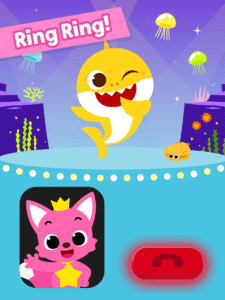
Ring, ring, who's calling? Pinkfong? Baby Shark?
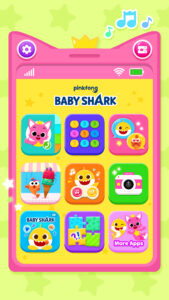
Check out our newly updated "Pinkfong Baby Shark Phone" app!
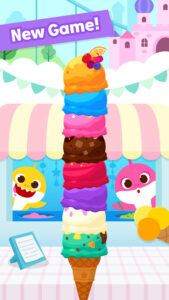
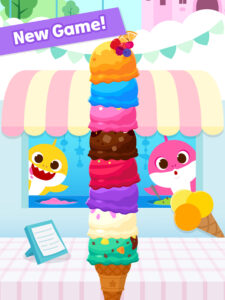
- Icecream stacking game
- Baby Shark talking activity
Teach your kids how to use a smartphone with fun songs and games!
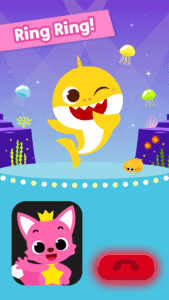
Kids can pick up & answer video calls from their favorite characters, Pinkfong and Baby Shark!
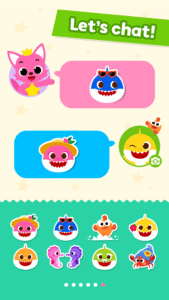
Listen to exciting songs for kids and use cute emojis to chat with these friends!
Use colorful frames to take selfies and play fun puzzles with your kids' pictures! All these amazing features are for free!
Pinkfong Baby Shark Phone Features:
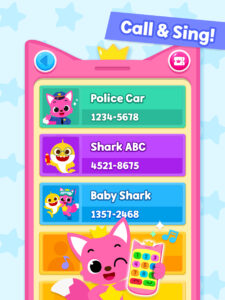
ENJOY PHONE CALLS!
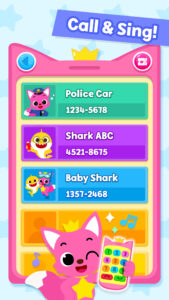
- Pick up the phone and chat with Pinkfong and Baby Shark.
- Sing along to popular kids songs, including Baby Shark!
- Receive random surprise calls and listen to songs for babies!
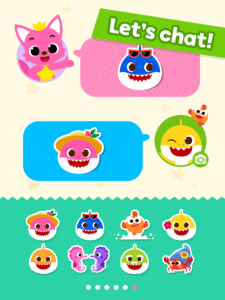
SEND FUNNY MESSAGES!
- Use variety of emojis to text Pinkfong and Baby Shark.
- Receive back texts from your kids' favorite character!
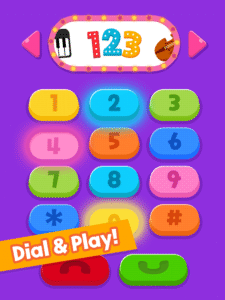
LEARN HOW TO DIAL NUMBERS!
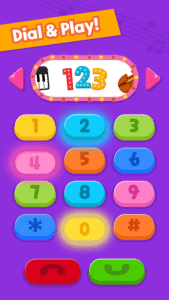
- Dial safely using keypads. Teach prechoolers and toddlers 123!
- Learn numbers from 0 to 9 in various tones.
- Choose among various instrument -- piano, violin, flute, and more!
TAKE SELFIES and PLAY PUZZLE GAMES!
- Use colorful frames that your kids love to take photos with Pinkfong and Baby Shark.
- Play puzzle games for kids with your own photos too!
- Easy to save and share pictures.
Have fun with phone games and activities for kids.
Baby Shark is the No. 1 most-viewed video on YouTube!
-
A World of Play + Learning
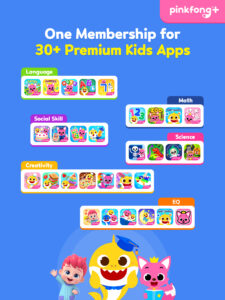
- Discover a premium kids' membership designed by Pinkfong's unique expertise!
• Official Website:
fong.kr/pinkfongplus/
• What's so great about Pinkfong Plus:
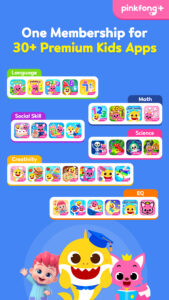
1. 30+ apps with different themes and levels for each stage of child development!
2. Interactive play and educational content that allows for self-directed learning!
3. Unlock all premium content
4. Block unsafe ads and inappropriate content
5. Exclusive Pinkfong Plus original content only available to members!
6. Connect with various devices such as smartphones, tablets, and smart TVs
7. Certified by teachers and professional organizations!
• Unlimited apps available with Pinkfong Plus:
- Baby Shark World for Kids,Baby Shark English, Bebefinn Play Phone , Baby Shark Dentist Play, Baby Shark Princess Dress Up, Baby Shark Chef Cooking Game, Bebefinn Baby Care, Baby Shark Hospital Play, Baby Shark Taco Sandwich Maker, Baby Shark's Dessert Shop, Pinkfong Baby Shark, Baby Shark Pizza Game, Pinkfong Baby Shark Phone, Pinkfong Shapes & Colors, Pinkfong Dino World, Pinkfong Tracing World, Baby Shark Coloring Book, Baby Shark Jigsaw Puzzle Fun, Baby Shark ABC Phonics, Baby Shark Makeover Game, Pinkfong My Body, Baby Shark Car Town, Pinkfong 123 Numbers, Pinkfong Guess the Animal, Pinkfong Numbers Zoo, , Pinkfong Learn Korean, Pinkfong Police Heroes Game, Pinkfong Coloring Fun, Pinkfong Super Phonics, Pinkfong Baby Shark Storybook, Pinkfong Word Power, Pinkfong Mother Goose, Pinkfong Birthday Party, Pinkfong Fun Times Tables, Pinkfong Baby Bedtime Songs, Pinkfong Hogi Star Adventure + more!
- More available apps will be updated soon.
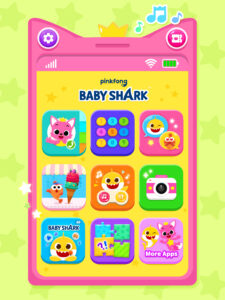
- Click the 'More Apps' button on each app's main screen or search for the app on Google Play!
-
Privacy Policy:
pid.pinkfong.com/terms?type=privacy-policy
Terms of Use of Pinkfong Integrated Services:
pid.pinkfong.com/terms?type=terms-and-conditions
Terms of Use of Pinkfong Interactive App:
pid.pinkfong.com/terms?type=interactive-terms-and-conditions
Ring, ring, who's calling? Pinkfong? Baby Shark?
Check out our newly updated "Pinkfong Baby Shark Phone" app!
- Icecream stacking game
- Baby Shark talking activity
Teach your kids how to use a smartphone with fun songs and games!
Kids can pick up & answer video calls from their favorite characters, Pinkfong and Baby Shark!
Listen to exciting songs for kids and use cute emojis to chat with these friends!
Use colorful frames to take selfies and play fun puzzles with your kids' pictures! All these amazing features are for free!
Pinkfong Baby Shark Phone Features:
ENJOY PHONE CALLS!
- Pick up the phone and chat with Pinkfong and Baby Shark.
- Sing along to popular kids songs, including Baby Shark!
- Receive random surprise calls and listen to songs for babies!
SEND FUNNY MESSAGES!
- Use variety of emojis to text Pinkfong and Baby Shark.
- Receive back texts from your kids' favorite character!
LEARN HOW TO DIAL NUMBERS!
- Dial safely using keypads. Teach prechoolers and toddlers 123!
- Learn numbers from 0 to 9 in various tones.
- Choose among various instrument -- piano, violin, flute, and more!
TAKE SELFIES and PLAY PUZZLE GAMES!
- Use colorful frames that your kids love to take photos with Pinkfong and Baby Shark.
- Play puzzle games for kids with your own photos too!
- Easy to save and share pictures.
Have fun with phone games and activities for kids.
Baby Shark is the No. 1 most-viewed video on YouTube!
-
A World of Play + Learning
- Discover a premium kids' membership designed by Pinkfong's unique expertise!
• Official Website:
fong.kr/pinkfongplus/
• What's so great about Pinkfong Plus:
1. 30+ apps with different themes and levels for each stage of child development!
2. Interactive play and educational content that allows for self-directed learning!
3. Unlock all premium content
4. Block unsafe ads and inappropriate content
5. Exclusive Pinkfong Plus original content only available to members!
6. Connect with various devices such as smartphones, tablets, and smart TVs
7. Certified by teachers and professional organizations!
• Unlimited apps available with Pinkfong Plus:
- Baby Shark World for Kids,Baby Shark English, Bebefinn Play Phone , Baby Shark Dentist Play, Baby Shark Princess Dress Up, Baby Shark Chef Cooking Game, Bebefinn Baby Care, Baby Shark Hospital Play, Baby Shark Taco Sandwich Maker, Baby Shark's Dessert Shop, Pinkfong Baby Shark, Baby Shark Pizza Game, Pinkfong Baby Shark Phone, Pinkfong Shapes & Colors, Pinkfong Dino World, Pinkfong Tracing World, Baby Shark Coloring Book, Baby Shark Jigsaw Puzzle Fun, Baby Shark ABC Phonics, Baby Shark Makeover Game, Pinkfong My Body, Baby Shark Car Town, Pinkfong 123 Numbers, Pinkfong Guess the Animal, Pinkfong Numbers Zoo, , Pinkfong Learn Korean, Pinkfong Police Heroes Game, Pinkfong Coloring Fun, Pinkfong Super Phonics, Pinkfong Baby Shark Storybook, Pinkfong Word Power, Pinkfong Mother Goose, Pinkfong Birthday Party, Pinkfong Fun Times Tables, Pinkfong Baby Bedtime Songs, Pinkfong Hogi Star Adventure + more!
- More available apps will be updated soon.
- Click the 'More Apps' button on each app's main screen or search for the app on Google Play!
-
Privacy Policy:
pid.pinkfong.com/terms?type=privacy-policy
Terms of Use of Pinkfong Integrated Services:
pid.pinkfong.com/terms?type=terms-and-conditions
Terms of Use of Pinkfong Interactive App:
pid.pinkfong.com/terms?type=interactive-terms-and-conditions
Download Pinkfong Baby Shark Phone Game APK
Fast, free and safe download.
APK Permissions 21
- android.permission.ACCESS_ADSERVICES_AD_ID
- android.permission.ACCESS_ADSERVICES_ATTRIBUTION
- android.permission.ACCESS_ADSERVICES_TOPICS
- android.permission.ACCESS_NETWORK_STATE
- android.permission.BLUETOOTH
- android.permission.CAMERA
- android.permission.FOREGROUND_SERVICE
- android.permission.INTERNET
- android.permission.MODIFY_AUDIO_SETTINGS
- android.permission.POST_NOTIFICATIONS
- android.permission.READ_EXTERNAL_STORAGE
- android.permission.RECEIVE_BOOT_COMPLETED
- android.permission.RECORD_AUDIO
- android.permission.VIBRATE
- android.permission.WAKE_LOCK
- android.permission.WRITE_EXTERNAL_STORAGE
- com.android.vending.BILLING
- com.google.android.c2dm.permission.RECEIVE
- com.google.android.finsky.permission.BIND_GET_INSTALL_REFERRER_SERVICE
- kr.co.smartstudy.singingphone_android_googlemarket.DYNAMIC_RECEIVER_NOT_EXPORTED_PERMISSION
- kr.co.smartstudy.singingphone_android_googlemarket.permission.C2D_MESSAGE
APK Verified
The cryptographic signature guarantees that the file is safe to install and was not tampered with in any way.
Similar in Education


More by The Pinkfong Company


Frequently Asked Questions about Pinkfong Baby Shark Phone Game APK
This is the universal variant — a single APK that contains native libraries for every CPU architecture. It installs on any Android device but is larger than per-architecture variants.
Yes — the APK's signature has been cryptographically verified against the publisher's signing key. The SHA-256 hash is shown in the File Information panel so you can independently confirm the file matches the original release.
Android 28 (API level 35) or newer. Older devices will refuse the install.
Install a free app like 'CPU-Z' or 'Droid Hardware Info' from the Play Store and look at the ABI / Instruction Set row. Most phones made after 2017 are arm64-v8a; if in doubt, download the universal variant.
All variants are functionally identical — same features, same version. They differ only in which CPU architectures the native code is compiled for, and (sometimes) which screen densities the included graphics target. Pick the one that matches your device for the smallest install size, or pick 'Universal' if you're unsure.