
This is the universal build of TIDAL Music: HiFi sound 2.163.0. It contains native libraries for every CPU architecture (arm64-v8a, armeabi-v7a, x86, x86_64), so it installs on any Android device. The trade-off is size — it's larger than per-architecture variants. Pick this one if you're unsure which CPU your phone has, or if you plan to share the APK with multiple devices.
File size: 49.3 MB • Min Android: 24 • Target Android: 35 • Version code: 9028 • Framework: Native (Java/Kotlin) • Permissions: 20
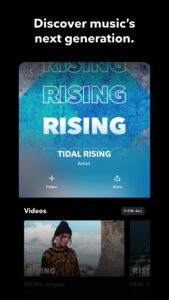
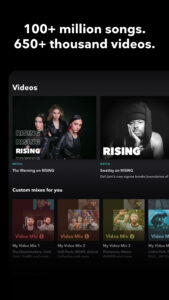
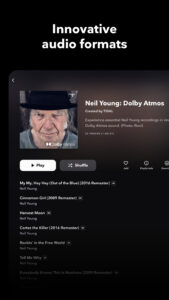
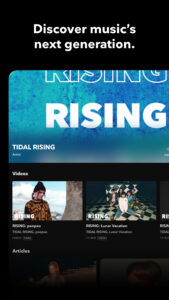
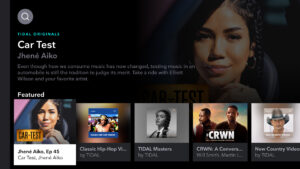
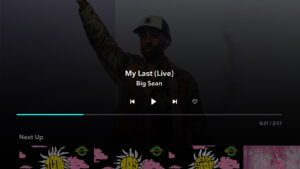
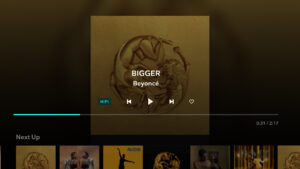
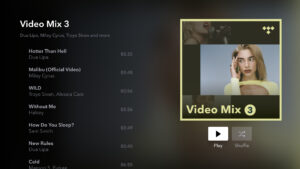
Screenshots
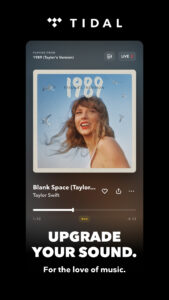
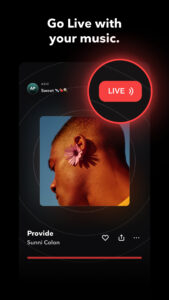
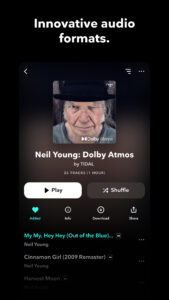
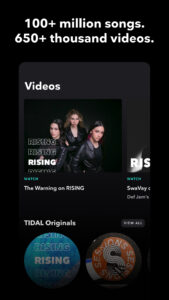

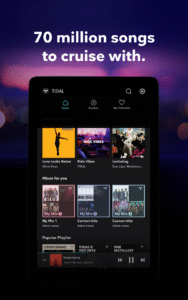
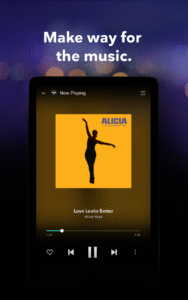
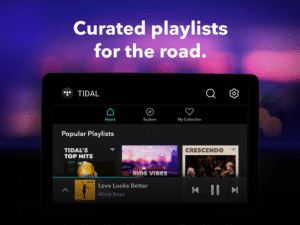
File Information
| Package Name | com.aspiro.tidal |
|---|---|
| Version Name | 2.163.0 |
| Version Code | 9028 |
| Architecture | Universal |
| Min Android Version | Android 24 (API 35) |
| Main Activity | com.aspiro.wamp.LoginFragmentActivity |
| Framework | Native (Java/Kotlin) |
| File Size | 49.25 MB |
| Signature (SHA1) | 4A4271A5234894D8366B8BF4E2176688D11160FD |
| File Hash (SHA256) | 1cab3175d24621c8cae0555a6684c0f7281a65ca5d66911c49bf7d565e29712b |
What's New
In this version, we’ve:
- Added the ability to stream HiRes FLAC, via Chromecast, for most tracks.
- Added bitrate and sampling rates to all non-MQA tracks.
- Added the ability to stream HiRes FLAC, via Chromecast, for most tracks.
- Added bitrate and sampling rates to all non-MQA tracks.
App Description
With the TIDAL app's extensive library of music, offline music features, and personalized recommendations, TIDAL is a must-have app for anyone who loves music. Whether you're on the go or just relaxing at home, TIDAL has everything you need to enjoy your favorite tracks and discover new music.
Why download the TIDAL music app?
Try TIDAL for FREE: with a 30-day trial, you can experience the difference for yourself
High-quality audio streaming: TIDAL offers high-fidelity audio streaming, providing you with an immersive and rich listening experience.
Huge selection of music genres: The TIDAL music app offers an extensive library of millions of songs and albums across multiple genres, making it easy to discover new music and listen to favorite tracks.
Offline music feature: TIDAL allows you to download tracks and albums for listening offline, without an internet connection (no wifi), providing a seamless offline listening experience that is both convenient and enjoyable.
Discovery and personalized recommendations: TIDAL offers curated playlists, and personalized recommendations based on your listening habits and individual music preferences.
Subscription options: TIDAL offers multiple plan options - with a month FREE trial, making it easy to download, try and enjoy the app.
TIDAL has a range of plans suited to fit your needs. Besides our Individual payment plan, we offer a great value Family plan (you plus 5 family members) and a discounted Student plan.
When you download and try the TIDAL app for the first time, you get access to 30 days of FREE music!
All plans include:
- Millions of songs in HiRes lossless sound quality up to up to 24-bit, 192 kHz and Dolby Atmos
- Ad-free listening, unlimited skips
- Personalized mixes based on your preferences
- Editorially curated playlists
- Offline mode
- Track and share your streaming activity
- TIDAL Connect, to listen in lossless quality on supported devices
Subscription automatically renews on a monthly basis. Cancel anytime.
Terms and Conditions of Use:
tidal.com/terms
Privacy Notice:
tidal.com/privacy
Can I try the TIDAL app free of charge?
You can sign up for a free trial of TIDAL for an ad-free, fully interactive listening experience.
Can I import my playlists from other streaming services I use?
We know the effort you put into curating the perfect playlist. Move your favorite playlists, tracks, albums, and artists from another music streaming service with tidal.com/transfer-music.
Can I download and listen to my music offline?
Yes! To download music for offline listening, you simply need to find the song, album, or playlist you want and select the download button. Once downloaded, the audio files are stored on your device, allowing you to access and play your music without a wifi or internet connection. With offline music, TIDAL provides a seamless listening experience that is both convenient and enjoyable.
Why download the TIDAL music app?
Try TIDAL for FREE: with a 30-day trial, you can experience the difference for yourself
High-quality audio streaming: TIDAL offers high-fidelity audio streaming, providing you with an immersive and rich listening experience.
Huge selection of music genres: The TIDAL music app offers an extensive library of millions of songs and albums across multiple genres, making it easy to discover new music and listen to favorite tracks.
Offline music feature: TIDAL allows you to download tracks and albums for listening offline, without an internet connection (no wifi), providing a seamless offline listening experience that is both convenient and enjoyable.
Discovery and personalized recommendations: TIDAL offers curated playlists, and personalized recommendations based on your listening habits and individual music preferences.
Subscription options: TIDAL offers multiple plan options - with a month FREE trial, making it easy to download, try and enjoy the app.
TIDAL has a range of plans suited to fit your needs. Besides our Individual payment plan, we offer a great value Family plan (you plus 5 family members) and a discounted Student plan.
When you download and try the TIDAL app for the first time, you get access to 30 days of FREE music!
All plans include:
- Millions of songs in HiRes lossless sound quality up to up to 24-bit, 192 kHz and Dolby Atmos
- Ad-free listening, unlimited skips
- Personalized mixes based on your preferences
- Editorially curated playlists
- Offline mode
- Track and share your streaming activity
- TIDAL Connect, to listen in lossless quality on supported devices
Subscription automatically renews on a monthly basis. Cancel anytime.
Terms and Conditions of Use:
tidal.com/terms
Privacy Notice:
tidal.com/privacy
Can I try the TIDAL app free of charge?
You can sign up for a free trial of TIDAL for an ad-free, fully interactive listening experience.
Can I import my playlists from other streaming services I use?
We know the effort you put into curating the perfect playlist. Move your favorite playlists, tracks, albums, and artists from another music streaming service with tidal.com/transfer-music.
Can I download and listen to my music offline?
Yes! To download music for offline listening, you simply need to find the song, album, or playlist you want and select the download button. Once downloaded, the audio files are stored on your device, allowing you to access and play your music without a wifi or internet connection. With offline music, TIDAL provides a seamless listening experience that is both convenient and enjoyable.
Download TIDAL Music: HiFi sound APK
Fast, free and safe download.
APK Permissions 20
- android.permission.ACCESS_NETWORK_STATE
- android.permission.ACCESS_WIFI_STATE
- android.permission.BLUETOOTH
- android.permission.BLUETOOTH_CONNECT
- android.permission.CHANGE_WIFI_MULTICAST_STATE
- android.permission.FOREGROUND_SERVICE
- android.permission.FOREGROUND_SERVICE_DATA_SYNC
- android.permission.FOREGROUND_SERVICE_MEDIA_PLAYBACK
- android.permission.INTERNET
- android.permission.POST_NOTIFICATIONS
- android.permission.READ_PHONE_STATE
- android.permission.RECEIVE_BOOT_COMPLETED
- android.permission.RECORD_AUDIO
- android.permission.USE_CREDENTIALS
- android.permission.WAKE_LOCK
- com.android.vending.BILLING
- com.aspiro.tidal.DYNAMIC_RECEIVER_NOT_EXPORTED_PERMISSION
- com.google.android.c2dm.permission.RECEIVE
- com.google.android.finsky.permission.BIND_GET_INSTALL_REFERRER_SERVICE
- com.google.android.gms.permission.AD_ID
APK Verified
The cryptographic signature guarantees that the file is safe to install and was not tampered with in any way.


Frequently Asked Questions about TIDAL Music: HiFi sound APK
This is the universal variant — a single APK that contains native libraries for every CPU architecture. It installs on any Android device but is larger than per-architecture variants.
Yes — the APK's signature has been cryptographically verified against the publisher's signing key. The SHA-256 hash is shown in the File Information panel so you can independently confirm the file matches the original release.
Android 24 (API level 35) or newer. Older devices will refuse the install.
Install a free app like 'CPU-Z' or 'Droid Hardware Info' from the Play Store and look at the ABI / Instruction Set row. Most phones made after 2017 are arm64-v8a; if in doubt, download the universal variant.
All variants are functionally identical — same features, same version. They differ only in which CPU architectures the native code is compiled for, and (sometimes) which screen densities the included graphics target. Pick the one that matches your device for the smallest install size, or pick 'Universal' if you're unsure.