
This is the universal build of Transkriptor - Speech to Text 2.1.4. It contains native libraries for every CPU architecture (arm64-v8a, armeabi-v7a, x86, x86_64), so it installs on any Android device. The trade-off is size — it's larger than per-architecture variants. Pick this one if you're unsure which CPU your phone has, or if you plan to share the APK with multiple devices.
File size: 128.5 MB • Min Android: 24 • Target Android: 35 • Version code: 1077 • Framework: Native (Java/Kotlin) • Permissions: 29
Screenshots


File Information
| Package Name | com.transkriptor.app |
|---|---|
| Version Name | 2.1.4 |
| Version Code | 1077 |
| Architecture | Universal |
| Min Android Version | Android 24 (API 35) |
| Main Activity | com.transkriptor.app.MainActivity |
| Framework | Native (Java/Kotlin) |
| File Size | 128.51 MB |
| Signature (SHA1) | B56C10964DD7E2954514B22288046E2F52142972 |
| File Hash (SHA256) | 418288943756c1ee6c1add3a41df4b85fef2f112da384092c974402e8a351e22 |
What's New
We've implemented several performance improvements and fixed various bugs to enhance your overall experience.
App Description
Transkriptor: The Ultimate AI-Powered Speech-to-Text App and Productivity Tool
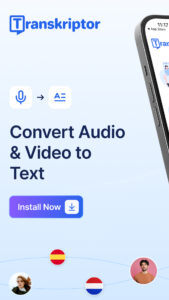
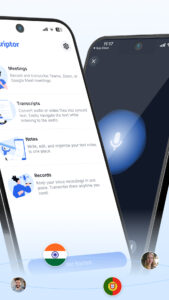
Save time with Transkriptor, your all-in-one AI assistant for transcription and AI note-taking. Easily transcribe meetings, convert voice notes and memos to text, and transform videos into written notes. Transkriptor combines powerful AI features with convenience and speed for a seamless experience.
Key Features of Transkriptor:
★ AI Assistant:
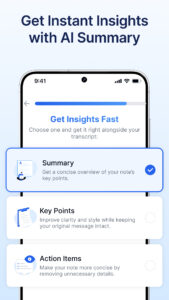
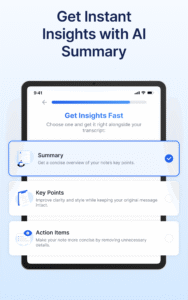
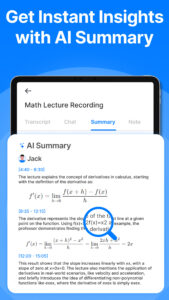
Transkriptor’s AI assistant enhances your workflow by generating AI summaries, drafting emails, and converting voice memos into text, helping you efficiently manage and interact with your transcripts.
★ AI Chat:
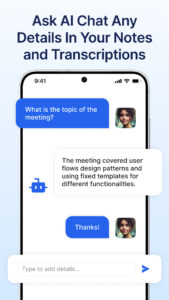
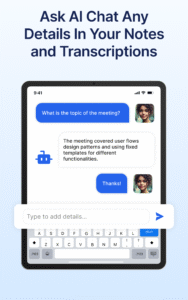
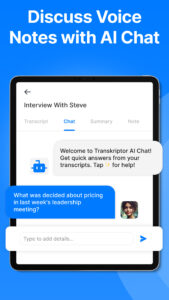
Interact directly with your transcripts using AI chat. Ask questions, extract important details, and get summaries—all through a user-friendly chat interface that saves time and boosts productivity.
★ AI Voice Memos:
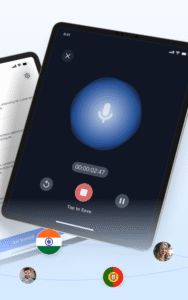
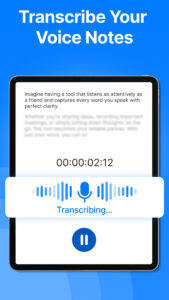
Automatically transcribe voice memos with AI-powered precision. Capture every detail from your voice recordings, turning them into easy-to-read text that saves time and keeps your notes organized.
★ Convert Voice Notes to Text:
Effortlessly convert voice notes to text with high accuracy, supporting various formats like MP3, WAV, and M4A. Ideal for transcribing voice memos, meetings, lectures, interviews, and more.
★ Convert Video to Text:
Perfect for creating captions, transcribing video content, or generating notes from webinars and Youtube videos ensuring nothing is missed.
★ Take Notes with Voice:
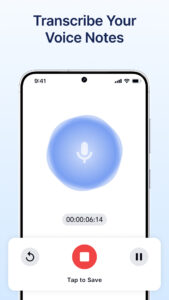
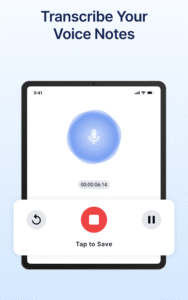
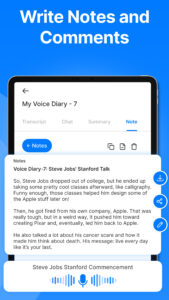
Use Transkriptor’s integrated audio recorder to capture lectures, personal thoughts, or any spoken content directly from your device. Easily take notes with voice, then navigate your recordings and transcripts with AI chat for quick access to key points.
★ Transcribe Voice Memos to Text:
Convert voice memos into clear, organized notes with exceptional accuracy. Use our meeting assistant to capture every detail and create knowledge bases from transcriptions, ensuring all important information is documented and accessible.
Why Choose Transkriptor?
1. Save Time and Enhance Efficiency: Transkriptor’s AI features like the AI assistant, AI chat, and voice memo transcription reduce the time spent on manual note-taking and transcription. Let our AI handle the details while you focus on what matters most.
2. Versatility Across Formats: Whether transcribing voice notes, converting audio to text, or converting video to text, Transkriptor provides a comprehensive solution for all your transcription needs in one intuitive app.
3. Flexible and Affordable Plans: Start with our free plan, offering 90 minutes of transcription to explore our features, including AI chat and AI summary.
4. Secure and Private: Transkriptor ensures your data is securely stored and kept confidential, never shared with third parties.
Additional Features to Enhance Your Experience:
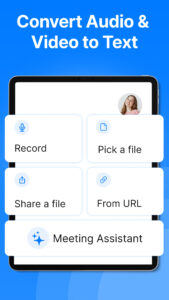
※ Import and Transcribe: Easily upload audio and video files for transcription. Transkriptor supports multiple formats, catering to a variety of use cases.
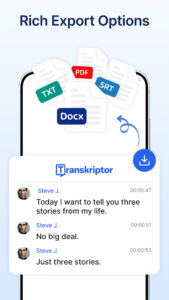
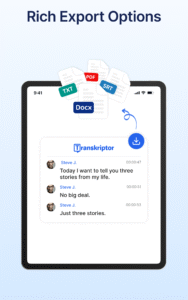
※ Export in Multiple Formats: Download your transcripts in formats like PDF, DOCX, TXT, and SRT, perfect for documentation, sharing, and archiving.
※ Speaker Identification: Automatically tag different speakers in your transcripts, making it easier to follow conversations with multiple voices.
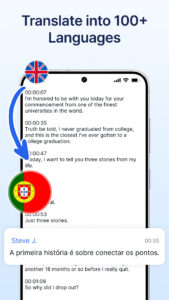
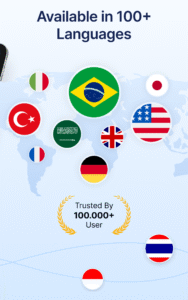
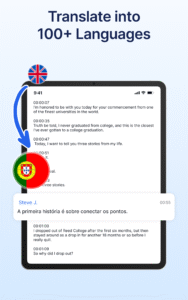
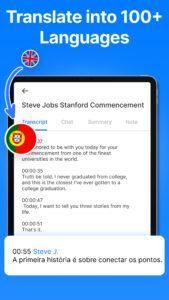
※ Translation and Language Support: Transkriptor supports transcription in over 40 languages, making it perfect for global users and multilingual environments.
※ Organize with AI: Efficiently manage your transcripts with AI-powered folders, tags, and search features to quickly locate what you need.
Get Started with Transkriptor Today!
Can I transcribe for free?
Yes! Sign up to receive free transcription credits. Easily transcribe audio or video files like Amberscript, Otter, Temi, Notta, SoundType AI Rev.com, or HappyScribe!
Convert audio to text
Save time with Transkriptor, your all-in-one AI assistant for transcription and AI note-taking. Easily transcribe meetings, convert voice notes and memos to text, and transform videos into written notes. Transkriptor combines powerful AI features with convenience and speed for a seamless experience.
Key Features of Transkriptor:
★ AI Assistant:
Transkriptor’s AI assistant enhances your workflow by generating AI summaries, drafting emails, and converting voice memos into text, helping you efficiently manage and interact with your transcripts.
★ AI Chat:
Interact directly with your transcripts using AI chat. Ask questions, extract important details, and get summaries—all through a user-friendly chat interface that saves time and boosts productivity.
★ AI Voice Memos:
Automatically transcribe voice memos with AI-powered precision. Capture every detail from your voice recordings, turning them into easy-to-read text that saves time and keeps your notes organized.
★ Convert Voice Notes to Text:
Effortlessly convert voice notes to text with high accuracy, supporting various formats like MP3, WAV, and M4A. Ideal for transcribing voice memos, meetings, lectures, interviews, and more.
★ Convert Video to Text:
Perfect for creating captions, transcribing video content, or generating notes from webinars and Youtube videos ensuring nothing is missed.
★ Take Notes with Voice:
Use Transkriptor’s integrated audio recorder to capture lectures, personal thoughts, or any spoken content directly from your device. Easily take notes with voice, then navigate your recordings and transcripts with AI chat for quick access to key points.
★ Transcribe Voice Memos to Text:
Convert voice memos into clear, organized notes with exceptional accuracy. Use our meeting assistant to capture every detail and create knowledge bases from transcriptions, ensuring all important information is documented and accessible.
Why Choose Transkriptor?
1. Save Time and Enhance Efficiency: Transkriptor’s AI features like the AI assistant, AI chat, and voice memo transcription reduce the time spent on manual note-taking and transcription. Let our AI handle the details while you focus on what matters most.
2. Versatility Across Formats: Whether transcribing voice notes, converting audio to text, or converting video to text, Transkriptor provides a comprehensive solution for all your transcription needs in one intuitive app.
3. Flexible and Affordable Plans: Start with our free plan, offering 90 minutes of transcription to explore our features, including AI chat and AI summary.
4. Secure and Private: Transkriptor ensures your data is securely stored and kept confidential, never shared with third parties.
Additional Features to Enhance Your Experience:
※ Import and Transcribe: Easily upload audio and video files for transcription. Transkriptor supports multiple formats, catering to a variety of use cases.
※ Export in Multiple Formats: Download your transcripts in formats like PDF, DOCX, TXT, and SRT, perfect for documentation, sharing, and archiving.
※ Speaker Identification: Automatically tag different speakers in your transcripts, making it easier to follow conversations with multiple voices.
※ Translation and Language Support: Transkriptor supports transcription in over 40 languages, making it perfect for global users and multilingual environments.
※ Organize with AI: Efficiently manage your transcripts with AI-powered folders, tags, and search features to quickly locate what you need.
Get Started with Transkriptor Today!
Can I transcribe for free?
Yes! Sign up to receive free transcription credits. Easily transcribe audio or video files like Amberscript, Otter, Temi, Notta, SoundType AI Rev.com, or HappyScribe!
Convert audio to text
Download Transkriptor - Speech to Text APK
Fast, free and safe download.
APK Permissions 29
- android.permission.ACCESS_ADSERVICES_AD_ID
- android.permission.ACCESS_ADSERVICES_ATTRIBUTION
- android.permission.ACCESS_ADSERVICES_CUSTOM_AUDIENCE
- android.permission.ACCESS_ADSERVICES_TOPICS
- android.permission.ACCESS_NETWORK_STATE
- android.permission.FOREGROUND_SERVICE
- android.permission.FOREGROUND_SERVICE_MEDIA_PLAYBACK
- android.permission.FOREGROUND_SERVICE_MEDIA_PROJECTION
- android.permission.FOREGROUND_SERVICE_MICROPHONE
- android.permission.INTERNET
- android.permission.MODIFY_AUDIO_SETTINGS
- android.permission.POST_NOTIFICATIONS
- android.permission.READ_EXTERNAL_STORAGE
- android.permission.READ_MEDIA_AUDIO
- android.permission.READ_MEDIA_VIDEO
- android.permission.RECEIVE_BOOT_COMPLETED
- android.permission.RECORD_AUDIO
- android.permission.REQUEST_IGNORE_BATTERY_OPTIMIZATIONS
- android.permission.SYSTEM_ALERT_WINDOW
- android.permission.VIBRATE
- android.permission.WAKE_LOCK
- android.permission.WRITE_EXTERNAL_STORAGE
- com.android.vending.BILLING
- com.google.android.c2dm.permission.RECEIVE
- com.google.android.finsky.permission.BIND_GET_INSTALL_REFERRER_SERVICE
- com.google.android.gms.permission.AD_ID
- com.google.android.providers.gsf.permission.READ_GSERVICES
- com.transkriptor.app.DYNAMIC_RECEIVER_NOT_EXPORTED_PERMISSION
- com.transkriptor.app.REQUEST_IGNORE_BATTERY_OPTIMIZATIONS
APK Verified
The cryptographic signature guarantees that the file is safe to install and was not tampered with in any way.


Frequently Asked Questions about Transkriptor - Speech to Text APK
This is the universal variant — a single APK that contains native libraries for every CPU architecture. It installs on any Android device but is larger than per-architecture variants.
Yes — the APK's signature has been cryptographically verified against the publisher's signing key. The SHA-256 hash is shown in the File Information panel so you can independently confirm the file matches the original release.
Android 24 (API level 35) or newer. Older devices will refuse the install.
Install a free app like 'CPU-Z' or 'Droid Hardware Info' from the Play Store and look at the ABI / Instruction Set row. Most phones made after 2017 are arm64-v8a; if in doubt, download the universal variant.
All variants are functionally identical — same features, same version. They differ only in which CPU architectures the native code is compiled for, and (sometimes) which screen densities the included graphics target. Pick the one that matches your device for the smallest install size, or pick 'Universal' if you're unsure.