
This is the universal build of TP-Link Deco 3.9.109. It contains native libraries for every CPU architecture (arm64-v8a, armeabi-v7a, x86, x86_64), so it installs on any Android device. The trade-off is size — it's larger than per-architecture variants. Pick this one if you're unsure which CPU your phone has, or if you plan to share the APK with multiple devices.
File size: 146.2 MB • Min Android: 24 • Target Android: 34 • Version code: 1198 • Framework: Native (Java/Kotlin) • Permissions: 27
Screenshots
File Information
| Package Name | com.tplink.tpm5 |
|---|---|
| Version Name | 3.9.109 |
| Version Code | 1198 |
| Architecture | Universal |
| Min Android Version | Android 24 (API 34) |
| Main Activity | com.tplink.tpm5.component.account.welcome.view.WelcomeActivity |
| Framework | Native (Java/Kotlin) |
| File Size | 146.24 MB |
| Signature (SHA1) | C2864363EF24DEC324FB6C557C40B8C4AEE672E0 |
| File Hash (SHA256) | 3b0eaf000801ee45a986be441235b37190d1e4c78c2c1efa4f44bf2a5dc2d4c4 |
What's New
Fixed some bugs and improved the stability.
App Description
Welcome to the Deco App — the perfect way to set up your mesh WiFi in minutes and control your whole network.
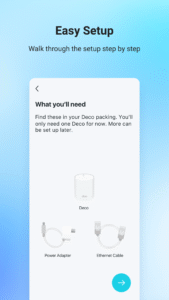
Our simple-to-follow guide walks you through the setup process and even gives you suggestions for whole home coverage.
Once connected, you’ll have instant access to check every connected device, manage your kids’ online activity, and control your home network effortlessly. All from the palm of your hand.
- EASY TO SET UP AND MANAGE
• Quickly set up with step-by-step instructions
• Find the best spots to place additional Deco units for maximum coverage
• Control your WiFi network without turning on your computer
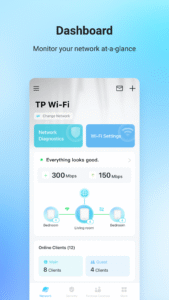
• Check your connection status and network speed at a glance
• Find out who or what is connecting to your network
• Instantly block unwanted devices with a tap
- PROTECT YOUR WIFI
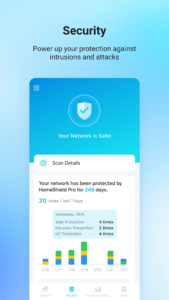
• Detect potential threats and receive warnings before things get serious
• Create a guest network to give friends internet access while shielding your private network
• Block unauthorized access and inappropriate content
• Run network performance tests
- FIND FAMILY TIME WITH PARENTAL CONTROLS
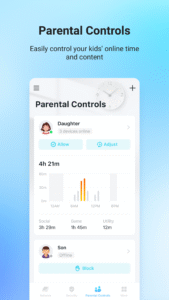
• Set a time restriction and pause the WiFi on kids’ devices
• Control when specific devices have WiFi access
• Make room for more family time with Schedules
- PRIORITIZE YOUR FAVORITE DEVICES
QoS lets you choose which devices always have the fastest connections. Set a schedule to assign device priority for different times of the day.
- KNOW EVERYTHING ABOUT YOUR NETWORK
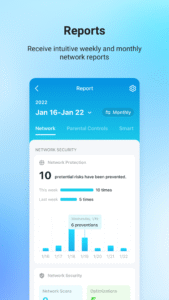
Detailed reports help you understand your home WiFi and everything connected.
- CREATE YOUR SMART HOME
Connect, control, and check the status of your smart cameras, plugs, and lights – all from the Deco app.
Features available in Deco may vary by model and software version. Stay tuned for updates as we add new features and products to the Deco family!
Privacy Policy:
privacy.tp-link.com/app/Deco/privacy
Term of Use:
privacy.tp-link.com/app/Deco/tou
HomeShield Subscription Service Agreement:
privacy.tp-link.com/others/homeshield/sa
HomeShield Privacy Policy:
privacy.tp-link.com/others/homeshield/policy
For more information about Deco, visit
www.tp-link.com
Our simple-to-follow guide walks you through the setup process and even gives you suggestions for whole home coverage.
Once connected, you’ll have instant access to check every connected device, manage your kids’ online activity, and control your home network effortlessly. All from the palm of your hand.
- EASY TO SET UP AND MANAGE
• Quickly set up with step-by-step instructions
• Find the best spots to place additional Deco units for maximum coverage
• Control your WiFi network without turning on your computer
• Check your connection status and network speed at a glance
• Find out who or what is connecting to your network
• Instantly block unwanted devices with a tap
- PROTECT YOUR WIFI
• Detect potential threats and receive warnings before things get serious
• Create a guest network to give friends internet access while shielding your private network
• Block unauthorized access and inappropriate content
• Run network performance tests
- FIND FAMILY TIME WITH PARENTAL CONTROLS
• Set a time restriction and pause the WiFi on kids’ devices
• Control when specific devices have WiFi access
• Make room for more family time with Schedules
- PRIORITIZE YOUR FAVORITE DEVICES
QoS lets you choose which devices always have the fastest connections. Set a schedule to assign device priority for different times of the day.
- KNOW EVERYTHING ABOUT YOUR NETWORK
Detailed reports help you understand your home WiFi and everything connected.
- CREATE YOUR SMART HOME
Connect, control, and check the status of your smart cameras, plugs, and lights – all from the Deco app.
Features available in Deco may vary by model and software version. Stay tuned for updates as we add new features and products to the Deco family!
Privacy Policy:
privacy.tp-link.com/app/Deco/privacy
Term of Use:
privacy.tp-link.com/app/Deco/tou
HomeShield Subscription Service Agreement:
privacy.tp-link.com/others/homeshield/sa
HomeShield Privacy Policy:
privacy.tp-link.com/others/homeshield/policy
For more information about Deco, visit
www.tp-link.com
Download TP-Link Deco APK
Fast, free and safe download.
APK Permissions 27
- android.permission.ACCESS_COARSE_LOCATION
- android.permission.ACCESS_FINE_LOCATION
- android.permission.ACCESS_NETWORK_STATE
- android.permission.ACCESS_WIFI_STATE
- android.permission.BLUETOOTH
- android.permission.BLUETOOTH_ADMIN
- android.permission.BLUETOOTH_CONNECT
- android.permission.BLUETOOTH_PRIVILEGED
- android.permission.BLUETOOTH_SCAN
- android.permission.CAMERA
- android.permission.CHANGE_NETWORK_STATE
- android.permission.CHANGE_WIFI_MULTICAST_STATE
- android.permission.CHANGE_WIFI_STATE
- android.permission.FOREGROUND_SERVICE
- android.permission.INTERNET
- android.permission.POST_NOTIFICATIONS
- android.permission.READ_EXTERNAL_STORAGE
- android.permission.REORDER_TASKS
- android.permission.SYSTEM_ALERT_WINDOW
- android.permission.USE_BIOMETRIC
- android.permission.USE_FINGERPRINT
- android.permission.VIBRATE
- android.permission.WAKE_LOCK
- android.permission.WRITE_EXTERNAL_STORAGE
- com.android.vending.BILLING
- com.google.android.c2dm.permission.RECEIVE
- com.tplink.tpm5.DYNAMIC_RECEIVER_NOT_EXPORTED_PERMISSION
APK Verified
The cryptographic signature guarantees that the file is safe to install and was not tampered with in any way.
Similar in Tools


Frequently Asked Questions about TP-Link Deco APK
This is the universal variant — a single APK that contains native libraries for every CPU architecture. It installs on any Android device but is larger than per-architecture variants.
Yes — the APK's signature has been cryptographically verified against the publisher's signing key. The SHA-256 hash is shown in the File Information panel so you can independently confirm the file matches the original release.
Android 24 (API level 34) or newer. Older devices will refuse the install.
Install a free app like 'CPU-Z' or 'Droid Hardware Info' from the Play Store and look at the ABI / Instruction Set row. Most phones made after 2017 are arm64-v8a; if in doubt, download the universal variant.
All variants are functionally identical — same features, same version. They differ only in which CPU architectures the native code is compiled for, and (sometimes) which screen densities the included graphics target. Pick the one that matches your device for the smallest install size, or pick 'Universal' if you're unsure.