
This is the universal build of TP-Link Tether 4.12.24. It contains native libraries for every CPU architecture (arm64-v8a, armeabi-v7a, x86, x86_64), so it installs on any Android device. The trade-off is size — it's larger than per-architecture variants. Pick this one if you're unsure which CPU your phone has, or if you plan to share the APK with multiple devices.
File size: 235.1 MB • Min Android: 24 • Target Android: 34 • Version code: 574 • Framework: Native (Java/Kotlin) • Permissions: 30
Screenshots
File Information
| Package Name | com.tplink.tether |
|---|---|
| Version Name | 4.12.24 |
| Version Code | 574 |
| Architecture | Universal |
| Min Android Version | Android 24 (API 34) |
| Main Activity | com.tplink.tether.WelcomeActivity |
| Framework | Native (Java/Kotlin) |
| File Size | 235.05 MB |
| Signature (SHA1) | C2864363EF24DEC324FB6C557C40B8C4AEE672E0 |
| File Hash (SHA256) | 9ae6a432bf78b492586f91fd4e433764b89d6eaec0eecf1777c2a6450ba4808a |
What's New
• Added options to adjust font size and color contrast.
• Enhanced accessibility features for VoiceOver/TalkBack.
• Improved color contrast.
• Enhanced accessibility features for VoiceOver/TalkBack.
• Improved color contrast.
App Description
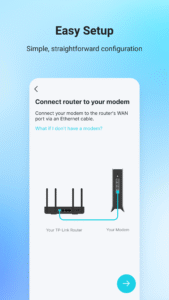
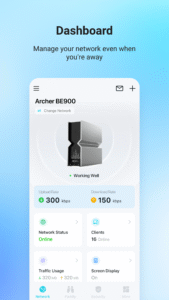
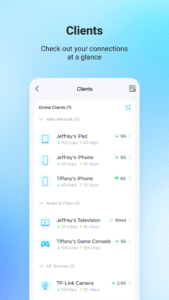
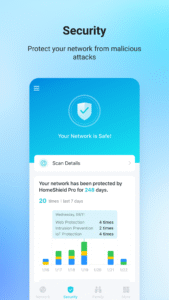
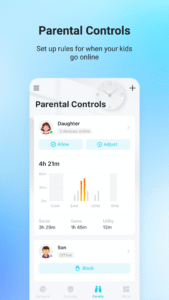
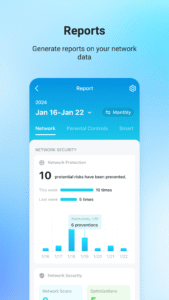
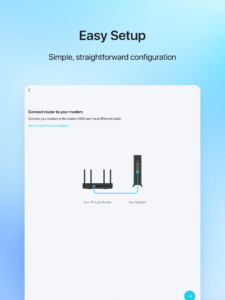
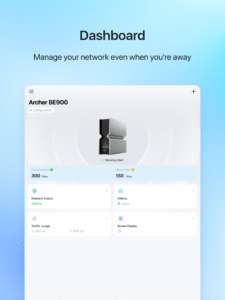
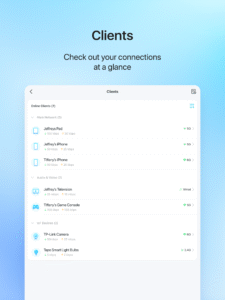
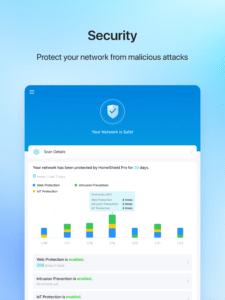
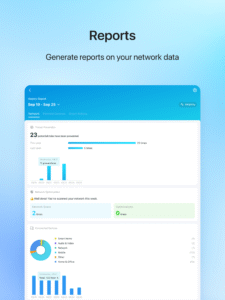
TP-Link Tether provides the easiest way to access and manage your TP-Link Router/ xDSL Router/ Range Extender with your mobile devices. From quick setup to parental controls, Tether provides a simple, intuitive user interface to see your device status, online client devices and their privileges.
- Setup SSID, password and Internet or VDSL/ADSL settings of your devices
- Block unauthorized users who are accessing your devices
- Manage permissions of client devices
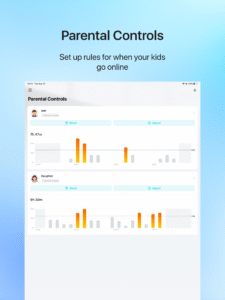
- Parental control function with schedule and URL-based Internet access management
- Find the best location to place your range extender
- Automatically turn off the LEDs at specific time
- Manage most of TP-Link devices simultaneously
Compatible Routers
www.tp-link.com/tether/product-list/
*To learn how to find the hardware version of your device, go to
www.tp-link.com/faq-46.html
More devices supported by Tether are coming soon!
Important Notes
● Upgrade firmware is required. Go to the download page to choose the correct version and download the latest firmware:
www.tp-link.com/support.html
● TP-Link Tether does not work when connected to guest network
● For any issue, please contact
www.tp-link.com/support.html
- Setup SSID, password and Internet or VDSL/ADSL settings of your devices
- Block unauthorized users who are accessing your devices
- Manage permissions of client devices
- Parental control function with schedule and URL-based Internet access management
- Find the best location to place your range extender
- Automatically turn off the LEDs at specific time
- Manage most of TP-Link devices simultaneously
Compatible Routers
www.tp-link.com/tether/product-list/
*To learn how to find the hardware version of your device, go to
www.tp-link.com/faq-46.html
More devices supported by Tether are coming soon!
Important Notes
● Upgrade firmware is required. Go to the download page to choose the correct version and download the latest firmware:
www.tp-link.com/support.html
● TP-Link Tether does not work when connected to guest network
● For any issue, please contact
www.tp-link.com/support.html
Download TP-Link Tether APK
Fast, free and safe download.
APK Permissions 30
- android.permission.ACCESS_COARSE_LOCATION
- android.permission.ACCESS_FINE_LOCATION
- android.permission.ACCESS_NETWORK_STATE
- android.permission.ACCESS_WIFI_STATE
- android.permission.BLUETOOTH
- android.permission.BLUETOOTH_ADMIN
- android.permission.BLUETOOTH_CONNECT
- android.permission.BLUETOOTH_PRIVILEGED
- android.permission.BLUETOOTH_SCAN
- android.permission.CAMERA
- android.permission.CHANGE_NETWORK_STATE
- android.permission.CHANGE_WIFI_MULTICAST_STATE
- android.permission.CHANGE_WIFI_STATE
- android.permission.FOREGROUND_SERVICE
- android.permission.FOREGROUND_SERVICE_DATA_SYNC
- android.permission.INTERNET
- android.permission.NEARBY_WIFI_DEVICES
- android.permission.POST_NOTIFICATIONS
- android.permission.READ_EXTERNAL_STORAGE
- android.permission.REORDER_TASKS
- android.permission.SYSTEM_ALERT_WINDOW
- android.permission.USE_BIOMETRIC
- android.permission.USE_FINGERPRINT
- android.permission.VIBRATE
- android.permission.WAKE_LOCK
- android.permission.WRITE_EXTERNAL_STORAGE
- com.android.vending.BILLING
- com.google.android.c2dm.permission.RECEIVE
- com.google.android.finsky.permission.BIND_GET_INSTALL_REFERRER_SERVICE
- com.tplink.tether.DYNAMIC_RECEIVER_NOT_EXPORTED_PERMISSION
APK Verified
The cryptographic signature guarantees that the file is safe to install and was not tampered with in any way.
Similar in Tools


Frequently Asked Questions about TP-Link Tether APK
This is the universal variant — a single APK that contains native libraries for every CPU architecture. It installs on any Android device but is larger than per-architecture variants.
Yes — the APK's signature has been cryptographically verified against the publisher's signing key. The SHA-256 hash is shown in the File Information panel so you can independently confirm the file matches the original release.
Android 24 (API level 34) or newer. Older devices will refuse the install.
Install a free app like 'CPU-Z' or 'Droid Hardware Info' from the Play Store and look at the ABI / Instruction Set row. Most phones made after 2017 are arm64-v8a; if in doubt, download the universal variant.
All variants are functionally identical — same features, same version. They differ only in which CPU architectures the native code is compiled for, and (sometimes) which screen densities the included graphics target. Pick the one that matches your device for the smallest install size, or pick 'Universal' if you're unsure.