
Screenshots
File Information
| Package Name | com.tplink.tether |
|---|---|
| Version Name | 4.12.28 |
| Version Code | 578 |
| Architecture | Universal |
| Min Android Version | Android 24 (API 34) |
| Main Activity | com.tplink.tether.WelcomeActivity |
| Framework | Native (Java/Kotlin) |
| File Size | 235.41 MB |
| Signature (SHA1) | C2864363EF24DEC324FB6C557C40B8C4AEE672E0 |
| File Hash (SHA256) | 1ec5ea7ae83f9afc79dbf0dda1dcfac5b14fdfa874a5f4c513ecd77f427b22ab |
What's New
Fixed some bugs and improved the stability.
App Description
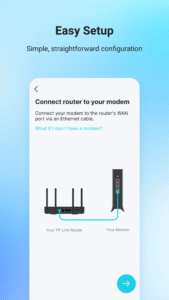
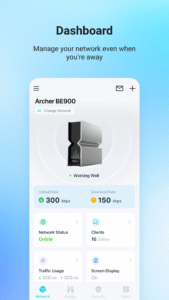
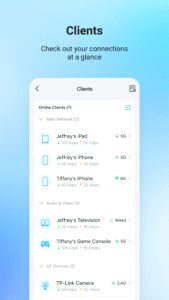
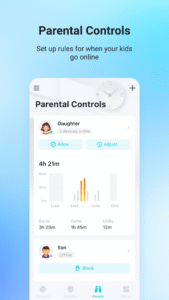
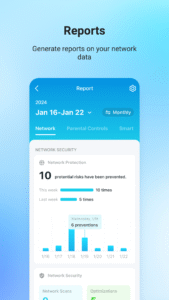
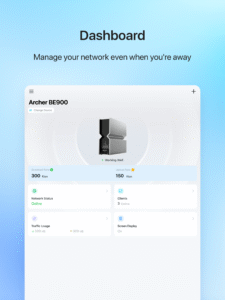
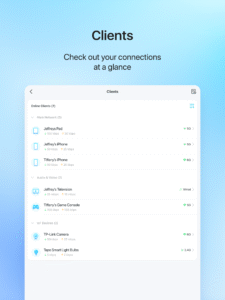
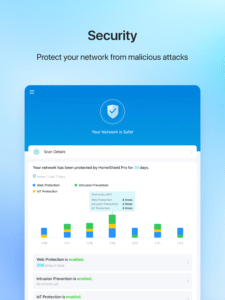
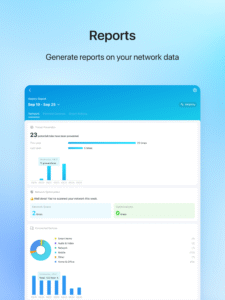
TP-Link Tether provides the easiest way to access and manage your TP-Link Router/ xDSL Router/ Range Extender with your mobile devices. From quick setup to parental controls, Tether provides a simple, intuitive user interface to see your device status, online client devices and their privileges.
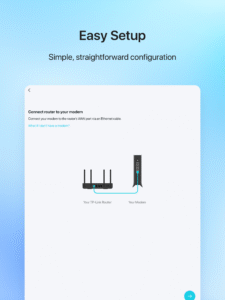
- Setup SSID, password and Internet or VDSL/ADSL settings of your devices
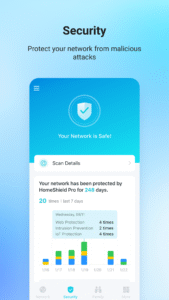
- Block unauthorized users who are accessing your devices
- Manage permissions of client devices
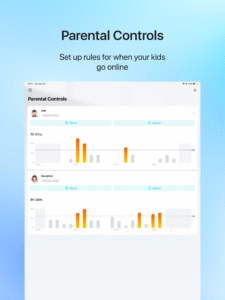
- Parental control function with schedule and URL-based Internet access management
- Find the best location to place your range extender
- Automatically turn off the LEDs at specific time
- Manage most of TP-Link devices simultaneously
Compatible Routers
www.tp-link.com/tether/product-list/
*To learn how to find the hardware version of your device, go to
www.tp-link.com/faq-46.html
More devices supported by Tether are coming soon!
Important Notes
● Upgrade firmware is required. Go to the download page to choose the correct version and download the latest firmware:
www.tp-link.com/support.html
● TP-Link Tether does not work when connected to guest network
● For any issue, please contact
www.tp-link.com/support.html
- Setup SSID, password and Internet or VDSL/ADSL settings of your devices
- Block unauthorized users who are accessing your devices
- Manage permissions of client devices
- Parental control function with schedule and URL-based Internet access management
- Find the best location to place your range extender
- Automatically turn off the LEDs at specific time
- Manage most of TP-Link devices simultaneously
Compatible Routers
www.tp-link.com/tether/product-list/
*To learn how to find the hardware version of your device, go to
www.tp-link.com/faq-46.html
More devices supported by Tether are coming soon!
Important Notes
● Upgrade firmware is required. Go to the download page to choose the correct version and download the latest firmware:
www.tp-link.com/support.html
● TP-Link Tether does not work when connected to guest network
● For any issue, please contact
www.tp-link.com/support.html
Download TP-Link Tether APK
Fast, free and safe download.
APK Permissions 30
- android.permission.ACCESS_COARSE_LOCATION
- android.permission.ACCESS_FINE_LOCATION
- android.permission.ACCESS_NETWORK_STATE
- android.permission.ACCESS_WIFI_STATE
- android.permission.BLUETOOTH
- android.permission.BLUETOOTH_ADMIN
- android.permission.BLUETOOTH_CONNECT
- android.permission.BLUETOOTH_PRIVILEGED
- android.permission.BLUETOOTH_SCAN
- android.permission.CAMERA
- android.permission.CHANGE_NETWORK_STATE
- android.permission.CHANGE_WIFI_MULTICAST_STATE
- android.permission.CHANGE_WIFI_STATE
- android.permission.FOREGROUND_SERVICE
- android.permission.FOREGROUND_SERVICE_DATA_SYNC
- android.permission.INTERNET
- android.permission.NEARBY_WIFI_DEVICES
- android.permission.POST_NOTIFICATIONS
- android.permission.READ_EXTERNAL_STORAGE
- android.permission.REORDER_TASKS
- android.permission.SYSTEM_ALERT_WINDOW
- android.permission.USE_BIOMETRIC
- android.permission.USE_FINGERPRINT
- android.permission.VIBRATE
- android.permission.WAKE_LOCK
- android.permission.WRITE_EXTERNAL_STORAGE
- com.android.vending.BILLING
- com.google.android.c2dm.permission.RECEIVE
- com.google.android.finsky.permission.BIND_GET_INSTALL_REFERRER_SERVICE
- com.tplink.tether.DYNAMIC_RECEIVER_NOT_EXPORTED_PERMISSION
APK Verified
The cryptographic signature guarantees that the file is safe to install and was not tampered with in any way.


