
This is the universal build of trivago: Compare hotel prices 3.7.0. It contains native libraries for every CPU architecture (arm64-v8a, armeabi-v7a, x86, x86_64), so it installs on any Android device. The trade-off is size — it's larger than per-architecture variants. Pick this one if you're unsure which CPU your phone has, or if you plan to share the APK with multiple devices.
File size: 10.7 MB • Min Android: 15 • Target Android: 24 • Version code: 2016110201 • Framework: Native (Java/Kotlin) • Permissions: 8
Screenshots


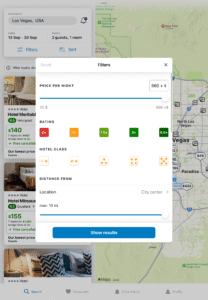
File Information
| Package Name | com.trivago |
|---|---|
| Version Name | 3.7.0 |
| Version Code | 2016110201 |
| Architecture | Universal |
| Min Android Version | Android 15 (API 24) |
| Main Activity | com.trivago.activities.SplashActivity |
| Framework | Native (Java/Kotlin) |
| File Size | 10.71 MB |
| Signature (SHA1) | 6EE7489999214BA6B180DE82F42A31E5CF6D8118 |
| File Hash (SHA256) | d7f3472c68323ef19165ee5f35129ed126a67eae96ad286806d3c90912589713 |
What's New
Thanks for using the trivago app. We always take our users' reviews into consideration as we make improvements, so be sure to let us know what you think. From now on, you can expect fixed monthly releases based on what we learn from you. Just go to your settings and enable automatic updates.
App Description
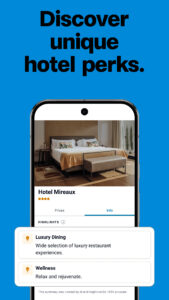
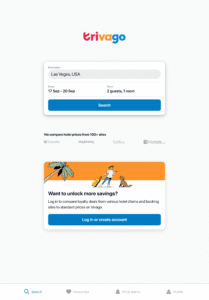
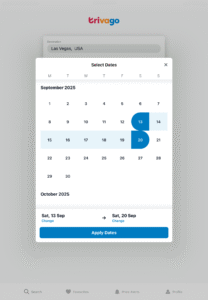
The trivago app is the easy way to search and compare hotel prices from your favorite booking sites so you can find a hotel or accommodation in the location you want, with the amenities you need, and for a deal you’ll feel amazing about.
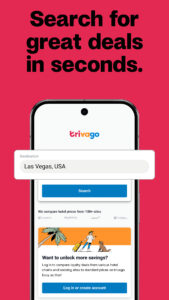
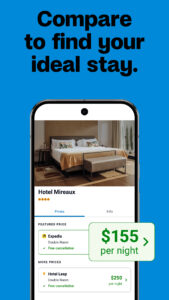
- Compare accommodation prices from major booking sites with one search
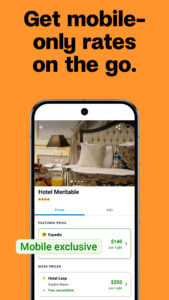
- Get exclusive mobile rates on your phone or tablet
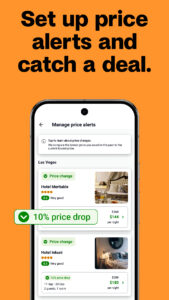
- Get price drop alerts for your favorite hotels
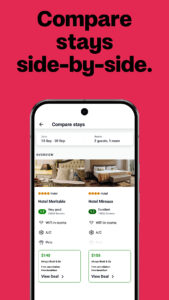
- Save favorite accommodations and compare them side-by-side
- Read aggregated guest reviews from multiple booking sites
- Search over 5 million properties in more than 190 countries and find amazing hotel deals
No matter what type of traveler you are, or what type of budget you have, the trivago app makes your hotel search simpler than ever.
Compare prices from hundreds of booking sites
With trivago, you don’t just search for hotel offers in your dream vacation destinations, you also get to compare prices from the major booking sites like Expedia, Hotels.com, Accor, ZenHotels, Booking.com, Trip.com, Priceline, TravelUp, Orbitz, HotelTonight, and more. With over 5 million hotels and other accommodations to choose from worldwide, finding the right stay at the right price doesn’t get much easier than this.
Mobile rates for deal-hunters on the go
The trivago app features deals on hotels that you can only access on your mobile device — something all you deal-hunters out there won’t want to miss out on. Just search for your hotel like you normally would, and keep an eye out for the “mobile rate” badge to know when you’ve found a special deal.
Get a heads-up when prices drop
Have a trip coming up and want to try and book your stay for cheap? Now you can sign up for price drop alerts on the trivago app to stay on top of price changes for your favorite hotels. Instead of constant searching, you’ll get notified as soon as prices drop so you can act fast and get an awesome deal.
Save hotels and compare them side-by-side
Whether your dream hotel is pet-friendly, has late-checkout, offers free cancellation, or includes a breakfast buffet, the trivago app makes it easy to save your favorite stays. When you feel like booking your trip, you can compare chosen hotels side-by-side to see how they match up before making your decision, so can always be confident you got the right stay at the right price.
Real talk from real guests
Along with always-updating price information, the trivago app aggregates guest ratings from major booking sites to give you the best understanding of real-world experiences at each hotel. The trivago rating index creates a combined score of available ratings so that you can see what other guests have to say, and always be ready to book your room with confidence.
5 million hotel beds and counting
With over over 5 million properties in more than 190 countries, you can find the perfect stay for every trip on the trivago app. Find rooms at boutique hotels, luxury hotels, airport hotels, hostels, bed and breakfasts, lodges, vacation rentals, resorts, and everything in between with one simple search.
Download trivago’s free app today and start searching, comparing, and saving on your next adventure.
- Compare accommodation prices from major booking sites with one search
- Get exclusive mobile rates on your phone or tablet
- Get price drop alerts for your favorite hotels
- Save favorite accommodations and compare them side-by-side
- Read aggregated guest reviews from multiple booking sites
- Search over 5 million properties in more than 190 countries and find amazing hotel deals
No matter what type of traveler you are, or what type of budget you have, the trivago app makes your hotel search simpler than ever.
Compare prices from hundreds of booking sites
With trivago, you don’t just search for hotel offers in your dream vacation destinations, you also get to compare prices from the major booking sites like Expedia, Hotels.com, Accor, ZenHotels, Booking.com, Trip.com, Priceline, TravelUp, Orbitz, HotelTonight, and more. With over 5 million hotels and other accommodations to choose from worldwide, finding the right stay at the right price doesn’t get much easier than this.
Mobile rates for deal-hunters on the go
The trivago app features deals on hotels that you can only access on your mobile device — something all you deal-hunters out there won’t want to miss out on. Just search for your hotel like you normally would, and keep an eye out for the “mobile rate” badge to know when you’ve found a special deal.
Get a heads-up when prices drop
Have a trip coming up and want to try and book your stay for cheap? Now you can sign up for price drop alerts on the trivago app to stay on top of price changes for your favorite hotels. Instead of constant searching, you’ll get notified as soon as prices drop so you can act fast and get an awesome deal.
Save hotels and compare them side-by-side
Whether your dream hotel is pet-friendly, has late-checkout, offers free cancellation, or includes a breakfast buffet, the trivago app makes it easy to save your favorite stays. When you feel like booking your trip, you can compare chosen hotels side-by-side to see how they match up before making your decision, so can always be confident you got the right stay at the right price.
Real talk from real guests
Along with always-updating price information, the trivago app aggregates guest ratings from major booking sites to give you the best understanding of real-world experiences at each hotel. The trivago rating index creates a combined score of available ratings so that you can see what other guests have to say, and always be ready to book your room with confidence.
5 million hotel beds and counting
With over over 5 million properties in more than 190 countries, you can find the perfect stay for every trip on the trivago app. Find rooms at boutique hotels, luxury hotels, airport hotels, hostels, bed and breakfasts, lodges, vacation rentals, resorts, and everything in between with one simple search.
Download trivago’s free app today and start searching, comparing, and saving on your next adventure.
Download trivago: Compare hotel prices APK
Fast, free and safe download.
APK Permissions 8
- android.permission.ACCESS_COARSE_LOCATION
- android.permission.ACCESS_FINE_LOCATION
- android.permission.ACCESS_NETWORK_STATE
- android.permission.INTERNET
- android.permission.WAKE_LOCK
- android.permission.WRITE_EXTERNAL_STORAGE
- com.google.android.c2dm.permission.RECEIVE
- com.trivago.permission.C2D_MESSAGE
APK Verified
The cryptographic signature guarantees that the file is safe to install and was not tampered with in any way.


Frequently Asked Questions about trivago: Compare hotel prices APK
This is the universal variant — a single APK that contains native libraries for every CPU architecture. It installs on any Android device but is larger than per-architecture variants.
Yes — the APK's signature has been cryptographically verified against the publisher's signing key. The SHA-256 hash is shown in the File Information panel so you can independently confirm the file matches the original release.
Android 15 (API level 24) or newer. Older devices will refuse the install.
Install a free app like 'CPU-Z' or 'Droid Hardware Info' from the Play Store and look at the ABI / Instruction Set row. Most phones made after 2017 are arm64-v8a; if in doubt, download the universal variant.
All variants are functionally identical — same features, same version. They differ only in which CPU architectures the native code is compiled for, and (sometimes) which screen densities the included graphics target. Pick the one that matches your device for the smallest install size, or pick 'Universal' if you're unsure.