
This is the universal build of Backup and Restore - APP 7.6.4. It contains native libraries for every CPU architecture (arm64-v8a, armeabi-v7a, x86, x86_64), so it installs on any Android device. The trade-off is size — it's larger than per-architecture variants. Pick this one if you're unsure which CPU your phone has, or if you plan to share the APK with multiple devices.
File size: 8.7 MB • Min Android: 23 • Target Android: 35 • Version code: 764 • Framework: Native (Java/Kotlin) • Permissions: 38
Screenshots
File Information
| Package Name | mobi.infolife.appbackup |
|---|---|
| Version Name | 7.6.4 |
| Version Code | 764 |
| Architecture | Universal |
| Min Android Version | Android 23 (API 35) |
| Main Activity | mobi.infolife.appbackup.ui.screen.welcome.ActivityGuide6 |
| Framework | Native (Java/Kotlin) |
| File Size | 8.67 MB |
| Signature (SHA1) | 31A5D656CC8BAFC98FD3712FD2D995220B9A6247 |
| File Hash (SHA256) | bb7c010f28d4883018deac97bc40467806f56f74b736e2fd75294886e6d7f4d9 |
What's New
-- UI bug fix
App Description
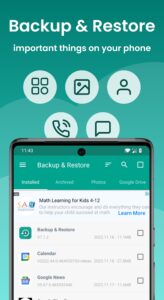
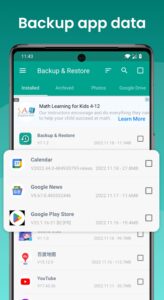
App Backup Restore can Backup & Restore APK files of apps that are not frequently used to save storage of a phone. Easiest Backup & Restore multi versions to avoid unnecessary updates.
Transfer & Share APK files between Android devices.
★ Editor's Choice
No.1 in "10 best Android backup apps ... to backup Android, save storage of phone !” - Android Authority
No.1 Easy Backup & Restore APK assistant in “10 Best Android Backup Apk assistant” - Tom’s Guide
◈ Local / Cloud Backup & Restore
✓ APK backup & restore
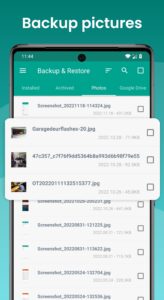
✓ Photo backup & restore
◈ Transfer & Share in Seconds
✓ APK send & receive
✓ Photos send & receive
◈ Features
• Batch backup, restore, transfer, share
• Batch Backup & Restore to internal storage of phone by default
• Batch Backup & Restore to SD card or USB
• Upload & Download to/from Google Drive, Dropbox, etc.
• Easiest Backup & Restore apks, photos data
• Auto Backup & Send files to the third party platforms
• Extract & Retrieve APK files
• Transfer & Share Backups
• Overwrite, downgrade app versions
• Auto app-backup tool at all times
• Set auto backup list to back up apks automatically
• Transfer & Share by building private Wifi-hotspot
• Wireless Transfer & Share with dizzying speed
• Auto backup & update with notifications
• Google Drive upload/download with notifications
• Easiest backup & restore system applications
• Scan APK files stored in your phone
• Scan virus for more protection
• Touch & Hold app to check details
• Manage apps by installed, archived, Drive
• Apk assistant to sort apps by name, date, size
• Show backups’ size & time & version
• Show used & total system & file storage
• All types of app supported including Game, Tool, Social Media etc.
Notice:
App Backup Restore - Transfer CANNOT back-up, restore, transfer data or settings of apps, it only batch backup & restore apk files to save storage of phone.
App Backup Restore - Transfer can only restore app files that have been backed up BEFORE.
App Backup Restore - Transfer CANNOT auto back up personal data, auto back-up apks only.
App Backup Restore - Transfer can only auto back-up to RAM & SD card, auto backup to cloud CANNOT be achieved .
Please back up to sd card or cloud before factory reset, or all backups will be deleted due to system restriction.
For Android 4.4 and above, Google reserved the permission to write in SD card. It is now granted only to Google and cell phone manufacturers.
Requested Permissions:
READ WIFI/BLUETOOTH/GPS to enable transfer & share feature
REQUEST CERTAIN PRIVACY PERMISSIONS to enable virus scan & Google Drive back-up
FOREGROUND_SERVICE:Dear users, the FOREGROUND_SERVICE permission will be used in this application to automatically back up newly installed apps and to remind you that you can restore apps when you uninstall apps by mistake, so as to prevent unnecessary losses caused by misoperation. We will only use the foreground service permission when we install apps and uninstall apps. Ensure that this permission is not abused. We promise that the use of front desk service permissions will be strictly in accordance with Google policies to ensure that your interests are protected to the greatest extent possible. Thank you for your understanding and support!
Contact us if you want to help making the app into your language:
support@trustlook.com
Transfer & Share APK files between Android devices.
★ Editor's Choice
No.1 in "10 best Android backup apps ... to backup Android, save storage of phone !” - Android Authority
No.1 Easy Backup & Restore APK assistant in “10 Best Android Backup Apk assistant” - Tom’s Guide
◈ Local / Cloud Backup & Restore
✓ APK backup & restore
✓ Photo backup & restore
◈ Transfer & Share in Seconds
✓ APK send & receive
✓ Photos send & receive
◈ Features
• Batch backup, restore, transfer, share
• Batch Backup & Restore to internal storage of phone by default
• Batch Backup & Restore to SD card or USB
• Upload & Download to/from Google Drive, Dropbox, etc.
• Easiest Backup & Restore apks, photos data
• Auto Backup & Send files to the third party platforms
• Extract & Retrieve APK files
• Transfer & Share Backups
• Overwrite, downgrade app versions
• Auto app-backup tool at all times
• Set auto backup list to back up apks automatically
• Transfer & Share by building private Wifi-hotspot
• Wireless Transfer & Share with dizzying speed
• Auto backup & update with notifications
• Google Drive upload/download with notifications
• Easiest backup & restore system applications
• Scan APK files stored in your phone
• Scan virus for more protection
• Touch & Hold app to check details
• Manage apps by installed, archived, Drive
• Apk assistant to sort apps by name, date, size
• Show backups’ size & time & version
• Show used & total system & file storage
• All types of app supported including Game, Tool, Social Media etc.
Notice:
App Backup Restore - Transfer CANNOT back-up, restore, transfer data or settings of apps, it only batch backup & restore apk files to save storage of phone.
App Backup Restore - Transfer can only restore app files that have been backed up BEFORE.
App Backup Restore - Transfer CANNOT auto back up personal data, auto back-up apks only.
App Backup Restore - Transfer can only auto back-up to RAM & SD card, auto backup to cloud CANNOT be achieved .
Please back up to sd card or cloud before factory reset, or all backups will be deleted due to system restriction.
For Android 4.4 and above, Google reserved the permission to write in SD card. It is now granted only to Google and cell phone manufacturers.
Requested Permissions:
READ WIFI/BLUETOOTH/GPS to enable transfer & share feature
REQUEST CERTAIN PRIVACY PERMISSIONS to enable virus scan & Google Drive back-up
FOREGROUND_SERVICE:Dear users, the FOREGROUND_SERVICE permission will be used in this application to automatically back up newly installed apps and to remind you that you can restore apps when you uninstall apps by mistake, so as to prevent unnecessary losses caused by misoperation. We will only use the foreground service permission when we install apps and uninstall apps. Ensure that this permission is not abused. We promise that the use of front desk service permissions will be strictly in accordance with Google policies to ensure that your interests are protected to the greatest extent possible. Thank you for your understanding and support!
Contact us if you want to help making the app into your language:
support@trustlook.com
Download Backup and Restore - APP APK
Fast, free and safe download.
APK Permissions 38
- android.perission.SYSTEM_ALERT_WINDOW
- android.permission.ACCESS_ADSERVICES_AD_ID
- android.permission.ACCESS_ADSERVICES_ATTRIBUTION
- android.permission.ACCESS_ADSERVICES_CUSTOM_AUDIENCE
- android.permission.ACCESS_ADSERVICES_TOPICS
- android.permission.ACCESS_COARSE_LOCATION
- android.permission.ACCESS_FINE_LOCATION
- android.permission.ACCESS_NETWORK_STATE
- android.permission.ACCESS_WIFI_STATE
- android.permission.BLUETOOTH
- android.permission.BLUETOOTH_ADMIN
- android.permission.BLUETOOTH_CONNECT
- android.permission.CAMERA
- android.permission.CHANGE_NETWORK_STATE
- android.permission.CHANGE_WIFI_STATE
- android.permission.FOREGROUND_SERVICE
- android.permission.FOREGROUND_SERVICE_DATA_SYNC
- android.permission.GET_PACKAGE_SIZE
- android.permission.GET_TASKS
- android.permission.INTERACT_ACROSS_USERS
- android.permission.INTERNET
- android.permission.KILL_BACKGROUND_PROCESSES
- android.permission.MANAGE_EXTERNAL_STORAGE
- android.permission.MOUNT_UNMOUNT_FILESYSTEMS
- android.permission.NEARBY_WIFI_DEVICES
- android.permission.QUERY_ALL_PACKAGES
- android.permission.READ_EXTERNAL_STORAGE
- android.permission.RECEIVE_BOOT_COMPLETED
- android.permission.REQUEST_DELETE_PACKAGES
- android.permission.REQUEST_INSTALL_PACKAGES
- android.permission.SYSTEM_ALERT_WINDOW
- android.permission.WAKE_LOCK
- android.permission.WRITE_EXTERNAL_STORAGE
- android.permission.WRITE_SETTINGS
- com.android.vending.BILLING
- com.google.android.finsky.permission.BIND_GET_INSTALL_REFERRER_SERVICE
- com.google.android.gms.permission.AD_ID
- mobi.infolife.appbackup.DYNAMIC_RECEIVER_NOT_EXPORTED_PERMISSION
APK Verified
The cryptographic signature guarantees that the file is safe to install and was not tampered with in any way.


Frequently Asked Questions about Backup and Restore - APP APK
This is the universal variant — a single APK that contains native libraries for every CPU architecture. It installs on any Android device but is larger than per-architecture variants.
Yes — the APK's signature has been cryptographically verified against the publisher's signing key. The SHA-256 hash is shown in the File Information panel so you can independently confirm the file matches the original release.
Android 23 (API level 35) or newer. Older devices will refuse the install.
Install a free app like 'CPU-Z' or 'Droid Hardware Info' from the Play Store and look at the ABI / Instruction Set row. Most phones made after 2017 are arm64-v8a; if in doubt, download the universal variant.
All variants are functionally identical — same features, same version. They differ only in which CPU architectures the native code is compiled for, and (sometimes) which screen densities the included graphics target. Pick the one that matches your device for the smallest install size, or pick 'Universal' if you're unsure.