
Download UC Browser-Safe, Fast, Private APK 14.5.2.1358 Universal · Android 26+
Download APK
Verified Safe
This is the universal build of UC Browser-Safe, Fast, Private 14.5.2.1358. It contains native libraries for every CPU architecture (arm64-v8a, armeabi-v7a, x86, x86_64), so it installs on any Android device. The trade-off is size — it's larger than per-architecture variants. Pick this one if you're unsure which CPU your phone has, or if you plan to share the APK with multiple devices.
File size: 188.1 MB • Min Android: 26 • Target Android: 34 • Version code: 50370 • Framework: Native (Java/Kotlin) • Permissions: 93
Screenshots
File Information
| Package Name | com.UCMobile.intl |
|---|---|
| Version Name | 14.5.2.1358 |
| Version Code | 50370 |
| Architecture | Universal |
| Min Android Version | Android 26 (API 34) |
| Main Activity | com.UCMobile.main.UCMobile |
| Framework | Native (Java/Kotlin) |
| File Size | 188.13 MB |
| Signature (SHA1) | 207B2FDD43EF02FF00FA74C932D2C1D863E51452 |
| File Hash (SHA256) | 3277ca36deff0eb5cfe8a7b3941ccbf086f7502533d57688312670fdecae8114 |
What's New
1.Fix payment issues.
App Description
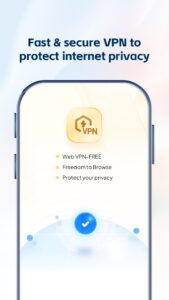
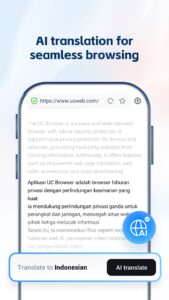
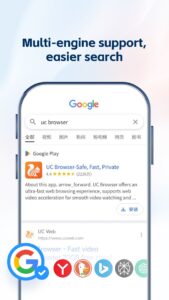
UC Browser offers an ultra-fast web browsing experience, supports web video acceleration for smooth video watching and downloading at the fastest speed. It also provides security protection to prevent third-party sites from tracking information and safeguard users' privacy.
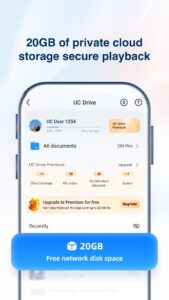
★Free cloud storage: You can use 20GB of cloud storage space for free, and there is also the option to expand it further.
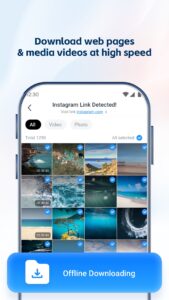
★Fast Download: Our servers speed up and stabilize downloads. If any disconnection or interruption occurs, UC Browser can continue downloading from the breakpoint. It takes less time to download videos in UC Browser. You can even enjoy the fun of watching unfinished videos without waiting until the download completes.
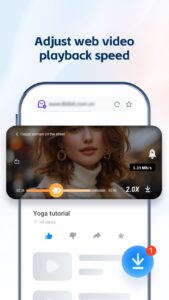
★Small Window Mode: Our small window mode enables the video window to be moved apart from the webpage, and hanged on top of the screen, while you expect to chat with friends, shop online or participate in other activities without video watching interruption.
★Video Playing in Background: Videos can be played in the background easily with just one tap. You can enjoy listening to the videos when you are doing other things with the phone.
★Data Saving: UC Browser compresses data, speeds up navigation and helps you save a lot of cellular data traffic. The more you browse, the more data you can save with UC Browser.
★Smooth Video playing: With the self-developed video player and unique technology, UC Browser provides you with an excellent video playback experience.
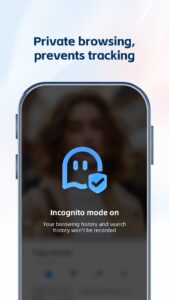
★Incognito Mode: Browsing without leaving any history, cookies, caches, etc. Incognito mode makes your browsing and watching experience perfectly private and secret.
★Facebook Mode: This unique feature speeds up Facebook regardless of your network condition. UC Browser always finds the way to increase your network speed.
★Night Mode: Switch to night mode on UC Browser to read more comfortably at night.
About UCWeb
Editor’s Choice 2018 - OPPO App Store
Gold Mi Award 2018 - Xiaomi App Store
Facebook:
www.facebook.com/UCBrowser
Twitter:
twitter.com/UCBrowser
YouTube:
www.youtube.com/ucwebvideo
For help & feedback, please contact our help center
url.cn/42kuL5f
(open in UC).
★Free cloud storage: You can use 20GB of cloud storage space for free, and there is also the option to expand it further.
★Fast Download: Our servers speed up and stabilize downloads. If any disconnection or interruption occurs, UC Browser can continue downloading from the breakpoint. It takes less time to download videos in UC Browser. You can even enjoy the fun of watching unfinished videos without waiting until the download completes.
★Small Window Mode: Our small window mode enables the video window to be moved apart from the webpage, and hanged on top of the screen, while you expect to chat with friends, shop online or participate in other activities without video watching interruption.
★Video Playing in Background: Videos can be played in the background easily with just one tap. You can enjoy listening to the videos when you are doing other things with the phone.
★Data Saving: UC Browser compresses data, speeds up navigation and helps you save a lot of cellular data traffic. The more you browse, the more data you can save with UC Browser.
★Smooth Video playing: With the self-developed video player and unique technology, UC Browser provides you with an excellent video playback experience.
★Incognito Mode: Browsing without leaving any history, cookies, caches, etc. Incognito mode makes your browsing and watching experience perfectly private and secret.
★Facebook Mode: This unique feature speeds up Facebook regardless of your network condition. UC Browser always finds the way to increase your network speed.
★Night Mode: Switch to night mode on UC Browser to read more comfortably at night.
About UCWeb
Editor’s Choice 2018 - OPPO App Store
Gold Mi Award 2018 - Xiaomi App Store
Facebook:
www.facebook.com/UCBrowser
Twitter:
twitter.com/UCBrowser
YouTube:
www.youtube.com/ucwebvideo
For help & feedback, please contact our help center
url.cn/42kuL5f
(open in UC).
Download UC Browser-Safe, Fast, Private APK
Fast, free and safe download.
APK Permissions 93
- android.permission.ACCESS_ADSERVICES_ATTRIBUTION
- android.permission.ACCESS_BLUETOOTH_SHARE
- android.permission.ACCESS_NETWORK_STATE
- android.permission.ACCESS_NOTIFICATION_POLICY
- android.permission.ACCESS_WIFI_STATE
- android.permission.AUTHENTICATE_ACCOUNTS
- android.permission.BLUETOOTH
- android.permission.BLUETOOTH_ADMIN
- android.permission.CAMERA
- android.permission.CHANGE_NETWORK_STATE
- android.permission.CHANGE_WIFI_MULTICAST_STATE
- android.permission.CHANGE_WIFI_STATE
- android.permission.CLEAR_APP_CACHE
- android.permission.DISABLE_KEYGUARD
- android.permission.EXPAND_STATUS_BAR
- android.permission.FOREGROUND_SERVICE
- android.permission.FOREGROUND_SERVICE_DATA_SYNC
- android.permission.FOREGROUND_SERVICE_MEDIA_PLAYBACK
- android.permission.FOREGROUND_SERVICE_SPECIAL_USE
- android.permission.GET_ACCOUNTS
- android.permission.GET_PACKAGE_SIZE
- android.permission.GET_TASKS
- android.permission.INTERACT_ACROSS_USERS_FULL
- android.permission.INTERNET
- android.permission.KILL_BACKGROUND_PROCESSES
- android.permission.MANAGE_ACCOUNTS
- android.permission.MANAGE_EXTERNAL_STORAGE
- android.permission.MODIFY_AUDIO_SETTINGS
- android.permission.MOUNT_UNMOUNT_FILESYSTEMS
- android.permission.PACKAGE_USAGE_STATS
- android.permission.PERSISTENT_ACTIVITY
- android.permission.POST_NOTIFICATIONS
- android.permission.READ_EXTERNAL_STORAGE
- android.permission.READ_MEDIA_AUDIO
- android.permission.READ_MEDIA_IMAGES
- android.permission.READ_MEDIA_VIDEO
- android.permission.READ_SYNC_STATS
- android.permission.RECEIVE_BOOT_COMPLETED
- android.permission.RECORD_AUDIO
- android.permission.REQUEST_IGNORE_BATTERY_OPTIMIZATIONS
- android.permission.REQUEST_INSTALL_PACKAGES
- android.permission.SCHEDULE_EXACT_ALARM
- android.permission.SET_WALLPAPER
- android.permission.SET_WALLPAPER_HINTS
- android.permission.SYSTEM_ALERT_WINDOW
- android.permission.USE_CREDENTIALS
- android.permission.VIBRATE
- android.permission.WAKE_LOCK
- android.permission.WRITE_EXTERNAL_STORAGE
- android.permission.WRITE_SETTINGS
- android.permission.WRITE_SYNC_SETTINGS
- com.anddoes.launcher.permission.READ_SETTINGS
- com.android.browser.permission.READ_HISTORY_BOOKMARKS
- com.android.browser.permission.WRITE_HISTORY_BOOKMARKS
- com.android.launcher.permission.INSTALL_SHORTCUT
- com.android.launcher.permission.READ_SETTINGS
- com.android.launcher.permission.UNINSTALL_SHORTCUT
- com.android.launcher3.permission.READ_SETTINGS
- com.android.mylauncher.permission.READ_SETTINGS
- com.android.vending.BILLING
- com.bbk.launcher2.permission.READ_SETTINGS
- com.fede.launcher.permission.READ_SETTINGS
- com.gau.go.launcherex.permission.READ_SETTINGS
- com.google.android.apps.nexuslauncher.permission.READ_SETTINGS
- com.google.android.c2dm.permission.RECEIVE
- com.google.android.finsky.permission.BIND_GET_INSTALL_REFERRER_SERVICE
- com.google.android.gms.permission.AD_ID
- com.google.android.launcher.permission.READ_SETTINGS
- com.hihonor.security.permission.ACCESS_THREAT_DETECTION
- com.htc.launcher.permission.READ_SETTINGS
- com.huawei.android.launcher.permission.READ_SETTINGS
- com.huawei.appmarket.service.commondata.permission.GET_COMMON_DATA
- com.huawei.launcher.permission.READ_SETTINGS
- com.huawei.launcher2.permission.READ_SETTINGS
- com.huawei.launcher3.permission.READ_SETTINGS
- com.lge.launcher.permission.READ_SETTINGS
- com.meizu.flyme.launcher.permission.READ_SETTINGS
- com.mx.launcher.permission.READ_SETTINGS
- com.nd.android.launcher.permission.READ_SETTINGS
- com.oppo.launcher.permission.READ_SETTINGS
- com.qihoo360.launcher.permission.READ_SETTINGS
- com.samsung.android.launcher.permission.READ_SETTINGS
- com.sec.android.app.launcher.permission.READ_SETTINGS
- com.sec.android.app.twlauncher.READ_SETTINGS
- com.tencent.qqlauncher.permission.READ_SETTINGS
- com.UCMobile.intl.DYNAMIC_RECEIVER_NOT_EXPORTED_PERMISSION
- com.UCMobile.intl.permission.C2D_MESSAGE
- com.UCMobile.intl.permission.KILL_PROCESS
- com.UCMobile.intl.permission.MIPUSH_RECEIVE
- net.qihoo.launcher.permission.READ_SETTINGS
- org.adw.launcher_donut.permission.READ_SETTINGS
- org.adw.launcher.permission.READ_SETTINGS
- org.adwfreak.launcher.permission.READ_SETTINGS
APK Verified
The cryptographic signature guarantees that the file is safe to install and was not tampered with in any way.
Similar in Communication


Frequently Asked Questions about UC Browser-Safe, Fast, Private APK
This is the universal variant — a single APK that contains native libraries for every CPU architecture. It installs on any Android device but is larger than per-architecture variants.
Yes — the APK's signature has been cryptographically verified against the publisher's signing key. The SHA-256 hash is shown in the File Information panel so you can independently confirm the file matches the original release.
Android 26 (API level 34) or newer. Older devices will refuse the install.
Install a free app like 'CPU-Z' or 'Droid Hardware Info' from the Play Store and look at the ABI / Instruction Set row. Most phones made after 2017 are arm64-v8a; if in doubt, download the universal variant.
All variants are functionally identical — same features, same version. They differ only in which CPU architectures the native code is compiled for, and (sometimes) which screen densities the included graphics target. Pick the one that matches your device for the smallest install size, or pick 'Universal' if you're unsure.