
Download 3DMark — The Gamer's Benchmark APK 2.6.5005 Universal · Android 23+
Download APK
Verified Safe
This is the universal build of 3DMark — The Gamer's Benchmark 2.6.5005. It contains native libraries for every CPU architecture (arm64-v8a, armeabi-v7a, x86, x86_64), so it installs on any Android device. The trade-off is size — it's larger than per-architecture variants. Pick this one if you're unsure which CPU your phone has, or if you plan to share the APK with multiple devices.
File size: 140.7 MB • Min Android: 23 • Target Android: 35 • Version code: 5005 • Framework: Native (Java/Kotlin) • Permissions: 9
Screenshots
File Information
| Package Name | com.futuremark.dmandroid.application |
|---|---|
| Version Name | 2.6.5005 |
| Version Code | 5005 |
| Architecture | Universal |
| Min Android Version | Android 23 (API 35) |
| Main Activity | com.futuremark.flamenco.ui.splash.SplashPageActivity |
| Framework | Native (Java/Kotlin) |
| File Size | 140.74 MB |
| Signature (SHA1) | A7C41B2BBD26104B6942E73D567DAFD262468569 |
| File Hash (SHA256) | f833919eb55d6b3b956402be1b3b87bdc3d862f3e9df41607868add2afac19ee |
What's New
- Added 3DMark Solar Bay Extreme
- Minor bug fixes and UI improvements.
- Minor bug fixes and UI improvements.
App Description
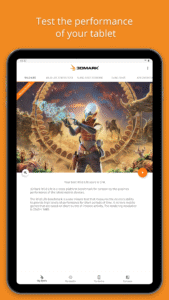
3DMark is a popular benchmarking app that helps you test and compare the performance of your smartphone and tablet.
Please note our latest benchmark 3DMark Solar Bay, will only run on very new Android devices with Vulkan Ray Tracing support.
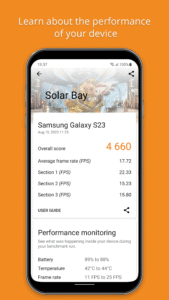
3DMark benchmarks the GPU and CPU performance of your device. At the end of the test, you get a score, which you can use to compare models. But 3DMark also gives you so much more.
More than a score
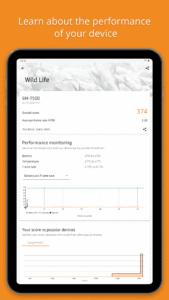
3DMark is designed around data-driven stories that help you learn more about your smartphone and tablet. With its unique charts, lists and rankings, 3DMark gives you unrivaled insights into the performance of your device.
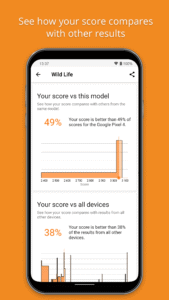
• Compare your score with others from the same model.
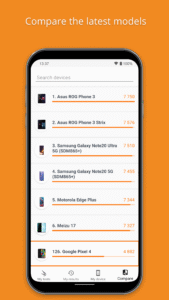
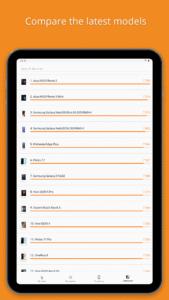
• Compare your device’s performance with other popular models.
• See how your device’s performance changes with each OS update.
• Discover the devices that perform consistently without slowing down.
• Search, filter and sort our lists to compare the latest mobile devices.
Best benchmark for your device
When you open the app, 3DMark will recommend the best benchmark for your device. To save storage space and minimize download times, you can choose which tests you want to install.
Run
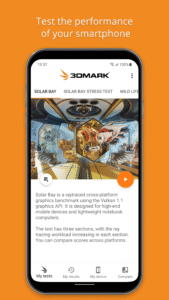
3DMark Solar Bay
to compare the latest Android devices that support for gaming with real-time ray tracing. Ray tracing is a new technology in Android games that is used to produce far more realistic lighting.
3DMark Solar Bay
is our latest and most demanding test for compatible Android devices. It has three sections with increasingly higher ray tracing workloads, helping you understand how enabling ray tracing will affect your device’s gaming performance.
Run
3DMark Wild Life
to compare new Android devices from Google, Huawei, LG, OnePlus, Oppo, Motorola, Samsung, Sony, Vivo, Xiaomi and other manufacturers with the latest iPhone and iPad models.
3DMark Wild Life Extreme
is a new test that sets a high bar for the next generation of Android devices. Don’t be surprised by low frame rates as this test is too heavy for many current phones and tablets.
3DMark Solar Bay
,
Wild Life
, and
Wild Life Extreme
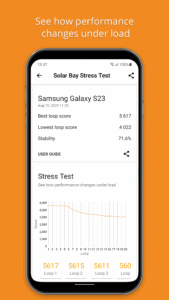
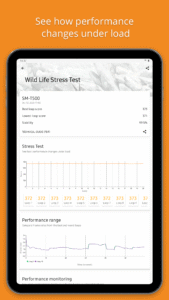
offer two ways to test your device: a quick benchmark that tests instant performance and a longer stress test that shows how your device performs under longer periods of heavy load.
Choose
Sling Shot
or
Sling Shot Extreme
benchmarks to compare low- to mid-range Android devices with older iPhone and iPad models.
Choose your next phone the easy way
With in-app performance data for thousands of devices, it is easy to find and compare the best smartphones and tablets with 3DMark. Search, filter and sort the in-app rankings to compare the latest Android and iOS devices.
Download 3DMark for free
3DMark is a free app. There are no ads or in-app purchases. Download it today and join millions of people who choose 3DMark for accurate and impartial benchmark results.
System requirements
• Solar Bay benchmarks require Android 12 or above, 4GB or more of RAM, and support for Vulkan 1.1 ray query.
• Wild Life benchmarks require Android 10 or above and 3 GB or more of RAM.
• All other benchmarks require Android 5 or above.
This app is for non-commercial use only.
- Business users contact
UL.BenchmarkSales@ul.com
for licensing.
- Members of the press, please contact
UL.BenchmarkPress@ul.com
.
Please note our latest benchmark 3DMark Solar Bay, will only run on very new Android devices with Vulkan Ray Tracing support.
3DMark benchmarks the GPU and CPU performance of your device. At the end of the test, you get a score, which you can use to compare models. But 3DMark also gives you so much more.
More than a score
3DMark is designed around data-driven stories that help you learn more about your smartphone and tablet. With its unique charts, lists and rankings, 3DMark gives you unrivaled insights into the performance of your device.
• Compare your score with others from the same model.
• Compare your device’s performance with other popular models.
• See how your device’s performance changes with each OS update.
• Discover the devices that perform consistently without slowing down.
• Search, filter and sort our lists to compare the latest mobile devices.
Best benchmark for your device
When you open the app, 3DMark will recommend the best benchmark for your device. To save storage space and minimize download times, you can choose which tests you want to install.
Run
3DMark Solar Bay
to compare the latest Android devices that support for gaming with real-time ray tracing. Ray tracing is a new technology in Android games that is used to produce far more realistic lighting.
3DMark Solar Bay
is our latest and most demanding test for compatible Android devices. It has three sections with increasingly higher ray tracing workloads, helping you understand how enabling ray tracing will affect your device’s gaming performance.
Run
3DMark Wild Life
to compare new Android devices from Google, Huawei, LG, OnePlus, Oppo, Motorola, Samsung, Sony, Vivo, Xiaomi and other manufacturers with the latest iPhone and iPad models.
3DMark Wild Life Extreme
is a new test that sets a high bar for the next generation of Android devices. Don’t be surprised by low frame rates as this test is too heavy for many current phones and tablets.
3DMark Solar Bay
,
Wild Life
, and
Wild Life Extreme
offer two ways to test your device: a quick benchmark that tests instant performance and a longer stress test that shows how your device performs under longer periods of heavy load.
Choose
Sling Shot
or
Sling Shot Extreme
benchmarks to compare low- to mid-range Android devices with older iPhone and iPad models.
Choose your next phone the easy way
With in-app performance data for thousands of devices, it is easy to find and compare the best smartphones and tablets with 3DMark. Search, filter and sort the in-app rankings to compare the latest Android and iOS devices.
Download 3DMark for free
3DMark is a free app. There are no ads or in-app purchases. Download it today and join millions of people who choose 3DMark for accurate and impartial benchmark results.
System requirements
• Solar Bay benchmarks require Android 12 or above, 4GB or more of RAM, and support for Vulkan 1.1 ray query.
• Wild Life benchmarks require Android 10 or above and 3 GB or more of RAM.
• All other benchmarks require Android 5 or above.
This app is for non-commercial use only.
- Business users contact
UL.BenchmarkSales@ul.com
for licensing.
- Members of the press, please contact
UL.BenchmarkPress@ul.com
.
Download 3DMark — The Gamer's Benchmark APK
Fast, free and safe download.
APK Permissions 9
- android.permission.ACCESS_NETWORK_STATE
- android.permission.ACCESS_WIFI_STATE
- android.permission.INTERNET
- android.permission.WAKE_LOCK
- android.permission.WRITE_EXTERNAL_STORAGE
- com.android.vending.CHECK_LICENSE
- com.futuremark.dmandroid.application.DYNAMIC_RECEIVER_NOT_EXPORTED_PERMISSION
- com.google.android.finsky.permission.BIND_GET_INSTALL_REFERRER_SERVICE
- com.google.android.gms.permission.AD_ID
APK Verified
The cryptographic signature guarantees that the file is safe to install and was not tampered with in any way.


Frequently Asked Questions about 3DMark — The Gamer's Benchmark APK
This is the universal variant — a single APK that contains native libraries for every CPU architecture. It installs on any Android device but is larger than per-architecture variants.
Yes — the APK's signature has been cryptographically verified against the publisher's signing key. The SHA-256 hash is shown in the File Information panel so you can independently confirm the file matches the original release.
Android 23 (API level 35) or newer. Older devices will refuse the install.
Install a free app like 'CPU-Z' or 'Droid Hardware Info' from the Play Store and look at the ABI / Instruction Set row. Most phones made after 2017 are arm64-v8a; if in doubt, download the universal variant.
All variants are functionally identical — same features, same version. They differ only in which CPU architectures the native code is compiled for, and (sometimes) which screen densities the included graphics target. Pick the one that matches your device for the smallest install size, or pick 'Universal' if you're unsure.