
This is the universal build of Digital Detox: Focus & Live 10.33. It contains native libraries for every CPU architecture (arm64-v8a, armeabi-v7a, x86, x86_64), so it installs on any Android device. The trade-off is size — it's larger than per-architecture variants. Pick this one if you're unsure which CPU your phone has, or if you plan to share the APK with multiple devices.
File size: 13.4 MB • Min Android: 21 • Target Android: 33 • Version code: 459 • Framework: Native (Java/Kotlin) • Permissions: 12
Screenshots
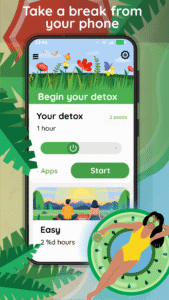
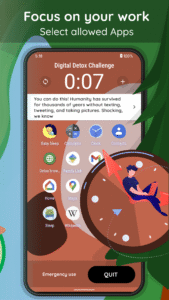
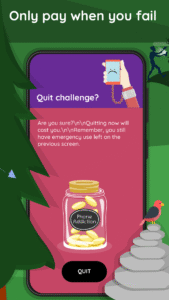
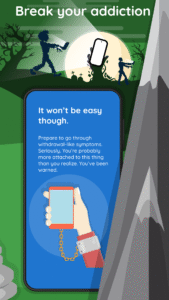
File Information
| Package Name | com.urbandroid.ddc |
|---|---|
| Version Name | 10.33 |
| Version Code | 459 |
| Architecture | Universal |
| Min Android Version | Android 21 (API 33) |
| Main Activity | com.urbandroid.ddc.activity.TourActivity |
| Framework | Native (Java/Kotlin) |
| File Size | 13.44 MB |
| Signature (SHA1) | 00A0E53C9A3F5D14DA5E698FF420E4A7776EA4B1 |
| File Hash (SHA256) | 99e2ffb71d1830c6d0acffa29ebf296d82b1370990fe81fde13c2d777039300b |
What's New
- Better support for pending purchases when Quitting a detox
- Menu drawer redesign
- Norwegian translation
- Menu drawer redesign
- Norwegian translation
App Description
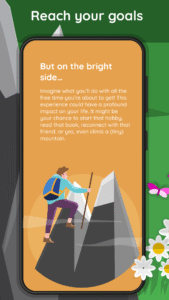
Disconnect from your phone in order to reconnect with yourself, others, and the world. Start your challenge today!
Are you always on your phone? Do you live with a constant fear of missing out? Do you panic when you have no signal? It’s time for a detox. You can do this. We’re here to help.
Features:
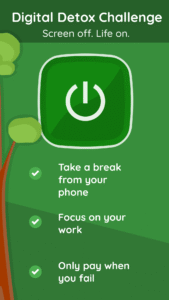
⚫ Limited access to your phone during the challenge
⚫ Multiple difficulty levels with built-in accountability
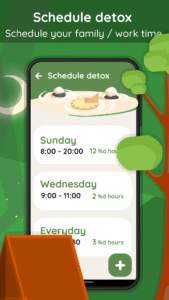
⚫ Scheduling and whitelisting capabilities
⚫ Achievements and leader board at Play Games
Warning: XioaMi phones requires a special permission in order to open whitelisted apps. Please follow our guide here:
team.urbandroid.org/ddc-fix-whitelisted-apps-on-xiaomi/
Automation
To start detox automatically from Tasker or similar:
- broadcast
- package: com.urbandroid.ddc
- action: com.urbandroid.ddc.START_DETOX
- time_extra: number of millies
Example:
adb shell am broadcast --el time_extra 60000 -a com.urbandroid.ddc.START_DETOX
Accessibility Service
In order to effectively block you from using the addictive and distracting apps the "Digital Detox" app may ask you to enable its Accessibility Service if you decide to use the cheating protection features. We use this service only to block you from leaving an ongoing Detox without paying an accountability fee or using a quit code (the cheating). We do not use the service to collect any personal information.
See how the use of Accessibility Service works in Digital Detox:
youtu.be/XuJeqvyEAYw
Device Admin
If granted by the user, "Digital Detox" app may use the Device Administrator permission to (and only to) prevent users from cheating - make uninstalling of the app during an active Detox harder.
Are you always on your phone? Do you live with a constant fear of missing out? Do you panic when you have no signal? It’s time for a detox. You can do this. We’re here to help.
Features:
⚫ Limited access to your phone during the challenge
⚫ Multiple difficulty levels with built-in accountability
⚫ Scheduling and whitelisting capabilities
⚫ Achievements and leader board at Play Games
Warning: XioaMi phones requires a special permission in order to open whitelisted apps. Please follow our guide here:
team.urbandroid.org/ddc-fix-whitelisted-apps-on-xiaomi/
Automation
To start detox automatically from Tasker or similar:
- broadcast
- package: com.urbandroid.ddc
- action: com.urbandroid.ddc.START_DETOX
- time_extra: number of millies
Example:
adb shell am broadcast --el time_extra 60000 -a com.urbandroid.ddc.START_DETOX
Accessibility Service
In order to effectively block you from using the addictive and distracting apps the "Digital Detox" app may ask you to enable its Accessibility Service if you decide to use the cheating protection features. We use this service only to block you from leaving an ongoing Detox without paying an accountability fee or using a quit code (the cheating). We do not use the service to collect any personal information.
See how the use of Accessibility Service works in Digital Detox:
youtu.be/XuJeqvyEAYw
Device Admin
If granted by the user, "Digital Detox" app may use the Device Administrator permission to (and only to) prevent users from cheating - make uninstalling of the app during an active Detox harder.
Download Digital Detox: Focus & Live APK
Fast, free and safe download.
APK Permissions 12
- android.permission.ACCESS_NETWORK_STATE
- android.permission.EXPAND_STATUS_BAR
- android.permission.FOREGROUND_SERVICE
- android.permission.INTERNET
- android.permission.PACKAGE_USAGE_STATS
- android.permission.READ_EXTERNAL_STORAGE
- android.permission.READ_MEDIA_IMAGES
- android.permission.RECEIVE_BOOT_COMPLETED
- android.permission.SYSTEM_ALERT_WINDOW
- android.permission.WAKE_LOCK
- com.android.vending.BILLING
- com.urbandroid.ddc.DYNAMIC_RECEIVER_NOT_EXPORTED_PERMISSION
APK Verified
The cryptographic signature guarantees that the file is safe to install and was not tampered with in any way.
Similar in Health & Fitness


Frequently Asked Questions about Digital Detox: Focus & Live APK
This is the universal variant — a single APK that contains native libraries for every CPU architecture. It installs on any Android device but is larger than per-architecture variants.
Yes — the APK's signature has been cryptographically verified against the publisher's signing key. The SHA-256 hash is shown in the File Information panel so you can independently confirm the file matches the original release.
Android 21 (API level 33) or newer. Older devices will refuse the install.
Install a free app like 'CPU-Z' or 'Droid Hardware Info' from the Play Store and look at the ABI / Instruction Set row. Most phones made after 2017 are arm64-v8a; if in doubt, download the universal variant.
All variants are functionally identical — same features, same version. They differ only in which CPU architectures the native code is compiled for, and (sometimes) which screen densities the included graphics target. Pick the one that matches your device for the smallest install size, or pick 'Universal' if you're unsure.