
Download Sleep as Android: Smart alarm 20251203 (arm64-v8a + arm-v7a) (Android APK 5.30 Universal · Android 24+
Download APK
Verified Safe
This is the universal build of Sleep as Android: Smart alarm 20251203 (arm64-v8a + arm-v7a) (Android 5.30. It contains native libraries for every CPU architecture (arm64-v8a, armeabi-v7a, x86, x86_64), so it installs on any Android device. The trade-off is size — it's larger than per-architecture variants. Pick this one if you're unsure which CPU your phone has, or if you plan to share the APK with multiple devices.
File size: 8.0 MB • Min Android: 24 • Target Android: 34 • Version code: 230813 • Framework: Native (Java/Kotlin) • Permissions: 4
Screenshots
File Information
| Package Name | com.urbandroid.sleep |
|---|---|
| Version Name | 5.30 |
| Version Code | 230813 |
| Architecture | Universal |
| Min Android Version | Android 24 (API 34) |
| Main Activity | com.urbandroid.sleep.wear.Sleep |
| Framework | Native (Java/Kotlin) |
| File Size | 7.98 MB |
| Signature (SHA1) | 00A0E53C9A3F5D14DA5E698FF420E4A7776EA4B1 |
| File Hash (SHA256) | 9a161703c9a4878aeabddb2a090c0a73834a5d1458f263becd1652f734153b83 |
What's New
We are constantly improving this app with several updates monthly. Bringing timely fixes and new features you ask for. Detailed release notes at:
sleep.urbandroid.org/docs/general/release_notes.html
sleep.urbandroid.org/docs/general/release_notes.html
App Description
Smart alarm clock with sleep cycle tracking. Wakes you gently at the optimal time for a pleasant morning.
Sleep as Android is a Swissknife tool for your sleep.
Enjoy 5 days premium, then keep the freemium or upgrade.
FEATURES:
Sleep
✓ Based on 12 years of experience
✓ Validated algorithms
bit.ly/2NmJZTZ
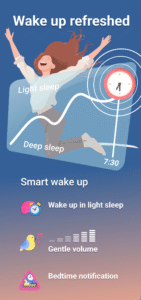
✓ Get to bed on time with Bedtime notification
✓ Smart wake-up feels natural!
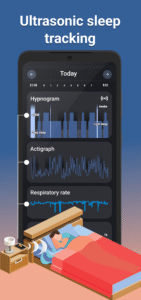
✓ Sonar contactless tracking: No need for a phone in bed!
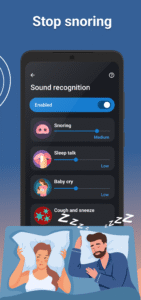
✓ AI-powered sound recognition: Anti-snoring, Sleep talk, Sickness
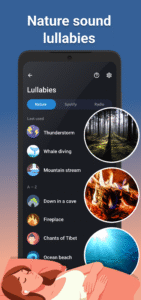
✓ Nature sound lullabies
✓ Sleep respiration analysis with low breath rate alarm
✓ Lucid dreaming, Anti-Jetlag...
Wakeup
✓ Alarm clock with all the features
✓ Gentle alarm sounds
✓ Spotify songs or playlists
✓ Sunrise alarm
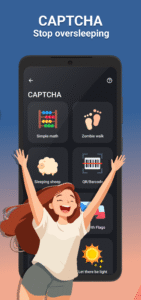
✓ Never oversleep again: CAPTCHA tasks, Snooze limit
Data
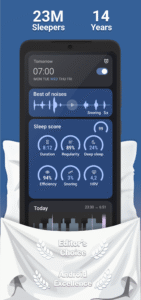
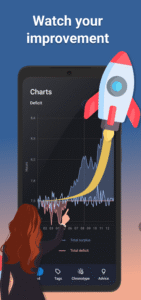
✓ Sleep Score: deficit, regularity, efficiency, phases, snoring, breath rate, SPO2, HRV
✓ Trends, Tags, Chronotype detection and Advice
✓ Privacy first
Integrations
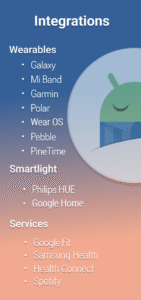
✓ Wearables: Pixel Watch, Galaxy, Wear OS, Garmin (ConnectIQ), Mi Band + Amazfit + Zepp (needs 3rd party app), Polar (H10, OH10, Verity Sense), FitBit (Ionic, Sense, Versa), PineTime
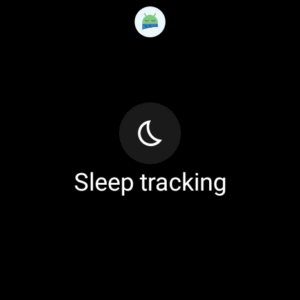
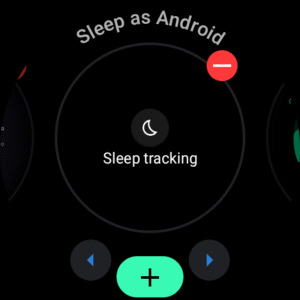
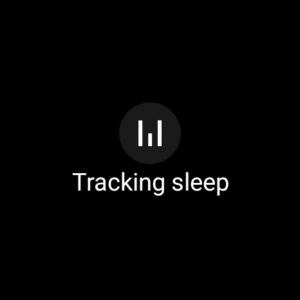
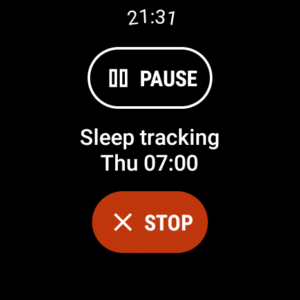
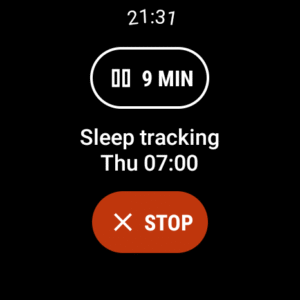
✓ You can install Sleep as Android on your Wear OS watch and use the watch sensors for better data. A Wear OS Tile allows you to start/stop/pause sleep tracking and check your progress without interacting with your phone.
✓ Spotify
✓ Smartlight: Sunrise wake up with Philips HUE, IKEA TRÅDFRI
✓ Automation: IFTTT, MQTT, Tasker or custom Webhooks
✓ Services: Google Fit, Samsung Health, Health Connect
✓ Backup: SleepCloud, Google Drive, DropBox
Quick start
sleep.urbandroid.org/docs/faqs/quick_start.html
Video tutorial
www.youtube.com/watch?v=whUibMSqkO4
Documentation
sleep.urbandroid.org/docs/
FAQ
sleep.urbandroid.org/docs/faqs/
Permissions explained
sleep.urbandroid.org/docs/general/permissions.html
See how we do contact-less sleep and breath tracking with
Sonar
www.youtube.com/watch?v=cjXExBj6VcY
How we designed our neural networks for sleep sound classification
www.youtube.com/watch?v=OVeT0KIXp2k
Watch our latest smartwatch integration progress
sleep.urbandroid.org/docs/devices/supported_wearable.html
Accessibility Service
The accessibility service is necessary for a series of alarm tasks called CAPTCHA. Completing tasks such as sheep counting, doing math, or scanning a barcode on your toothpaste will ensure you get up on time and are fully awake.
The accessibility Service prevents you from cheating the CAPTCHA tasks by force stopping the app or turning off the device before completing them. No personal information is collected.
Device Admin
This app may also use the Device Administrator permission to prevent you from cheating CAPTCHA tasks (see above) by uninstalling the app.
Health Disclaimer
Sleep as Android is not intended for medical use, but rather to improve general fitness and well-being, especially in terms of better sleep. Any oxygen saturation tracking is done with compatible oximeter devices such as the TicWatch, BerryMed oximeters... more at
sleep.urbandroid.org/docs/devices/wearables.html
Sleep as Android is a Swissknife tool for your sleep.
Enjoy 5 days premium, then keep the freemium or upgrade.
FEATURES:
Sleep
✓ Based on 12 years of experience
✓ Validated algorithms
bit.ly/2NmJZTZ
✓ Get to bed on time with Bedtime notification
✓ Smart wake-up feels natural!
✓ Sonar contactless tracking: No need for a phone in bed!
✓ AI-powered sound recognition: Anti-snoring, Sleep talk, Sickness
✓ Nature sound lullabies
✓ Sleep respiration analysis with low breath rate alarm
✓ Lucid dreaming, Anti-Jetlag...
Wakeup
✓ Alarm clock with all the features
✓ Gentle alarm sounds
✓ Spotify songs or playlists
✓ Sunrise alarm
✓ Never oversleep again: CAPTCHA tasks, Snooze limit
Data
✓ Sleep Score: deficit, regularity, efficiency, phases, snoring, breath rate, SPO2, HRV
✓ Trends, Tags, Chronotype detection and Advice
✓ Privacy first
Integrations
✓ Wearables: Pixel Watch, Galaxy, Wear OS, Garmin (ConnectIQ), Mi Band + Amazfit + Zepp (needs 3rd party app), Polar (H10, OH10, Verity Sense), FitBit (Ionic, Sense, Versa), PineTime
✓ You can install Sleep as Android on your Wear OS watch and use the watch sensors for better data. A Wear OS Tile allows you to start/stop/pause sleep tracking and check your progress without interacting with your phone.
✓ Spotify
✓ Smartlight: Sunrise wake up with Philips HUE, IKEA TRÅDFRI
✓ Automation: IFTTT, MQTT, Tasker or custom Webhooks
✓ Services: Google Fit, Samsung Health, Health Connect
✓ Backup: SleepCloud, Google Drive, DropBox
Quick start
sleep.urbandroid.org/docs/faqs/quick_start.html
Video tutorial
www.youtube.com/watch?v=whUibMSqkO4
Documentation
sleep.urbandroid.org/docs/
FAQ
sleep.urbandroid.org/docs/faqs/
Permissions explained
sleep.urbandroid.org/docs/general/permissions.html
See how we do contact-less sleep and breath tracking with
Sonar
www.youtube.com/watch?v=cjXExBj6VcY
How we designed our neural networks for sleep sound classification
www.youtube.com/watch?v=OVeT0KIXp2k
Watch our latest smartwatch integration progress
sleep.urbandroid.org/docs/devices/supported_wearable.html
Accessibility Service
The accessibility service is necessary for a series of alarm tasks called CAPTCHA. Completing tasks such as sheep counting, doing math, or scanning a barcode on your toothpaste will ensure you get up on time and are fully awake.
The accessibility Service prevents you from cheating the CAPTCHA tasks by force stopping the app or turning off the device before completing them. No personal information is collected.
Device Admin
This app may also use the Device Administrator permission to prevent you from cheating CAPTCHA tasks (see above) by uninstalling the app.
Health Disclaimer
Sleep as Android is not intended for medical use, but rather to improve general fitness and well-being, especially in terms of better sleep. Any oxygen saturation tracking is done with compatible oximeter devices such as the TicWatch, BerryMed oximeters... more at
sleep.urbandroid.org/docs/devices/wearables.html
Download Sleep as Android: Smart alarm 20251203 (arm64-v8a + arm-v7a) (Android APK
Fast, free and safe download.
APK Permissions 4
- android.permission.FOREGROUND_SERVICE
- android.permission.VIBRATE
- android.permission.WAKE_LOCK
- com.urbandroid.sleep.DYNAMIC_RECEIVER_NOT_EXPORTED_PERMISSION
APK Verified
The cryptographic signature guarantees that the file is safe to install and was not tampered with in any way.
Similar in Lifestyle


More by Petr Nálevka (Urbandroid)


Frequently Asked Questions about Sleep as Android: Smart alarm 20251203 (arm64-v8a + arm-v7a) (Android APK
This is the universal variant — a single APK that contains native libraries for every CPU architecture. It installs on any Android device but is larger than per-architecture variants.
Yes — the APK's signature has been cryptographically verified against the publisher's signing key. The SHA-256 hash is shown in the File Information panel so you can independently confirm the file matches the original release.
Android 24 (API level 34) or newer. Older devices will refuse the install.
Install a free app like 'CPU-Z' or 'Droid Hardware Info' from the Play Store and look at the ABI / Instruction Set row. Most phones made after 2017 are arm64-v8a; if in doubt, download the universal variant.
All variants are functionally identical — same features, same version. They differ only in which CPU architectures the native code is compiled for, and (sometimes) which screen densities the included graphics target. Pick the one that matches your device for the smallest install size, or pick 'Universal' if you're unsure.