
Download UserLAnd - Linux on Android APK 25.09.12 Universal · Android 21+
Download APK
Verified Safe
This is the universal build of UserLAnd - Linux on Android 25.09.12. It contains native libraries for every CPU architecture (arm64-v8a, armeabi-v7a, x86, x86_64), so it installs on any Android device. The trade-off is size — it's larger than per-architecture variants. Pick this one if you're unsure which CPU your phone has, or if you plan to share the APK with multiple devices.
File size: 187.9 MB • Min Android: 21 • Target Android: 35 • Version code: 19837533 • Framework: Native (Java/Kotlin) • Permissions: 13
Screenshots
File Information
| Package Name | tech.ula |
|---|---|
| Version Name | 25.09.12 |
| Version Code | 19837533 |
| Architecture | Universal |
| Min Android Version | Android 21 (API 35) |
| Main Activity | tech.ula.library.MainActivity |
| Framework | Native (Java/Kotlin) |
| File Size | 187.93 MB |
| Signature (SHA1) | 33347E6D013BE2AF6FED25406410284FE5A345E6 |
| File Hash (SHA256) | 2f5479710bc80ab20bfbb6f38a8823f5a0cfddd72d461c9fedbd7b199b2f7d16 |
What's New
Map the scoped storage directory found on your Android device at /sdcard/Android/data/tech.ula/files/storage to ~/scopedStorage in UserLAnd filesystem
Further fixes for access to file generically on /sdcard
Start promoting Pro Feature to support development
Right now this includes /sdcard access and fancier graphical desktops
But there is a bunch more coming
Further fixes for access to file generically on /sdcard
Start promoting Pro Feature to support development
Right now this includes /sdcard access and fancier graphical desktops
But there is a bunch more coming
App Description
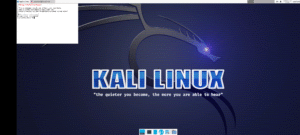
UserLAnd is an open-source app which allows you to run several Linux distributions like Ubuntu,
Debian, and Kali.
- No need to root your device.
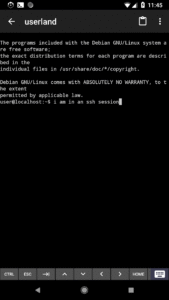
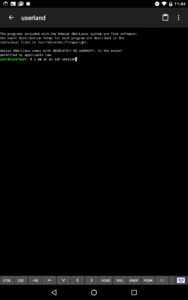
- Use a built-in terminal to access your favorite shells.
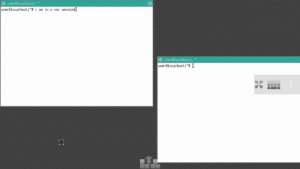
- Easily connect to VNC sessions for a graphical experience.
- Easy setup for several common Linux distributions, like Ubuntu and Debian.
- Easy setup for several common Linux applications, like Octave and Firefox.
- A way to experiment and learn Linux and other common software tools from the palm of your hand.
UserLAnd was created and is being actively maintained by the folks behind the popular Android
application, GNURoot Debian. It is meant as a replacement for the original GNURoot Debian app.
When UserLAnd first launches, it presents a list of common distributions and Linux applications.
Clicking one of these then leads to a series of set-up prompts. Once these have been completed,
UserLAnd will download and set up files required to start the task that has been selected. Based on
the set-up, you will then be connected to your Linux distribution or application in a terminal or
VNC viewing Android application.
Want to know more about getting started? View our wiki on Github:
github.com/CypherpunkArmory/UserLAnd/wiki/Getting-Started-in-UserLAnd
Want to ask questions, give feedback, or report any bugs you've encountered? Reach us on Github:
github.com/CypherpunkArmory/UserLAnd/issues
Debian, and Kali.
- No need to root your device.
- Use a built-in terminal to access your favorite shells.
- Easily connect to VNC sessions for a graphical experience.
- Easy setup for several common Linux distributions, like Ubuntu and Debian.
- Easy setup for several common Linux applications, like Octave and Firefox.
- A way to experiment and learn Linux and other common software tools from the palm of your hand.
UserLAnd was created and is being actively maintained by the folks behind the popular Android
application, GNURoot Debian. It is meant as a replacement for the original GNURoot Debian app.
When UserLAnd first launches, it presents a list of common distributions and Linux applications.
Clicking one of these then leads to a series of set-up prompts. Once these have been completed,
UserLAnd will download and set up files required to start the task that has been selected. Based on
the set-up, you will then be connected to your Linux distribution or application in a terminal or
VNC viewing Android application.
Want to know more about getting started? View our wiki on Github:
github.com/CypherpunkArmory/UserLAnd/wiki/Getting-Started-in-UserLAnd
Want to ask questions, give feedback, or report any bugs you've encountered? Reach us on Github:
github.com/CypherpunkArmory/UserLAnd/issues
Download UserLAnd - Linux on Android APK
Fast, free and safe download.
APK Permissions 13
- android.permission.ACCESS_NETWORK_STATE
- android.permission.CHANGE_WIFI_STATE
- android.permission.FOREGROUND_SERVICE
- android.permission.FOREGROUND_SERVICE_SPECIAL_USE
- android.permission.INTERNET
- android.permission.POST_NOTIFICATIONS
- android.permission.READ_EXTERNAL_STORAGE
- android.permission.RECEIVE_BOOT_COMPLETED
- android.permission.VIBRATE
- android.permission.WAKE_LOCK
- android.permission.WRITE_EXTERNAL_STORAGE
- com.android.vending.BILLING
- tech.ula.DYNAMIC_RECEIVER_NOT_EXPORTED_PERMISSION
APK Verified
The cryptographic signature guarantees that the file is safe to install and was not tampered with in any way.


Frequently Asked Questions about UserLAnd - Linux on Android APK
This is the universal variant — a single APK that contains native libraries for every CPU architecture. It installs on any Android device but is larger than per-architecture variants.
Yes — the APK's signature has been cryptographically verified against the publisher's signing key. The SHA-256 hash is shown in the File Information panel so you can independently confirm the file matches the original release.
Android 21 (API level 35) or newer. Older devices will refuse the install.
Install a free app like 'CPU-Z' or 'Droid Hardware Info' from the Play Store and look at the ABI / Instruction Set row. Most phones made after 2017 are arm64-v8a; if in doubt, download the universal variant.
All variants are functionally identical — same features, same version. They differ only in which CPU architectures the native code is compiled for, and (sometimes) which screen densities the included graphics target. Pick the one that matches your device for the smallest install size, or pick 'Universal' if you're unsure.