
Screenshots


File Information
| Package Name | ru.mail.cloud |
|---|---|
| Version Name | 5.69.0.10060791 |
| Version Code | 10060791 |
| Architecture | Universal |
| Min Android Version | Android 26 (API 35) |
| Main Activity | ru.mail.cloud.ui.settingsRedesign.changeIcon.iconAlias.ClassicIcon |
| Framework | Native (Java/Kotlin) |
| File Size | 175.03 MB |
| Signature (SHA1) | DAA4E5D1B055CDCE8CDF297E412238A3476E70CF |
| File Hash (SHA256) | ebf6aec9797a4a95ec83a89ae2370fd8100c4a4edc9e3846559e9c91f1f4650d |
What's New
A small update with a great effect: the app works well, as usual, and whatever has been fixed is no longer there. All minor issues that we have solved are already a thing of the past, gone and forgotten
App Description
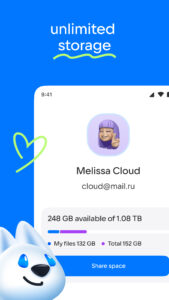
Cloud: upload, transfer photos, documents, and files to the disk. One drive with cloud storage for all files.
Perfect file sharing & storage with Cloud. Backup and sync photos, docs, and other files to the cloud storage drive and access them from any device, anywhere. With advanced sharing, easily share photos & documents to send anywhere with cloud & photo drive.
* Upload photos from your mobile phone. Adjust the automatic "save to disk" in your cloud Camera Uploads. In order to save bandwidth, it is recommended to perform downloads while connected to Wi-Fi. Store all your files on one drive.
* Free up space on your device: all your images are already saved in the Cloud.
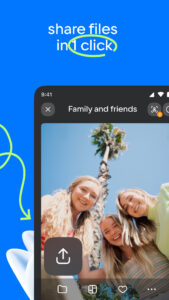
* Share files and folders with friends and colleagues in just one click.
* Save bandwidth - you can send a link to an image, video or document by SMS, e-mail, instant messenger or through a social network.
* Cloud for Android allows you to watch videos (including the most popular video formats: avi, mkv, mp4, mov, wmv) and listen to music. Cloud can play a video file without downloading it on the device. Still available ability to open a video into an external player.
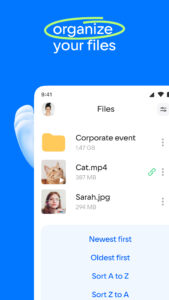
* Manage your files from anywhere - rename, delete, move them between folders. Use just one drive for storage.
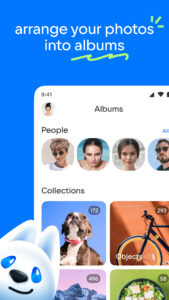
* Create shared folders with other users, add any files together. Use shared folders with friends to collect photos from parties or travelling. Work with documents in groups, using a shared folder with colleagues. Collect and share family memories - all family members can add photos and videos in a shared album.
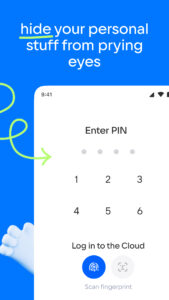
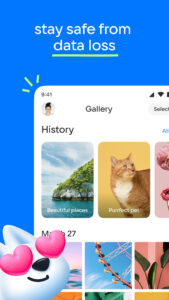
* Keep your important files in a safe storage location! No matter what happens to your drive on your PC or phone, all your files stored in the Cloud will stay intact.
* You can increase your Cloud storage. List of plans is located in the application side-bar.
* The Cloud app is available for Android smartphones and tablets. One drive to store files on your device.
* You do not need any wires, flash drives and memory cards. All you need is the app Cloud and internet connection.
The application has been tested and is compatible with Android version 4.0 and later.
Perfect file sharing & storage with Cloud. Backup and sync photos, docs, and other files to the cloud storage drive and access them from any device, anywhere. With advanced sharing, easily share photos & documents to send anywhere with cloud & photo drive.
* Upload photos from your mobile phone. Adjust the automatic "save to disk" in your cloud Camera Uploads. In order to save bandwidth, it is recommended to perform downloads while connected to Wi-Fi. Store all your files on one drive.
* Free up space on your device: all your images are already saved in the Cloud.
* Share files and folders with friends and colleagues in just one click.
* Save bandwidth - you can send a link to an image, video or document by SMS, e-mail, instant messenger or through a social network.
* Cloud for Android allows you to watch videos (including the most popular video formats: avi, mkv, mp4, mov, wmv) and listen to music. Cloud can play a video file without downloading it on the device. Still available ability to open a video into an external player.
* Manage your files from anywhere - rename, delete, move them between folders. Use just one drive for storage.
* Create shared folders with other users, add any files together. Use shared folders with friends to collect photos from parties or travelling. Work with documents in groups, using a shared folder with colleagues. Collect and share family memories - all family members can add photos and videos in a shared album.
* Keep your important files in a safe storage location! No matter what happens to your drive on your PC or phone, all your files stored in the Cloud will stay intact.
* You can increase your Cloud storage. List of plans is located in the application side-bar.
* The Cloud app is available for Android smartphones and tablets. One drive to store files on your device.
* You do not need any wires, flash drives and memory cards. All you need is the app Cloud and internet connection.
The application has been tested and is compatible with Android version 4.0 and later.
Download Cloud: Video, photo storage APK
Fast, free and safe download.
APK Permissions 54
- android.permission.ACCESS_ADSERVICES_AD_ID
- android.permission.ACCESS_ADSERVICES_ATTRIBUTION
- android.permission.ACCESS_ADSERVICES_TOPICS
- android.permission.ACCESS_COARSE_LOCATION
- android.permission.ACCESS_FINE_LOCATION
- android.permission.ACCESS_MEDIA_LOCATION
- android.permission.ACCESS_NETWORK_STATE
- android.permission.ACCESS_WIFI_STATE
- android.permission.AUTHENTICATE_ACCOUNTS
- android.permission.BROADCAST_STICKY
- android.permission.CHANGE_NETWORK_STATE
- android.permission.CHANGE_WIFI_STATE
- android.permission.DETECT_SCREEN_CAPTURE
- android.permission.FOREGROUND_SERVICE
- android.permission.FOREGROUND_SERVICE_DATA_SYNC
- android.permission.FOREGROUND_SERVICE_MEDIA_PLAYBACK
- android.permission.GET_ACCOUNTS
- android.permission.INTERNET
- android.permission.MANAGE_ACCOUNTS
- android.permission.MANAGE_EXTERNAL_STORAGE
- android.permission.PACKAGE_USAGE_STATS
- android.permission.POST_NOTIFICATIONS
- android.permission.READ_CALL_LOG
- android.permission.READ_EXTERNAL_STORAGE
- android.permission.READ_MEDIA_AUDIO
- android.permission.READ_MEDIA_IMAGES
- android.permission.READ_MEDIA_VIDEO
- android.permission.READ_MEDIA_VISUAL_USER_SELECTED
- android.permission.READ_PHONE_NUMBERS
- android.permission.READ_PHONE_STATE
- android.permission.READ_SYNC_SETTINGS
- android.permission.READ_SYNC_STATS
- android.permission.RECEIVE_BOOT_COMPLETED
- android.permission.REQUEST_IGNORE_BATTERY_OPTIMIZATIONS
- android.permission.USE_BIOMETRIC
- android.permission.USE_CREDENTIALS
- android.permission.USE_FINGERPRINT
- android.permission.VIBRATE
- android.permission.WAKE_LOCK
- android.permission.WRITE_EXTERNAL_STORAGE
- android.permission.WRITE_SETTINGS
- android.permission.WRITE_SYNC_SETTINGS
- android.provider.Telephony.SMS_RECEIVED
- com.android.launcher.permission.INSTALL_SHORTCUT
- com.android.vending.BILLING
- com.google.android.c2dm.permission.RECEIVE
- com.google.android.finsky.permission.BIND_GET_INSTALL_REFERRER_SERVICE
- com.google.android.gms.permission.AD_ID
- com.google.android.providers.gsf.permission.READ_GSERVICES
- com.samsung.android.providers.context.permission.WRITE_USE_APP_FEATURE_SURVEY
- ru.mail.cloud.DYNAMIC_RECEIVER_NOT_EXPORTED_PERMISSION
- ru.mail.cloud.permission.PROCESS_PUSH_MSG
- ru.mail.cloud.permission.PUSH_PROVIDER
- ru.mail.cloud.READPERMISSION
APK Verified
The cryptographic signature guarantees that the file is safe to install and was not tampered with in any way.


