
Screenshots


File Information
| Package Name | com.vk.mail |
|---|---|
| Version Name | 2.62.0.126600 |
| Version Code | 126600 |
| Architecture | Universal |
| Min Android Version | Android 24 (API 35) |
| Main Activity | ru.mail.gamification.alias.MailLauncherAlias |
| Framework | Native (Java/Kotlin) |
| File Size | 187.53 MB |
| Signature (SHA1) | 4D9245230E48BD2154C85EF63209656C0690A79F |
| File Hash (SHA256) | 642c0ea6288afeb664e18b145d5454fb87481fd40381253f0e4561da37e6d5e2 |
What's New
In the new version of the app, we fixed a bug that used to show up out of the blue, like a neighbor with a drill on a Sunday morning. Please update, the bug will vanish. We can't vouch for the neighbor though
App Description
VK Mail: email client for Yandex, Gmail, SFR Mail, Rambler, Mail.ru , Outlook.com and other email services. Nothing superfluous, just emails.
Minimalistic design. There is nothing superfluous in the VK Mail app, such as ads. Just what you need for comfortable work with emails.
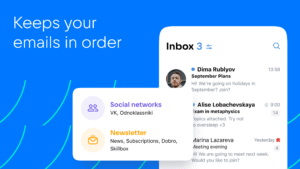
Smart sorting. VK Mail agent automatically sorts newsletters, notifications from social nets, news and emails to yourself into folders. Everything is neatly organized and easy to find.
Custom filters. Set your own filters for a clean and orderly inbox. You can set them so that emails from the selected senders are moved straight to dedicated folders or trash and are marked as read.
The unsubscribe wizard. All your newsletters are collected on one page to make it easy to unsubscribe from the ones you don't need. Go to your account settings, select "Manage Newsletters" and unsubscribe from those newsletters which you don't read.
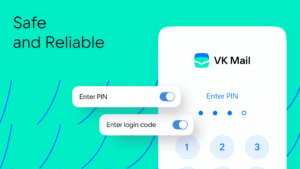
Reliable protection. Powerful spam filters and email login confirmation via SMS, PIN, Touch ID or Face ID. You can choose an access protection method in the app settings and settings for personal data.
All email accounts in one place. If you already have an account with Mail.ru, Gmail, Yahoo, SFR, Yandex or another service, connect them in the VK Mail app and switch between them in a couple of taps. To add an account, tap “Account” and “+”.
Quick swipe actions. You can work with emails without even opening them! Swipe the message from left to right and select an action for this gesture: delete the message, mark it as read or move to spam.
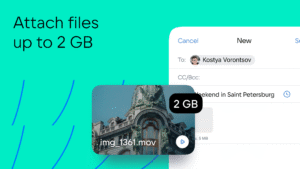
Sending large files. You can attach an entire movie or all photos from your vacation to an email: VK Mail agent can send files up to 2GB without compressing them and turning them into links.
Cool themes from VK. Themes from VK will help you express your style and give your inbox an appealing look without distracting attention from emails. And there is also a dark theme to make reading emails at night more comfortable. You can choose a design in the account settings.
Catchy address. Come up with a terse and expressive name with the domain @vk.com, and your email will be easy to remember — both for you and your recipients.
Download VK Mail agent, configure it as you like, and use it as a single email client for accounts from any services: Gmail, Yandex, SFR Mail, Rambler, Mail.ru and many others.
Minimalistic design. There is nothing superfluous in the VK Mail app, such as ads. Just what you need for comfortable work with emails.
Smart sorting. VK Mail agent automatically sorts newsletters, notifications from social nets, news and emails to yourself into folders. Everything is neatly organized and easy to find.
Custom filters. Set your own filters for a clean and orderly inbox. You can set them so that emails from the selected senders are moved straight to dedicated folders or trash and are marked as read.
The unsubscribe wizard. All your newsletters are collected on one page to make it easy to unsubscribe from the ones you don't need. Go to your account settings, select "Manage Newsletters" and unsubscribe from those newsletters which you don't read.
Reliable protection. Powerful spam filters and email login confirmation via SMS, PIN, Touch ID or Face ID. You can choose an access protection method in the app settings and settings for personal data.
All email accounts in one place. If you already have an account with Mail.ru, Gmail, Yahoo, SFR, Yandex or another service, connect them in the VK Mail app and switch between them in a couple of taps. To add an account, tap “Account” and “+”.
Quick swipe actions. You can work with emails without even opening them! Swipe the message from left to right and select an action for this gesture: delete the message, mark it as read or move to spam.
Sending large files. You can attach an entire movie or all photos from your vacation to an email: VK Mail agent can send files up to 2GB without compressing them and turning them into links.
Cool themes from VK. Themes from VK will help you express your style and give your inbox an appealing look without distracting attention from emails. And there is also a dark theme to make reading emails at night more comfortable. You can choose a design in the account settings.
Catchy address. Come up with a terse and expressive name with the domain @vk.com, and your email will be easy to remember — both for you and your recipients.
Download VK Mail agent, configure it as you like, and use it as a single email client for accounts from any services: Gmail, Yandex, SFR Mail, Rambler, Mail.ru and many others.
Download VK Mail: email client APK
Fast, free and safe download.
APK Permissions 45
- android.permission.ACCESS_ADSERVICES_AD_ID
- android.permission.ACCESS_ADSERVICES_ATTRIBUTION
- android.permission.ACCESS_ADSERVICES_TOPICS
- android.permission.ACCESS_NETWORK_STATE
- android.permission.ACCESS_WIFI_STATE
- android.permission.AUTHENTICATE_ACCOUNTS
- android.permission.CALL_PHONE
- android.permission.CHANGE_NETWORK_STATE
- android.permission.CHANGE_WIFI_STATE
- android.permission.DETECT_SCREEN_CAPTURE
- android.permission.FOREGROUND_SERVICE
- android.permission.FOREGROUND_SERVICE_DATA_SYNC
- android.permission.GET_ACCOUNTS
- android.permission.INTERNET
- android.permission.MANAGE_ACCOUNTS
- android.permission.MODIFY_AUDIO_SETTINGS
- android.permission.POST_NOTIFICATIONS
- android.permission.READ_CALL_LOG
- android.permission.READ_CONTACTS
- android.permission.READ_EXTERNAL_STORAGE
- android.permission.READ_MEDIA_IMAGES
- android.permission.READ_MEDIA_VIDEO
- android.permission.READ_PHONE_NUMBERS
- android.permission.READ_PHONE_STATE
- android.permission.READ_SYNC_SETTINGS
- android.permission.READ_SYNC_STATS
- android.permission.RECEIVE_BOOT_COMPLETED
- android.permission.USE_CREDENTIALS
- android.permission.USE_FINGERPRINT
- android.permission.VIBRATE
- android.permission.WAKE_LOCK
- android.permission.WRITE_CONTACTS
- android.permission.WRITE_EXTERNAL_STORAGE
- android.permission.WRITE_SETTINGS
- android.permission.WRITE_SYNC_SETTINGS
- com.android.gallery3d.permission.GALLERY_PROVIDER
- com.android.launcher.permission.INSTALL_SHORTCUT
- com.google.android.c2dm.permission.RECEIVE
- com.google.android.finsky.permission.BIND_GET_INSTALL_REFERRER_SERVICE
- com.google.android.gallery3d.permission.GALLERY_PROVIDER
- com.google.android.providers.gsf.permission.READ_GSERVICES
- com.vk.mail.DYNAMIC_RECEIVER_NOT_EXPORTED_PERMISSION
- com.vk.mail.permission.C2D_MESSAGE
- com.vk.mail.permission.PROCESS_PUSH_MSG
- com.vk.mail.permission.PUSH_PROVIDER
APK Verified
The cryptographic signature guarantees that the file is safe to install and was not tampered with in any way.


