
Download Waze Navigation & Live Traffic APK 5.11.5.0 Universal · Android 29+
Download APK
Verified Safe
This is the universal build of Waze Navigation & Live Traffic 5.11.5.0. It contains native libraries for every CPU architecture (arm64-v8a, armeabi-v7a, x86, x86_64), so it installs on any Android device. The trade-off is size — it's larger than per-architecture variants. Pick this one if you're unsure which CPU your phone has, or if you plan to share the APK with multiple devices.
File size: 96.0 MB • Min Android: 29 • Target Android: 35 • Version code: 1030645 • Framework: Native (Java/Kotlin) • Permissions: 40
Screenshots


File Information
| Package Name | com.waze |
|---|---|
| Version Name | 5.11.5.0 |
| Version Code | 1030645 |
| Architecture | Universal |
| Min Android Version | Android 29 (API 35) |
| Main Activity | com.waze.FreeMapAppActivity |
| Framework | Native (Java/Kotlin) |
| File Size | 96.01 MB |
| Signature (SHA1) | 35B438FE1BC69D975DC8702DC16AB69EBF65F26F |
| File Hash (SHA256) | a9d5772b0de4b54358498aabc0dbf8e1ed637be68f902f4fd9c146117408159f |
What's New
Saving time & avoiding traffic is even simpler with this update:
Fixed a bug so the map remains centered on the car icon
Fixed a bug so the map remains centered on the car icon
App Description
Know what's ahead on the road with the help from other drivers. Waze is a live map that harnesses the local knowledge of tens of millions of drivers around the world. Drivers safely and confidently reach their everyday destinations thanks to Waze map’s GPS navigation, live traffic updates, real-time safety alerts (including roadworks, accidents, crashes, police, potholes and more), and accurate ETAs.
Make your next drive more predictable and stress-free:
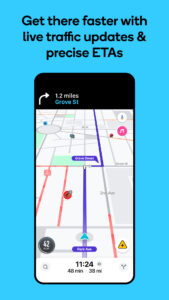
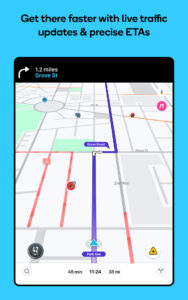
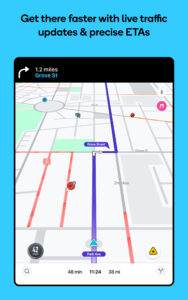
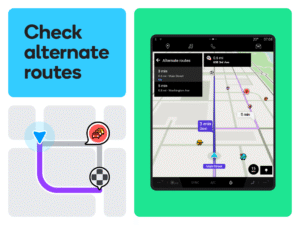
• Get there faster with real-time directions, accurate ETAs and automatic rerouting based on live traffic, incidents and road closures
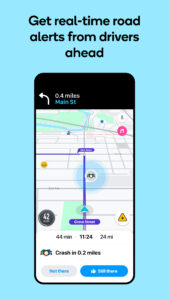
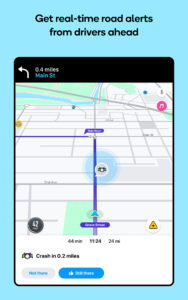
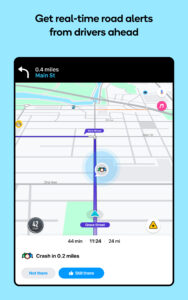
• Even if you know the way, avoid surprises on the road ahead with safety alerts for accidents, crashes, roadworks, objects on the road, potholes, speed bumps, sharp curves, bad weather, emergency vehicles, railway crossings and more
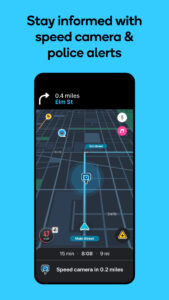
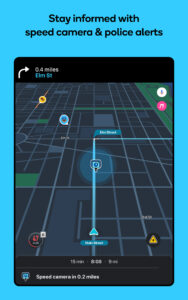
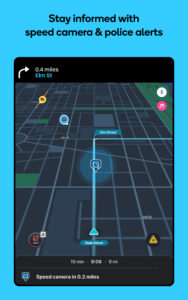
• Steer clear of tickets by knowing where police and red light and speed cameras are located
• Share what’s happening on the road with other drivers by reporting live incidents and hazards
• Stay informed of upcoming speed limit changes, and keep your speedometer in check
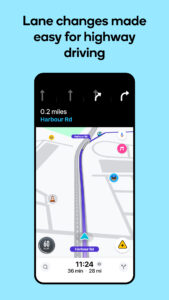
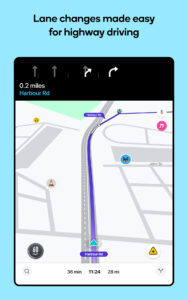
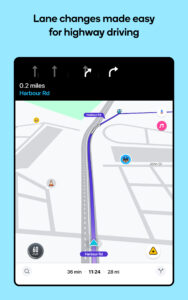
• Know which lane to be in with multi-lane guidance
• See toll pricing and choose to avoid tolls along your routes
• Add road passes and vignettes for HOV lanes and restricted traffic zones
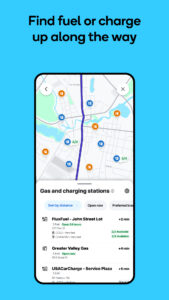
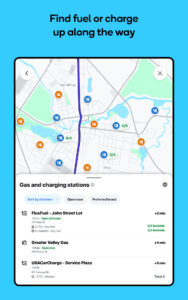
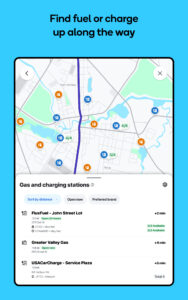
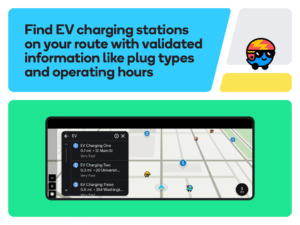
• Find petrol/fuel stations and prices and EV charging stations along your route
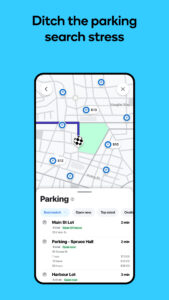
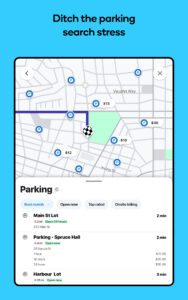
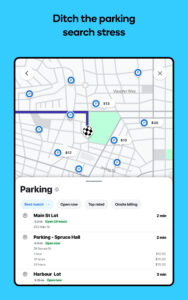
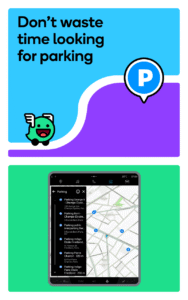
• Locate and compare parking lots and their prices near your destination
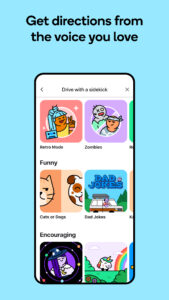
• Use voice-guided turn-by-turn navigation from a variety of languages, local accents and your favourite celebrities
• Plan your next drive by checking ETAs by future departure or arrival times
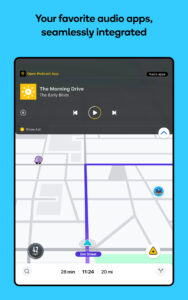
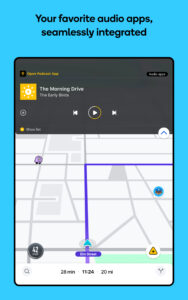
• Use your favourite audio apps (for podcasts, music, news, audiobooks) directly within Waze
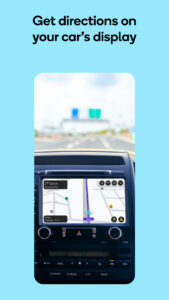
• Sync Waze to your car’s built-in display through Android Auto
* Some features are not available in all countries
* Waze navigation is not intended for emergency or oversized vehicles
You can manage your in-app Waze privacy settings at any time. Learn more about the Waze privacy policy here,
www.waze.com/legal/privacy
.
Make your next drive more predictable and stress-free:
• Get there faster with real-time directions, accurate ETAs and automatic rerouting based on live traffic, incidents and road closures
• Even if you know the way, avoid surprises on the road ahead with safety alerts for accidents, crashes, roadworks, objects on the road, potholes, speed bumps, sharp curves, bad weather, emergency vehicles, railway crossings and more
• Steer clear of tickets by knowing where police and red light and speed cameras are located
• Share what’s happening on the road with other drivers by reporting live incidents and hazards
• Stay informed of upcoming speed limit changes, and keep your speedometer in check
• Know which lane to be in with multi-lane guidance
• See toll pricing and choose to avoid tolls along your routes
• Add road passes and vignettes for HOV lanes and restricted traffic zones
• Find petrol/fuel stations and prices and EV charging stations along your route
• Locate and compare parking lots and their prices near your destination
• Use voice-guided turn-by-turn navigation from a variety of languages, local accents and your favourite celebrities
• Plan your next drive by checking ETAs by future departure or arrival times
• Use your favourite audio apps (for podcasts, music, news, audiobooks) directly within Waze
• Sync Waze to your car’s built-in display through Android Auto
* Some features are not available in all countries
* Waze navigation is not intended for emergency or oversized vehicles
You can manage your in-app Waze privacy settings at any time. Learn more about the Waze privacy policy here,
www.waze.com/legal/privacy
.
Download Waze Navigation & Live Traffic APK
Fast, free and safe download.
APK Permissions 40
- android.car.permission.CAR_INFO
- android.permission_group.POST_NOTIFICATIONS
- android.permission.ACCESS_ADSERVICES_AD_ID
- android.permission.ACCESS_ADSERVICES_ATTRIBUTION
- android.permission.ACCESS_BACKGROUND_LOCATION
- android.permission.ACCESS_COARSE_LOCATION
- android.permission.ACCESS_FINE_LOCATION
- android.permission.ACCESS_LOCATION_EXTRA_COMMANDS
- android.permission.ACCESS_NETWORK_STATE
- android.permission.BLUETOOTH
- android.permission.BLUETOOTH_ADMIN
- android.permission.BLUETOOTH_CONNECT
- android.permission.BLUETOOTH_SCAN
- android.permission.BROADCAST_STICKY
- android.permission.CAMERA
- android.permission.DOWNLOAD_WITHOUT_NOTIFICATION
- android.permission.FOREGROUND_SERVICE
- android.permission.FOREGROUND_SERVICE_LOCATION
- android.permission.INTERNET
- android.permission.MODIFY_AUDIO_SETTINGS
- android.permission.POST_NOTIFICATIONS
- android.permission.READ_CALENDAR
- android.permission.READ_CONTACTS
- android.permission.READ_PHONE_STATE
- android.permission.READ_PROFILE
- android.permission.READ_SYNC_SETTINGS
- android.permission.READ_SYNC_STATS
- android.permission.RECEIVE_BOOT_COMPLETED
- android.permission.RECORD_AUDIO
- android.permission.SYSTEM_ALERT_WINDOW
- android.permission.VIBRATE
- android.permission.WAKE_LOCK
- android.permission.WRITE_SYNC_SETTINGS
- androidx.car.app.ACCESS_SURFACE
- androidx.car.app.NAVIGATION_TEMPLATES
- com.google.android.c2dm.permission.RECEIVE
- com.google.android.finsky.permission.BIND_GET_INSTALL_REFERRER_SERVICE
- com.google.android.gms.permission.AD_ID
- com.waze.DYNAMIC_RECEIVER_EXPORTED_PERMISSION
- com.waze.DYNAMIC_RECEIVER_NOT_EXPORTED_PERMISSION
APK Verified
The cryptographic signature guarantees that the file is safe to install and was not tampered with in any way.
Similar in Maps & Navigation


Frequently Asked Questions about Waze Navigation & Live Traffic APK
This is the universal variant — a single APK that contains native libraries for every CPU architecture. It installs on any Android device but is larger than per-architecture variants.
Yes — the APK's signature has been cryptographically verified against the publisher's signing key. The SHA-256 hash is shown in the File Information panel so you can independently confirm the file matches the original release.
Android 29 (API level 35) or newer. Older devices will refuse the install.
Install a free app like 'CPU-Z' or 'Droid Hardware Info' from the Play Store and look at the ABI / Instruction Set row. Most phones made after 2017 are arm64-v8a; if in doubt, download the universal variant.
All variants are functionally identical — same features, same version. They differ only in which CPU architectures the native code is compiled for, and (sometimes) which screen densities the included graphics target. Pick the one that matches your device for the smallest install size, or pick 'Universal' if you're unsure.