
This is the universal build of what3words: Navigation & Maps 4.37. It contains native libraries for every CPU architecture (arm64-v8a, armeabi-v7a, x86, x86_64), so it installs on any Android device. The trade-off is size — it's larger than per-architecture variants. Pick this one if you're unsure which CPU your phone has, or if you plan to share the APK with multiple devices.
File size: 43.6 MB • Min Android: 25 • Target Android: 34 • Version code: 30518 • Framework: Native (Java/Kotlin) • Permissions: 15
Screenshots
File Information
| Package Name | com.what3words.android |
|---|---|
| Version Name | 4.37 |
| Version Code | 30518 |
| Architecture | Universal |
| Min Android Version | Android 25 (API 34) |
| Main Activity | com.what3words.android.MainWearActivity |
| Framework | Native (Java/Kotlin) |
| File Size | 43.60 MB |
| Signature (SHA1) | C060219912E1FC33A8B79EA0D44F48F19148BCEB |
| File Hash (SHA256) | de68243192823510da58b21356f422547c849f75614eb08923c03b9cf29fa2ac |
What's New
Performance improvements and bug fixes
App Description
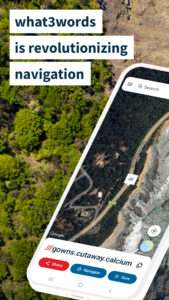
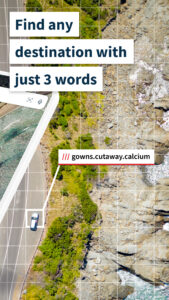
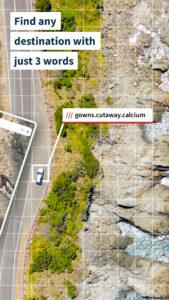
what3words is an easy way to identify precise locations. Every 10ft square has been given a unique combination of three words: a what3words address. Now you can find, share and navigate to precise locations using three simple words.
Easy navigation, simple deliveries and more
Use what3words to:
- Help emergency services know exactly where to find you - especially in hard to describe locations or places with inaccurate addresses
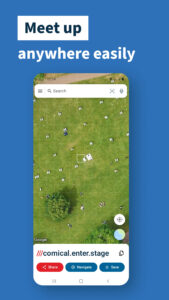
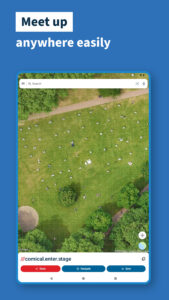
- Plan exact meet-up locations, simplifying navigation for you and others
- Give car breakdown services your precise location
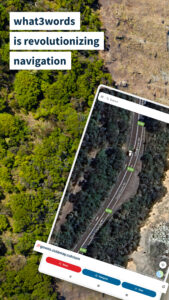
- Navigate to any destination easily
- Save your favorite memorable spots so you know how to navigate back to them - a viewpoint, waterfall or proposal location
- Save key locations, from incident reporting to delivery entrances
- Help people find your business or Airbnb - perfect for travelers tired of relying on inaccurate street addresses
- Help people navigate to accessible entrances
Help others find and navigate to you
what3words addresses are accepted by over 4,800 9-1-1 Emergency Communications Centers from across the United States, helping first responders locate and navigate to you easily and quickly. Businesses and hotels display what3words on their contact pages and booking confirmations - anywhere you would normally find location information: on maps, in guidebooks and more.
Discover your favorite new location app
Popular features:
- Find your current what3words address offline
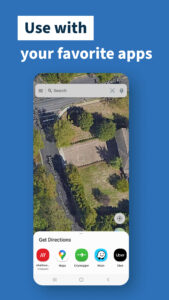
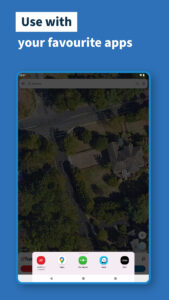
- Compatible with other navigation and map apps, including Google Maps and Apple Maps
- Save your favorite locations and categorize them into lists
- AutoSuggest prompts you with intelligent suggestions
- Available in over 50 languages
- Navigate offline with Compass mode
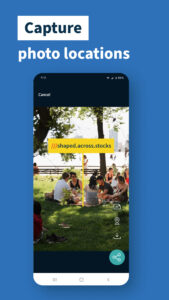
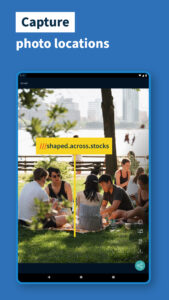
- Add a what3words address to a photo
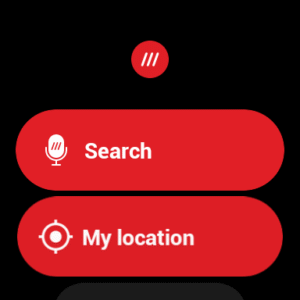
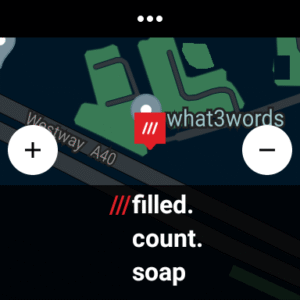
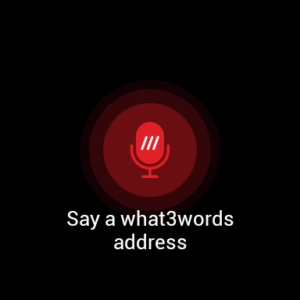
- Wear OS support for smartwatch navigation
More accurate than street addresses, simpler than GPS coordinates
Street addresses and postcodes aren’t accurate enough to specify exact locations - for navigation, deliveries and more. what3words is a more precise way to do so - and it’s also a more accessible way to communicate location information than latitude/longitude coordinates or GPS - in short, it’s a simple ‘geocode’.
Navigate adventures, big and small
Offline navigation and compatibility with your favorite map apps - like Google Maps, Apple Maps and more - make what3words the perfect tool for daily trips and bigger adventures.
- Walking somewhere unfamiliar? Use what3words to navigate to your precise destination stress-free
- Find the perfect camping spot - and remember how to find it later - by saving the what3words location
- Meetups made simple: help others find hiking trailheads, shop car parks, precise entrances and more by sharing the what3words location
- Navigation couldn’t be easier with the what3words Compass, which guides you straight to where you need to be
If you experience any problems or have any questions, email us at
support@what3words.com
Easy navigation, simple deliveries and more
Use what3words to:
- Help emergency services know exactly where to find you - especially in hard to describe locations or places with inaccurate addresses
- Plan exact meet-up locations, simplifying navigation for you and others
- Give car breakdown services your precise location
- Navigate to any destination easily
- Save your favorite memorable spots so you know how to navigate back to them - a viewpoint, waterfall or proposal location
- Save key locations, from incident reporting to delivery entrances
- Help people find your business or Airbnb - perfect for travelers tired of relying on inaccurate street addresses
- Help people navigate to accessible entrances
Help others find and navigate to you
what3words addresses are accepted by over 4,800 9-1-1 Emergency Communications Centers from across the United States, helping first responders locate and navigate to you easily and quickly. Businesses and hotels display what3words on their contact pages and booking confirmations - anywhere you would normally find location information: on maps, in guidebooks and more.
Discover your favorite new location app
Popular features:
- Find your current what3words address offline
- Compatible with other navigation and map apps, including Google Maps and Apple Maps
- Save your favorite locations and categorize them into lists
- AutoSuggest prompts you with intelligent suggestions
- Available in over 50 languages
- Navigate offline with Compass mode
- Add a what3words address to a photo
- Wear OS support for smartwatch navigation
More accurate than street addresses, simpler than GPS coordinates
Street addresses and postcodes aren’t accurate enough to specify exact locations - for navigation, deliveries and more. what3words is a more precise way to do so - and it’s also a more accessible way to communicate location information than latitude/longitude coordinates or GPS - in short, it’s a simple ‘geocode’.
Navigate adventures, big and small
Offline navigation and compatibility with your favorite map apps - like Google Maps, Apple Maps and more - make what3words the perfect tool for daily trips and bigger adventures.
- Walking somewhere unfamiliar? Use what3words to navigate to your precise destination stress-free
- Find the perfect camping spot - and remember how to find it later - by saving the what3words location
- Meetups made simple: help others find hiking trailheads, shop car parks, precise entrances and more by sharing the what3words location
- Navigation couldn’t be easier with the what3words Compass, which guides you straight to where you need to be
If you experience any problems or have any questions, email us at
support@what3words.com
Download what3words: Navigation & Maps APK
Fast, free and safe download.
APK Permissions 15
- android.permission.ACCESS_COARSE_LOCATION
- android.permission.ACCESS_FINE_LOCATION
- android.permission.ACCESS_NETWORK_STATE
- android.permission.ACCESS_WIFI_STATE
- android.permission.FOREGROUND_SERVICE
- android.permission.INTERNET
- android.permission.POST_NOTIFICATIONS
- android.permission.RECEIVE_BOOT_COMPLETED
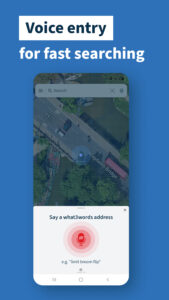
- android.permission.RECORD_AUDIO
- android.permission.VIBRATE
- android.permission.WAKE_LOCK
- com.google.android.c2dm.permission.RECEIVE
- com.google.android.finsky.permission.BIND_GET_INSTALL_REFERRER_SERVICE
- com.google.android.gms.permission.AD_ID
- com.what3words.android.DYNAMIC_RECEIVER_NOT_EXPORTED_PERMISSION
APK Verified
The cryptographic signature guarantees that the file is safe to install and was not tampered with in any way.


Frequently Asked Questions about what3words: Navigation & Maps APK
This is the universal variant — a single APK that contains native libraries for every CPU architecture. It installs on any Android device but is larger than per-architecture variants.
Yes — the APK's signature has been cryptographically verified against the publisher's signing key. The SHA-256 hash is shown in the File Information panel so you can independently confirm the file matches the original release.
Android 25 (API level 34) or newer. Older devices will refuse the install.
Install a free app like 'CPU-Z' or 'Droid Hardware Info' from the Play Store and look at the ABI / Instruction Set row. Most phones made after 2017 are arm64-v8a; if in doubt, download the universal variant.
All variants are functionally identical — same features, same version. They differ only in which CPU architectures the native code is compiled for, and (sometimes) which screen densities the included graphics target. Pick the one that matches your device for the smallest install size, or pick 'Universal' if you're unsure.