
Download WiFi Mouse APK
com.necta.wifimousefree · by WiFi Mouse
Screenshots
About WiFi Mouse
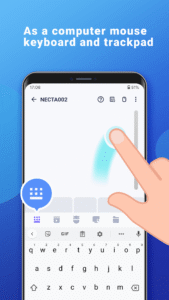
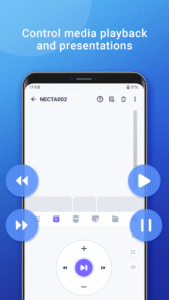
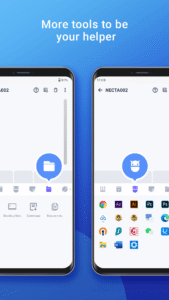
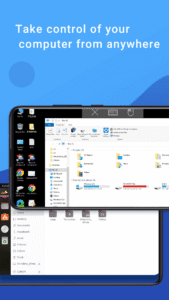
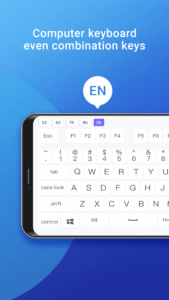
🚀 Your Phone = Ultimate PC Remote: Mouse, Keyboard, Trackpad & MORE! 🚀 Advertisement Remove ads, dark theme, and more with Premium Tired of jumping up to control your PC or Mac? Transform your Android phone into a powerful wireless mouse, keyboard, trackpad, and command center! Effortlessly control your Windows, macOS, or Linux computer from your couch, bed, or across the room – all over your local WiFi. 🌟 NEW! Game-Changer: Remotely Shutdown or Restart Your Computer from ANYWHERE (via internet)! Unlock the Full Potential of Your Phone: Precision Control: Smooth touchpad, Air Mouse (gyro!), & full keyboard (emoji 😂 included!). Supports any Android keyboard. Power User Features: NEW Internet Remote: Shutdown/Restart PC from anywhere! Media Master: Control Spotify, VLC, YouTube (web), Netflix (web), QuickTime & more! (Unlock Premium) Present Like a Pro: Remote PowerPoint/Keynote control. Voice to Text: Dictate directly to your PC! App Launcher & File Browser: Start apps & find files instantly. Game Pad Mode: Play Roblox & other PC games remotely! (Unlock Premium) Remote Desktop (RDP): See your PC screen on your phone. (Unlock Premium) Universal Remote: Control IR TVs (Samsung, LG, Apple TV, TCL) with your phone's IR blaster! (Requires hardware) Seamless Compatibility: Works flawlessly with Windows 7/10/11, macOS, and Linux (Ubuntu, Debian, Raspberry Pi, Mint & more). Smart & Secure: Password protection & Dark Mode (Android 10+). ✅ Super Simple Setup in Seconds: 1. Download the FREE Mouse Server for your PC/Mac/Linux: [ wifimouse.necta.us](http://wifimouse.necta.us ) 2. Install & Run it (ensure firewall allows port 1978). 3. Connect your phone & computer to the SAME WiFi. 4. Open the app & control instantly! 🔐 Permissions Explained: Full Network Access: Essential for connecting to your computer. Control Vibration: Provides tactile feedback for key presses (feels real!). Transmit Infrared: Only needed if using the TV remote feature (requires IR blaster). 👉 Ditch the Dongles & Extra Remotes! Download WiFi Mouse NOW and Turn Your Phone into the Ultimate Control Hub! Show more Show less