
Download WPS Office-PDF, Word, Sheet APK 14.6.1.3 arm64-v8a · Android 21+
Download APK
Verified Safe
This is the arm64-v8a build of WPS Office-PDF, Word, Sheet 14.6.1.3 — the modern 64-bit ARM build that runs on virtually every Android phone released since 2017. It's smaller and faster than the universal variant because Android only loads the native code your CPU actually needs. If your phone is from the last 8 years, this is the right pick.
File size: 122.5 MB • Min Android: 21 • Target Android: 30 • Version code: 453 • Framework: Native (Java/Kotlin) • Permissions: 24
Screenshots

File Information
| Package Name | cn.wps.moffice_eng |
|---|---|
| Version Name | 14.6.1.3 |
| Version Code | 453 |
| Architecture | arm64-v8a |
| Min Android Version | Android 21 (API 30) |
| Main Activity | cn.wps.moffice.documentmanager.PreStartActivity |
| Framework | Native (Java/Kotlin) |
| File Size | 122.46 MB |
| Signature (SHA1) | 7266E5A058B08D4C67214E681A463EABE4034A32 |
| File Hash (SHA256) | 63f16973b6f1435611e8d14b6d34f374e6f1a5a62d07efb171f87103b291e8e8 |
What's New
1. Enhanced PDF signing: Added new Google Fonts compliant with Open Font License (OFL). Details at:
scripts.sil.org/OFL
.
2. Improved signing and form-filling: Varied date formats, easily modifiable signature styles, and smart form-adjustment for mobile use.
3. Advanced OCR features: PDF component now includes text and image extraction, accessible via OCR section in all tabs or by long-pressing content in PDF.
scripts.sil.org/OFL
.
2. Improved signing and form-filling: Varied date formats, easily modifiable signature styles, and smart form-adjustment for mobile use.
3. Advanced OCR features: PDF component now includes text and image extraction, accessible via OCR section in all tabs or by long-pressing content in PDF.
App Description
★WPS Office-Free Office suite for Word, PDF, Sheet, is an all-in-one office suite integrates Word docs, PDF, Sheet spreadsheets, PowerPoint slides, WPS AI, Forms, Cloud Storage, Online Editing, Template library and Sharing. Access various WPS Office functions through mobile devices, such as scan PDF files, edit slides, convert spreadsheets, or view documents anytime, anywhere. WPS AI revolutionizes your workflow by offering functions like AI-Powered document scanner, AI-generated content, rewriting, ChatPDFs, and more.
「Features of WPS AI 」
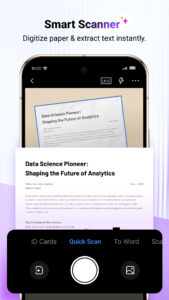
1. AI-Powered Document Scanner
• Digitize paper documents, extract & erase elements rapidly and accurately!
2. WPS AI-generated content (AIGC)
• Get instant and high-quality content like meeting summaries, event planning, resumes, etc, all with a prompt!
3. AI-powered rewriting
• WPS AI is here to offer professional rewriting and polishing work.
• WPS AI is committed to be a powerful writing assistant and revolutionize the writing process.
4. ChatPDFs
• Free from tedious PDF-reading workload!
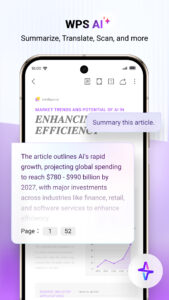
• WPS AI is able to effortlessly process long PDFs and provides summaries, outlines or translations as you like.
• Engage in conversations with WPS AI and get instant answers about the PDFs.
5. AI-powered OCR
• Revolutionized OCR technology helps to deal with the data entry work.
• Ready to provide insights for any scanned document.
★As a professional word processor, WPS Office is compatible with various office softwares in core functions, more intelligent and easier.
「 Typical Features of WPS Office 」
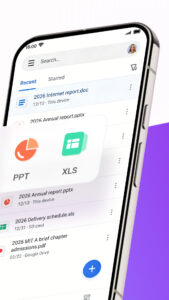
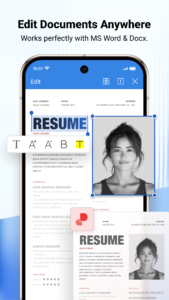
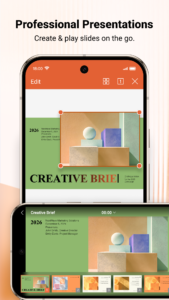
1. Powerful Office Suite on your Android device
• Using templates to start editing your budget, Word, Presentations, sheet, resumes, documents and other files.
•Using tools to convert and process Document, PDF and images.
•Easy to create, edit, share files and collaborated on with others in real-time.
2. Scan, view, edit, convert PDF on your Android device
• Free PDF viewer that can open, view, share and comment on PDFs anywhere and on any device.
• Convert all Office documents (Word, Text, Sheet, PowerPoint, Docs, Images) to PDF.
• Scan paper documents to PDF.
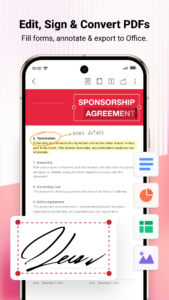
• Support PDF annotation, PDF signature, PDF extraction/split, PDF merge.
• Easily add and delete watermarks in PDF.
3. Powerful cloud storage function, you are not afraid of losing documents
• Use WPS Cloud to manage all documents, synchronize in real time on mobile phones and computers, and easily and directly access and edit office documents
• Save documents to third-party clouds: Dropbox, Google Drive, Box, Evernote and Microsoft OneDrive.
4. Solutions for working remotely on Android devices
• 1G free cloud storage, support online editing and sharing of files, easy to build and join the cloud team.
• Easy to share office documents via WIFI, NFC, DLNA, email, instant messaging, WhatsApp, Telegram, Facebook and Twitter.
Now available PC and Mac for free , please visit the following link:
www.wps.com/download/
Support page:
www.wps.com/support/
「Features of WPS AI 」
1. AI-Powered Document Scanner
• Digitize paper documents, extract & erase elements rapidly and accurately!
2. WPS AI-generated content (AIGC)
• Get instant and high-quality content like meeting summaries, event planning, resumes, etc, all with a prompt!
3. AI-powered rewriting
• WPS AI is here to offer professional rewriting and polishing work.
• WPS AI is committed to be a powerful writing assistant and revolutionize the writing process.
4. ChatPDFs
• Free from tedious PDF-reading workload!
• WPS AI is able to effortlessly process long PDFs and provides summaries, outlines or translations as you like.
• Engage in conversations with WPS AI and get instant answers about the PDFs.
5. AI-powered OCR
• Revolutionized OCR technology helps to deal with the data entry work.
• Ready to provide insights for any scanned document.
★As a professional word processor, WPS Office is compatible with various office softwares in core functions, more intelligent and easier.
「 Typical Features of WPS Office 」
1. Powerful Office Suite on your Android device
• Using templates to start editing your budget, Word, Presentations, sheet, resumes, documents and other files.
•Using tools to convert and process Document, PDF and images.
•Easy to create, edit, share files and collaborated on with others in real-time.
2. Scan, view, edit, convert PDF on your Android device
• Free PDF viewer that can open, view, share and comment on PDFs anywhere and on any device.
• Convert all Office documents (Word, Text, Sheet, PowerPoint, Docs, Images) to PDF.
• Scan paper documents to PDF.
• Support PDF annotation, PDF signature, PDF extraction/split, PDF merge.
• Easily add and delete watermarks in PDF.
3. Powerful cloud storage function, you are not afraid of losing documents
• Use WPS Cloud to manage all documents, synchronize in real time on mobile phones and computers, and easily and directly access and edit office documents
• Save documents to third-party clouds: Dropbox, Google Drive, Box, Evernote and Microsoft OneDrive.
4. Solutions for working remotely on Android devices
• 1G free cloud storage, support online editing and sharing of files, easy to build and join the cloud team.
• Easy to share office documents via WIFI, NFC, DLNA, email, instant messaging, WhatsApp, Telegram, Facebook and Twitter.
Now available PC and Mac for free , please visit the following link:
www.wps.com/download/
Support page:
www.wps.com/support/
Download WPS Office-PDF, Word, Sheet APK
Fast, free and safe download.
APK Permissions 24
- android.permission.ACCESS_NETWORK_STATE
- android.permission.ACCESS_WIFI_STATE
- android.permission.CAMERA
- android.permission.CHANGE_NETWORK_STATE
- android.permission.CHANGE_WIFI_STATE
- android.permission.GET_ACCOUNTS
- android.permission.INTERNET
- android.permission.READ_EXTERNAL_STORAGE
- android.permission.SYSTEM_ALERT_WINDOW
- android.permission.WAKE_LOCK
- android.permission.WRITE_EXTERNAL_STORAGE
- cn.wps.moffice_eng.permission.BROADCAST
- cn.wps.moffice_eng.permission.C2D_MESSAGE
- com.android.launcher.permission.INSTALL_SHORTCUT
- com.android.launcher.permission.UNINSTALL_SHORTCUT
- com.android.vending.BILLING
- com.google.android.c2dm.permission.RECEIVE
- com.google.android.finsky.permission.BIND_GET_INSTALL_REFERRER_SERVICE
- com.google.android.providers.gsf.permission.READ_GSERVICES
- com.google.android.providers.gsf.permission.WRITE_GSERVICES
- com.huawei.pcassistant.permisssion.HANDOFF_SDK_SERVICE
- com.huawei.permission.HANDOFF
- com.transsion.dataservice.permission.READ
- com.transsion.dataservice.permission.WRITE
APK Verified
The cryptographic signature guarantees that the file is safe to install and was not tampered with in any way.
Similar in Productivity


More by WPS SOFTWARE PTE. LTD.

Frequently Asked Questions about WPS Office-PDF, Word, Sheet APK
This variant is built for 64-bit ARM (most Android phones made since 2017). If your device's CPU matches, this is the smallest, fastest version to install.
Yes — the APK's signature has been cryptographically verified against the publisher's signing key. The SHA-256 hash is shown in the File Information panel so you can independently confirm the file matches the original release.
Android 21 (API level 30) or newer. Older devices will refuse the install.
Install a free app like 'CPU-Z' or 'Droid Hardware Info' from the Play Store and look at the ABI / Instruction Set row. Most phones made after 2017 are arm64-v8a; if in doubt, download the universal variant.
All variants are functionally identical — same features, same version. They differ only in which CPU architectures the native code is compiled for, and (sometimes) which screen densities the included graphics target. Pick the one that matches your device for the smallest install size, or pick 'Universal' if you're unsure.